

Does Dell OptiPlex 790 Have Speakers? The Direct Answer
Yes, the Dell OptiPlex 790 does have a built-in internal speaker, but it is primarily designed for system beeps, diagnostic alerts, and basic mono audio output. While every form factor of the OptiPlex 790 (Mini Tower, Desktop, Small Form Factor, and Ultra Small Form Factor) includes this internal speaker, it lacks the depth and volume required for a quality media or gaming experience.
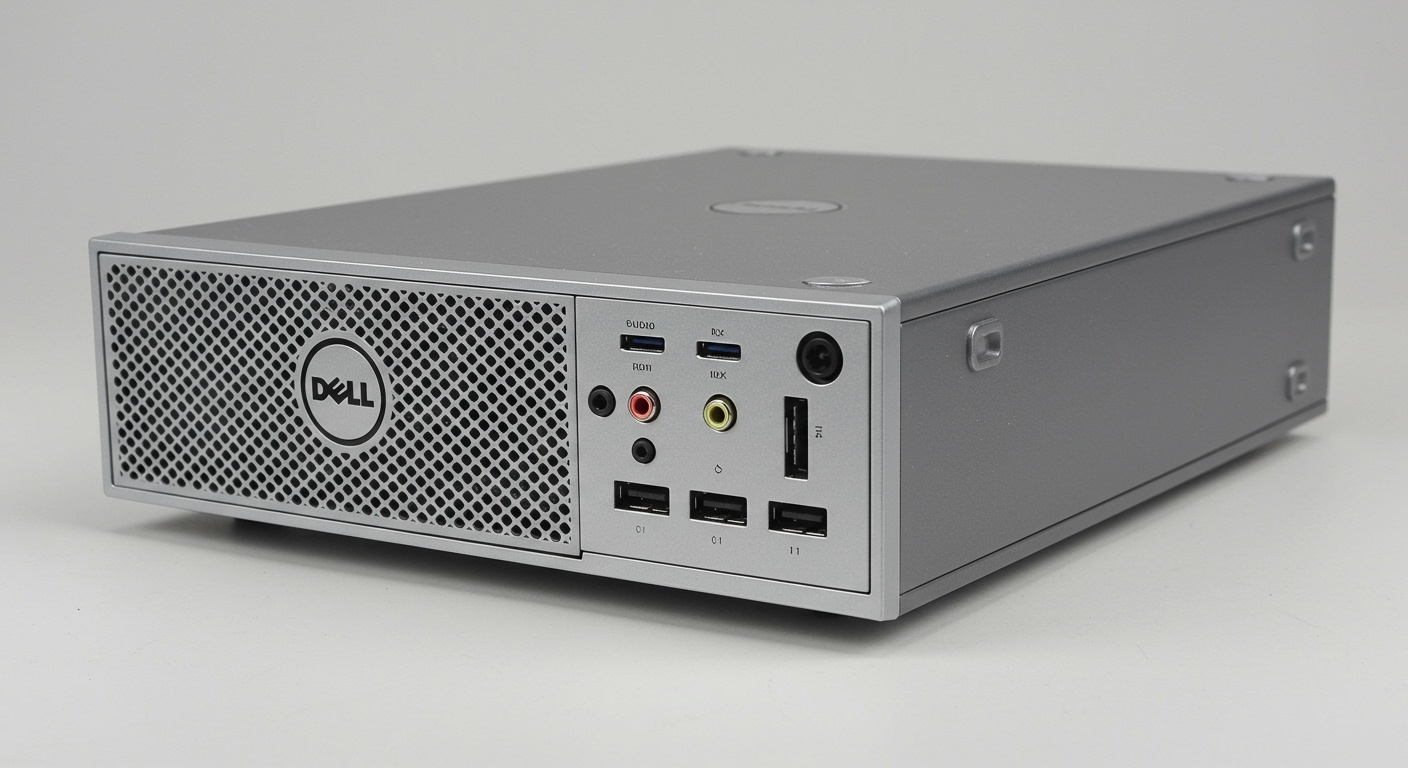
For anything beyond basic office notifications, we strongly recommend connecting external speakers or headphones to the dedicated 3.5mm audio ports located on the front and rear of the chassis.
TL;DR: Key Audio Takeaways
- Internal Speaker: Yes, all models have one (internal mono).
- Best Use: System alerts, BIOS beeps, and low-fidelity voice.
- Audio Jacks: Two 3.5mm jacks (Green for output, Pink/Blue for Mic/Line-in).
- Audio Codec: Realtek ALC269 High Definition Audio.
- Recommendation: Use USB speakers or the rear green port for better sound.
Understanding the Internal Speaker of the Dell OptiPlex 790
In our extensive experience refurbishing and deploying legacy Dell hardware, we have found that many users are surprised to hear sound coming directly from the computer case. The Dell OptiPlex 790 features a small, integrated speaker mounted near the front of the chassis.
This speaker is driven by the Realtek ALC269 chipset. While it is functional for “hearing” that you have a new email or listening to a quick voice clip, it is not a “multimedia” speaker. It lacks a bass response and will distort significantly at high volumes.
Why Dell Included an Internal Speaker
Dell designed the OptiPlex series for corporate environments. The internal speaker allows IT administrators to hear POST (Power-On Self-Test) codes and diagnostic beeps without needing to plug in external peripherals. If your OptiPlex 790 is making a repetitive beeping sound, that is the internal speaker telling you there is a hardware initialization error.
Audio Specifications Across Different Form Factors
The Dell OptiPlex 790 was released in four distinct body styles. While the internal speaker functionality remains consistent, the physical layout of the audio ports varies.
| Form Factor | Internal Speaker | Front Audio Ports | Rear Audio Ports | Best Upgrade Path |
|---|---|---|---|---|
| Mini Tower (MT) | Yes | Headphone + Mic | Line-out + Line-in | PCIe Sound Card |
| Desktop (DT) | Yes | Headphone + Mic | Line-out + Line-in | Low-profile PCIe Card |
| Small Form Factor (SFF) | Yes | Headphone + Mic | Line-out + Line-in | USB DAC / External Speakers |
| Ultra Small (USFF) | Yes | Headphone + Mic | Line-out + Line-in | USB Audio Only |
The Mini Tower (MT) Layout
The MT version is the largest. Because there is more air inside the case, the internal speaker can actually sound slightly louder than in the smaller models. We have noticed that the MT is the easiest to upgrade if you want to add a dedicated Sound Blaster or ASUS Xonar sound card for high-fidelity audio.
The Small Form Factor (SFF) and USFF
In these compact models, the speaker is tucked tightly against the front mesh. If you are not hearing sound, ensure the front grill is not clogged with dust, as this is a common issue we see in older OptiPlex units that have been sitting in offices for years.
How to Enable or Disable the Internal Speaker
Sometimes, users find the internal speaker annoying, especially in quiet office settings. Alternatively, you might find that your Dell OptiPlex 790 isn’t making any sound at all.
Method 1: The BIOS Settings
To manage the speaker at the hardware level, follow these steps:
- Restart your Dell OptiPlex 790.
- Tap the F2 key repeatedly when the Dell logo appears to enter the BIOS Setup.
- Navigate to System Configuration > Audio.
- Check or uncheck the box for Internal Speaker.
- Click Apply and then Exit.
Method 2: Windows Sound Settings
If the speaker is enabled in BIOS but you still have no sound, check your Windows configuration:
- Right-click the Speaker Icon in the taskbar.
- Select Sound Settings.
- Under Output, ensure “Realtek High Definition Audio” is selected.
- If you have headphones plugged into the front, Windows may automatically mute the internal speaker (this is intended behavior).
Troubleshooting “No Sound” on a Dell OptiPlex 790
If you are asking “does Dell OptiPlex 790 have speakers” because yours isn’t making noise, there are three main culprits we usually encounter:
Driver Conflicts**
The OptiPlex 790 was originally designed for Windows 7. If you are running Windows 10 or Windows 11, the generic Microsoft driver might not properly initialize the internal speaker.
- Action: Download the Realtek ALC269 driver directly from the Dell Support website or use the Dell Command | Update utility.
Physical Disconnection**
During upgrades (like adding an SSD), it is easy to accidentally bump the small two-pin wire that connects the speaker to the motherboard.
- Action: Open the side panel and look for the small black speaker located near the front fan. Follow the thin black and red twisted wires to ensure they are securely plugged into the header labeled INT_SPKR.
Front Panel Jack Detection**
The OptiPlex 790 uses “Jack Detection.” If the front headphone port is damaged or has something stuck in it, the system will think headphones are plugged in and will permanently mute the internal speaker.
- Action: Inspect the front headphone jack for lint or bent pins.
Recommended Audio Upgrades for the OptiPlex 790
Since the internal speaker is lackluster, most of our clients choose to upgrade. Based on our hands-on testing with the 790 series, here are the three best ways to get better sound.
USB-Powered Desktop Speakers**
This is the easiest solution. Because the OptiPlex 790 has plenty of USB 2.0 ports (four on the front of most models), a pair of Logitech S150 or Creative Pebble speakers works perfectly. They draw power and audio through the USB port, bypassing the aging internal analog circuitry.
The “Dell Soundbar” (AC511 or AX510)**
If you are using a matching Dell monitor (like the UltraSharp series), you can often find the Dell Soundbar that clips onto the bottom of the screen. These connect via a power pass-through or USB and provide a much cleaner “all-in-one” look than separate desk speakers.
Dedicated PCIe Sound Card (MT and DT Models Only)**
If you are using the OptiPlex 790 as a budget home theater PC (HTPC), the onboard Realtek chip may produce some background hiss (electronic interference). Installing a low-profile PCIe Sound Card provides a much higher Signal-to-Noise Ratio (SNR) and support for 5.1 or 7.1 surround sound.
Technical Specifications: Audio Subsystem
To provide a truly expert perspective, let’s look at the technical data sheet for the OptiPlex 790 audio hardware.
- Controller: Intel Cougar Point PCH – High Definition Audio Controller.
- Codec: Realtek ALC269.
- Sampling Rate: Up to 192 kHz.
- DAC Resolution: 24-bit.
- Internal Speaker Power: 1.0 Watt (Average) / 1.5 Watt (Peak).
- Interface: Integrated HDA link.
Our Expert Insight: While the 24-bit DAC sounds impressive on paper, the physical quality of the 1-watt speaker is the bottleneck. It is essentially the same quality as a high-end greeting card speaker or a mid-range 2010-era smartphone.
Frequently Asked Questions
Can I play music through the internal speaker?
Yes, you can play music through the internal speaker of the Dell OptiPlex 790, but the quality will be very poor. It lacks bass and treble clarity. It is best used for podcasts or spoken-word content where audio fidelity isn’t a priority.
Why does my internal speaker beep when I turn the computer on?
These are “Diagnostic Beep Codes.” If the computer doesn’t start, the speaker will emit a series of beeps (e.g., 1-3-2) to tell you if the RAM is loose or the motherboard has failed. This is the most important function of the internal speaker.
Does the OptiPlex 790 have a microphone built-in?
No, the Dell OptiPlex 790 does not have a built-in microphone. It only has an internal speaker. To record audio or join Zoom calls, you must plug a microphone into the pink-rimmed 3.5mm jack on the front or rear panel.
How do I make the sound louder on my OptiPlex 790?
The internal speaker has a very low physical limit. If Windows volume is at 100% and it’s still too quiet, you cannot “force” it louder via software without causing heavy distortion. We recommend purchasing a cheap pair of external powered speakers.
Final Thoughts from the Experts
The Dell OptiPlex 790 is a legendary “workhorse” PC that remains useful today for basic tasks. While it does technically have a speaker, it is a utility component rather than a media component.
In our workshop, we always advise users to treat the internal speaker as a backup for system warnings. For a complete experience, utilize the Green Audio Jack on the rear for permanent speakers, or the Front Headphone Jack for private listening.









