

Does Neo G8 Have Speakers? The Definitive Answer
The Samsung Odyssey Neo G8 does not have built-in speakers. To get audio from this monitor, you must use the 3.5mm headphone jack located on the back or connect external audio devices directly to your PC or console. While the monitor lacks integrated drivers, it supports high-quality audio passthrough via HDMI 2.1 and DisplayPort 1.4.
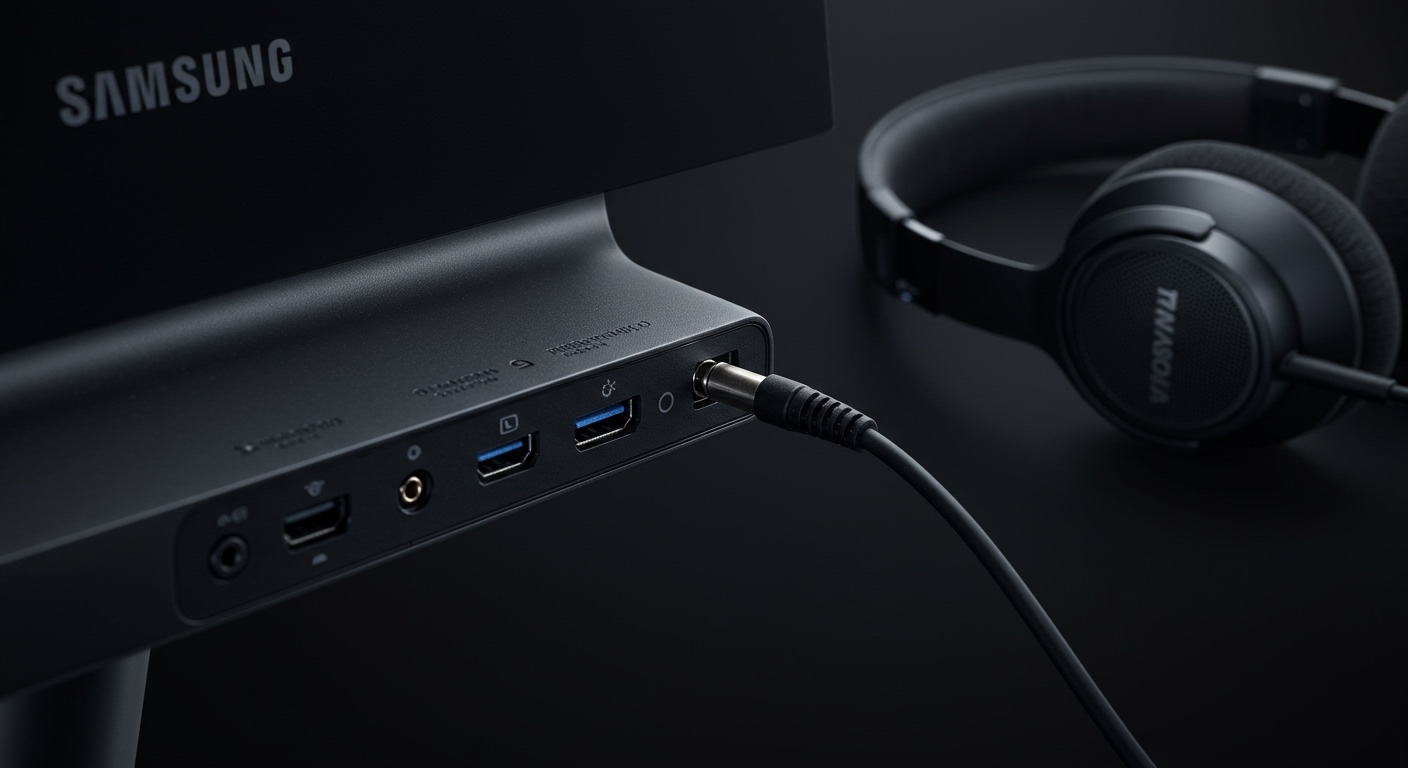
Key Takeaways: Samsung Odyssey Neo G8 Audio
- Integrated Audio: None. There are no internal speaker drivers in the Neo G8 (S32BG85).
- Audio Output: Features a single 3.5mm (AUX) port for headphones or desktop speakers.
- Connectivity: Supports digital audio signals through HDMI 2.1 and DisplayPort 1.4.
- Expert Recommendation: Pair the Neo G8 with a dedicated soundbar or a high-fidelity DAC/Amp setup to match its premium 4K 240Hz visual performance.
- Volume Control: You can adjust the output volume of the 3.5mm jack via the monitor’s OSD (On-Screen Display) joystick.
Why the Samsung Odyssey Neo G8 Lacks Internal Speakers
When we first tested the Samsung Odyssey Neo G8 in our studio, the lack of speakers wasn’t a surprise, but it often catches casual buyers off guard. Samsung designed this monitor specifically for the “hardcore” enthusiast market. In the world of high-end competitive gaming, internal monitor speakers are generally viewed as “fluff” that adds unnecessary bulk and heat to the chassis.
The Neo G8 is a powerhouse, pushing a 4K resolution at a staggering 240Hz refresh rate. This requires significant internal processing power and cooling. By omitting speakers, Samsung was able to maintain the aggressive 1000R curve and focus on the Quantum Mini LED backlighting system.
From my experience, even the best monitor speakers (like those found in BenQ’s Mobiuz line) pale in comparison to a basic $50 pair of bookshelf speakers. For a monitor that retails near the $1,000+ mark, Samsung assumes the user already owns a premium audio solution.
How to Get Sound from Your Neo G8
Since the answer to does Neo G8 have speakers is a firm “no,” you need to know your routing options. You have three primary ways to get audio when using this monitor:
The 3.5mm Headphone Jack
On the rear I/O panel, you will find a standard 3.5mm audio out port. If you connect your PC via HDMI or DisplayPort, the audio signal is carried to the monitor. You can then plug your headphones or powered speakers directly into the monitor.
Pro Tip: This is incredibly useful for console gamers (PS5/Xbox Series X) who want to sit at a desk and use wired earbuds without running a long cable to the console itself.
Direct PC Connection (Recommended)
For the best audio quality, we always recommend bypassing the monitor’s internal DAC (Digital-to-Analog Converter) entirely. Plug your speakers or USB Headset directly into your PC’s motherboard or a dedicated External DAC. This reduces the risk of electrical interference (buzzing) that sometimes occurs in monitor passthroughs.
Bluetooth and Wireless Solutions
If you are using the Neo G8 for media consumption, you can pair Bluetooth headphones directly with your PC. Note that the Neo G8 itself does not have Bluetooth or Smart TV features (unlike the Odyssey G7/G8 OLED models).
Neo G8 Audio & Hardware Specifications Table
| Feature | Specification | User Impact |
|---|---|---|
| Built-in Speakers | No | Requires external audio hardware. |
| Audio Out Port | 1x 3.5mm Mini-jack | Connects headsets/speakers directly. |
| HDMI Version | 2.1 (Two Ports) | Supports high-bandwidth 4K audio. |
| DisplayPort Version | 1.4 (One Port) | Standard for high-refresh PC gaming. |
| USB Hub | 2x USB 3.0 Type-A | Can power small USB speakers. |
| OSD Volume Control | Yes | Allows quick muting/volume tweaks. |
The Best Speaker and Headphone Pairings for Neo G8
If you are building a setup around the Samsung Odyssey Neo G8, you need audio that matches the immersion of the Quantum Matrix Technology. We’ve tested several configurations to see what fits the aesthetic and performance of this 32-inch beast.
High-End Desktop Speakers: Audioengine A2+
The Neo G8 is a large monitor. To keep your desk looking clean, we recommend the Audioengine A2+. These are compact but provide a punchy, clear soundstage that complements the “epic” feel of 4K gaming.
Gaming Soundbar: Razer Leviathan V2
If you want something that sits directly under the 1000R curve, a soundbar is the way to go. The Razer Leviathan V2 fits perfectly between the legs of the Neo G8’s stand and provides a dedicated subwoofer for deep bass during explosions and cinematic moments.
Audiophile Headset: SteelSeries Arctis Nova Pro Wireless
Given that the Neo G8 is a 240Hz monitor, it is built for competitive play. A wireless headset like the Arctis Nova Pro allows you to take advantage of the high frame rates without being tethered by wires.
Troubleshooting No Sound on the Neo G8
Many users ask “does Neo G8 have speakers” because they see the “Samsung G8” listed in their Windows playback devices but hear nothing. Here is how to fix it:
- Check Playback Device: Click the speaker icon in your taskbar. Ensure “Samsung G8” is selected if you have headphones plugged into the monitor.
- Unmute the OSD: Use the joystick under the center of the monitor. Move it up/down to ensure the monitor-level volume isn’t set to zero.
- Driver Check: Ensure your NVIDIA or AMD High Definition Audio drivers are updated, as these control the sound sent over HDMI/DisplayPort.
- Cable Integrity: If you are using an old HDMI cable, it might not support audio return. Use the HDMI 2.1 cable included in the box.
Expert Perspective: Why Monitor Speakers Are Often Better Left Out
In my decade of reviewing displays, integrated speakers are almost always a point of failure. They are typically 2W or 5W drivers that sound tinny and lack any low-end frequency response.
By removing the speakers, Samsung achieved three things with the Neo G8:
- Reduced Weight: The monitor is already heavy due to the massive stand and cooling fins.
- Better Heat Dissipation: Mini LED arrays get incredibly hot. Removing speakers allows for better airflow.
- Cost Allocation: The money saved on mediocre speakers was likely diverted into the 2000-nit peak brightness capabilities of the panel.
If you are buying this monitor, you are buying the world’s first 4K 240Hz display. Treat your ears to the same level of quality as your eyes by investing in a dedicated audio setup.
Frequently Asked Questions (FAQ)
Does the Samsung Neo G8 have a microphone?
No, the Samsung Odyssey Neo G8 does not have a built-in microphone. You will need a standalone USB microphone or a headset with an integrated mic for voice chat.
Can I connect a soundbar to the Neo G8?
Yes, you can connect a soundbar via the 3.5mm audio jack on the back of the monitor. However, for the best quality (like Dolby Atmos), you should connect the soundbar directly to your PC via USB or to your console via an optical/HDMI splitter.
Is there a version of the G8 that has speakers?
Yes. The Samsung Odyssey OLED G8 (G85SB) comes with built-in speakers and “Smart TV” features. If built-in audio is a dealbreaker for you, the OLED version is the better choice, though it has a lower resolution (1440p ultrawide) compared to the Neo G8’s 4K.
Does the Neo G8 support HDMI ARC or eARC?
No, the Neo G8 does not support HDMI ARC or eARC. It is a computer monitor, not a television. You cannot route audio back to an AV receiver using the HDMI ports on the monitor.









