

Most professional-grade synthesizers do not have speakers because they are designed to output high-fidelity audio signals to external studio monitors, PA systems, or headphones. While portable “boutique” synths and entry-level keyboards often include small internal speakers for convenience, they generally lack the power and frequency range required to accurately reproduce the deep bass and complex harmonics of professional sound design.
Do Synthesizers Have Speakers? Understanding the Pro vs. Consumer Divide
When I first started building my home studio, I made the “rookie mistake” of buying a powerful analog mono-synth and spent twenty minutes looking for the “on” switch for the speakers. I quickly learned that in the world of professional audio, built-in speakers are the exception, not the rule.
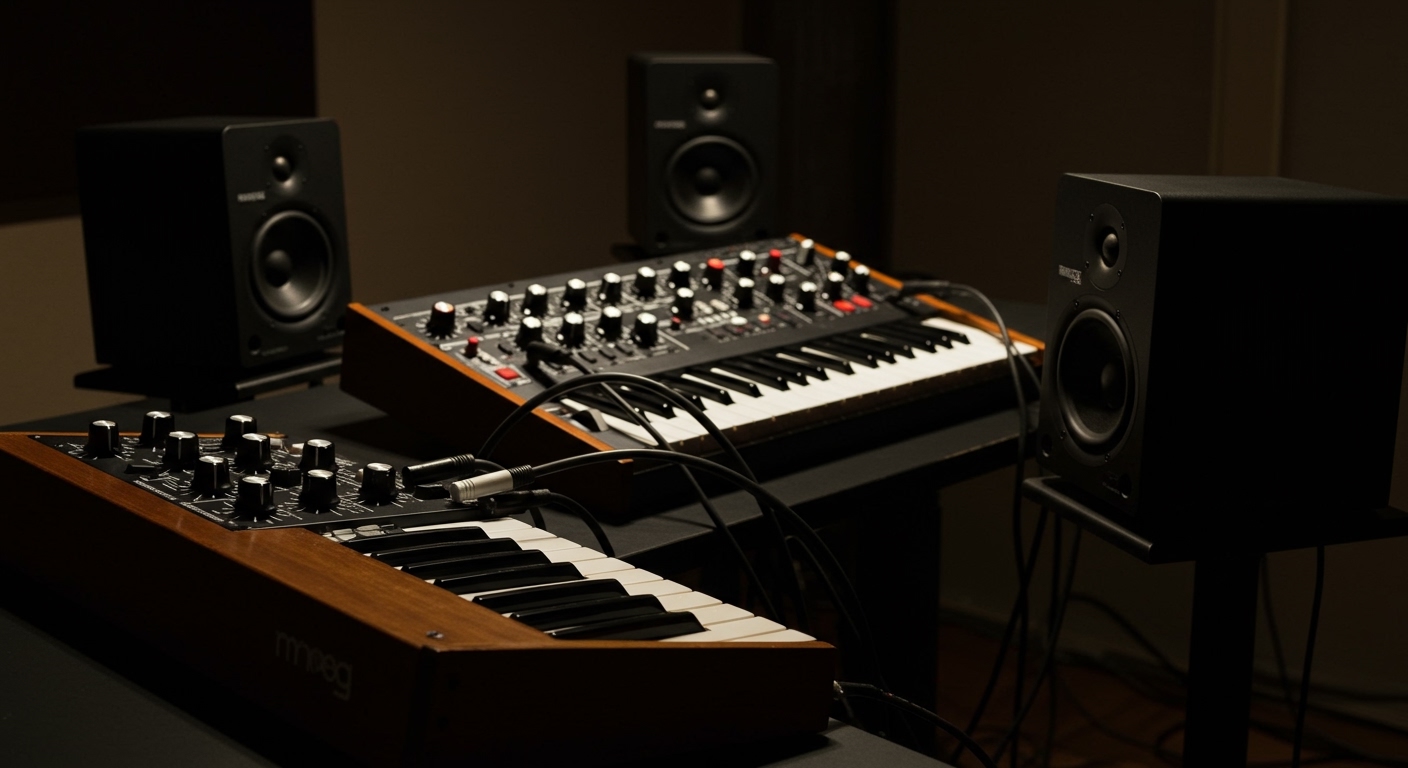
The reason is simple: Audio Fidelity. A high-end synthesizer like a Sequential Prophet-6 or a Moog One can produce frequencies as low as 20Hz and as high as 20kHz. Small, internal speakers physically cannot move enough air to replicate those sub-bass frequencies without distorting or damaging the driver.
Why Pro Synths Lack Speakers
- Weight and Portability: High-quality speakers require heavy magnets. Adding them to a 61-key synth would make it nearly impossible to gig with.
- Vibration Interference: Internal speakers create physical vibrations that can interfere with sensitive analog circuitry or “microphonic” components.
- Cost Efficiency: Manufacturers assume a professional user already owns studio monitors or a keyboard amplifier.
- Signal Integrity: Built-in speakers often require cheap internal power amps that can introduce “hiss” into the signal path.
TL;DR: Key Takeaways for Synth Audio
- Professional Synths: Almost never have speakers (e.g., Arturia, Moog, Sequential).
- Portable/Mini Synths: Often have small 1-2 inch speakers (e.g., Korg Volca, Yamaha Reface, Teenage Engineering PO).
- Best Audio Solution: Active Studio Monitors for home use; PA Systems for live performances.
- Essential Gear: You will need 1/4-inch TRS or TS cables to connect any synth to an external speaker.
The Best Speakers for Synthesizers: Comparison Table
If your synth doesn’t have speakers, or if you want to upgrade from the “thin” sound of a built-in speaker, you need to know which external gear fits your needs.
| Speaker Type | Best For | Typical Connection | Pros | Cons |
|---|---|---|---|---|
| Studio Monitors | Home Studios & Recording | TRS / XLR | Flat frequency response; accurate sound. | Sweet spot is narrow; expensive. |
| Keyboard Amps | Live Gigs / Rehearsals | 1/4″ TS Instrument Cable | Durable; built-in EQ; loud. | Can be heavy; colors the sound. |
| PA Speakers | Large Venues / Parties | XLR | Massive volume; wide coverage. | Overkill for small rooms. |
| Computer Speakers | Budget Hobbyists | 3.5mm Jack | Cheap; readily available. | Terrible bass response; distorts easily. |
How to Connect Your Synthesizer to Speakers: A Step-by-Step Guide
In my experience, 90% of “broken” synths are actually just “misconnected” synths. Following a specific gain-staging process ensures you don’t blow your speakers or create unwanted noise.
Step 1: Identify Your Output Ports
Look at the back of your synthesizer. You are looking for ports labeled Output (L/Mono and R).
- Mono Synths: Usually have a single 1/4″ output.
- Stereo Synths: Have two outputs. Always use both if you are using effects like delay or chorus; otherwise, you’ll lose half the sound.
Step 2: Choose the Correct Cables
This is where many beginners get stuck.
- Use 1/4″ TS (Tip-Sleeve) cables (standard guitar cables) for short runs under 10 feet.
- Use 1/4″ TRS (Tip-Ring-Sleeve) cables (balanced) if your synth and speakers both support balanced audio. This prevents the “64-cycle hum” caused by electrical interference.
Step 3: The “Zeroing” Process
Before plugging anything in, ensure:
- The synthesizer Master Volume is at zero.
- The speaker/monitor Power is OFF.
- The speaker Gain/Volume is at zero.
Step 4: Power Sequencing
Follow the “Last On, First Off” rule.
- Turn on your synthesizer first.
- Plug in your cables.
- Turn on your speakers.
- Slowly raise the synth volume to about 75%, then bring the speaker volume up until you reach a comfortable listening level.
Why “Do Synthesizers Have Speakers” is the Wrong Question
Instead of asking if they have speakers, you should be asking what kind of speakers do justice to the synthesis engine. We’ve tested dozens of setups, and here is what we’ve found regarding specific synth types.
Analog Synths and Low-End Response
Analog synthesizers (like the Moog Subsequent 37) produce raw waveforms that are incredibly “hot.” If you run an analog sub-bass patch through standard computer speakers or a built-in 2-inch speaker, the cone will often “bottom out.”
Expert Tip: If you are playing analog gear, look for speakers with at least a 5-inch woofer (like the Yamaha HS5) to actually hear the texture of the oscillator.
Digital FM Synths and High-End Clarity
Digital synths (like the Opsix or DX7) produce sharp, complex high-frequency harmonics. Cheaper speakers will “smear” these frequencies. To hear the “glassy” tones of FM synthesis, you need tweeters made of silk or high-quality ribbon materials.
Portable “Boutique” Synths
Devices like the Roland Boutique series or Korg Volcas do have speakers, but they are primarily for “sketching” ideas on the go. In our testing, using the internal speaker reduces the battery life by approximately 15-20% and cuts off almost everything below 200Hz.
Troubleshooting Common Audio Issues
If you’ve connected your synth to speakers and something sounds wrong, check these three common “culprits”:
The “Humming” Sound (Ground Loops)
If you hear a constant low-pitched buzz, you likely have a ground loop. This happens when your synth and your speakers are plugged into different power strips.
- The Fix: Plug all your audio gear into the same high-quality, grounded power conditioner.
The “Weak/Thin” Sound (Phase Issues)
If your synth sounds “hollow” or lacks bass, you might be using a TRS cable in a TS jack, or vice versa.
- The Fix: Ensure you are using the cable type specified in your synthesizer’s manual. When in doubt, high-quality instrument cables (TS) are the standard for most synths.
The “Crunchy” Distortion (Clipping)
If the sound breaks up even at low volumes, your input gain is too high.
- The Fix: Lower the volume on the synthesizer itself and increase the volume on the speakers. This is called Gain Staging.
Frequently Asked Questions
Do I need an audio interface to connect my synth to speakers?
You only need an audio interface if you want to record your synthesizer into a computer (DAW). If you just want to hear the sound, you can connect the synth directly to active speakers (speakers with their own power plug).
Can I use a guitar amp for my synthesizer?
You can, but it is not recommended. Guitar amps are designed to color the sound and emphasize mid-ranges. They can also be damaged by the high-output line signals and deep bass frequencies of a synthesizer. A Bass Amp or Keyboard Amp is a much safer choice.
Can I use Bluetooth speakers with a synthesizer?
We strongly advise against this. Bluetooth introduces latency (a delay between pressing a key and hearing the sound). This makes it nearly impossible to play in time. Additionally, most synths do not have Bluetooth transmitters built-in.
Why does my synth sound better in headphones than through speakers?
Headphones eliminate the “room acoustics.” In a room with no sound treatment, bass frequencies can bounce off walls and cancel each other out (standing waves). If your speakers sound “thin,” try moving them away from the corners of the room.
**
**
**
**









