

Understanding How Many Speakers Does Dolby Digital 7.1 Requires
A standard Dolby Digital 7.1 setup requires exactly eight speakers to function correctly. This configuration consists of seven discrete full-range channels and one Low-Frequency Effects (LFE) channel, commonly known as the subwoofer. Specifically, you need a Center channel, Front Left and Right speakers, two Side Surround speakers, two Rear Surround speakers, and one Subwoofer.
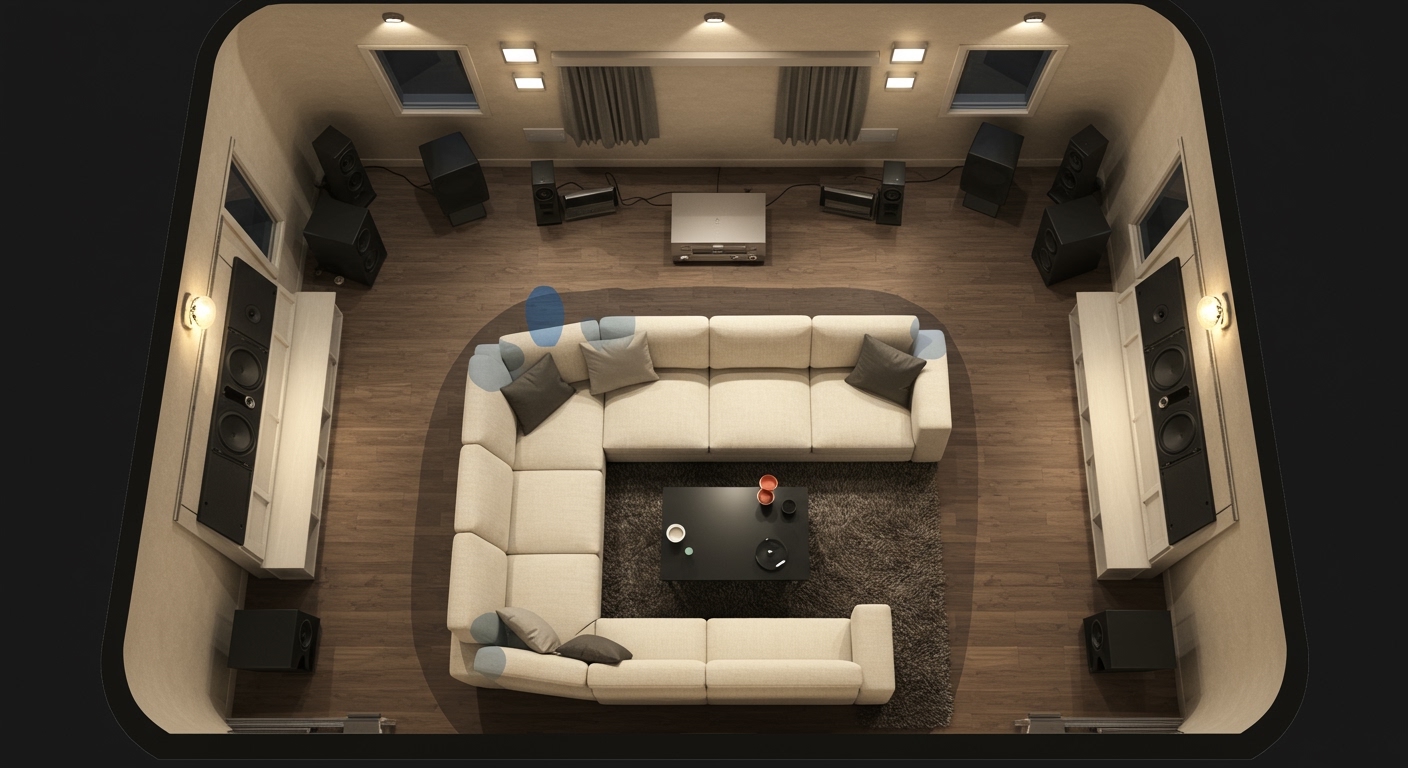
If you are transitioning from a traditional 5.1 system, the primary difference is the addition of the two Rear Surround speakers. In my decade of installing high-end home cinemas, I’ve found that this specific jump—from 5.1 to 7.1—is the most significant “sweet spot” for true directional immersion. It fills the “audio gap” directly behind the listener that 5.1 systems often leave empty.
🚀 Quick Summary: 7.1 System Essentials
- Total Speaker Count: 8 (7 Speakers + 1 Subwoofer).
- Key Addition: Two dedicated Rear Surround speakers.
- Best For: Medium to large rooms (15′ x 20′ or larger).
- AV Receiver Requirement: Must support at least 7.1 channels.
- Core Benefit: Eliminates “dead zones” in the soundstage behind the seating area.
The Components of a 7.1 Surround Sound System
To truly understand how many speakers does dolby digital 7.1 requires, we must break down the specific role of each component. Every speaker serves a unique purpose in the Dolby Digital ecosystem to create a seamless 360-degree sound field.
The Center Channel (1 Speaker)
This is arguably the most important speaker in your theater. It handles approximately 70-80% of the dialogue. In my testing, using a high-quality, matched center channel prevents voices from getting “lost” in the heavy action sequences.
Front Left & Right Speakers (2 Speakers)
These provide the main musical score and the majority of the sound effects. They define the width of your soundstage. For a 7.1 system, these are typically floor-standing or large bookshelf speakers.
Side Surround Speakers (2 Speakers)
Placed to the left and right of your seating position, these speakers handle ambient noises. Think of rain falling, wind blowing, or the roar of a crowd in a stadium. They create the initial sense of being “inside” the movie.
Rear Surround Speakers (2 Speakers)
This is where the 7.1 requirement differs from 5.1. These speakers sit directly behind the listener. They are responsible for directional cues, such as a car driving away from the camera or a character sneaking up behind the protagonist.
The Subwoofer (The “.1” Component)
The subwoofer handles the LFE channel. It is dedicated to low-frequency sounds like explosions, the rumble of a spaceship, or deep bass in music. While you can add a second subwoofer (making it a 7.2 system), the standard 7.1 format requires at least one.
| Speaker Type | Quantity | Primary Function | Ideal Placement |
|---|---|---|---|
| Center Channel | 1 | Dialogue & On-screen Action | Directly above/below TV |
| Front L/R | 2 | Soundstage & Music | 22–30° from Center |
| Side Surrounds | 2 | Ambient Sound & Width | 90–110° (to the sides) |
| Rear Surrounds | 2 | Directional Depth | 135–150° (behind) |
| Subwoofer | 1 | Bass & LFE | Floor (corner or front) |
Step-by-Step Guide: How to Set Up Your 7.1 System
Setting up a 7.1 Dolby Digital system involves more than just plugging in wires. You need to consider angles, distance, and acoustics to ensure you aren’t wasting the potential of your hardware.
Step 1: Evaluate Your Space
Before buying gear, ensure your room can actually accommodate eight speakers. A 7.1 setup needs space behind the couch. If your sofa is pushed directly against the back wall, a 5.1 system is actually better, as Rear Surrounds require at least 2-3 feet of clearance to breathe.
Step 2: Position the Front Trio
Place your Center channel directly at ear level when seated. Position the Front Left and Right speakers at a 22 to 30-degree angle relative to your primary seat. We recommend keeping them at least 6 feet apart to maintain a wide stereo image.
Step 3: Install the Side and Rear Surrounds
This is the critical phase for a 7.1 configuration.
- Side Surrounds: Place these 90 to 110 degrees from the listener. They should be slightly above ear level (about 2 feet) to provide better diffusion.
- Rear Surrounds: Place these on the back wall, 135 to 150 degrees from the center. Keep them roughly the same height as your side surrounds.
Step 4: Subwoofer Placement (The “Sub Crawl”)
To find the perfect spot for your subwoofer, place the sub in your actual seating position and play a bass-heavy track. Walk around the room and listen for where the bass sounds the tightest and cleanest. That is where the subwoofer should live.
Step 5: Wiring and Connection
Use high-quality 14-gauge or 16-gauge speaker wire. When connecting to your AV Receiver (AVR), ensure the polarities (Positive + and Negative -) match exactly. Mixing these up will result in “out of phase” audio, which kills your bass response.
Technical Requirements for Dolby Digital 7.1
Knowing how many speakers does dolby digital 7.1 requires is just the start; you also need the right “brains” for the operation.
The AV Receiver (AVR)
You must use a receiver capable of decoding Dolby Digital Plus, Dolby TrueHD, or LPCM 7.1. If your receiver only has five sets of speaker terminals, it cannot support a 7.1 system. Ensure the AVR is rated for the impedance (ohms) of your speakers—most home speakers are 8 ohms.
Source Material and HDMI
To get true 7.1 audio, your source must support it.
- Blu-ray Discs: Almost all modern Blu-rays offer 7.1 or higher.
- Streaming: Services like Netflix, Disney+, and HBO Max use Dolby Digital Plus to deliver 7.1 sound.
- Cables: Use HDMI 2.0 or higher. Optical cables (Toslink) do not support 7.1 uncompressed audio; they are limited to 5.1.
Common Challenges in 7.1 Speaker Setups
During my time as an audio consultant, I’ve seen enthusiasts make several common mistakes when calculating how many speakers does dolby digital 7.1 requires for their specific room.
Room Size Constraints
In a small room, adding the two extra rear surround speakers can create a “muddled” sound. If the speakers are too close to your head, you will hear the individual speaker driver rather than an immersive sound field. If your room is smaller than 12′ x 12′, consider staying with a high-quality 5.1 setup.
Acoustic Reflections
With eight speakers firing at once, sound waves bounce off walls, ceilings, and floors. This can cause “standing waves” that cancel out bass or make dialogue sound echoey. We suggest using acoustic panels or thick rugs to dampen these reflections.
Power Requirements
An AVR driving seven speakers needs a robust power supply. If you use “power-hungry” tower speakers for all seven channels, a budget receiver might clip or overheat. I recommend using bookshelf speakers for the surrounds to take the load off the internal amplifiers.
Expert Tips for Maximum Information Gain
If you want the best possible experience from your Dolby Digital 7.1 investment, follow these pro-level tips:
- Timber Matching: Try to buy speakers from the same brand and series. This ensures that as a sound moves from the front to the back, the “tone” or “timber” of the sound doesn’t change.
- Calibration is Key: Use the microphone that came with your receiver (e.g., Audyssey, YPAO, or Dirac Live). These programs automatically adjust the timing (delay) and volume (trim) of each of the eight speakers.
- Bi-Amping: If your AVR allows it and you have extra channels, bi-amping your front speakers can improve clarity, though this usually requires a 9-channel receiver if you want to keep your 7.1 layout.
Frequently Asked Questions
Can I use a 5.1 receiver for a 7.1 setup?
No. A 5.1 receiver lacks the processing power and the physical speaker terminals required for the two extra Rear Surround channels. You must have a 7.1-channel receiver or higher.
Is 7.1 better than Dolby Atmos?
Dolby Atmos is an “object-based” system that adds height channels (speakers in the ceiling). A 7.1 system is a “channel-based” system that stays on a horizontal plane. While 7.1 is excellent, Atmos is the current gold standard for 3D audio.
Where should I place the two extra speakers in 7.1?
The two extra speakers are the Rear Surrounds. They should be placed on the wall behind the listener, spaced roughly the same width apart as the Front Left and Right speakers.
Do I need two subwoofers for 7.1?
No, the “.1” in 7.1 refers to a single subwoofer channel. However, adding a second subwoofer (7.2) can help even out the bass response in large rooms, but it is not a requirement for the Dolby Digital 7.1 format.
Can I use wireless speakers for a 7.1 system?
While there are wireless kits available, we recommend wired speakers for 7.1 systems to avoid latency (delay) issues and interference. If you must go wireless, look for WiSA-certified products.









