

To cut ceiling tiles for speakers, start by tracing the manufacturer’s provided template onto the back of the tile with a pencil. Use a sharp utility knife or a heavy-duty circle cutter to follow the line, making multiple shallow passes to ensure a clean, professional edge without crumbling the material.
Why Precision is Vital When Learning How to Cut Ceiling Tiles for Speakers
Cutting a hole into a suspended ceiling tile seems simple, but one wrong move can ruin an expensive mineral fiber panel or lead to an unsightly gap. In my 15 years of commercial AV installation, I’ve seen countless DIYers try to “freehand” these cuts, only to end up with sagging tiles or speakers that won’t stay seated.
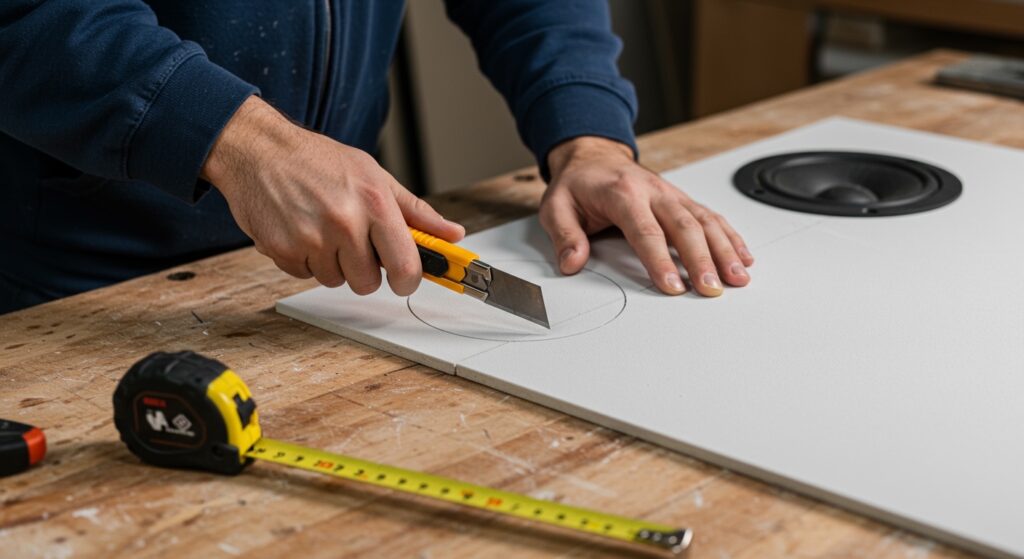
Precision ensures that the speaker flange hides the cut completely, maintaining the STC (Sound Transmission Class) rating of your ceiling. A clean cut also prevents fiberglass dust from shedding into your living space, which is a common health and cleanliness concern.
Key Takeaways for Success
- Always use a template: Never guess the diameter; use the ring provided in the speaker box.
- Sharpness is everything: A dull blade will tear the acoustic fleece or mineral backing.
- Support the tile: Always cut on a flat, clean surface like a piece of plywood or a dedicated workbench.
- Mind the grid: Ensure your hole is at least 2 inches away from the T-bar grid to allow for mounting clips (dog-legs).
Essential Tools for Professional Results
Before you make your first incision, gather the right equipment. Using the wrong tool is the number one cause of jagged edges.
- Fixed-Blade Utility Knife: Better than a folding knife for vertical pressure.
- Adjustable Circle Cutter: Best for high-volume jobs where you need identical 6-inch or 8-inch holes.
- T-Square or Straight Edge: For centering your measurements.
- Dust Mask (N95): Essential when cutting mineral fiber or fiberglass tiles.
- Soft Pencil or Fine-Tip Marker: For clear guide lines.
| Tool Type | Best For | Pro Tip |
|---|---|---|
| Utility Knife | One-off DIY installs | Change the blade every 3-4 holes to prevent tearing. |
| Adjustable Hole Saw | Professional AV installers | Use a low-speed drill to avoid “spinning” the tile. |
| Keyhole Saw | Rigid wood-fiber tiles | Only use for thick, dense materials; avoid on soft tiles. |
| Compass Cutter | Precise manual circles | Great for thin PVC ceiling tiles. |
Step 1: Measuring and Positioning the Speaker
The most critical step in how to cut ceiling tiles for speakers isn’t the cutting itself—it’s the layout. We always recommend removing the tile from the grid before measuring. Working overhead leads to fatigue and mistakes.
First, identify the center point of the tile. Use your T-square to draw a light “X” from corner to corner. The intersection is your dead center. If your speaker layout requires an offset, measure carefully from the edges, keeping in mind the ceiling grid lip.
Pro Perspective: I always check the space above the tile before cutting. Look for HVAC ducts, electrical conduits, or fire sprinkler pipes that might block the back-can of the speaker.
Step 2: Marking the Cutline with a Template
Almost every In-Ceiling Speaker from brands like Sonos, Klipsch, or Polk Audio includes a cardboard template. Do not throw this away!
Place the tile face down on your work surface. If the tile has a specific pattern or texture, ensure you are marking the side that will face the floor. Center the template on your mark and hold it firmly. Use a fine-tip marker to trace the inner diameter.
Safety Note: If your tiles are older (pre-1980s), they may contain asbestos. If you suspect this, stop immediately and consult an environmental professional. Modern tiles like the Armstrong 769A are safe but still produce irritating dust.
Step 3: The Primary Cut Technique
Now, we address the core of how to cut ceiling tiles for speakers. If you are using a utility knife, do not try to cut all the way through in one go.
- The Score: Lightly trace the circle with the tip of the knife to break the surface tension.
- The Deep Cut: Follow the score line again, pressing harder. Let the blade do the work.
- The Finish: On the third pass, you should feel the blade break through to the table below.
If you are using an adjustable circle cutter attached to a drill, place the center bit on your mark. Hold the tile down with your feet (on the edges) or clamps. Start the drill slowly. If the cutter catches, it can spin the tile and cause injury. We prefer the manual approach for mineral wool because it creates less airborne debris.
Step 4: Finishing the Edges for a Seated Fit
Once the “slug” or center piece is removed, examine the edge. If there are any “burrs” or hanging fibers, use a sanding block or a spare piece of tile to lightly smooth the inner circumference.
This step is often skipped, but it’s vital. A smooth edge allows the speaker dog-legs (the plastic arms that swing out) to grip the tile securely without cracking the delicate material.
Dealing with Different Tile Materials
Not all ceiling tiles are created equal. Your approach should change based on the material:
Mineral Fiber Tiles (e.g., Armstrong, USG)
These are the most common. They are brittle and produce a lot of dust. We recommend wearing gloves, as the fibers can cause “fiberglass itch” on your hands. Always use a very sharp blade.
Fiberglass Tiles (High-NRC)
These are soft and “squishy.” A knife will often compress the material rather than cutting it. For these, a rotary tool like a Dremel with a multipurpose cutting bit works best.
PVC and Plastic Tiles
These are becoming popular in basements. They are thin and can crack if you use a saw. A pair of heavy-duty shears or a sharp utility knife is the best way to handle these.
Advanced Tips for Weight Management
Speakers are heavy. A standard 6.5-inch ceiling speaker can weigh 4-7 lbs. Over time, this weight can cause a standard 2×2 or 2×4 ceiling tile to sag or “smile.”
To prevent this, we always use a C-ring or a tile bridge. This metal bracket rests on the T-bar grid itself, transferring the weight of the speaker from the tile to the steel structure of the ceiling.
Why You Should Use a Tile Bridge:
- Prevents long-term sagging.
- Ensures the speaker stays flush against the ceiling.
- Required by many local building codes for fire safety and structural integrity.
Cleaning Up and Final Installation
After you have mastered how to cut ceiling tiles for speakers, the cleanup is your final hurdle. Vacuum the tile surfaces before re-installing them. If you leave dust on the face, the vibration of the speaker will eventually shake it down onto your furniture.
When sliding the tile back into the grid, be gentle. The hole makes the tile structurally weaker until the speaker and its supporting bridge are fully installed. Once the tile is seated, feed your CL2 or CL3 rated speaker wire through the hole and connect your speaker.
FAQ: Cutting Ceiling Tiles for Audio Gear
What is the best tool to cut ceiling tiles for speakers?
For most DIYers, a standard utility knife with a fresh blade is the best tool. For professionals doing multiple rooms, an adjustable hole saw with a dust shield is the most efficient choice.
Can I cut the tile while it is still in the ceiling?
It is possible, but we do not recommend it. Cutting overhead is messy, inaccurate, and dangerous for your eyes. Always remove the tile and cut it on a stable, flat surface.
How do I fix a hole that I cut too large?
If the hole is slightly too big, you may be able to use a “Goof Ring” or a larger speaker trim ring. However, if the hole is significantly over-sized, the structural integrity is compromised, and you should replace the tile.
Do I need to wear a mask when cutting ceiling tiles?
Yes. Most ceiling tiles are made of mineral wool or fiberglass. Inhaling these particulates can irritate your lungs and throat. Always wear an N95 mask and eye protection.
How close to the edge of the tile can I cut?
Stay at least 2 inches away from any edge. This provides enough “meat” for the speaker’s mounting hardware to grab and ensures the tile doesn’t snap under the weight of the driver.









