

How to Install 7.1 Home Theater Speakers for a Cinematic Experience
To install 7.1 home theater speakers, you must strategically place seven satellite speakers and one subwoofer around your primary seating area, connect them to a 7.1-channel AV Receiver using high-quality speaker wire, and perform a digital room calibration. Success hinges on precise speaker angling—typically with side surrounds at 90–110 degrees and rear surrounds at 135–150 degrees relative to the listener—to create a seamless 360-degree soundstage.
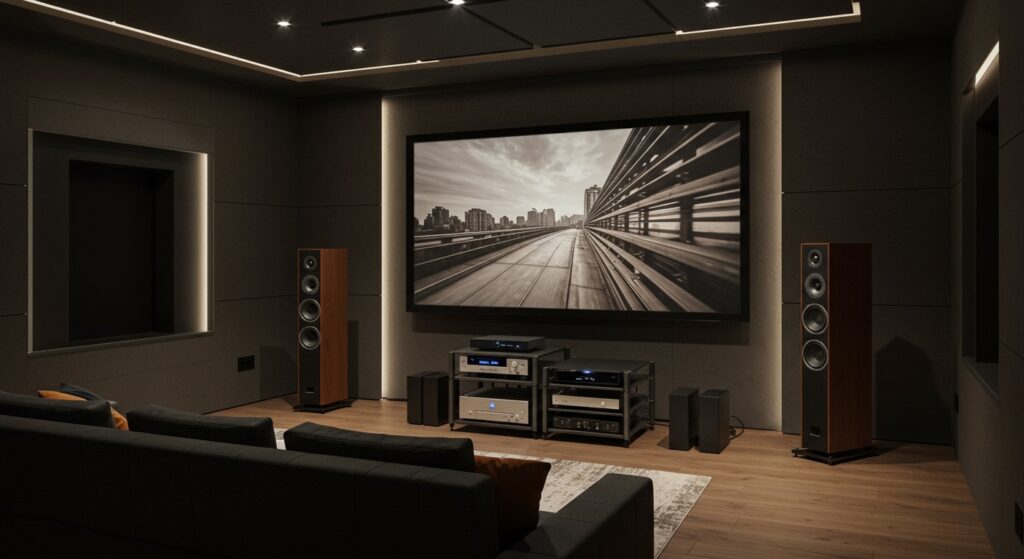
Setting up a dedicated media room can feel overwhelming, but I have spent over a decade helping homeowners transform cluttered living rooms into professional-grade cinemas. Whether you are using Klipsch Reference towers or compact SVS Prime satellites, the physics of sound remains the same. By following this guide, you will avoid common pitfalls like phase cancellation or “dead zones” in your audio field.
Quick Summary: 7.1 Installation Key Takeaways
- Core Components: 1 Center Channel, 2 Front (Left/Right), 2 Side Surrounds, 2 Rear Surrounds, and 1 Subwoofer.
- Ideal Wire Gauge: Use 16 AWG for runs under 50 feet and 14 AWG for longer distances to prevent signal loss.
- The “Ear Level” Rule: Most tweeters should be positioned at or slightly above ear level when seated.
- Calibration is Mandatory: Always use your receiver’s built-in software (like Audyssey or YPAO) to adjust for room acoustics.
- Cable Management: Use CL2 or CL3-rated wire for any cables running inside walls to meet fire safety codes.
Essential Tools and Materials for Your 7.1 Setup
Before you start drilling holes, you need the right gear. In my experience, the quality of your connectors is just as important as the speakers themselves.
| Item | Purpose | Recommendation |
|---|---|---|
| 7.1 AV Receiver | The “Brain” of the system | Denon AVR-S760H or Sony STR-AN1000 |
| Speaker Wire | Transmits audio signals | Oxygen-Free Copper (OFC) 14 or 16 AWG |
| Banana Plugs | Ensures clean, secure connections | Sewell Deadbolt or Mediabridge |
| Subwoofer Cable | Shielded RCA for LFE | BlueJeans Cable or SVS SoundPath |
| Wall Mounts/Stands | Positions speakers at height | Sanus or Mount-It! |
| SPL Meter/Mic | Measures sound pressure | Built-in Receiver Mic or UMIK-1 |
Step 1: Mapping the Geometry of a 7.1 System
The biggest mistake I see beginners make is placing the rear speakers in the corners of the room regardless of the seating. A 7.1 system adds two additional rear channels to the traditional 5.1 setup, filling the “sonic gap” behind you.
The Front Stage (LCR)
Your Center Channel is the most critical speaker because it handles nearly 100% of the dialogue. Place it directly above or below your screen, aimed at your ears. The Front Left and Right speakers should form an equilateral triangle with the main listening position, usually angled in (toed-in) at 22 to 30 degrees.
Side Surround Placement
Unlike 5.1 systems where surrounds are slightly behind you, in a 7.1 setup, the Side Surrounds should be placed directly to the left and right of your seating (90 degrees). If space is tight, moving them back to 110 degrees is acceptable. Aim to mount them about 2 feet above ear level to create a more diffused, atmospheric sound.
Rear Surround Placement
The Rear Surrounds (the “.1” part of the 7.1 upgrade) should be placed on the back wall, behind the listener. Position them at an angle of 135 to 150 degrees from the center of the TV. Keep them roughly the same height as the side surrounds to ensure smooth transitions when a sound “travels” from the front of the room to the back.
Step 2: Selecting and Running the Speaker Wire
When I perform a professional install, I always tell clients: “The wire is the nervous system of your theater.” If the wire is too thin, your speakers will sound “thin” and lose bass impact.
Choosing the Right Gauge (AWG)
- Runs < 50 feet: 16-gauge is standard and easy to work with.
- Runs 50–100 feet: Step up to 14-gauge to reduce resistance.
- In-Wall Installation: Ensure the jacket is labeled CL2 or CL3. This is a safety requirement for insurance and fire codes.
Pulling the Wire
If you are running wires through a crawlspace or attic, use a fish tape or glow rods. Avoid running speaker wires parallel to 120V electrical lines, as this can induce a 60Hz hum in your speakers. If you must cross a power line, do so at a 90-degree angle.
Step 3: Making the Connections
Connectivity is where “zero-click” value happens. Don’t just strip the wire and shove it into the terminals; that leads to oxidation and short circuits.
- Strip the Ends: Use a wire stripper to remove about 1/2 inch of insulation.
- Attach Banana Plugs: I highly recommend using Banana Plugs. They provide a larger surface area for the signal and make it much easier to move your receiver later.
- Observe Polarity: This is vital. Ensure the Positive (+/Red) terminal on the speaker connects to the Positive (+/Red) terminal on the receiver. If you flip these, the speakers will be “out of phase,” resulting in a total loss of bass.
- The Subwoofer Connection: Use a dedicated LFE (Low-Frequency Effects) cable. Connect it from the “Sub Pre-Out” on the receiver to the “LFE Input” on the powered subwoofer.
Step 4: The “Subwoofer Crawl” for Perfect Bass
The “.1” in your 7.1 system refers to the LFE channel. Bass waves are long and interact with your room’s dimensions, creating “peaks” (boomy bass) and “nulls” (no bass). To find the best spot, use the Subwoofer Crawl technique:
- Place your subwoofer in your actual favorite chair (the “sweet spot”).
- Play a bass-heavy movie scene or track (I suggest the “Interstellar” soundtrack).
- Crawl around the perimeter of the room on your hands and knees.
- Mark the spot where the bass sounds the cleanest and tightest (not just the loudest).
- Move the subwoofer to that exact spot.
Step 5: Final Configuration and Room Calibration
Once everything is plugged in, do not just start watching movies. You must tell the AV Receiver how to handle the speakers.
Manual Settings
Go into the receiver’s “Speaker Setup” menu. Set your speakers to “Small” even if they look big. This engages the Crossover, usually at 80Hz, which sends the heavy bass work to the subwoofer and lets your satellite speakers play more clearly.
Auto-Calibration
Most modern units from Marantz, Yamaha, and Pioneer come with a calibration microphone.
- Mount the mic on a tripod at ear height in the main seat.
- Run the routine (e.g., Audyssey MultEQ XT32).
- The system will fire “chirps” to measure distance, level, and EQ.
- Pro Tip: Keep the room absolutely silent during this process—even a humming refrigerator can mess up the readings.
Troubleshooting Common 7.1 Installation Issues
Even the best pros run into hiccups. Here is how I handle the most common issues:
- No sound from rear speakers: Ensure the source material is actually 7.1. Most YouTube videos are only Stereo (2.0). Test with a Blu-ray or a high-end streaming service like Disney+ or Netflix (Premium tier).
- Humming/Buzzing: This is usually a Ground Loop. Try plugging your subwoofer into the same power strip or circuit as your receiver.
- Muffled Dialogue: Increase the Center Channel level by +2 or +3 dB in the receiver settings. This is a common “hack” I use for clients who struggle to hear voices over explosions.
Frequently Asked Questions
Can I use a 7.1 setup in a small room?
Yes, but it may be overkill. If your sofa is pushed directly against the back wall, you cannot properly place Rear Surrounds. In that specific case, a 5.1 setup or a 5.1.2 Dolby Atmos setup (with ceiling speakers) will actually sound better than a cramped 7.1 system.
What is the difference between 7.1 and Dolby Atmos?
7.1 provides a horizontal ring of sound around you. Dolby Atmos adds a vertical dimension (height). A 7.1 receiver can often be reconfigured as a 5.1.2 system, using two of the channels for overhead speakers instead of rear surrounds.
Do I need to buy the same brand for all 7 speakers?
For the best experience, you should “timbre-match” the front three speakers (Left, Center, Right). Using the same brand and series ensures the sound doesn’t change tone as it moves across the screen. Surround speakers are more forgiving, but sticking with the same brand is generally recommended.
How do I hide the wires without cutting into the walls?
If you are renting or can’t cut drywall, use Ghost Wire (flat adhesive wire that can be painted) or Cable Raceways that stick to the baseboards. These are surprisingly discreet and provide a clean look.
**
**
**
**









