

Understanding How to Use Speakers and Headphones for Different Things
Learning how to use speakers and headphones for different things requires matching your audio hardware to your specific environment and activity goals. To get the best results, use noise-canceling headphones for focus in loud offices, studio monitors for accurate music production, and multi-channel speaker systems for immersive home cinema experiences. The key is balancing spatial awareness, sound isolation, and audio fidelity based on whether you are working, gaming, or relaxing.
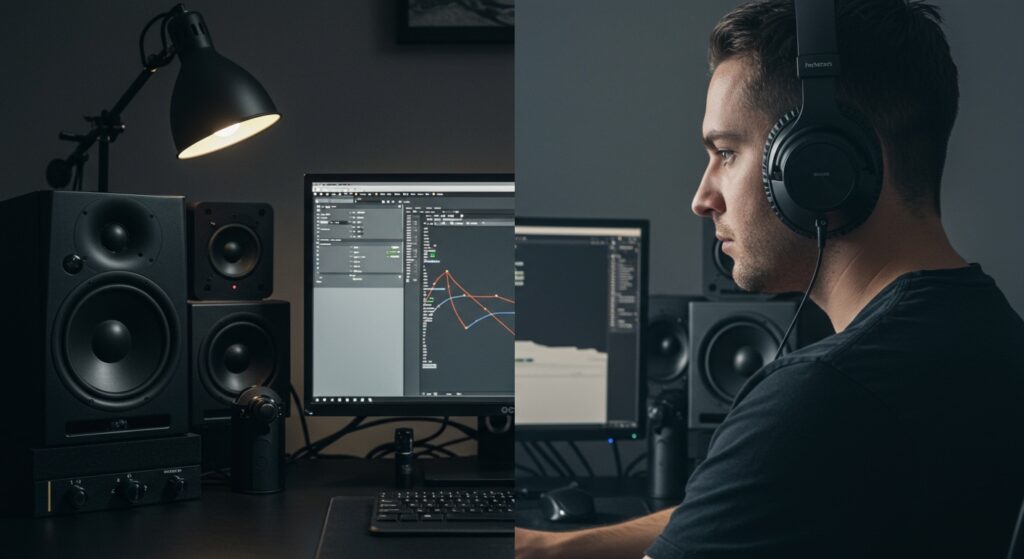
💡 Key Takeaways: Audio Usage at a Glance
- Best for Privacy: Use Closed-back headphones to prevent sound leakage in public spaces.
- Best for Accuracy: Use Studio Monitors or Open-back headphones for mixing and critical listening.
- Best for Socializing: Use Bluetooth speakers or Soundbars to share audio with a group.
- Best for Competitive Gaming: Use Wired headsets to eliminate latency and maximize spatial imaging.
- Pro Tip: Always keep your volume below 85 decibels (dB) to prevent long-term hearing damage during extended sessions.
The Fundamentals of Audio Choice: Why It Matters
In my years of testing high-end audio gear, I’ve realized that most people use the wrong tool for the job. You wouldn’t use a screwdriver to drive a nail; similarly, using laptop speakers for a cinematic movie night is a recipe for disappointment.
Knowing how to use speakers and headphones for different things changes how you perceive media. Headphones create an internal “in-your-head” experience, while speakers interact with the physical room to create a “soundstage.” Understanding this distinction is the first step toward becoming an audio power user.
When to Reach for Headphones
Headphones are the ultimate tool for isolation and detail. We use them when we need to hear every footstep in a video game or every breath a singer takes in a high-resolution FLAC recording.
When to Power Up Speakers
Speakers are about physicality and shared experiences. Low-frequency sounds (bass) are felt by the body, not just the ears. This makes speakers essential for parties, movies, and casual background music while cleaning or cooking.
How to Use Speakers and Headphones for Different Things: A Comparison Table
| Use Case | Recommended Device | Primary Benefit | Connectivity Type |
|---|---|---|---|
| Competitive Gaming | Wired Headset | Zero latency, precise imaging | 3.5mm or USB |
| Office Deep Work | ANC Headphones | Active Noise Cancellation | Bluetooth / Wireless |
| Home Cinema | 5.1 Soundbar/System | Immersive surround sound | HDMI (eARC) |
| Music Production | Studio Monitors | Flat frequency response | XLR / TRS |
| Outdoor Fitness | Bone Conduction | Situational awareness | Bluetooth |
| Casual Cleaning | Smart Speaker | Hands-free voice control | Wi-Fi |
Mastering Audio for Productivity and Remote Work
When I transition from my morning coffee to a deep-work session, my choice of audio gear is my “do not disturb” sign. If you want to know how to use speakers and headphones for different things in a professional setting, focus on Active Noise Cancellation (ANC) and Microphone Clarity.
Using ANC Headphones for Focus
In a busy office or a home with kids, Active Noise Cancellation is a lifesaver. Devices like the Sony WH-1000XM5 or Bose QuietComfort Ultra use internal microphones to phase out background hums.
- Step 1: Turn on ANC mode to block low-frequency sounds (AC units, traffic).
- Step 2: Play Lo-Fi or Ambient Binaural Beats at 40% volume.
- Step 3: Use a dedicated “transparency mode” when you need to talk to a colleague without removing the headset.
Using Speakers for Video Conferencing
I prefer external speakers for long Zoom meetings to avoid “ear fatigue.” However, you must ensure your microphone is not picking up the speaker output, which causes echoes.
- Expert Tip: Use a directional cardioid microphone and position your speakers behind the microphone’s “dead zone” to keep your audio clean.
Elevating Your Gaming Experience
Gaming is where the question of how to use speakers and headphones for different things becomes most technical. Your choice can literally affect your win/loss ratio.
For FPS and Competitive Play
In games like Valorant or Call of Duty, spatial awareness is everything. I always recommend open-back headphones (like the Sennheiser HD600 series) for this.
- Soundstage: Open-back designs allow air to move, making it easier to tell if an enemy is 5 feet or 50 feet away.
- Imaging: High-quality drivers provide “pinpoint” accuracy for directional cues.
- Wired Connection: Avoid Bluetooth latency; a 100ms delay can mean the difference between life and death in-game.
For Immersive RPGs
If you are playing The Witcher 3 or Cyberpunk 2077, a 2.1 speaker setup with a dedicated subwoofer is often superior. The rumble of an explosion or the sweep of an orchestral score feels more “epic” when it moves the air around you.
Best Practices for Music Listening and Production
Music is subjective, but the hardware shouldn’t be. When considering how to use speakers and headphones for different things in the realm of music, you must decide between coloration and neutrality.
Critical Listening vs. Casual Listening
- Casual (Speakers): Most consumer speakers (like Sonos or JBL) have a “V-shaped” sound profile. This boosts the bass and treble to make music sound exciting at parties.
- Critical (Headphones): If you are analyzing a master track, you need neutrality. High-impedance headphones paired with a DAC (Digital-to-Analog Converter) and an Amplifier will reveal imperfections in a recording that speakers might hide.
Positioning Your Speakers
Most people place their speakers incorrectly. To optimize your audio usage, follow the Equilateral Triangle Rule:
- The distance between the two speakers should be equal to the distance between each speaker and your head.
- Ensure tweeters (the small drivers) are at ear level.
- Avoid placing speakers directly against a wall to prevent muddy, “boomy” bass.
Audio for Fitness and Outdoor Activities
When you’re on the move, the rules change. Safety becomes just as important as sound quality. This is a unique category in the guide on how to use speakers and headphones for different things.
Bone Conduction for Safety
If you are a cyclist or a runner, I highly recommend bone conduction headphones (like Shokz). They sit outside your ear canal, leaving your ears open to hear approaching cars or sirens.
IP Ratings for Durability
For gym use, never use standard “lifestyle” headphones. Look for an IPX4 rating or higher to ensure sweat and rain don’t short-circuit your electronics.
- IPX7: Can be submerged in water.
- IPX4: Splash-proof (ideal for heavy workouts).
Technical Setup: Connecting Your Devices Properly
Getting the hardware is only half the battle. You need to know how to use speakers and headphones for different things by configuring the software.
Bluetooth Codecs Explained
Not all wireless audio is equal. If you are using an Android phone, look for LDAC or aptX HD support in your settings. These codecs allow for higher bitrates, meaning the music sounds closer to the original CD quality. AAC is the standard for Apple users.
Equalization (EQ) Adjustments
Don’t be afraid to use an EQ.
- For Podcasts: Boost the mids (250Hz – 2kHz) to make voices crisper.
- For Action Movies: Gently boost the sub-bass (20Hz – 60Hz) for more “thump.”
- For Old Recordings: Roll off the highs (above 10kHz) to reduce hiss and static.
Frequently Asked Questions
Is it better to use speakers or headphones for gaming?
For competitive gaming, headphones are better because they provide “spatial imaging,” allowing you to hear exactly where sounds are coming from. For casual or cinematic gaming, speakers provide a more comfortable and physically immersive experience.
Why do my headphones sound better than my expensive speakers?
Your room acts as an extra component of your speaker system. Unless you have acoustic treatment (rugs, curtains, or foam panels), sound waves bounce off walls and create interference. Headphones bypass the room entirely, providing a direct and controlled sound.
How do I use speakers and headphones at the same time?
On Windows, you can use software like VoiceMeeter to route audio to multiple outputs simultaneously. This is useful if you want to play music through speakers while keeping game chat in your headset.
Can using headphones for too long damage my hearing?
Yes, this is known as “Listener Fatigue.” To prevent damage, follow the 60/60 rule: Listen at no more than 60% volume for no more than 60 minutes at a time. Always take a 10-minute break between sessions.
Should I get wired or wireless audio gear?
Use wired gear for professional work, gaming, and high-fidelity music listening to avoid lag and compression. Use wireless gear for convenience, commuting, and fitness where cables would be a hindrance.









