

Understanding the Science of a Delay Between Two Speakers
If you notice a delay between two speakers, it is usually because the electrical signals are reaching the speakers at different times or the sound waves are traveling different distances to your ears. This phenomenon, technically called latency or propagation delay, can turn a crisp movie soundtrack into a muddy, echoing mess.
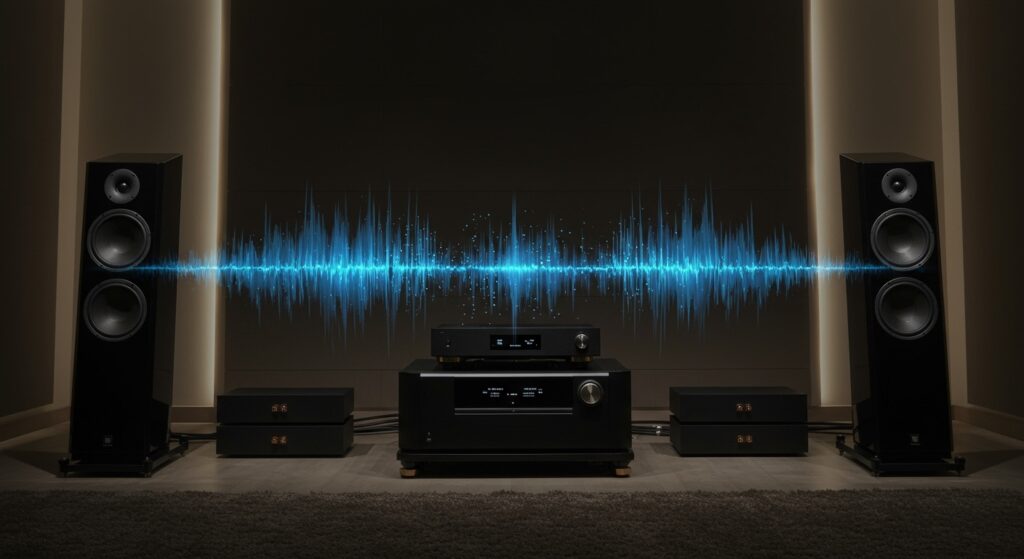
To fix a delay between two speakers, you must synchronize the timing through your AV receiver settings, update your wireless drivers, or physically align the speakers to ensure sound reaches the “sweet spot” simultaneously.
Key Takeaways for Fixing Audio Lag
- Check the Source: Digital processing (DSP) in modern TVs is the #1 cause of audio-to-video desync.
- Distance Matters: Sound travels at roughly 1,130 feet per second; every extra foot of distance adds about 1ms of delay.
- Wired is King: For zero-latency performance, HDMI eARC or balanced XLR cables outperform any wireless solution.
- The Haas Effect: Our brains can ignore delays under 30-40ms, but anything higher creates a noticeable “echo.”
Why Does a Delay Between Two Speakers Occur?
In my years of calibrating high-end home theaters, I have found that a delay between two speakers isn’t just a hardware glitch; it’s often a matter of physics. When we talk about audio lag, we are usually dealing with one of three culprits: processing latency, wireless interference, or acoustic distance.
Digital Signal Processing (DSP) Latency
Modern speakers, especially “smart” speakers or soundbars, don’t just play sound. They process it. They apply Equalization (EQ), compression, and virtual surround sound.
If one speaker has a faster Digital-to-Analog Converter (DAC) than the other, you will experience a delay between two speakers. This is common when mixing brands or using a “smart” speaker alongside an older analog unit.
The Speed of Sound and Distance
In large rooms, the physical distance between you and the speakers creates a natural delay. While light is nearly instantaneous, sound is slow. If your Left speaker is 5 feet away and your Right speaker is 15 feet away, the right channel will hit your ear 9 milliseconds later. This creates a “smeared” stereo image.
Wireless Protocol Bottlenecks
Bluetooth is the most common offender. Standard Bluetooth (SBC) can have a latency of 150ms to 250ms. If you are using a wireless multi-room system like Sonos or Heos and your Wi-Fi signal is weak, one speaker may “buffer” more than the other, resulting in a distinct a delay between two speakers.
| Connection Type | Average Latency (ms) | Reliability | Best Use Case |
|---|---|---|---|
| Wired (Copper/XLR) | < 1ms | Extremely High | Professional Studios / Home Theater |
| HDMI eARC | 1ms – 5ms | High | 4K Gaming and Movies |
| Wi-Fi (Multi-room) | 5ms – 50ms | Medium | Background Music / Whole House Audio |
| Bluetooth (aptX LL) | 32ms – 40ms | Medium | Personal Audio / Headphones |
| Bluetooth (SBC) | 150ms – 250ms | Low | Casual Listening Only |
Step-by-Step Guide: How to Fix a Delay Between Two Speakers
If you are hearing an echo or “lip-sync” issues, follow these steps to re-align your audio system.
Step 1: Adjust the AV Receiver “Distance” Settings
Most modern AV Receivers (AVR) from brands like Denon, Yamaha, or Marantz have built-in delay compensation.
- Enter the Settings menu on your receiver.
- Navigate to Speaker Setup > Distance.
- Measure the exact distance from your seating position to each speaker.
- Input these values into the receiver. The software will automatically add a micro-delay to the closer speakers so the sound arrives at your ears at the exact same time.
Step 2: Use “Lip Sync” or “Audio Delay” Features
If the sound is lagging behind the video on your TV, you need to use the Audio Delay (sometimes called A/V Sync) feature.
- Go to your TV’s Sound Settings.
- Look for Expert Settings or Digital Output Audio Delay.
- Adjust the slider (usually measured in ms) until the mouth movements on screen match the audio.
- Pro Tip: I recommend using a “clapper” video on YouTube to find the exact millisecond match.
Step 3: Troubleshoot Wireless Speaker Lag
When dealing with a delay between two speakers in a wireless setup, the issue is usually bandwidth.
- Switch to 5GHz Wi-Fi: The 2.4GHz band is crowded with interference from microwaves and baby monitors.
- Use a Mesh Network: If your speakers are far apart, a mesh Wi-Fi system (like Eero or Google Nest) ensures a consistent signal to both units.
- Check the Codec: If using Bluetooth, ensure both your transmitter and receiver support aptX Low Latency.
Advanced Solutions for Audiophiles and Pros
Sometimes, the standard settings aren’t enough. If you are a professional or a dedicated enthusiast, you may need to look at Phase Alignment and DSP hardware.
Correcting Phase Cancellation
When you have a delay between two speakers, it can lead to phase cancellation. This happens when the sound wave of one speaker is at its peak while the other is at its trough, effectively “canceling out” certain frequencies (usually the bass).
To fix this:
- Check your wiring. Ensure the positive (+) and negative (-) terminals are consistent across all speakers.
- Use a Phase Polarity app on your smartphone to test if your speakers are pushing and pulling in unison.
Utilizing External DSP Units
For complex setups, I often recommend an external Digital Signal Processor like a miniDSP. These units allow you to manually set delays with 0.1ms precision. This is the gold standard for correcting a delay between two speakers in custom car audio or high-end home theaters.
Real-World Experience: The Backyard Cinema Challenge
Last summer, I helped a friend set up a 20-foot outdoor screen. He used two different brands of powered PA speakers. Because one speaker had internal digital processing and the other was purely analog, there was a massive a delay between two speakers that made the dialogue unintelligible.
The Solution: We couldn’t change the hardware, so we used a small mixer with a built-in delay effect. By delaying the “faster” analog speaker by 15ms, we perfectly aligned the two, creating a seamless wall of sound.
Recommended Hardware for Low Latency
- Best HDMI Cable: AudioQuest Pearl or any certified Ultra High Speed HDMI 2.1 cable.
- Best Wireless Transmitter: Sennheiser BT T100 (supports aptX LL).
- Best Calibration Tool: Dayton Audio iMM-6 calibrated microphone combined with REW (Room EQ Wizard) software.
FAQ: Frequently Asked Questions About Audio Delay
Why is there a delay between my TV and my Bluetooth speakers?
Standard Bluetooth is not designed for video. The encoding and decoding process creates a “buffer” that results in a delay between two speakers or between the screen and the audio. To fix this, use an aptX Low Latency adapter or a wired Optical/HDMI connection.
How many milliseconds of delay is noticeable?
Most people begin to notice a “lip-sync” issue at 40ms. By 100ms, the delay becomes highly distracting. Professional musicians can often detect delays as low as 5-10ms.
Can a long speaker wire cause audio delay?
Technically, electricity travels through wire at nearly the speed of light. Even a 100-foot cable would only cause a delay of about 0.0000001 seconds, which is impossible for a human to hear. If you have a delay, it is caused by the electronics, not the length of the copper wire.
Will “Game Mode” on my TV help with audio lag?
Yes! Game Mode disables heavy image processing, which reduces the “Input Lag.” Since the TV doesn’t have to spend as much time processing the picture, the audio and video can stay in tighter synchronization.
Why do my speakers echo when I use multi-room audio?
This is usually a synchronization error in the software. In apps like Sonos or Google Home, look for a setting called Group Delay Correction. This allows you to manually slow down the “leading” speaker to match the “lagging” one.









