

Understanding A V Pairing Speakers for Home Theater and Stereo
A V pairing speakers is the process of connecting and synchronizing your audio output devices with a central source, such as an AV receiver (AVR), a wireless hub, or a mobile device. To pair your speakers correctly, you must match the connection type—whether wired (copper wire/banana plugs) or wireless (Bluetooth/Wi-Fi)—to ensure low-latency, high-fidelity sound across all channels.
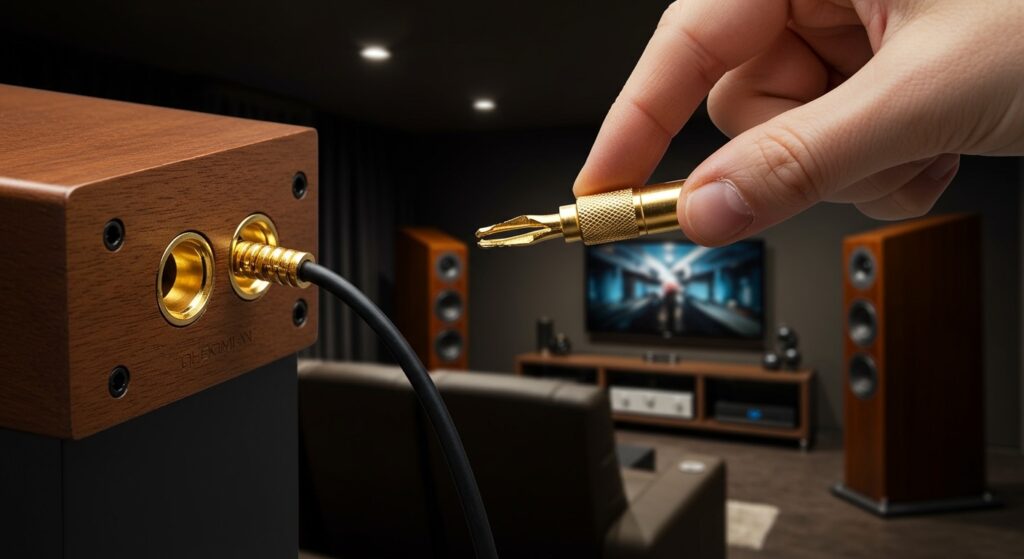
Setting up a high-end audio system can be intimidating, especially when faced with a “spaghetti mess” of wires or a Bluetooth signal that refuses to connect. In my twenty years as an audio-visual consultant, I have configured hundreds of systems, ranging from simple 2.0 stereo setups to complex 9.2.4 Dolby Atmos home theaters. This guide will walk you through the precise steps to achieve perfect synchronization and professional-grade sound quality.
💡 Key Takeaways: AV Pairing Essentials
- Check Compatibility: Ensure your AV receiver supports the impedance (Ohms) and power output (Watts) of your speakers.
- Wired Reliability: For the lowest latency and highest fidelity, 14-gauge oxygen-free copper (OFC) wire remains the industry standard.
- Wireless Protocols: Most modern a v pairing speakers use Wi-Fi (HEOS, Sonos, MusicCast) rather than standard Bluetooth for multi-room, lossless audio.
- Polarity Matters: Always match Positive (+) to Positive and Negative (-) to Negative to avoid “out of phase” audio, which results in thin, weak bass.
- Calibration is Key: Use built-in software like Audyssey or Dirac Live to “pair” your speakers to the specific acoustics of your room.
The Different Methods of A V Pairing Speakers
Before you begin the physical setup, you must identify which “pairing” method your hardware utilizes. Not all a v pairing speakers are created equal, and using the wrong protocol can lead to audio lag or poor sound quality.
Traditional Wired Pairing
This involves physical connections between the speaker terminals and an integrated amplifier or AVR. It is the most reliable method for high-fidelity audio. We recommend using banana plugs for a secure, oxidization-resistant connection.
Bluetooth TWS (True Wireless Stereo)
Common in portable speakers, TWS allows two identical Bluetooth speakers to “pair” with each other, creating a dedicated Left and Right channel. Note that standard Bluetooth often has a latency of 100-200ms, which can cause lip-sync issues with video.
Wi-Fi Multi-Room Pairing
Ecosystems like Sonos, Denon HEOS, and Yamaha MusicCast use your local network to pair speakers. This method supports high-resolution audio (24-bit/192kHz) and ensures perfect sync across different rooms.
WISA (Wireless Speaker and Audio)
WiSA is the gold standard for wireless home theaters. It allows for uncompressed 24-bit audio with a latency of less than 5ms, making it virtually indistinguishable from wired connections.
| Feature | Wired (Copper) | Bluetooth (TWS) | Wi-Fi (Multi-room) | WiSA |
|---|---|---|---|---|
| Audio Quality | Highest (Lossless) | Compressed | High (Lossless) | Highest (Lossless) |
| Latency | 0ms | 100ms+ | Variable | <5ms |
| Ease of Setup | Moderate | Easy | Moderate | Easy |
| Reliability | 100% | Subject to Interference | High (depends on router) | High |
Step-by-Step Guide: Pairing Wired Speakers to an AV Receiver
If you are setting up a traditional home theater, follow these steps to ensure your a v pairing speakers process is handled correctly.
Step 1: Inspect Your Speaker Wire
Do not use the thin “bell wire” often included in cheap kits. I recommend 14-gauge or 16-gauge OFC wire.
- Strip approximately 1/2 inch of insulation from each end.
- Twist the copper strands tightly to prevent “fraying,” which can cause a short circuit and fry your AV receiver.
Step 2: Match Polarity (The Golden Rule)
Every speaker wire has a marking (usually a red stripe, a ridge, or printed text) on one side.
- Connect the marked wire to the Red (+) terminal on the speaker.
- Connect the other end of that same wire to the Red (+) terminal on the AV receiver.
- Repeat for the Black (-) terminals.
- Expert Tip: If your speakers sound “hollow” or the vocals aren’t centered, you likely have one speaker wired out of phase.
Step 3: Secure the Connection
If your receiver has binding posts, unscrew them, insert the wire into the hole, and tighten. However, for the best a v pairing speakers experience, I always use gold-plated banana plugs. They provide a larger surface area for the signal and make it much easier to move your equipment later.
Step 4: Power On and Assign Channels
Once physical connections are made, turn on your receiver. Navigate to the “Speaker Setup” or “Assign” menu. Ensure the receiver knows you are using a 2.0, 3.1, or 5.1 configuration.
How to Pair Wireless Speakers for Multi-Channel Sound
Modern a v pairing speakers often rely on software rather than physical cables. This is common with soundbars that pair with wireless rear surrounds.
Step 1: Use the Manufacturer App
Whether it is the Sonos App, Bose Music, or Samsung SmartThings, the app is the brain of your system.
- Plug in all speakers to power.
- Open the app and select “Add Product.”
- Ensure your phone is on the 2.4GHz or 5GHz Wi-Fi network you intend to use for the speakers.
Step 2: Initiate Pairing Mode
For many wireless rear speakers, you must hold a “Sync” or “Pair” button on the back of the unit until a LED light flashes (usually blue or white).
- Pro Tip: If the pairing fails, perform a factory reset on the speaker. In my experience, 90% of wireless pairing issues are caused by “ghost” credentials from previous setup attempts.
Step 3: Grouping for Stereo or Surround
In your app, look for an option that says “Create Stereo Pair” or “Setup Surround Sound.”
- Select the Master device (usually the soundbar or the left speaker).
- Select the Slave device (the right speaker or surrounds).
- Follow the prompts to play a “chirp” sound to identify which speaker is which.
Expert Insights: Calibrating Your Paired Speakers
Simply connecting the wires isn’t enough. To truly master a v pairing speakers, you must calibrate the output to your room’s unique dimensions.
The “Subwoofer Crawl”
When pairing a subwoofer to your main speakers, placement is everything.
- Place the subwoofer in your seating position (literally on the couch).
- Play a bass-heavy track.
- Crawl around the perimeter of the room.
- Where the bass sounds the tightest and cleanest is where you should permanently place the subwoofer.
Utilizing Room Correction Software
Most modern AV receivers (like the Denon AVR-X series or Yamaha Aventage) include a calibration microphone.
- Plug the mic into the front panel.
- Place the mic at ear level in your primary listening spot.
- The receiver will play “pink noise” bursts to calculate speaker distance, level (decibels), and crossover frequency.
- My Advice: Always set your speakers to “Small” in the menu if you have a subwoofer, even if they are floor-standing towers. This offloads the heavy bass lifting to the sub, giving your speakers more “headroom.”
Troubleshooting Common A V Pairing Speaker Issues
Even pros run into glitches. Here is how to fix the most common hurdles in a v pairing speakers.
Issue 1: “No Sound from Rear Speakers”
- The Fix: Check your source material. If you are watching a YouTube video or a news broadcast, it is likely in 2.0 Stereo. Your rear speakers will remain silent unless you engage a “Upmixer” like Dolby Surround or DTS:Neural:X on your receiver.
Issue 2: “Wireless Audio Dropout”
- The Fix: This is usually wireless interference. Keep your speakers away from microwave ovens and large metal objects. If using Wi-Fi pairing, ensure your Router isn’t overloaded. I highly recommend using a Mesh Wi-Fi system (like Eero or Orbi) for high-bandwidth audio.
Issue 3: “Bluetooth Latency (Lip-Sync Issue)”
- The Fix: If your a v pairing speakers are Bluetooth-based and the audio doesn’t match the video, check for aptX Low Latency support. If your TV doesn’t support it, you may need an external Bluetooth Transmitter that plugs into the TV’s optical port.
FAQ: Frequently Asked Questions About AV Pairing
Can I pair speakers from different brands?
Yes, for wired setups. You can mix a Yamaha receiver with Klipsch speakers and a SVS subwoofer without issue. However, for wireless setups (like Sonos or HEOS), you generally must stay within the same brand ecosystem to ensure software compatibility.
What is the best wire gauge for pairing speakers?
For runs under 50 feet, 16-gauge is sufficient. For runs over 50 feet or for high-power 4-ohm speakers, use 14-gauge or 12-gauge wire to prevent signal loss and maintain a high damping factor.
How do I pair a passive speaker to an active one?
In a “Master/Slave” powered speaker setup (like the Klipsch The Fives), you connect the two using a proprietary DIN cable or standard speaker wire provided by the manufacturer. Only the “Master” speaker plugs into the wall; the “Slave” receives power and signal from the first unit.
Why is my AV receiver showing a “Check SP Wire” error?
This is a safety feature. It usually means a single strand of copper wire is touching the metal chassis of the receiver or the opposite terminal. Power down immediately and re-terminate your connections to avoid permanent damage to the amplifier’s output stage.
Can I pair Bluetooth speakers to my TV for surround sound?
Generally, no. Most TVs only support one Bluetooth connection at a time. To get true surround sound wirelessly, you need a dedicated wireless speaker kit or a system designed for it, like the Sony HT-A9 or a WiSA-ready setup.









