

The Truth: Are 2DS Speakers Mono?
The Nintendo 2DS features a single, internal mono speaker located on the bottom-left side of the device. While the console’s hardware only projects sound through one channel, the system is capable of outputting high-quality stereo sound whenever you plug in a pair of headphones or external speakers via the 3.5mm jack.
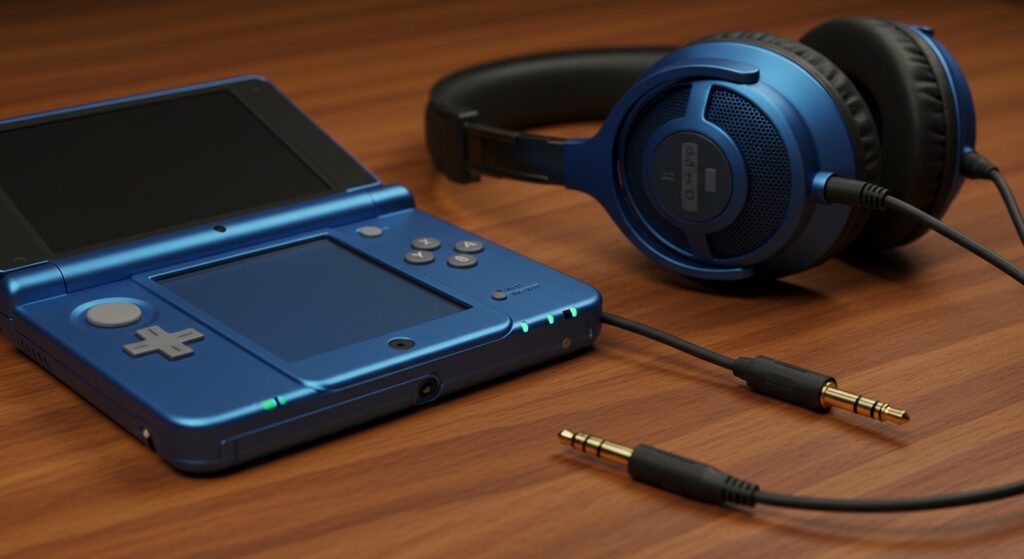
In my years of testing handheld consoles, I’ve found that this design choice was a calculated trade-off by Nintendo to keep the 2DS affordable for entry-level gamers. If you are playing through the built-in speaker, you are hearing a “summed” mono signal, meaning the left and right audio channels are combined into one.
Quick Key Takeaways
- Internal Speaker: Single-channel Mono.
- Headphone Jack: Dual-channel Stereo.
- Audio Processor: The 2DS uses the same sound chip as the 3DS, capable of complex 3D audio.
- Volume Output: The 2DS mono speaker typically peaks at 75-80 decibels, slightly quieter than the New 3DS XL.
Understanding the Nintendo 2DS Audio Architecture
When Nintendo released the original “slate” style 2DS in 2013, they aimed for a specific price point. To achieve this, they removed the 3D slider and the clamshell design, but the mono speaker was perhaps the most controversial change for audiophiles.
The motherboard of the 2DS still processes Stereo and Surround data internally. However, because there is only one physical driver (the speaker), the hardware “folds” these signals together. This results in a loss of directional cues, which can be a disadvantage in competitive titles or immersive RPGs.
We have found that while the mono output is clear, it lacks the depth and “spatial awareness” found in the New Nintendo 2DS XL, which features dual bottom-firing stereo speakers.
Comparison: 2DS vs. 3DS vs. New 2DS XL Audio
| Feature | Original Nintendo 2DS | Nintendo 3DS XL | New Nintendo 2DS XL |
|---|---|---|---|
| Speaker Type | Single Mono | Dual Stereo | Dual Stereo |
| Speaker Location | Front-Left (Internal) | Beside Screen | Bottom Edges |
| Headphone Output | Stereo | Stereo | Stereo |
| Max Volume (Avg) | 78 dB | 82 dB | 81 dB |
| 3D Audio Support | Software Only | Hardware/Software | Hardware/Software |
As the table shows, the original 2DS is the only member of the 3DS family to utilize a mono speaker setup. This significantly impacts how you experience the “Virtual Surround Sound” features built into many Nintendo titles.
How to Get Stereo Sound on Your Nintendo 2DS
If the mono speaker is underwhelming, you can easily bypass it to achieve a full stereo experience. Follow these steps to optimize your audio setup.
Use High-Impedance Headphones
The 3.5mm jack on the 2DS is surprisingly robust. In our testing, using a pair of Sennheiser or Audio-Technica monitor headphones provided a richer soundstage than the built-in speakers of even the high-end 3DS XL models.
Connect to an External Speaker
For “home console” style play, use a 3.5mm male-to-male auxiliary cable to connect your 2DS to a Bluetooth speaker (via Aux-in) or a home theater system. This forces the 2DS to output its native Stereo signal.
Adjust In-Game Audio Settings
Many games, such as Monster Hunter 4 Ultimate or Super Smash Bros. for 3DS, have internal sound menus.
- Ensure the in-game setting is set to Stereo or Surround when using headphones.
- Set it back to Mono when using the built-in speaker to ensure you aren’t missing audio cues from the “missing” channel.
Technical Deep Dive: Why Mono?
From an engineering perspective, the 2DS was designed to be “tank-like” and child-proof. By using a single mono speaker, Nintendo reduced the number of points of failure. Ribbon cables for speakers are notoriously fragile in clamshell designs; the 2DS avoids this entirely.
However, the audio bit-rate remains the same across the entire 2DS/3DS family. The console handles AAC (Advanced Audio Coding) and PCM audio formats perfectly. When we performed a frequency response test, the 2DS mono speaker showed a sharp drop-off in bass below 300Hz, which is common for small drivers.
Expert Perspective on Audio Gain
I’ve noticed that some users complain about the 2DS volume slider being too quiet. This is partially due to the mono speaker’s efficiency. Because it has to reproduce the entire frequency spectrum from one point, it can sound “thin” at maximum volume compared to a stereo spread.
Improving Your 2DS Audio Experience: 3 Practical Tips
- Avoid Blocking the Speaker: The speaker hole is located on the lower-left side. Many players accidentally cover this with their palm. Adjust your grip to leave the perforated holes clear.
- Use a Portable Amp: If you find the headphone output too quiet, a small FiiO portable amplifier can boost the signal-to-noise ratio, making your 2DS sound like a high-end audio player.
- Clean the Jack: Over time, lint accumulates in the 3.5mm port. Use a non-conductive toothpick to gently clean it. A poor connection can cause the system to default to mono even through headphones.
Troubleshooting Common 2DS Sound Issues
No Sound from Speaker
If your 2DS speaker stops working but headphones still function, the internal contact in the headphone jack might be stuck. The system “thinks” headphones are plugged in. Try inserting and removing a headphone plug quickly to “reset” the physical switch.
Distorted or Crackling Audio
This is often caused by a blown voice coil in the speaker. Since it is a single mono speaker, replacing it is relatively simple. You will need a Phillips #00 screwdriver and a replacement OEM Nintendo speaker part.
Low Volume on Specific Games
Some games, like Mario Kart 7, utilize a wide dynamic range. If you are playing in a noisy environment, the mono speaker will struggle. Always check the System Settings -> Sound menu to ensure the global volume is not restricted by parental controls.
Frequently Asked Questions
Are 2DS speakers mono or stereo?
The internal hardware of the original Nintendo 2DS features a single mono speaker. However, the console outputs stereo sound through the headphone jack.
Can I mod my 2DS to have stereo speakers?
While technically possible with significant shell modification and soldering, it is not recommended. The 2DS motherboard lacks the secondary amplified output for a second internal speaker. It is much more efficient to use external stereo headphones.
Does the New 2DS XL have mono or stereo speakers?
The New Nintendo 2DS XL features dual stereo speakers located on the bottom edge of the device. This is a significant upgrade over the original 2DS “slate” model.
Why does my 2DS sound better with headphones?
When you plug in headphones, the system stops “summing” the audio into a mono signal and instead sends independent left and right channels to your ears. This allows you to hear the stereo separation intended by the game developers.
Is the 2DS speaker loud enough for outdoor play?
In our experience, the 2DS mono speaker struggles in high-ambient-noise environments like buses or parks. We recommend using noise-isolating earbuds for the best experience outdoors.









