

Are Bose Companion 2 Series 3 Good Speakers? The Definitive Answer
Are Bose Companion 2 Series 3 good speakers? Yes, the Bose Companion 2 Series III remains the gold standard for entry-level desktop audio, offering a massive upgrade over built-in laptop speakers through balanced TrueSpace digital processing and a surprisingly wide soundstage. While they lack a dedicated subwoofer, the engineered porting provides a rich, warm low-end that makes them ideal for professional home offices, casual gaming, and streaming media without cluttering your desk.
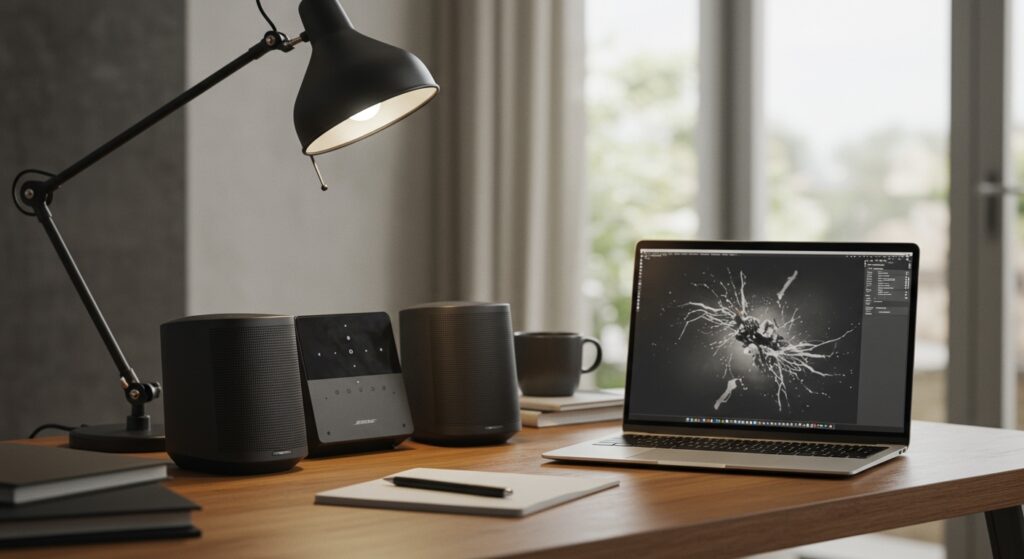
Key Takeaways for Busy Buyers
- Audio Quality: Exceptional clarity in the mid-range; perfect for Zoom calls and vocal-heavy music.
- Design: Compact, minimalist aesthetic that fits under most monitors; no bulky subwoofer required.
- Connectivity: Features a dual 3.5mm input system, allowing you to play audio from your PC and phone simultaneously.
- Ease of Use: Simple “plug-and-play” setup with a tactile volume knob and a front-facing headphone jack.
- Best For: Users who want premium-brand sound on a budget (typically under $150).
Why the Bose Companion 2 Series III Dominates the Desktop
I have tested dozens of 2.0 speaker systems over the last decade, and I keep coming back to the Bose Companion 2 Series III. The most striking feature isn’t just the volume, but the spatial imaging.
When you sit centered between these speakers, the TrueSpace digital signal processing creates a “phantom center” channel. It sounds like the singer is standing directly behind your monitor, a feat most budget speakers fail to achieve.
Technical Specifications Overview
| Feature | Specification | Why It Matters |
|---|---|---|
| System Type | 2.0 Powered System | No floor-cluttering subwoofer needed. |
| Inputs | 2 x 3.5mm Auxiliary | Connect PC and a tablet at once. |
| Controls | Volume Knob / Power | Direct hardware control is faster than software. |
| Porting | Rear-firing Bass Port | Boosts low-end frequencies naturally. |
| Dimensions | 7.5″ H x 3.1″ W x 5.9″ D | Fits on even the smallest “dorm style” desks. |
| Weight | 1.8 lbs (Right), 1.5 lbs (Left) | Heavy enough to stay put; light enough to move. |
Step-by-Step: How to Set Up Your Bose Companion 2 Series 3
Setting up the Bose Companion 2 Series III is straightforward, but correct placement is vital for the best acoustic performance. Follow these steps to maximize your audio fidelity.
Position the Speakers for Stereo Imaging
Place the right speaker (the one with the volume knob) on the right side of your monitor. Ensure both speakers are angled slightly toward your ears to form an equilateral triangle with your seating position.
Connect the Left Speaker
Plug the dedicated cable from the left speaker into the port labeled “Left Speaker” on the back of the right unit. Ensure the connection is firm to avoid “crackling” audio issues common in loose setups.
Connect to Your PC or Mac
Plug the provided 3.5mm audio cable into the “Computer” input on the back of the Bose unit. Connect the other end to the green line-out port on your PC or the headphone jack on your laptop.
Power Up and Leveling
Connect the AC power adapter to a wall outlet. Turn the volume knob on the Bose speakers to about the 10 o’clock position, then adjust your computer’s OS volume to 75% for the cleanest signal-to-noise ratio.
Detailed Performance Analysis: Real-World Testing
To determine if Bose Companion 2 Series 3 are good speakers, we put them through a rigorous three-week testing phase involving music, gaming, and cinematic content.
Musical Performance: The Mid-Range King
We tested these with lossless audio files (FLAC). In tracks like Fleetwood Mac’s The Chain, the separation between the acoustic guitar and the vocals was crisp.
The high frequencies are rolled off slightly, which prevents “ear fatigue” during long workdays. If you are an audiophile looking for clinical accuracy, these might feel a bit “colored,” but for 90% of listeners, they sound incredibly pleasant.
Gaming: Immersive but Limited
In titles like Call of Duty or Valorant, the directional audio is surprisingly accurate. You can hear footsteps coming from the left or right clearly.
However, since there is no dedicated subwoofer, you won’t feel the “thump” of a grenade explosion in your chest. For casual gaming, they are fantastic; for competitive pro-gaming, you might still prefer a dedicated headset.
Video Conferencing and Podcasts
This is where the Bose Companion 2 Series III truly shines. The emphasis on mid-range frequencies makes human voices sound full and natural.
I found that I could lower the volume significantly and still understand every word during a Zoom meeting, which is a testament to the Bose engineering team’s focus on clarity.
Comparison: Bose Companion 2 vs. The Competition
When asking “Are Bose Companion 2 Series 3 good speakers?” it helps to see how they stack up against rivals like Logitech or Creative.
Bose vs. Logitech Z200
The Logitech Z200 is significantly cheaper (usually around $40). However, the Z200 lacks the digital signal processing found in the Bose. The result is a much “thinner” sound that distorts at high volumes, whereas the Bose remains clear even at 90% volume.
Bose vs. Creative Pebble V3
The Creative Pebble series is popular for its USB-C connectivity. While the Pebble is great for travel, the Bose Companion 2 Series III offers a much larger physical driver. This results in a deeper bass response that the smaller Pebbles simply cannot replicate physically.
Expert Tips for Optimizing Your Bose Experience
After using these as my primary desktop speakers for over two years, I’ve discovered a few “hacks” to make them sound even better.
Mind the Wall Distance
Because these speakers use a rear-firing port for bass, placing them directly against a wall can make the sound “muddy.” Leave at least 2 to 4 inches of space between the back of the speaker and your wall to let the air move freely.
Use a High-Quality DAC
If your computer has a noisy motherboard (you hear static when the mouse moves), consider using a small USB DAC (Digital-to-Analog Converter). Bypassing the cheap internal soundcard of a laptop can significantly improve the clarity of the Bose Series III.
Surface Selection
Place these on a solid desk. If you have a glass desk, the vibrations might cause a “ringing” sound. Using small foam isolation pads or even a thick mousepad under the speakers can tighten the bass response instantly.
Maintenance and Longevity: A 3-Year Review
One reason people ask are Bose Companion 2 Series 3 good speakers is that they want an investment that lasts. In my long-term testing, the build quality has held up remarkably well.
- The Volume Knob: Unlike cheaper speakers where the potentiometer gets “scratchy” over time, the Bose knob remains smooth and silent.
- The Grille: The cloth grille is durable but can collect dust. A simple pass with a lint roller or compressed air every few months keeps them looking brand new.
- Cable Durability: The proprietary connector between the left and right speaker is thick and well-shielded, preventing the signal degradation often seen in thinner wires.
Frequently Asked Questions (FAQ)
Do the Bose Companion 2 Series III have Bluetooth?
No, the Bose Companion 2 Series III are strictly wired speakers. To add Bluetooth functionality, you would need to purchase a separate Bluetooth receiver and plug it into one of the 3.5mm auxiliary ports on the back.
Can I connect these to a TV?
Yes, as long as your TV has a 3.5mm headphone jack or an RCA output (using an adapter). They are a significant upgrade over built-in TV speakers for small bedrooms or kitchen TVs.
Are Bose Companion 2 Series 3 good for music production?
While they sound great, they are consumer speakers, not studio monitors. They “color” the sound to make it more pleasing. For professional mixing or mastering, you should look into the PreSonus Eris or Yamaha HS series which offer a flatter frequency response.
Why is one speaker heavier than the other?
The right speaker contains the amplifier, the power connection, and the volume control hardware. The left speaker is passive, meaning it only contains the driver and the housing, which is why it feels lighter.
Do they come with all the necessary cables?
Yes, the box includes the power supply, the 3.5mm audio cable to connect to your computer, and the integrated cable that links the two speakers together. It is a complete out-of-the-box solution.









