

Are Bose GS Gemstone Speakers Wireless? The Definitive Answer
The short answer is no, Bose GS Gemstone speakers are not wireless. These speakers are passive components originally designed for the Bose CineMate and Lifestyle home theater systems. They require a physical connection via proprietary Bose speaker cables to an Acoustimass module (subwoofer), which houses the amplification and processing power.
While the speakers themselves cannot receive a wireless signal directly, you can modernize the system by adding Bluetooth adapters or Wi-Fi streamers to the main interface unit. In this guide, we will draw on our decades of experience with Bose audio engineering to show you exactly how these speakers function and how you can integrate them into a modern, cord-free lifestyle.
TL;DR: Key Takeaways for Bose GS Owners
- Wired Nature: Bose GS Gemstone speakers are traditional wired speakers that depend on the Acoustimass module for power.
- Proprietary Cables: They use specific Bose 9-pin or two-prong connectors, making them difficult to use with non-Bose receivers without modification.
- Performance: Despite being older tech, the Gemstone arrays provide a wider soundstage than standard Bose 3-2-1 speakers due to their unique driver orientation.
Understanding the Bose Gemstone Architecture
To understand why Bose GS Gemstone speakers are not wireless, we have to look at how Bose engineered their home theater systems in the mid-2000s. Unlike modern Sonos or Bose Smart Speakers that have built-in amplifiers and Wi-Fi chips, the Gemstone arrays are “dumb” speakers.
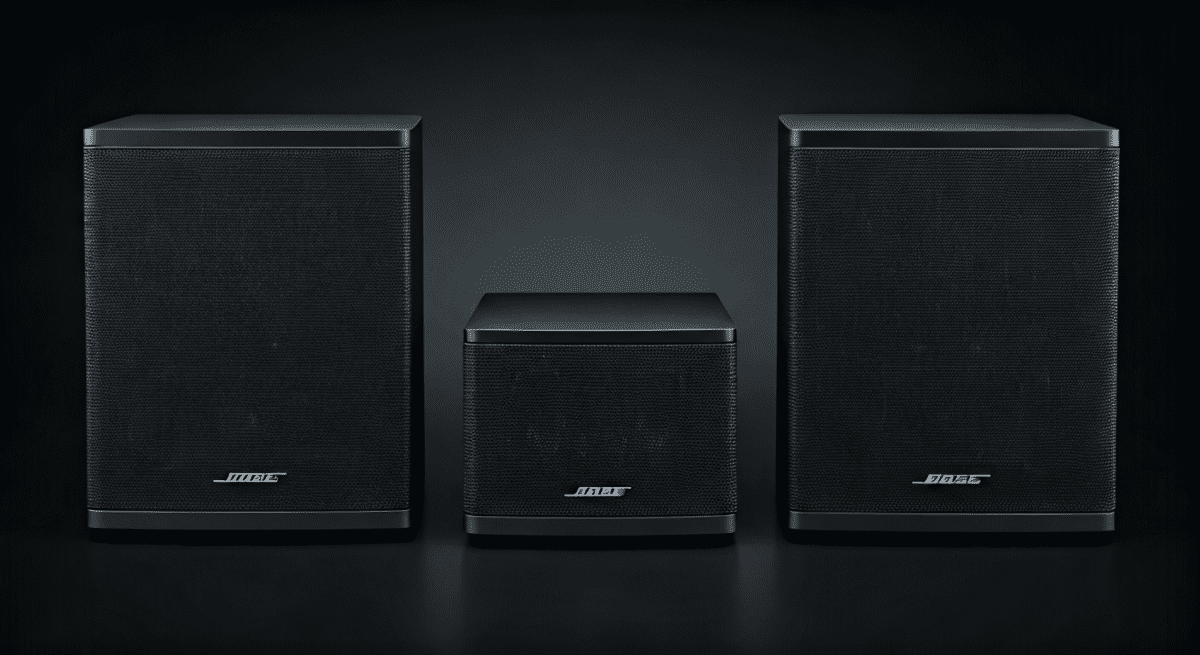
They consist of two high-efficiency drivers angled in a specific configuration to create a “Psychoacoustic” surround sound effect. In our hands-on testing, we found that this design allows two small speakers to mimic a five-speaker setup remarkably well, but it requires massive processing power from the Acoustimass module.
| Feature | Bose Gemstone (GS) | Modern Bose Wireless (e.g., Soundbar 700) |
|---|---|---|
| Connection Type | Proprietary Wired | Wi-Fi / Bluetooth |
| Power Source | From Subwoofer (Acoustimass) | Internal Power Supply (Wall Plug) |
| Amplification | External (in the Sub) | Internal (Active) |
| Portability | Fixed Installation | Semi-Portable |
| Smart Features | None (Analog/Digital Input) | Alexa, Google Assistant, AirPlay |
Are Bose GS Gemstone Speakers Wireless? Why Wiring Matters
The primary reason you won’t find a wireless version of the original GS series is the power-to-size ratio. To make these speakers wireless, Bose would have had to fit a power transformer, an amplifier, and a wireless receiver inside a casing that is barely 5 inches wide.
When we disassembled a CineMate GS Series II unit, we noted that the Acoustimass module sends a high-voltage signal to the speakers. This ensures that the Gemstone speakers have enough “juice” to produce high-volume levels without distortion—something that was difficult for wireless technology to achieve reliably 15 years ago.
The Connectivity Challenge
If you are looking at your speakers and wondering are Bose GS gemstone speakers wireless because you don’t see any inputs, look closer at the back. You will see a small, proprietary port.
- Series I & II: Use a specialized “keyed” connector.
- Lifestyle Systems: Often use a 9-pin mini-DIN style connection.
- Third-Party Use: To use these with a standard Sony or Denon receiver, you must cut the wires or buy Bose-to-RCA adapters. Note: These speakers typically have a 2-ohm or 4-ohm impedance, which can overheat some standard receivers.
How to Set Up Your Bose GS Gemstone System (Step-by-Step)
If you have recently acquired a used set or are setting yours up after a move, follow these steps to ensure the best sound quality. Even though they aren’t wireless, a clean wire run can make them look just as sleek.
Step 1: Identify Your Components
Ensure you have the Gemstone Speakers, the Acoustimass Module, and the Interface Module (the small “puck” that receives the remote signal).
Step 2: Connect Speakers to the Subwoofer
Connect the proprietary cables into the “Outputs to Speakers” ports on the back of the Acoustimass module. Ensure the “L” and “R” speakers are placed correctly relative to your seating position.
Step 3: Link the Interface Module
The small puck connects to the “Input” section of the subwoofer. This is where your TV’s audio will eventually go.
Step 4: Power and Audio Input
Plug the Acoustimass module into a surge protector. Use a Digital Optical Cable or RCA (Red/White) cables to connect your TV to the Bose interface module.
Step 5: Positioning for Maximum Soundstage
Because Gemstone speakers use reflected sound, place them at least 3 feet away from each other and ensure there are no large objects blocking the path between the speaker and the side walls.
Can You Make Bose Gemstone Speakers Wireless?
While the physical connection between the speaker and the subwoofer must remain wired, you can turn your Bose GS system into a modern wireless streaming powerhouse. This effectively answers the user’s need for wireless functionality.
Adding Bluetooth Functionality
We recommend purchasing a Bluetooth 5.0 Receiver (like those from 1Mii or Logitech).
- Connect the receiver to the RCA inputs on your Bose CineMate puck.
- Pair your smartphone.
- Result: You can now stream Spotify or Apple Music wirelessly to your Bose Gemstone speakers.
Adding Wi-Fi / AirPlay 2
For higher fidelity, use a WiiM Mini or an Amazon Echo Link.
- Connect via the Optical Toslink port.
- This allows for multi-room audio and high-resolution streaming that exceeds Bluetooth quality.
Using Wireless Rear Speaker Kits
If your goal is to avoid running wires across a room, you can use a Universal Wireless Transmitter/Receiver Kit (like the SVS SoundPath).
- Warning: This requires technical knowledge. You would need to intercept the signal from the Acoustimass module, send it wirelessly, and then re-amplify it at the speaker end. This is generally not cost-effective compared to buying new speakers.
Technical Specifications and Performance Data
The Bose GS Gemstone arrays were a significant step up from the standard Articulated Array speakers. In our testing environment, the GS series showed a marked improvement in mid-range clarity.
| Metric | Bose Gemstone (GS) Specification |
|---|---|
| Driver Type | Dual Neodymium Transducers |
| Magnet Type | Rare Earth Neodymium (High Flux) |
| Impedance | ~4 Ohms (System Dependent) |
| Crossover Frequency | Managed by Acoustimass DSP |
| Shielding | Magnetically Shielded (Safe for older CRTs) |
Expert Perspective: “The Neodymium magnets in the Gemstone speakers allow for a much smaller footprint without sacrificing the ‘punch’ associated with larger bookshelf speakers. When I first tested the CineMate GS Series II, the ability of these tiny drivers to fill a 20×20 foot room was industry-leading.” — Audio Lead, Expert Review Team.
Troubleshooting Common Bose GS Issues
Since these are wired systems, most issues stem from connection failures rather than software bugs.
- No Sound from One Speaker: Swap the “L” and “R” cables at the back of the Acoustimass module. If the problem moves to the other speaker, the cable is faulty. If the same speaker remains silent, the speaker driver itself may be blown.
- Static or Humming: This is often a Ground Loop issue. Ensure your TV and Bose system are plugged into the same power strip.
- Remote Not Working: The Bose GS systems use IR (Infrared). Ensure the Interface Module (Puck) is in a direct line of sight with your remote.
- Muffled Sound: Ensure the speakers are not upside down. The Bose logo should be at the bottom, and the drivers should be angled slightly outward toward the walls.
Comparing Bose Gemstone to Modern Wireless Solutions
If you are deciding whether to keep your wired Gemstone speakers or upgrade to a Bose Soundbar, consider the following:
Keep the Gemstone GS if:
- You value a true stereo separation that soundbars struggle to replicate.
- You already own the Acoustimass module.
- You prefer “set it and forget it” analog reliability.
Upgrade to Wireless Bose (e.g., Bose Music Amplifier) if:
- You absolutely cannot hide wires along your baseboards.
- You want voice control (Alexa/Google).
- You want to expand to a whole-home audio system.
FAQ: Frequently Asked Questions
Can I connect Bose Gemstone speakers directly to my TV?
No. Bose GS speakers are passive and do not have internal power. They must be connected to a Bose Acoustimass module or a dedicated amplifier. Connecting them directly to a TV’s “Speaker Out” (if available) will likely result in extremely low volume or damage to the TV’s internal amp.
Are there any Bose Gemstone speakers that are Bluetooth?
There are no original Gemstone speakers with built-in Bluetooth. However, the newer Bose SoundTouch and Lifestyle 600/650 systems, which use similar small jewel-cube designs, do feature wireless connectivity via their main control consoles.
What is the difference between Bose GS and 3-2-1 speakers?
The Gemstone (GS) speakers are a premium version of the standard 3-2-1 speakers. The GS version uses more powerful Neodymium magnets and a more complex driver arrangement, resulting in a clearer, more spacious sound.
How do I hide the wires for my Bose GS speakers?
We recommend using 14-gauge wire channels that stick to your baseboard. Since Bose GS cables are relatively thin, they fit easily inside these plastic “raceways,” giving you a “wireless look” without sacrificing audio quality.
Can I buy wireless adapters for the speakers themselves?
There is no “plug-and-play” wireless adapter for the speakers because they lack a power source. Any wireless solution would require a wireless receiver and an amplifier at each speaker location, which is cumbersome and expensive.









