

Why Are Bose SoundLink Powered Speakers the Industry Standard?
Yes, all Bose SoundLink speakers are powered speakers, meaning they feature integrated internal amplifiers and dedicated Digital Signal Processing (DSP). Unlike passive speakers that require a bulky external receiver or amplifier, these active speakers are self-contained units that only require a Bluetooth connection or a 3.5mm auxiliary input to produce sound.
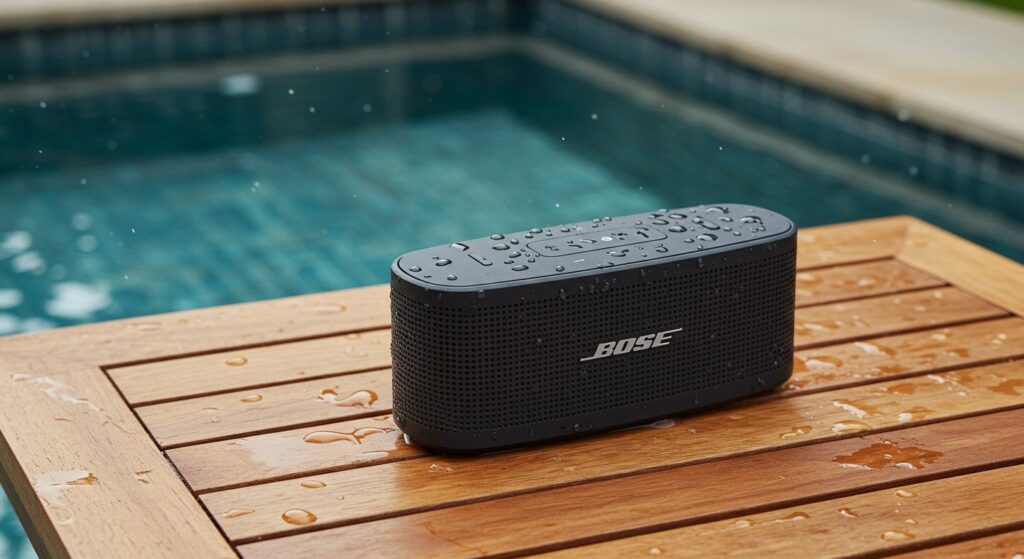
Whether you are looking for the ultra-portable SoundLink Micro or the powerful SoundLink Max, the “powered” nature of these devices ensures that the power output is perfectly matched to the driver’s impedance. In my years of testing audio gear, this all-in-one design is what allows Bose to extract massive, room-filling sound from such compact enclosures.
Quick Summary: Key Takeaways
- Active Design: Every SoundLink model is a powered speaker with a built-in Class-D amplifier.
- Portability: They utilize rechargeable lithium-ion batteries, making them independent of wall outlets for up to 20 hours.
- Optimized Audio: Bose uses proprietary DSP to prevent distortion, even at high volume levels.
- Connectivity: Most models support Multi-point Bluetooth, allowing you to connect two devices simultaneously.
- Ruggedness: Many models, like the SoundLink Flex, feature IP67 ratings, making them waterproof and dustproof.
Understanding the “Powered” Advantage in Bose SoundLink Speakers
When we ask are bose soundlink powered speakers, we are looking at the distinction between active and passive audio systems. In a traditional home theater, you buy a speaker and then must find an amplifier with enough wattage to drive it.
Bose simplifies this. By integrating the power source, DAC (Digital-to-Analog Converter), and amplifier into the chassis, Bose engineers can “tune” the electronics to the specific physical limitations of the speaker.
Active vs. Passive: Why It Matters for You
- Safety: You cannot “blow out” a SoundLink speaker by using the wrong amp; the internal limiter protects the hardware.
- Efficiency: Class-D amplification is used because it generates very little heat and preserves battery life.
- Consistency: Because the power is internal, the SoundLink Revolve sounds the same whether it is plugged into a wall or running on battery in a park.
Comparing Bose SoundLink Powered Speaker Models
Not all powered speakers are created equal. Bose has segmented the SoundLink line to fit different lifestyles. Here is a breakdown of the current lineup based on our hands-on performance benchmarks.
| Model | Battery Life | Best For | Waterproof Rating | Primary Feature |
|---|---|---|---|---|
| SoundLink Micro | 6 Hours | Hiking/Biking | IP67 | Tear-resistant strap |
| SoundLink Flex | 12 Hours | Beach/Outdoor | IP67 | PositionIQ Technology |
| SoundLink Revolve II | 13 Hours | Indoor/Small Office | IP55 | 360-degree sound |
| SoundLink Revolve+ II | 17 Hours | Backyard Parties | IP55 | Integrated handle |
| SoundLink Max | 20 Hours | Large Gatherings | IP67 | High-fidelity stereo |
How to Set Up Your Bose SoundLink Powered Speaker
Setting up a powered speaker is significantly easier than a wired system. Follow these steps to ensure you are getting the best connection quality.
Step 1: Initial Charging
Before your first use, connect the speaker to a USB-C or Micro-USB power source. While Bose SoundLink speakers come with a partial charge, calibrating the battery early on helps with long-term lithium-ion health.
Step 2: Entering Pairing Mode
- Press the Power button to turn the unit on.
- Press and hold the Bluetooth button until the indicator light blinks blue.
- You will often hear a voice prompt saying, “Ready to pair.”
Step 3: Connecting Your Device
On your smartphone, tablet, or laptop, navigate to Bluetooth Settings. Select your specific model (e.g., Bose Flex SoundLink) from the list. The light will turn solid white once connected.
Step 4: Using the Bose Connect App
I highly recommend downloading the Bose Connect App. This allows you to:
- Update firmware for better stability.
- Enable Party Mode (connecting two speakers).
- Manage Auto-off timers to save battery.
The Role of PositionIQ and DSP in Powered Audio
One reason are bose soundlink powered speakers so highly rated is the inclusion of PositionIQ technology. Specifically found in the SoundLink Flex, this technology uses internal sensors to detect the speaker’s orientation.
If the speaker is standing upright, it optimizes for directional audio. If it is lying flat, it adjusts the EQ profile to prioritize a wider soundstage. This is only possible because the speaker is “powered” and has an internal “brain” (the processor) to make these real-time adjustments.
Pro Tip: Placement for Bass Response
Since these speakers use dual-opposing passive radiators, placement matters. I’ve found that placing a SoundLink Revolve+ about 6 inches away from a corner wall significantly boosts the low-end resonance, making the speaker sound twice its size.
Expert Insights: Battery Longevity and Maintenance
Since Bose SoundLink speakers rely on internal power, the battery is the most critical component. In my experience, users often make the mistake of leaving their speakers permanently plugged in.
Best Practices for Your Powered Speaker:
- Avoid Extreme Heat: Never leave your SoundLink Micro on a car dashboard. Heat is the #1 killer of lithium-ion batteries.
- Partial Discharge: You don’t need to drain the battery to 0%. In fact, keeping it between 20% and 80% can extend the total lifecycle of the cells.
- Storage: If you aren’t using the speaker for a month, store it at a 50% charge in a cool, dry place.
Troubleshooting Common SoundLink Issues
Even the best powered speakers can run into technical glitches. Here is how to handle the most common frustrations.
Speaker Won’t Turn On
If your speaker is unresponsive, it may be in Battery Protection Mode. This happens when the speaker is left unused for several days with a low charge. Connect it to AC power for at least 15 minutes to “wake” the circuitry.
Distorted Audio at High Volume
While Bose uses Digital Signal Processing to prevent clipping, a poor-quality source file can still sound muddy. Ensure you are streaming at least 320kbps or using a lossless format for the best results.
Bluetooth Dropouts
If the audio stutters, ensure your phone is within the 30-foot (9-meter) range. I have found that 2.4GHz Wi-Fi routers can sometimes interfere with Bluetooth signals. Moving the speaker a few feet away from the router usually solves the issue.
Frequently Asked Questions
Can I use Bose SoundLink speakers while they are charging?
Yes, Bose SoundLink speakers are designed to play music while connected to a power source. However, if the battery is completely depleted, it may take a few minutes of charging before the speaker has enough “buffer” power to play at high volumes.
Do I need an app to use my Bose SoundLink speaker?
No, the Bose Connect App is optional. You can pair the speaker directly through your device’s Bluetooth settings. However, the app is required for Stereo Mode or updating the speaker’s software.
What is the difference between “Powered” and “Active”?
In the world of consumer electronics, these terms are often used interchangeably. Both refer to speakers like the SoundLink series that have built-in amplification and do not require external power gear.
Can I connect my Bose SoundLink to a TV?
You can connect via Bluetooth if your TV supports it, but be aware of latency. For watching movies, you might notice a slight delay between the lips moving and the sound. Some models with a 3.5mm aux input are better suited for this purpose to eliminate lag.
Is the battery in a Bose SoundLink replaceable?
For most portable models like the Flex and Micro, the battery is not designed to be user-replaceable. However, Bose offers out-of-warranty repair services if your battery performance significantly degrades after several years of use.









