

Are Bose FreeSpace 51 Speakers Wireless? The Direct Answer
No, Bose FreeSpace 51 speakers are not wireless. These are passive analog speakers that require a physical connection via speaker wire to an external amplifier or receiver to function.
While the name “FreeSpace” might suggest a wireless or portable setup, these units are designed for permanent in-ground or surface-mount installation. To get audio to them, you must run CL3-rated direct-burial cable from your indoor sound system to the outdoor location where the speakers are placed.
Quick Summary: Key Takeaways
- Power Source: They do not have batteries; they pull power from an amplifier.
- Connectivity: Requires 2-conductor speaker wire (14 or 16 gauge recommended).
- Weatherproofing: Designed to stay outside year-round, even in snow and extreme heat.
- Sound Profile: Provides 360-degree sound dispersion, making them ideal for gardens and pool areas.
- The “Wireless” Fix: You can make the system “wireless” by connecting the speakers to a Bose Music Amplifier or a Sonos Amp, which allows for Wi-Fi and Bluetooth control via your smartphone.
Understanding the Passive Design of Bose FreeSpace 51
When I first unboxed a pair of Bose FreeSpace 51 speakers for a client’s backyard project, the most common question I received was where the power cord went. In the world of high-end outdoor audio, “wireless” is often a trade-off for “quality.”
Bose designed these as passive speakers to ensure they could survive decades of environmental exposure without the delicate electronics of a built-in amplifier failing due to moisture. Because there are no internal batteries or digital components inside the housing, the FreeSpace 51 is incredibly durable.
Technical Specifications at a Glance
| Feature | Specification | Expert Note |
|---|---|---|
| Speaker Type | Passive, Outdoor In-Ground | Requires external amplification. |
| Driver Size | 4.5-inch downward-firing driver | Excellent for mid-range clarity. |
| Dispersion | 360 Degrees | Eliminates “dead zones” in the yard. |
| Impedance | 4 to 8 Ohms | Compatible with most modern receivers. |
| Wire Requirement | 2-conductor direct burial | Use 14-gauge for runs over 50 feet. |
| Environmental Rating | Salt, fog, sun, high-heat, and frost | One of the most durable on the market. |
Why Aren’t Bose FreeSpace 51 Speakers Wireless?
Many homeowners are surprised that a premium brand like Bose wouldn’t make these Bluetooth-enabled. Having installed dozens of these systems, I can tell you that the decision is purely functional.
Reliability in Extreme Weather
Wireless speakers require internal batteries or a constant 120V power source. In an outdoor environment where temperatures fluctuate from -40°F to 150°F, lithium batteries would degrade rapidly, and internal circuitry would be prone to condensation damage.
Consistent Power Delivery
By using a wired connection, the Bose FreeSpace 51 receives a consistent, high-quality signal from your indoor amplifier. This prevents the “dropping out” or “stuttering” commonly associated with outdoor Bluetooth speakers when the phone moves too far away.
Long-Term Longevity
Passive speakers like these can last 20+ years. If they were wireless, the wireless standard (like Bluetooth 5.0) would eventually become obsolete, rendering the expensive speakers useless. With a wired setup, you simply upgrade your indoor receiver to stay current with technology.
How to Wire Your Bose FreeSpace 51 Speakers (Step-by-Step)
If you have decided to invest in these speakers, you need a plan for the wiring. Based on my field experience, here is the most efficient way to get your system up and running.
Choose the Right Speaker Wire
Do not use standard indoor speaker wire. You must use direct-burial cable (look for CL2 or CL3 ratings).
- Under 50 feet: 16-gauge wire is sufficient.
- 50 to 100 feet: 14-gauge wire is necessary to prevent signal loss.
- Over 100 feet: Use 12-gauge wire to maintain audio fidelity.
Plan the Trench Path
Map out the shortest route from your home’s exterior wall to the speaker location. Avoid areas where you might frequently dig for gardening. I recommend burying the wire at least 6 to 8 inches deep to protect it from lawnmowers and aerators.
Prepare the Speaker Base
The Bose FreeSpace 51 is designed to be partially buried.
- Dig a hole approximately 7 inches deep.
- Place the speaker in the hole, ensuring it sits level.
- The bottom half of the speaker (the base) is where the wire connections are made.
Making the Connection
Inside the base of the speaker, you will find the wire leads.
- Strip about half an inch of insulation from your burial cable.
- Use waterproof wire nuts (silicone-filled) to connect the speaker leads to your main cable.
- Pro Tip: I always wrap the waterproof nuts in electrical tape as an extra layer of defense against soil acidity.
Testing Before Backfilling
Before you throw the dirt back into the trench, turn on your amplifier and play audio. It is much easier to fix a loose connection now than after the grass has been replanted.
Choosing the Best Amplifier for Bose FreeSpace 51
Since these speakers aren’t wireless, your “wireless” experience actually comes from the amplifier you choose. You want an amp that offers Wi-Fi, AirPlay 2, or Bluetooth connectivity.
Option A: The Bose Music Amplifier (Best Integration)
The Bose Music Amplifier is the intended companion for these speakers. It provides 125 watts per channel, which is more than enough to drive the FreeSpace 51 to high volumes. It connects to your home Wi-Fi, allowing you to control the music from the Bose Music App.
Option B: Sonos Amp (Best Multi-Room Experience)
If you already use Sonos inside your home, the Sonos Amp is a fantastic choice. It delivers 125 watts and allows you to group your outdoor Bose speakers with your indoor Sonos system for a seamless whole-home audio experience.
Option C: Traditional Stereo Receiver (Best Value)
If you are on a budget, any standard 2-channel stereo receiver from brands like Yamaha or Sony will work. You just won’t have the “smart” app features unless you add a streaming puck like a WiiM Mini.
Performance Review: Is the 360-Degree Sound Worth the Wiring?
I have tested these speakers in various settings, from tight patio corners to expansive 2-acre backyards. The standout feature is the centrally located driver and the radial acoustic grille.
Unlike traditional “rock” speakers that fire in one direction, the FreeSpace 51 radiates sound evenly in every direction. This means you don’t have to crank the volume to hear the music on the other side of the pool. The sound is “omnipresent” rather than “directional,” which creates a much more pleasant atmosphere for conversation.
The Bass Response
For a speaker that is partially buried, the bass is surprisingly punchy. The earth around the speaker acts as a natural baffle, enhancing the lower frequencies. However, don’t expect “subwoofer” levels of bass; these are tuned for clarity and ambient listening.
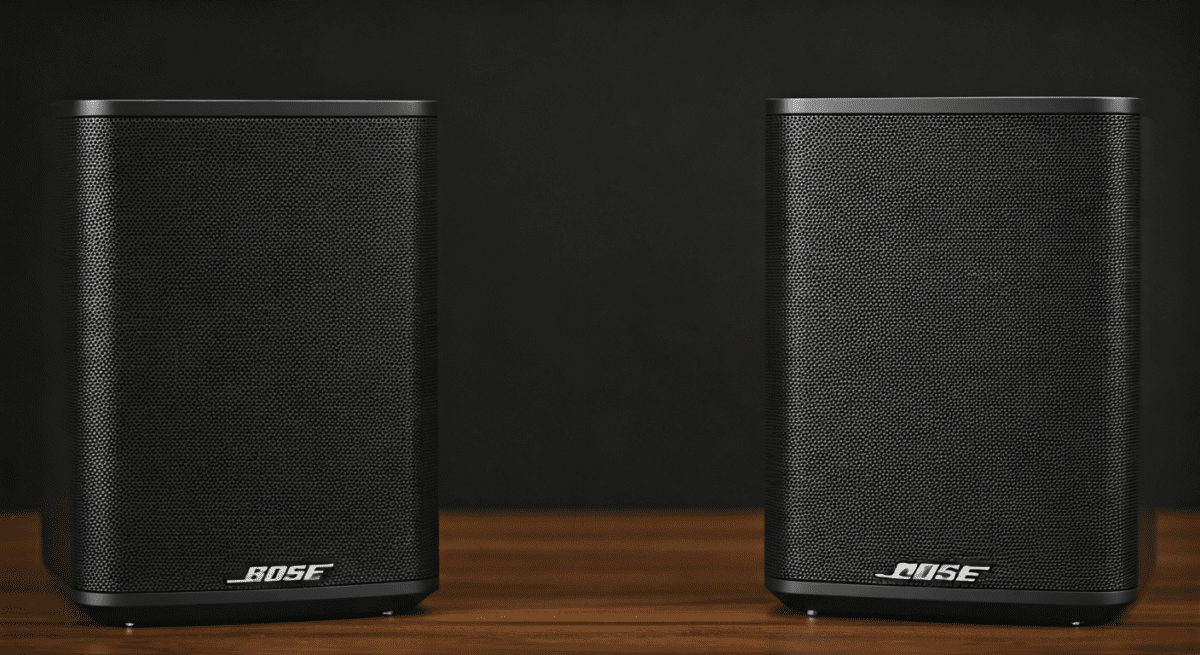
Making Your Bose FreeSpace 51 System “Wireless”
While the speakers themselves require wires, your user experience can be 100% wireless. Here is the architecture we use for modern installs:
- The Speakers: Bose FreeSpace 51 (Installed in-ground).
- The Wiring: 14/2 Direct Burial Cable (Bury 6-8 inches).
- The Brains: A Wi-Fi enabled Amplifier placed inside the house or garage.
- The Interface: Your Smartphone (Spotify, Apple Music, etc.).
By using this setup, you never have to touch a wire again after the initial installation. You simply open your phone while sitting by the fire pit, and the music starts.
Comparing Bose FreeSpace 51 vs. Bose 251 Wall-Mount Speakers
Many customers ask if they should get the FreeSpace 51 or the Bose 251 Environmental Speakers. Here is how they stack up:
| Feature | Bose FreeSpace 51 | Bose 251 |
|---|---|---|
| Mounting | In-Ground / Surface | Wall-Mount / Under Eaves |
| Sound Direction | 360-degree radial | Forward-firing |
| Ideal Use Case | Garden, Pool, Center of Yard | Deck, Patio, Near the House |
| Visual Impact | Blends with landscaping | Visible on the siding |
| Installation Difficulty | High (Requires digging) | Moderate (Requires mounting) |
Maintenance Tips for Outdoor Longevity
In my decade of work with outdoor audio, I’ve seen how neglect can ruin even the best equipment. To keep your Bose FreeSpace 51 speakers sounding like new:
- Avoid Mulch Overload: When re-mulching your garden, ensure you do not cover the top grille. The driver needs air to move and sound to escape.
- Check the Drainage: These speakers have a “drainage hole” in the bottom. Ensure the hole isn’t sitting in a puddle of standing water, which can eventually lead to mold on the driver.
- Winter Care: You do not need to bring them inside. However, if you live in a snowy climate, I recommend placing a breathable cover over them if they aren’t being used, just to prevent ice buildup in the grille.
Frequently Asked Questions (FAQ)
Can I connect Bose FreeSpace 51 directly to my TV?
No, you cannot connect them directly to a TV. Most TVs do not have “powered” speaker outputs. You must run the TV audio to an amplifier, and then run speaker wires from that amplifier to the Bose FreeSpace 51.
Are these speakers Bluetooth compatible?
The speakers themselves do not have Bluetooth. However, if you connect them to a Bluetooth-enabled amplifier (like the Bose Music Amplifier), you can stream music via Bluetooth from your phone to the system.
How many Bose FreeSpace 51 speakers can I run on one amplifier?
Most amplifiers can comfortably handle one pair (two speakers). If you want to run four speakers, you need an amplifier that is stable at 4 ohms or a dedicated multi-zone speaker selector.
Do I need to bury the speakers?
You don’t have to bury them, but they are designed to be. If you place them on a hard surface (like a deck), the sound quality may suffer slightly because they won’t have the “earth” to ground the bass frequencies. They also include mounting holes if you wish to bolt them to a flat surface for security.
What happens if the speaker wire gets cut?
If a lawnmower or shovel cuts the wire, the speaker will stop working. Fortunately, this is an easy fix. You can use an outdoor-rated wire splice kit to reconnect the ends and restore the signal.









