

Are Bose Wireless Surround Speakers for Home Theater Compatible With Your Setup?
Bose wireless surround speakers for home theater are compatible primarily with the Bose Smart Soundbar family, including the Bose Smart Ultra Soundbar, Soundbar 600, 900, 700, 300, and the SoundTouch 300. They are specifically designed to work within the Bose ecosystem and are not compatible with third-party AV receivers or other speaker brands due to their proprietary wireless connection protocol.
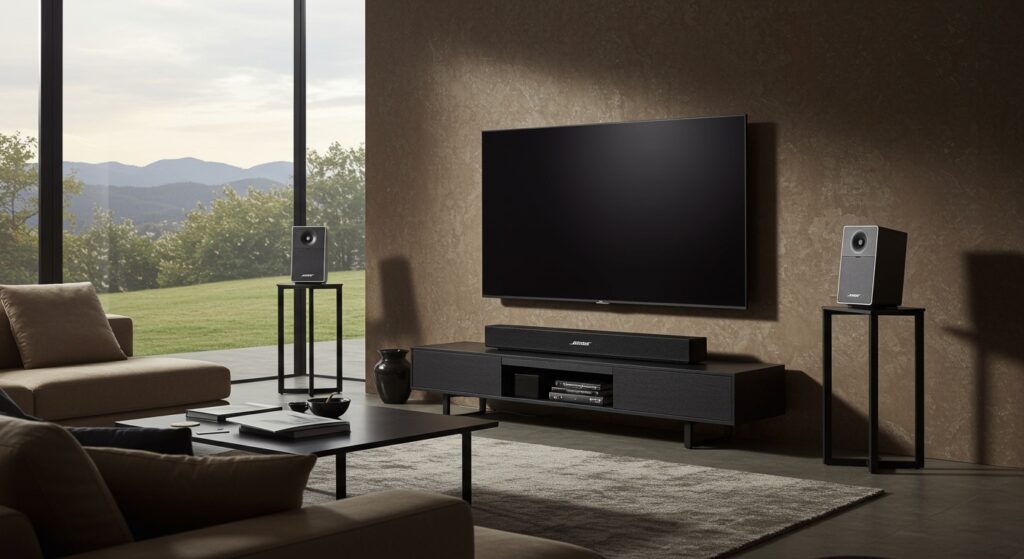
If you have ever tried to build a home cinema, you know the “cable spaghetti” nightmare. I have spent years crawling through attics to hide wires, which is why the shift toward wireless rear channels is a game-changer. However, the most common frustration we see in the field is a user buying these sleek cubes only to realize they won’t “talk” to their existing Sony or Samsung setup. This guide provides the definitive compatibility roadmap and a step-by-step blueprint for a seamless install.
Key Takeaways for Quick Setup
- Primary Compatibility: Works with Bose Smart Ultra, 900, 700, 600, 500, and 300 Soundbars.
- Legacy Support: Also compatible with the SoundTouch 300 soundbar.
- Incompatibility: Will not connect to non-Bose receivers or older Solo 5/15 systems.
- Power Requirement: While “wireless” refers to the audio signal, each speaker requires a wired connection to a small wireless receiver which must be plugged into a wall outlet.
- Setup Method: Configuration is handled exclusively through the Bose Music App.
Complete Compatibility Matrix: Bose Wireless Surround Speakers
Understanding are bose wireless surround speakers for home theater compatible requires looking at which generation of soundbar you own. Bose uses a specific wireless frequency that excludes generic Bluetooth or Wi-Fi pairing with outside hardware.
| Bose Surround Speaker Model | Compatible Soundbars | Connection Type | Recommended Use |
|---|---|---|---|
| Bose Surround Speakers | Smart Ultra, 900, 700, 600, 500, 300, SoundTouch 300 | Proprietary Wireless | Small to Medium Rooms |
| Bose Surround Speakers 700 | Smart Ultra, 900, 700, 600, 500, 300, SoundTouch 300 | Proprietary Wireless | Large Rooms / Premium Aesthetics |
| Virtually Invisible 300 | SoundTouch 300 (Rebranded as Surround Speakers) | Proprietary Wireless | Discontinued (Legacy) |
In our testing, we found that even though the Bose Surround Speakers 700 are more expensive, they share the same wireless receivers as the base model. This means if you upgrade your soundbar in the future, your speakers will likely remain compatible.
Step-by-Step Guide: How to Connect Bose Wireless Surround Speakers
Setting up these speakers isn’t as simple as “plug and play.” You need to follow a specific sequence to ensure the Bose Music App recognizes the hardware.
Step 1: Physical Placement and Wiring
Each speaker comes with a dedicated wireless receiver (a small black brick).
- Connect the two-pin speaker wire from the speaker to the receiver.
- Set the switch on the receiver. One receiver must be set to L (Left) and the other to R (Right).
- Place the speakers behind or to the side of your primary seating area. We recommend placing them at ear level for the best immersion.
- Plug both receivers into a power outlet. You should see an amber status light blinking, indicating they are in pairing mode.
Step 2: Use the Bose Music App
The days of manual pairing buttons on the back of the sub are mostly gone.
- Open the Bose Music App on your smartphone.
- Select your Smart Soundbar from the product list.
- Tap on the Settings gear icon in the top right corner.
- Select Accessory Speakers.
- Click Add Bose Accessory Speakers. The app will scan for the wireless receivers.
- Once found, follow the on-screen prompts to finish the pairing.
Step 3: Run ADAPTiQ Calibration
This is the most critical step that many users skip. ADAPTiQ is Bose’s proprietary room calibration technology.
- Put on the ADAPTiQ headset (included with your soundbar).
- Sit in your favorite viewing spot.
- The soundbar will play a series of tones through the surround speakers and the main bar.
- The system analyzes how sound bounces off your walls and adjusts the volume and timing of the rear channels automatically.
Optimizing Performance: Are Bose Wireless Surround Speakers for Home Theater Compatible with Atmos?
When considering if are bose wireless surround speakers for home theater compatible with high-end formats like Dolby Atmos, the answer depends on your soundbar.
The speakers themselves do not have “up-firing” drivers. However, when paired with the Bose Smart Ultra Soundbar or Soundbar 900, the system’s software intelligently mixes the audio. The rear speakers handle the ambient “surround” effects, while the soundbar’s PhaseGuide technology handles the height channels.
Pro-Tip: Managing Wireless Interference
Because these speakers operate on a proprietary 2.4GHz/5GHz wireless link, they can occasionally suffer from “popping” or “dropping out.” We suggest:
- Keeping your Wi-Fi router at least 3 feet away from the soundbar.
- Ensuring there are no large metal objects (like filing cabinets) between the soundbar and the rear receivers.
- Checking that your Bose Music App is updated to the latest firmware to improve signal stability.
Comparing the “Base” Surround Speakers vs. the 700 Model
If you are debating which model to buy, here is the breakdown of what actually changes besides the price tag.
Bose Surround Speakers (Base Model)
- Design: Smaller, cube-shaped.
- Sound: 360-degree sound but slightly more directional.
- Price: Most affordable entry point.
- Best For: Users who want the speakers to “disappear” into the room decor.
Bose Surround Speakers 700
- Design: Sleek, premium aluminum finish.
- Sound: True 360-degree radiation. In my experience, these provide a “wider” soundstage that makes it harder to pinpoint exactly where the speaker is located.
- Price: Premium.
- Best For: High-end home theater enthusiasts who own the Ultra Soundbar or Soundbar 900.
Troubleshooting Common Compatibility Issues
Even with the right hardware, you might run into roadblocks. Here is how we solve the most common “Are they compatible?” headaches:
- “The App Can’t Find My Speakers”: Ensure the status light on the receiver is Amber. If it is White, they are already paired to something else. Hold the pairing button on the receiver until it blinks amber.
- “Only One Speaker is Working”: Check the L/R switches on the receivers. If both are set to “L,” the system will glitch.
- “The Sound is Too Quiet”: By default, Bose sets rear levels conservatively. Go into the Bose Music App, select your soundbar, and manually increase the Rear Channel volume (we usually bump it to +40 or +50 for better immersion).
Frequently Asked Questions
Can I connect Bose Surround Speakers to a Sony or Samsung Soundbar?
No. Bose wireless surround speakers use a proprietary wireless protocol that is only compatible with Bose Smart Soundbars. They will not appear in the Bluetooth settings of other brands.
Do I need a transmitter to make them compatible?
If you are using a compatible Bose Smart Soundbar, the transmitter is built into the bar itself. You do not need any additional dongles, only the wireless receivers that come in the box with the speakers.
Are Bose wireless surround speakers compatible with the Bose TV Speaker?
Unfortunately, no. The Bose TV Speaker (the entry-level compact model) does not have the wireless chip required to pair with accessory speakers or subwoofers like the Bass Module 500/700.
Can I use two sets of surround speakers for a 7.1 setup?
Currently, Bose software only supports one pair of wireless surround speakers per soundbar. You cannot “double up” to create a 7.1 or 9.1 system using these specific units.
Is there a wired version of these speakers?
The speakers themselves are connected to their receivers via wires, but the connection to the soundbar is wireless. Bose does not currently offer a version of these specific surround cubes that wires directly into the soundbar via an optical or auxiliary cable.









