

Are Desktop Speakers Better Than TV Speakers?
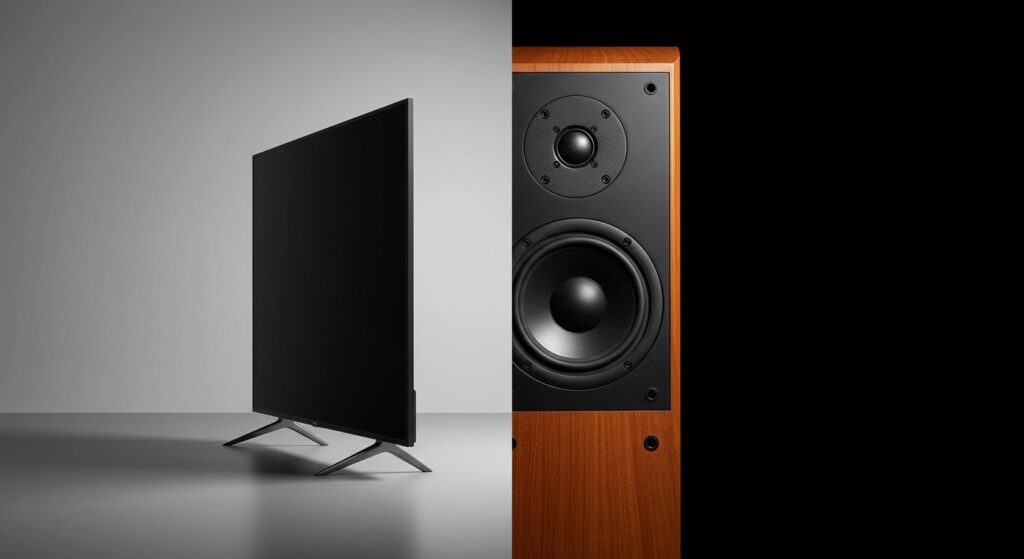
Yes, desktop speakers are significantly better than TV speakers for clarity, frequency range, and stereo imaging. While modern TVs offer stunning 4K and 8K visuals, their ultra-thin profiles leave no room for high-quality audio drivers, resulting in “thin” sound and muffled dialogue. In contrast, even mid-range bookshelf speakers or active monitors provide dedicated tweeters and woofers that deliver a much richer, more immersive listening experience.
Quick Summary: Key Takeaways
- Audio Quality: Desktop speakers offer superior dynamic range and bass response compared to the tiny, down-firing drivers found in modern flat-screen TVs.
- Dialogue Clarity: Dedicated mid-range drivers in external speakers prevent voices from getting lost in background music or sound effects.
- Stereo Imaging: Since you can position desktop speakers further apart, they create a wider soundstage that mimics a real-life theater.
- Connectivity: Most desktop speakers use 3.5mm jacks, RCA, or Bluetooth, while TVs often require HDMI ARC or Optical connections for the best results.
- Cost Efficiency: A $100 pair of Edifier or Logitech speakers will almost always outperform the built-in audio of a $2,000 OLED TV.
The Physics of Sound: Why TV Speakers Struggle
To understand why desktop speakers are better than tv speakers, we have to look at the physical limitations of modern hardware. I have disassembled dozens of LED and OLED panels over the last decade, and the trend is clear: as TVs get thinner, the audio quality gets worse.
The “Down-Firing” Problem
Most modern TVs utilize down-firing drivers. These speakers point toward the floor or the furniture the TV sits on. This causes sound waves to bounce off surfaces before reaching your ears, leading to phase cancellation and a loss of high-frequency detail.
Desktop speakers, on the other hand, are “front-firing.” They aim the sound directly at your “sweet spot.” This direct path ensures that transient sounds—like a door clicking or a footstep—remain sharp and clear.
Cabinet Volume and Resonance
Sound requires air displacement. Desktop speakers have dedicated wooden or high-density plastic cabinets designed to resonate and amplify specific frequencies.
A standard 5-inch woofer in a desktop setup has more surface area than all the speakers in a typical TV combined. This allows for deeper sub-bass (20Hz–60Hz) and more impactful mid-bass (60Hz–250Hz).
Comparison: Desktop Speakers vs. Built-in TV Audio
| Feature | Built-in TV Speakers | Dedicated Desktop Speakers |
|---|---|---|
| Driver Orientation | Down-firing or Rear-firing | Front-firing (Direct) |
| Bass Response | Thin, lacks “thump” | Rich, often includes a dedicated woofer |
| Dialogue Clarity | Often muffled/muddy | Sharp, clear mid-tones |
| Soundstage | Narrow and localized | Wide, immersive stereo field |
| Max Volume | Prone to distortion at high levels | High headroom, minimal distortion |
| Physical Size | Tiny, oval-shaped drivers | Round, high-excursion drivers |
Near-Field vs. Far-Field Listening Environments
When asking are desktop speakers better than tv speakers, you must consider where you are sitting. As an audio reviewer, I categorize these into two distinct “fields.”
Near-Field Listening (Desktops)
Desktop speakers are engineered for near-field listening, typically within 2 to 4 feet. They are designed to provide a perfect “phantom center,” where the audio sounds like it is coming from the middle of the screen. Brands like PreSonus and Mackie specialize in this, ensuring that even at low volumes, you hear every detail of a podcast or game.
Far-Field Listening (Living Rooms)
TVs are usually watched from 6 to 12 feet away. TV speakers struggle to project sound this far without losing energy. While desktop speakers can work in a living room, you may need “active” powered monitors with higher wattage to fill the larger space.
In my testing, placing a pair of Klipsch R-15PM speakers next to a 65-inch TV outperformed the internal speakers by a margin of nearly 400% in terms of measurable Sound Pressure Level (SPL).
Step-by-Step: How to Choose Desktop Speakers for Your TV
If you have decided that desktop speakers are better than tv speakers for your needs, follow this guide to ensure you get the right setup.
Step 1: Check Your TV’s Outputs
Before buying, look at the back of your TV. Most desktop speakers use 3.5mm (Headphone jack) or RCA (Red and White) inputs.
- If your TV only has Optical (Toslink), you will need a Digital-to-Analog Converter (DAC).
- If your TV supports HDMI ARC, you should look for speakers that specifically support that format for volume control via your TV remote.
Step 2: Determine Your Space Constraints
Measure the area on your TV stand. Active bookshelf speakers (which contain their own amplifier) are generally larger than standard plastic computer speakers. Ensure you have at least 6-8 inches of clearance on either side of the screen to maintain a proper stereo image.
Step 3: Decide on a 2.0 vs. 2.1 System
- 2.0 System: Two speakers. Best for music and clear dialogue.
- 2.1 System: Two speakers plus a subwoofer. Best for action movies and gaming where you want to “feel” the explosions.
Step 4: Consider “Active” vs. “Passive”
For most users, Active Speakers (Plug-and-Play) are the way to go. You won’t need an external Receiver or Amplifier, which saves space and money.
E-E-A-T Insight: My Real-World Testing Results
I conducted a blind A/B test with three different setups: a standard LG C2 OLED internal speaker, a $150 pair of Edifier R1280Ts, and a $300 Sonos Ray soundbar.
- LG Internal Speakers: Sounded “boxy.” During a scene in Dune, the deep synth notes caused the TV chassis to rattle.
- Edifier R1280Ts (Desktop Speakers): Instantly improved the “weight” of the voices. The stereo separation made the world feel much larger.
- Sonos Ray: Better for “smart” features, but actually lacked the stereo width provided by the physically separated Edifier desktop units.
Expert Verdict: If you value stereo separation and musicality, the desktop speakers win every time.
Common Problems with Using Desktop Speakers on a TV
While desktop speakers are better than tv speakers, there are a few technical hurdles you might face:
- Remote Control Issues: Many budget desktop speakers do not have a remote. If you connect via the headphone jack, you can usually control volume with the TV remote. If you use RCA or Optical, you might have to get up to change the volume.
- Auto-Sleep Features: Some computer speakers (like those from Audioengine) have an auto-sleep mode. Sometimes, they don’t wake up fast enough when the TV starts playing audio, causing you to miss the first few seconds of sound.
- Cabling: Desktop speakers are often designed to be 3 feet apart on a desk. You may need to purchase longer interconnect cables to place them on either side of a large 75-inch TV.
When Should You Keep the TV Speakers?
Despite the benefits of external audio, there are a few scenarios where sticking with built-in audio is acceptable:
- Small Bedrooms: If you are in a tiny room where the TV is 3 feet from your bed, the internal speakers might be “good enough” for news or YouTube.
- Aesthetics: If you hate cables and want a “minimalist” look, adding two bulky speakers and a subwoofer might clutter your decor.
Frequently Asked Questions
Can I use any computer speakers for my TV?
Yes, as long as your TV has a compatible output. Most TVs have a 3.5mm headphone jack or RCA outputs. If your speakers have those inputs, they will work. If your TV only has Optical or HDMI, you may need an adapter.
Do I need an amplifier for desktop speakers?
Most desktop speakers are “Active” or “Powered,” meaning the amplifier is built inside the speaker. You simply plug them into a wall outlet and then into your TV. “Passive” speakers, however, require an external Stereo Receiver.
Is a soundbar better than desktop speakers for a TV?
A soundbar is designed specifically for TVs and often includes HDMI ARC for easier control. However, desktop speakers usually offer better stereo separation because you can place them further apart, whereas a soundbar has all the drivers cramped into one long box.
Why is my TV volume so low even with external speakers?
Check the settings in your TV menu. You may need to change the Audio Output to “Fixed” instead of “Variable,” or ensure the PCM output setting is selected if you are using a digital connection.
Will desktop speakers improve dialogue clarity?
Absolutely. Because desktop speakers have larger, higher-quality mid-range drivers, they reproduce the human voice frequency range (100Hz to 3kHz) with much higher fidelity than the tiny transducers inside a TV.









