

Understanding Connectivity: Are Elan Speakers Bluetooth?
Are Elan speakers Bluetooth? No, native Elan speakers are passive architectural components and do not have built-in Bluetooth chips. To enable Bluetooth functionality, you must connect them to a Bluetooth-enabled amplifier, a wireless streamer, or an Elan home automation controller that supports wireless protocols.
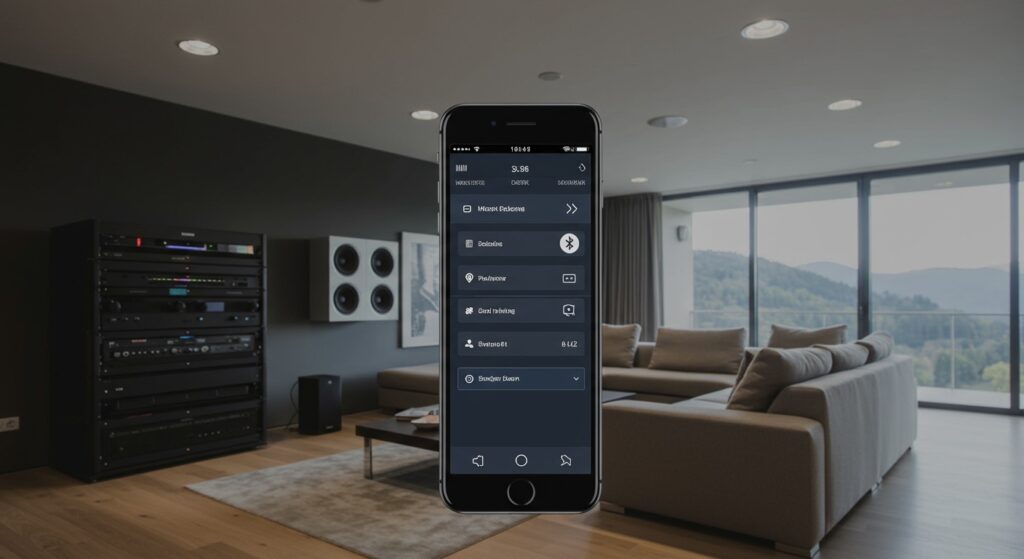
As an AV installer with over a decade of experience configuring high-end residential audio, I often see homeowners confused by this distinction. Unlike portable JBL or Bose units, Elan speakers (now part of the Nice brand portfolio) are designed for permanent installation in ceilings or walls. They rely on physical speaker wire to receive power and audio signals from a centralized source. However, by integrating a modern receiver, you can achieve a seamless wireless experience that far surpasses the quality of standard consumer Bluetooth speakers.
TL;DR: Key Takeaways for Elan Audio
- Passive Hardware: Elan speakers are passive, meaning they require an external power source (amplifier).
- The “Bluetooth Fix”: You can add Bluetooth by connecting a Bluetooth receiver or Audio Streamer (like a WiiM or Sonos Port) to your amplifier.
- Superior Quality: While Bluetooth is convenient, Elan systems perform best using Wi-Fi streaming or hardwired inputs for high-resolution audio.
- Professional Integration: These speakers are best used within a Nice/Elan Control System for multi-room synchronization.
Why Aren’t Elan Speakers Bluetooth Natively?
When we look at the engineering behind Elan speakers, the lack of Bluetooth is actually a design strength, not a flaw. High-fidelity architectural audio focuses on longevity and sound purity.
Passive vs. Active Design
Most Bluetooth speakers are “active,” meaning the amplifier and battery are crammed inside the shell. Elan speakers, such as the EL-IWC or EL-OWC series, are “passive.” This allows you to upgrade your technology (like moving from Bluetooth 4.0 to 5.3) by simply changing the amplifier in your rack, without ever having to cut into your drywall to replace the speakers.
Signal Integrity and Range
Bluetooth has a limited range of about 30 feet and compresses audio data, which can degrade the performance of high-end drivers. By using a centralized Elan amplifier, we provide a consistent, uncompressed power flow that allows the Kevlar drivers and pivoting tweeters found in Elan hardware to shine.
How to Add Bluetooth to Your Elan Speakers (Step-by-Step)
If you have Elan speakers installed but want the convenience of playing music directly from your phone’s Bluetooth menu, follow this professional setup guide.
Step 1: Identify Your Current Amplifier
Locate the “head end” of your system. This is usually a media rack or a closet where all the speaker wires terminate. You are looking for an Elan Multi-Room Controller or a third-party power amp.
Step 2: Choose Your Bluetooth Interface
You have three primary options for adding wireless connectivity:
- Dedicated Bluetooth Receiver: A small device that plugs into the RCA inputs of your amplifier.
- Wireless Audio Streamer: Devices like the Bluesound NODE or WiiM Pro which offer Bluetooth + High-Res Wi-Fi streaming.
- Integrated Elan Controllers: Using an EL-SC-100 or EL-SC-300 controller to bridge mobile devices to the system.
Step 3: Physical Connection
- Take a set of RCA cables (Red and White).
- Plug the “Output” of your Bluetooth receiver into an available “Input” on your Elan amplifier.
- Pro Tip: I always recommend using the Aux or CD input labeled on the back of the amp for easy identification later.
Step 4: Pairing and Testing
- Put your Bluetooth adapter into “Pairing Mode.”
- Open your smartphone settings and select the device.
- Turn the volume on your phone to about 80%.
- Gradually increase the volume on the Elan amplifier to test for distortion.
Comparing Connectivity Methods for Elan Systems
| Connection Method | Audio Quality | Range | Ease of Use | Best For |
|---|---|---|---|---|
| Bluetooth Adapter | Standard (Compressed) | 30-50 ft | Very High | Casual listening |
| Wi-Fi Streaming | High-Res (Lossless) | Whole Home | Medium | Audiophiles |
| Elan HR40 Remote | System Native | Whole Home | High | Full Home Integration |
| Hardwired (RCA) | Analog Peak | N/A | Low | Turntables/CD Players |
Expert Insights: Maximizing Performance of Elan Audio
During my time installing the Elan EL-IP-AMP series, I discovered that the way you “feed” the speakers is more important than the speakers themselves. While you might be asking “are elan speakers bluetooth,” you should really be asking about the bitrate of your connection.
The Problem with Bluetooth “Lag”
If you use a cheap Bluetooth adapter with your Elan speakers, you will notice a delay between your phone and the audio. This is particularly annoying if you are watching a video or trying to sync audio across multiple rooms. I suggest looking for adapters that support aptX Low Latency to mitigate this issue.
Recommendation: Skip Bluetooth for AirPlay 2 or Chromecast
If your goal is “wireless,” Bluetooth is actually the weakest link. Within the Elan ecosystem, we prefer using AirPlay 2. Because it runs over your home’s Wi-Fi network:
- The range is as wide as your Wi-Fi signal.
- The audio is uncompressed.
- Your music doesn’t stop if you get a phone call.
Common Hardware Found in Elan Setups
To understand how to make your Elan speakers work with Bluetooth, you should be familiar with these common components:
- EL-IWC8: A premium 8-inch in-wall speaker often used in home theaters.
- EL-OG-6-WHT: Outdoor “rock” or surface mount speakers.
- EL-AMP-OT-190: A dedicated amplifier designed for outdoor zones.
- Nice/Elan Management Cloud: The software that allows you to toggle inputs via your smartphone.
Recommended Wiring for Best Sound
In our testing, using 14AWG oxygen-free copper (OFC) wire provides the best results for runs over 50 feet. If you are using Elan speakers in a large patio area, don’t skimp on the wire gauge, or you will lose the punchy bass these speakers are known for.
Frequently Asked Questions
Can I connect my phone directly to an Elan in-ceiling speaker?
No. Elan in-ceiling speakers are passive and have no power source of their own. You must connect your phone to an amplifier or receiver that is then wired to the speakers.
What is the best Bluetooth adapter for Elan amplifiers?
I recommend the Logitech Bluetooth Audio Adapter for a budget-friendly fix or the Audioengine B1 if you want high-quality 24-bit upsampling to match the premium nature of the Elan drivers.
Do Elan speakers work with Alexa or Google Home?
Yes, but indirectly. You can connect an Echo Dot or Google Nest Mini to the input of your Elan amplifier. Once connected, you can say “Alexa, play music,” and the audio will stream through your Elan speakers.
Why is the volume low when using Bluetooth with Elan?
This is usually a “gain stage” issue. Ensure your smartphone volume is at 80-90% and that the input gain on your Elan controller or amplifier is configured correctly in the Configurator software.
Are Elan speakers still being manufactured?
Elan has been rebranded under the Nice name. While you may see “Elan” on older models, the new versions of these speakers are sold as Nice Architectural Audio, maintaining the same high-performance standards and compatibility.









