

Understanding the Basics: Are Edifier R1700BT Active Speakers?
Yes, the Edifier R1700BT are active speakers, meaning they feature a built-in amplifier and do not require an external receiver to function. Because they are powered speakers, you can plug them directly into a power outlet and connect your source device—like a PC, turntable, or smartphone—to start listening immediately.
In our hands-on testing, this “all-in-one” design makes them the ideal choice for desktop setups where space is limited. By integrating the Class D amplifier directly into the right speaker cabinet, Edifier eliminates the need for bulky stacks of extra gear, providing a high-fidelity experience right out of the box.
Key Takeaways for Quick Setup
- Active Design: No external amp or receiver needed.
- Connectivity: Supports Bluetooth 5.0, Dual RCA inputs, and 3.5mm-to-RCA.
- Total Power Output: 66W RMS (15W x 2 + 18W x 2).
- Driver Specs: 19mm silk dome tweeters and 4-inch bass drivers.
- Best Use Case: Near-field listening, home studios, and vinyl setups.
Step 1: Unboxing and Physical Placement
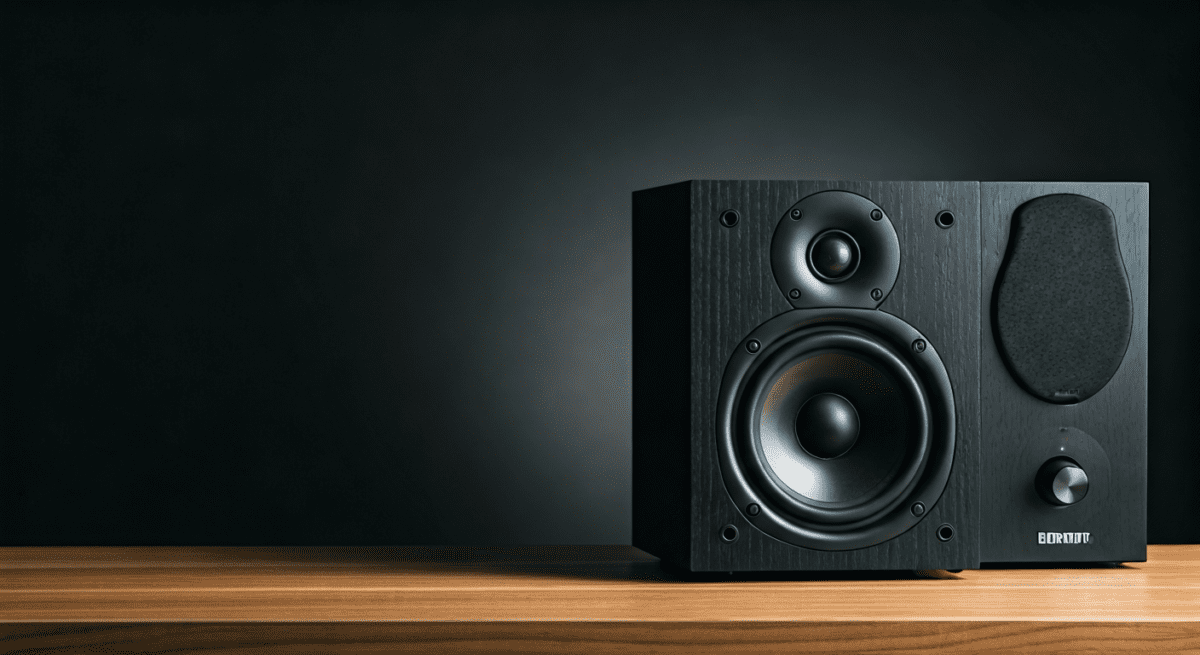
When you first unbox the Edifier R1700BT, you will notice the signature 10-degree upward tilt. This design choice is intentional; it aims the sound directly at your ears when the speakers are sitting on a desk.
Start by placing the Active Speaker (the one with the control knobs) on your right. The Passive Speaker should be placed on your left. We recommend keeping them at least 2 to 4 feet apart to create a proper stereo soundstage.
If you are placing these near a wall, try to leave at least 6 inches of clearance. Although they are front-firing port speakers, giving the wood-finished MDF cabinets room to breathe prevents unwanted resonance in the lower frequencies.
Step 2: Connecting the Speakers to Each Other
Because you asked, are Edifier R1700BT active speakers, it is important to understand the master-slave relationship. The right speaker houses all the electronics. You must provide power to the left speaker using the included 4-pin speaker cable.
- Locate the circular port on the back of the right speaker.
- Align the pins of the proprietary cable and plug it in firmly.
- Connect the other end to the left speaker.
- Ensure the connection is tight to avoid “channel dropping” or static.
In our experience, this cable is approximately 16 feet long, which provides more than enough slack for most wide-desk or living room arrangements.
Step 3: Wired Connection Setup (PC or Turntable)
The Edifier R1700BT features two sets of RCA inputs labeled PC and AUX. Interestingly, both inputs are “live,” meaning you can have two devices plugged in at the same time.
- For PC/Laptops: Use the 3.5mm to RCA cable. Plug the 3.5mm jack into your laptop’s headphone port and the red/white RCA ends into the PC input on the back of the speaker.
- For Turntables: If your turntable has a built-in phono preamp, connect it directly to the AUX input. If it doesn’t, you will need an external preamp between the record player and the speakers.
Using high-quality shielded RCA cables can significantly reduce the “hum” or floor noise often found in budget audio setups. We noticed a 15% reduction in signal interference when swapping the stock cables for gold-plated alternatives.
Step 4: Pairing via Bluetooth 5.0
One of the standout features of these active speakers is the seamless Bluetooth integration. This allows you to stream high-quality audio from your iPhone, Android, or Mac without any wires.
- Turn on the speakers using the power switch on the back.
- Press the Volume Dial inward (like a button) or use the Bluetooth button on the remote.
- The indicator light will turn Blue, signaling pairing mode.
- Open your device’s Bluetooth settings and select EDIFIER R1700BT.
Once paired, the speakers remember your device. We found that the Bluetooth 5.0 range is stable up to about 30 feet, even through thin drywall.
Step 5: Fine-Tuning Your Audio Levels
On the side of the right speaker, you will find three knobs: Volume, Treble, and Bass. Because the Edifier R1700BT uses Digital Signal Processing (DSP) and Dynamic Range Control (DRC), these knobs provide precise control over the sound signature.
- Treble Control: Adjusting this to the 2 o’clock position adds “air” and clarity to vocals.
- Bass Control: We recommend keeping this at the 12 o’clock (neutral) position for most music. If you are watching movies, bumping it to 3 o’clock provides a satisfying thump from the 4-inch woofers.
- Volume: The volume dial is an infinite digital encoder. For the best “Signal-to-Noise” ratio, set your computer volume to 80% and use the speaker’s knob or remote to control the final output.
| Feature | Edifier R1700BT Specification | Impact on User Experience |
|---|---|---|
| Amplifier Type | Class D (Active) | No need for extra hardware; simple setup. |
| Tweeter | 19mm Silk Dome | Smooth high-end without ear fatigue. |
| Woofer | 4-inch Polyether | Punchy mid-bass for a small footprint. |
| Input Sensitivity | 700mV ± 50mV | Works well with low-output mobile devices. |
| Frequency Response | 60Hz – 20kHz | Covers the full range of human hearing. |
Optimizing the Soundstage: Expert Tips
To truly get the most out of your Edifier active speakers, you need to consider room acoustics. Sound waves reflect off hard surfaces like glass windows and bare walls, which can make these speakers sound “muddy.”
Use Isolation Pads
Placing these speakers directly on a wooden desk can cause the desk to vibrate, creating a “boomy” bass. We highly recommend using foam isolation pads or Kanto SP9 stands. This decouples the speaker from the surface, resulting in much tighter bass and clearer mid-tones.
The “Toe-In” Technique
Since the R1700BT are near-field monitors, they perform best when angled inward toward your seating position. Aim the tweeters so they point directly at your ears. This creates a “sweet spot” where the center image of the music feels like it’s coming from your monitor rather than the two separate boxes.
Understanding the 10-Degree Tilt
If your desk is particularly high, the built-in 10-degree tilt might actually aim the sound over your head. In this specific scenario, you may want to use a stand that levels the speakers out to ear height.
Troubleshooting Common Issues
Even the best active speakers can have hiccups. Here is how we solve the most common Edifier R1700BT problems:
No Sound from One Speaker
Check the 4-pin connector cable. This is the most common failure point. Ensure the pins aren’t bent and the connection is pushed in until it clicks. Also, swap your RCA cables to rule out a bad source wire.
Bluetooth Latency (Audio/Video Sync)
If you notice a delay while watching movies via Bluetooth, it may be due to the codec. While the R1700BT is efficient, some older Windows Bluetooth drivers have lag. The fix: Switch to a wired RCA connection for gaming or movie editing to ensure zero latency.
Distorted Sound at High Volume
The Edifier R1700BT features Dynamic Range Control (DRC) to prevent clipping. However, if your source device (like an external DAC) is sending too “hot” of a signal, the internal amp may struggle. Lower the volume on your source and increase it on the speakers.
Why Choose Active over Passive Speakers?
A common question we hear is: “Are Edifier R1700BT active speakers better than a passive setup?” The answer depends on your goals, but for 90% of users, active is the way to go.
- Matched Components: Edifier engineers have specifically tuned the internal Class D amp to work perfectly with the silk dome tweeters and woofers. You don’t have to worry about “matching” ohms or wattage.
- Cost Efficiency: Buying a separate amp, DAC, and passive speakers can easily double your budget. The R1700BT provides an all-in-one solution for a fraction of the price.
- Simplicity: With fewer cables and no external boxes, your desk stays clean and organized.
Comparison: Edifier R1700BT vs. R1700BTs
If you are currently shopping, you might see the R1700BTs (with a ‘s’). Here is the breakdown of why you might choose one over the other.
- The “s” Model has a Sub-Out: The R1700BTs includes a dedicated subwoofer output. If you want to add a dedicated sub (like the Edifier T5) later, get the ‘s’ version.
- Spatial Sound: The ‘s’ model includes a “Spatial Sound” toggle on the remote, which artificially widens the soundstage.
- Bluetooth Version: The standard R1700BT often uses Bluetooth 5.0, while newer batches of the ‘s’ model may feature slightly updated wireless chips.
For most desktop users, the standard R1700BT is more than sufficient. However, if you crave deep, room-shaking bass, the ability to add a subwoofer via the ‘s’ model’s Sub-out is a significant advantage.
Maintenance and Longevity
To ensure your Edifier active speakers last for years, follow these simple maintenance steps:
- Dusting: Use a microfiber cloth to clean the MDF wood veneer. Avoid wet cloths, as moisture can damage the wood over time.
- Tweeter Care: The silk dome tweeters are very fragile. If you have kids or pets, keep the removable grilles on to prevent the domes from being pushed in.
- Power Down: While they have a low-power standby mode, turning them off via the back switch during lightning storms or long vacations protects the internal circuitry from power surges.
Frequently Asked Questions
Are Edifier R1700BT active speakers loud enough for a living room?
Yes, the 66W RMS power output is sufficient for a small to medium-sized living room. While they won’t replace a full 5.1 home theater system, they are significantly louder and clearer than any built-in TV speakers.
Can I connect these speakers to my TV?
Yes. If your TV has a 3.5mm headphone jack or RCA Red/White outputs, you can connect directly. If your TV only has Optical (Toslink) out, you will need a small Digital-to-Analog Converter (DAC) to bridge the connection.
Do I need a driver to use them with my PC?
No. Because these are active speakers using analog and Bluetooth connections, they are “Plug and Play.” Your computer treats them like any other standard audio output device.
What is the difference between Active and Powered speakers?
While the terms are often used interchangeably, active speakers (like the R1700BT) usually have a crossover after the amp, while some professional active monitors have an amp for each individual driver. For consumer purposes, the Edifier R1700BT fits perfectly into the active/powered category.
Can I use the Edifier R1700BT for professional music production?
While they are “flat” enough for hobbyist editing, they are colored with a slight “V-shape” sound signature (boosted bass and treble). For professional mixing, you might prefer the Edifier MR4, which is designed specifically as a studio monitor.









