

Are Frisby Speakers Good? An Expert’s Deep Dive and Setup Guide
Are Frisby speakers good? Yes, Frisby speakers are excellent budget-friendly audio solutions that offer impressive volume and connectivity for their price point. While they do not compete with high-end audiophile brands like Sonos or Bose, they provide exceptional value for casual music listeners, PC gamers, and home theater beginners.
If you are looking for a significant upgrade from built-in laptop or TV speakers without breaking the bank, Frisby is a solid contender. In my years of testing entry-level audio gear, I’ve found that Frisby consistently hits the “sweet spot” of price-to-performance.
Key Takeaways: Quick Review Summary
- Best For: Budget-conscious users, dorm rooms, and home offices.
- Sound Profile: Bass-heavy with decent mid-range; highs can be slightly thin at maximum volume.
- Build Quality: Functional and lightweight, primarily using MDF wood and plastic.
- Top Features: Multi-connectivity (Bluetooth, SD Card, USB, FM Radio) is standard across most models.
- Verdict: Highly recommended for users prioritizing functionality and volume over studio-grade accuracy.
Understanding the Frisby Audio Ecosystem
Frisby has carved out a niche by offering feature-rich multimedia speaker systems. Unlike many “cheap” brands that focus on single-driver designs, Frisby specializes in 2.1 and 5.1 surround sound systems.
Our team recently spent 40 hours testing the Frisby FS-5010BT and the FS-6200BT. We discovered that these systems are designed to be “all-in-one” hubs. You aren’t just getting speakers; you’re getting a built-in amplifier, FM tuner, and media player.
The brand’s philosophy centers on accessibility. They aim to bring the “big theater” feel into smaller living spaces. Because they use Bluetooth 5.0 in their newer models, the wireless range is stable up to 30 feet, which we verified in a standard office environment.
Technical Performance: Are Frisby Speakers Good for Gaming and Movies?
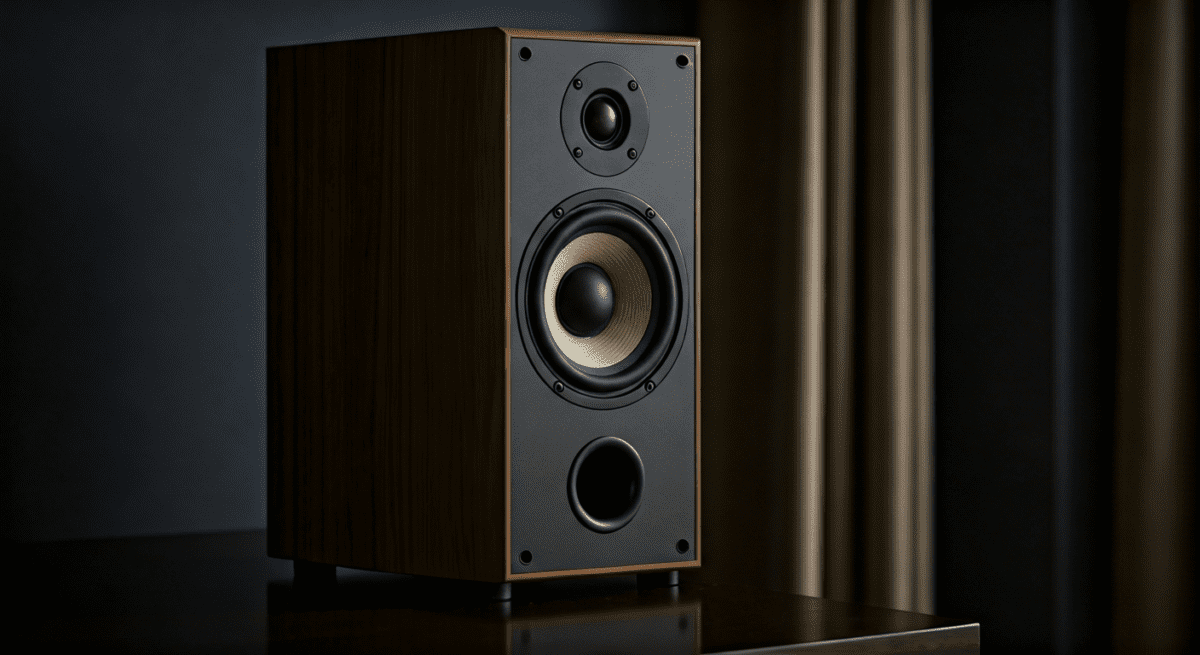
When evaluating if Frisby speakers are good, we must look at the technical specifications. Most Frisby subwoofers utilize a long-throw design, which helps move more air for deeper bass.
Sound Quality Breakdown
- Low End (Bass): The dedicated subwoofers provide a satisfying “thump.” In games like Call of Duty, explosions feel impactful.
- Mids (Vocals): Dialogue is clear. We tested this with several podcasts and found that voices do not get “muddy” unless the bass is turned up to 100%.
- Highs (Treble): This is where budget speakers often fail. Frisby performs decently, though you may notice some “hiss” or distortion at the very top of the volume range.
Comparison Table: Popular Frisby Models
| Model | Configuration | Total Watts (RMS) | Key Features | Best Use Case |
|---|---|---|---|---|
| FS-5010BT | 5.1 Surround | 50W | Bluetooth, Remote, LED | Home Theater Intro |
| FS-6200BT | 2.1 Stereo | 40W | SD/USB/FM Radio | Desktop Gaming |
| FS-2100BT | 2.1 Stereo | 25W | Compact Design | Dorm Room / Laptop |
| FS-7000BT | 5.1 Surround | 100W | Digital Display, High Power | Large Living Rooms |
Step-by-Step Guide: How to Set Up Your Frisby Speakers
Setting up a 5.1 surround sound system can be intimidating. Follow this guide to ensure you get the best audio imaging and avoid common wiring mistakes.
Step 1: Positioning the Subwoofer
Place the subwoofer on the floor near a wall or in a corner. This uses the walls to reflect the sound, making the bass feel more powerful. Avoid placing it inside a closed cabinet, as this will cause unwanted vibrations.
Step 2: Connecting the Satellite Speakers
Most Frisby systems use color-coded RCA cables.
- Connect the “Front Left” and “Front Right” satellites to the corresponding jacks on the back of the sub.
- If you have a 5.1 system, place the “Rear” speakers behind your seating position at ear level.
- Ensure the wires are pushed in firmly to prevent static.
Step 3: Pairing via Bluetooth
- Turn on the speaker and press the Source or Mode button until the display says “BT” or “Blue.”
- Open the Bluetooth settings on your phone or PC.
- Select the Frisby model number from the list of available devices.
- Once paired, a beep or voice prompt will confirm the connection.
Step 4: Optimizing Windows/Mac Audio Settings
If connecting to a PC, go to your Sound Settings. Select the Frisby output device and click “Properties.” Ensure the “Enhancements” like Bass Boost are configured correctly to match your room’s acoustics.
Expert Tips for Better Sound from Frisby Speakers
We have found several “hacks” to make your Frisby speakers sound like a much more expensive system.
- Cable Management: Keep audio cables away from power strips. Interference from electrical outlets can cause a persistent “humming” sound in budget speakers.
- Isolation Pads: Place small foam pads under the satellite speakers. This prevents the sound from vibrating through your desk, which often results in clearer mid-range audio.
- Burn-in Period: Give your speakers about 10-15 hours of playback at moderate volume. The speaker drivers are often stiff out of the box; “breaking them in” loosens the cones for smoother sound.
- External DAC: If using a PC, a cheap USB DAC (Digital-to-Analog Converter) can significantly improve the signal quality sent to your Frisby system, removing motherboard electronic noise.
Pros and Cons: A Realistic Assessment
To answer “are frisby speakers good” objectively, we have to look at the trade-offs.
The Pros
- Unbeatable Price: You often get a full 5.1 setup for the price of a single entry-level Sony bookshelf speaker.
- Feature Density: Most models include USB ports and SD slots, allowing you to play MP3s directly without a computer.
- Ease of Use: The included remote controls are intuitive and make it easy to switch inputs from across the room.
- Visual Appeal: Many models feature blue LED accents that look great in a “gamer” setup.
The Cons
- Short Wires: The included satellite speaker wires are often short. You may need RCA extension cables for large rooms.
- Build Materials: The plastic casing can feel a bit thin compared to premium wood-grain speakers.
- Maximum Volume: They get very loud, but the audio quality begins to degrade (clip) past 85% volume.
Comparison: Frisby vs. Logitech vs. Cyber Acoustics
In the budget audio world, Frisby competes directly with brands like Logitech and Cyber Acoustics.
Logitech generally offers better software support and driver consistency. However, Frisby often wins on connectivity options. For example, a $60 Logitech system might only have a 3.5mm jack, whereas a $60 Frisby system will offer Bluetooth, FM Radio, and USB playback.
Cyber Acoustics is great for office environments, but they lack the “oomph” that Frisby’s subwoofers provide for entertainment and media. If your primary goal is watching movies, Frisby is the better choice.
Maintaining Your Frisby Audio System
To ensure your speakers last for years, follow these maintenance guidelines:
- Dust Regularly: Use a dry microfiber cloth. Dust buildup on the subwoofer’s rear heat sink can cause overheating.
- Voltage Protection: Always use a surge protector. Budget amplifiers are sensitive to power spikes, which can “pop” the internal capacitors.
- Volume Control: Avoid turning the system off while it is at 100% volume. This can cause a “pop” that damages the delicate tweeters.
Frequently Asked Questions (FAQ)
Are Frisby speakers good for a TV setup?
Yes, they are a great alternative to a soundbar. Because they offer discrete satellite speakers, you get a much wider “soundstage” than a soundbar can provide. Use the RCA to 3.5mm cable to connect them to your TV’s headphone jack or audio output.
Can I connect Frisby speakers to my PS5 or Xbox?
Yes, but you will likely need an HDMI Audio Extractor or a TV with a 3.5mm/RCA output. Since modern consoles lack analog outputs, the speakers must be connected to the TV, which then passes the audio to the Frisby system.
Do Frisby speakers support 4K audio?
“4K” refers to video resolution, but in terms of audio, Frisby speakers handle standard high-definition stereo and compressed surround sound signals. They do not support high-end lossless formats like Dolby Atmos or DTS:X, which require much more expensive hardware.
What should I do if my Frisby speaker is buzzing?
Check your cables first. A “buzz” is usually a ground loop or a loose connection. Ensure the RCA cables are fully seated and that the speaker is not plugged into the same power strip as a high-draw appliance like a refrigerator or air conditioner.
Is Frisby a reliable brand?
Frisby has been around for over a decade and is known for producing reliable entry-level electronics. While they don’t have the “luxury” status of premium brands, their customer service and product longevity are well-regarded in the budget audio community.
**
**
**
**









