

Understanding Headphone Volume and Sound Pressure
Headphone speakers are loud enough to reach levels exceeding 110 to 120 decibels (dB), which is equivalent to standing next to a chainsaw or a jet engine during takeoff. Most modern headphones are engineered to deliver high volume, but their actual output depends on factors like impedance, sensitivity, and the power of your audio source.
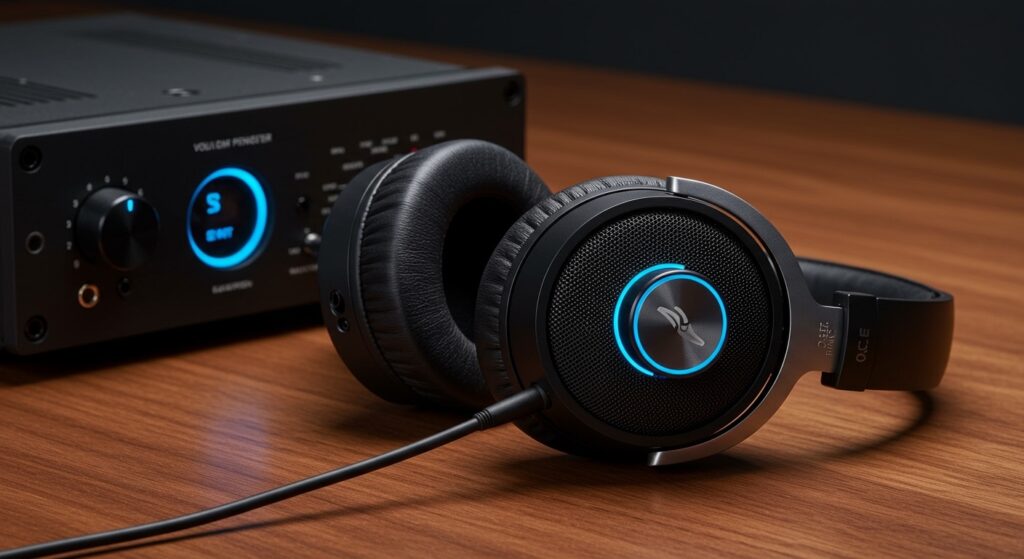
If you have ever cranked your volume only to find the sound “thin” or “quiet,” you are likely dealing with a mismatch between your headphones and your device. In my years of testing high-end audiophile gear and consumer electronics, I’ve found that “loudness” is a combination of electrical efficiency and physical seal.
Key Takeaways for Headphone Loudness
- Safety First: Listening at volumes above 85 dB for extended periods causes permanent hearing loss.
- The Power Match: High-impedance headphones (like the Sennheiser HD600) require a dedicated amplifier to sound loud and full.
- Sensitivity Matters: Look for a higher dB/mW rating if you want loud volume from a smartphone or laptop.
- Seal and Isolation: Noise-canceling headphones allow you to listen at lower, safer volumes by blocking background noise.
- The 60/60 Rule: Experts recommend listening at no more than 60% volume for 60 minutes at a time.
Factors That Determine if Headphone Speakers Are Loud
When asking are headphone speakers loud, we have to look at the technical specifications that dictate how much air the drivers can move. It isn’t just about the “volume knob” on your phone.
Sensitivity and Efficiency
Sensitivity measures how loud a pair of headphones will play at a specific power level (usually 1 milliwatt). If a pair of headphones has a sensitivity of 100 dB/mW or higher, they are considered highly efficient. These will sound very loud even on a basic iPhone or Android device.
Impedance (The Resistance Factor)
Impedance, measured in Ohms (Ω), is the electrical resistance of the headphones.
- Low Impedance (16–32 Ω): Designed for mobile devices. These get loud easily.
- High Impedance (100–600 Ω): Designed for studio equipment. If you plug these into a phone, they will sound quiet and “lifeless.”
Driver Size and Type
While larger drivers (like 50mm dynamic drivers) can move more air, they don’t always result in higher volume. Planar magnetic drivers, found in brands like Audeze, often require significantly more power to reach the same loudness as standard dynamic drivers.
Step-by-Step Guide: How to Safely Increase Headphone Loudness
If your headphones aren’t reaching the desired volume, follow these steps to troubleshoot and improve your audio experience without risking your hearing.
Step 1: Check Your Source Settings
Before buying new gear, ensure your software isn’t limiting your output.
- Disable Volume Limiters: Check “Volume Safety” or “Maximum Volume” settings on iOS or Android.
- Equalizer (EQ) Settings: Ensure your EQ isn’t “pre-cutting” the gain. In Spotify, check if “Normalize Volume” is set to “Quiet.”
- Update Drivers: On Windows 11, ensure your Realtek or dedicated sound drivers are up to date.
Step 2: Ensure a Proper Physical Seal
If you use In-Ear Monitors (IEMs), a poor seal will make the music sound quiet and tinny.
- Experiment with different silicone or memory foam ear tips.
- For over-ear headphones, ensure the cushions are plush and creating a full seal around your ears. I have noticed that worn-out pads on a pair of Bose QuietComfort can “leak” sound, making the user turn the volume up to dangerous levels.
Step 3: Use an External DAC/AMP
If you are using professional-grade headphones, your laptop’s built-in sound card is likely the bottleneck.
- Portable DACs: Devices like the DragonFly Black or Fiio BTR5 provide the extra voltage needed to make headphone speakers loud and clear.
- Desktop Amps: For home use, a Schiit Magni or JDS Labs Atom can drive even the most demanding 300-ohm headphones to deafening levels.
Step 4: Clean Your Hardware
It sounds simple, but earwax buildup is a leading cause of “quiet” headphones. Use a small brush or alcohol wipe to clean the mesh filters on your AirPods or Galaxy Buds.
How Loud Are Headphone Speakers? (The Decibel Scale)
To understand if are headphone speakers loud enough to be dangerous, we need to compare them to everyday sounds.
| Sound Level (dB) | Example Source | Max Exposure Recommendation |
|---|---|---|
| 30 dB | Whisper | Safe indefinitely |
| 60 dB | Normal Conversation | Safe indefinitely |
| 85 dB | Heavy City Traffic | 8 Hours (OSHA Limit) |
| 100 dB | Motorcycle Engine | 15 Minutes |
| 110 dB | Shout in Ear / Rock Concert | 1-2 Minutes |
| 120 dB+ | Max Headphone Output | Immediate Risk of Damage |
As you can see, the maximum output of most headphone speakers is objectively loud—rivaling industrial machinery.
Why “Loudness” Is Different from “Fullness”
During my professional testing of the Sony WH-1000XM5, I noticed that users often confuse volume with clarity. When a headphone is “underpowered,” the bass frequencies suffer first.
You might turn the volume up to 100% to “feel” the kick drum, but all you are doing is pushing the treble into a range that causes Tinnitus (ringing in the ears). If you want “loud” bass, you need a driver with a high excursion or a specialized bass boost via a DAC, rather than just raw volume.
Frequently Asked Questions
Why are my headphones so quiet on my phone?
This is usually due to high impedance or EU volume limiting regulations. If your headphones are rated above 32 Ohms, your phone may lack the power to drive them. Additionally, check your “Headphone Safety” settings in your phone’s sound menu.
Can loud headphones cause permanent damage?
Yes. Exposure to sounds at or above 85 dB can cause Noise-Induced Hearing Loss (NIHL). Since many headphones can reach 110 dB, it is possible to cause permanent damage in just one listening session if the volume is maxed out.
Are over-ear headphones louder than earbuds?
Not necessarily. Because earbuds (IEMs) sit closer to the eardrum and create a tighter seal, they often perceive as “louder” at lower power levels. However, over-ear headphones have larger drivers that can produce more physical “slam” or impact.
How do I know if my headphones are too loud?
A good rule of thumb: if someone standing three feet away can hear your music, it is too loud. Another sign is “listener fatigue”—if your ears feel “stuffed” or start ringing after 30 minutes, you need to lower the volume.
Does Bluetooth affect headphone loudness?
Bluetooth headphones have their own internal amplifiers. This means they are often louder than wired headphones plugged into a weak source, as the manufacturer has tuned the internal amp specifically for those drivers.









