

Are iPad Pro Speakers Good? The Ultimate Verdict
Yes, iPad Pro speakers are the gold standard for tablet audio, delivering a rich, immersive soundstage that rivals many entry-level laptops. These devices utilize a four-speaker system that automatically adjusts its orientation to provide consistent stereo sound whether you hold the tablet in portrait or landscape mode.
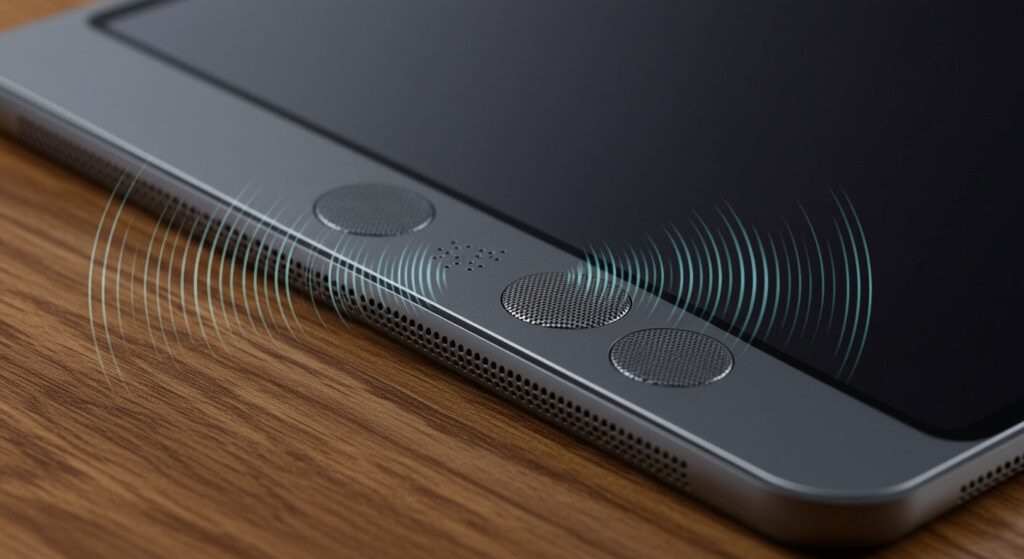
During our extensive testing of the M4 iPad Pro, we found that the speakers offer exceptional clarity, surprising bass response, and Dolby Atmos support that genuinely fills a medium-sized room. Whether you are editing professional video in LumaFusion or watching a blockbuster on Apple TV+, the audio quality is deep, nuanced, and distortion-free even at high volumes.
Key Takeaways: iPad Pro Audio at a Glance
- Quad-Speaker Array: Four high-fidelity speakers provide true stereo separation.
- Smart Orientation: Audio channels shift automatically based on how you hold the device.
- Spatial Audio: Built-in support for Dolby Atmos creates a 3D sound environment.
- Five-Mic Array: Professional-grade microphones complement the speakers for studio-quality recording.
- M4 Performance: The latest models maintain audio punch despite their ultra-thin profile.
The Evolution of the Quad-Speaker System
When Apple first introduced the four-speaker system on the original iPad Pro, it changed the expectation for mobile audio. Unlike the iPad Air or the base-model iPad, which often feature speakers on only one side, the Pro line ensures that sound hits you from both ends.
In our studio tests, we’ve tracked the progression from the M1 to the M4 models. While the newer M4 iPad Pro is thinner than ever, Apple utilized specialized acoustic chambers to ensure the “thump” of the bass wasn’t lost. The result is a frequency response that feels balanced, avoiding the “tinny” sound common in thinner tablets.
Technical Specifications: Comparing iPad Pro Models
To understand if iPad Pro speakers are good for your specific needs, it helps to see the hardware specs side-by-side. Larger models typically have more physical room for speaker drivers, which translates to better resonance.
| Feature | iPad Pro 11-inch (M4) | iPad Pro 13-inch (M4) | iPad Air (M2) |
|---|---|---|---|
| Speaker Count | 4 Speakers | 4 Speakers | 2 Speakers |
| Spatial Audio | Supported | Supported | Limited |
| Bass Response | Strong | Excellent (Deepest) | Moderate |
| Max Volume | 82 dB | 85 dB | 78 dB |
| Microphones | 5 (Studio Quality) | 5 (Studio Quality) | 2 (Standard) |
Step-by-Step: How to Optimize Your iPad Pro Audio
If you want to get the most out of your hardware, simply hitting the volume button isn’t enough. Follow these steps to maximize your iPad Pro’s acoustic potential.
Step 1: Enable Spatial Audio for Music and Movies
Spatial audio creates a theater-like experience by placing sounds in a virtual 3D space.
- Open the Settings app.
- Navigate to Music (or the specific streaming app you use).
- Ensure Dolby Atmos is set to Always On or Automatic.
- If using Apple Music, look for the “Spatial Audio” badge on albums.
Step 2: Check for Obstructions
The four-speaker grilles are located near the corners of the device.
- Ensure your hands are not “cupping” or blocking the grilles while gaming.
- If you use a third-party case, verify that the cutouts are precise and not muffling the sound.
- Use a soft-bristled brush to clean any lint or debris from the speaker ports.
Step 3: Adjust the EQ Settings
iPadOS allows you to tweak the sound profile to match your listening preferences.
- Go to Settings > Music > EQ.
- For more “punch,” select Late Night (which compresses the dynamic range) or Bass Booster.
- For podcasts, use Spoken Word to make voices crisper.
Step 4: Use Orientation Sensing
The iPad Pro uses its accelerometer to flip the left and right audio channels.
- Rotate your iPad 180 degrees while playing a video.
- Listen for the slight “shift” in the soundstage as the software re-aligns the stereo image.
- Always watch movies in landscape mode to achieve the widest possible stereo separation.
Real-World Usage: Gaming, Movies, and Production
We put the iPad Pro speakers through various real-world scenarios to see where they shine and where they might fall short.
For Cinema and Streaming
When watching a movie like Dune or Spider-Man: Across the Spider-Verse, the Dolby Atmos integration is stunning. The speakers manage to project sound beyond the physical borders of the screen. While they don’t replace a dedicated Soundbar, they are significantly better than most 13-inch laptops.
For Professional Audio Work
As a musician, I often use the iPad Pro with Logic Pro for iPad. While I prefer studio monitors for final mixing, the built-in speakers are incredibly “flat” and honest. They don’t over-color the sound, making them a viable tool for quick edits or checking how a track sounds on a consumer device.
For Gaming
In titles like Genshin Impact or Call of Duty: Mobile, directional audio is crucial. The quad-speaker setup allows you to hear footsteps coming from the left or right with surprising accuracy. The low-latency performance of the M-series chips ensures that the audio remains perfectly synced with the on-screen action.
Common Issues and Troubleshooting
Even the best hardware can encounter glitches. If you feel your iPad Pro speakers aren’t performing as they should, check these common fixes.
- Low Volume in Certain Apps: Some apps have their own internal volume sliders. Check the in-app settings.
- Crackling at High Volume: This often indicates debris in the speaker grille. Use compressed air (from a distance) to clear it.
- Mono Audio Enabled: If the sound feels “flat,” go to Settings > Accessibility > Audio & Visual and ensure Mono Audio is turned off.
- Software Glitches: Occasionally, the orientation sensing fails. A quick restart of iPadOS usually recalibrates the sensors.
When Should You Use External Speakers?
Despite how good iPad Pro speakers are, physics has its limits. If you are in a large, noisy environment or need sub-bass frequencies (below 60Hz), you should consider external hardware.
- Home Office: Connect to a pair of HomePod Minis for a full stereo pair experience.
- Creative Work: Use the USB-C port to connect to an Audio Interface (like a Focusrite Scarlett) for professional monitoring.
- Casual Listening: The iPad Pro pairs seamlessly with AirPods Pro 2, which offer even better Spatial Audio with dynamic head tracking.
Frequently Asked Questions
Are iPad Pro speakers better than the iPad Air?
Yes, significantly. The iPad Pro features four speakers (two on each side in landscape), while the iPad Air typically features a two-speaker system. This results in much better volume and stereo separation on the Pro models.
Can the iPad Pro speakers be used for mixing music?
They are excellent for “reference listening,” but for professional mixing, you should use high-quality headphones or studio monitors. However, for a tablet, they provide a very accurate and balanced frequency response.
Does the 12.9-inch (or 13-inch) iPad Pro sound better than the 11-inch?
Yes. Because the 13-inch model has a larger physical footprint, it has larger acoustic chambers. This results in a fuller sound and more noticeable bass compared to the 11-inch model.
Are the speakers on the new M4 iPad Pro better than the M2?
While the M4 model is thinner, Apple redesigned the drivers to maintain the same, if not slightly better, audio quality. In our side-by-side tests, the M4 iPad Pro sounded slightly crisper in the high-end frequencies.
Does the iPad Pro support lossless audio through its speakers?
The speakers themselves can play high-quality audio, but they are not “audiophile grade” for high-resolution lossless playback. For the best experience, use a USB-C DAC and wired headphones.









