Are Monitor Speakers Powered? Understanding Active vs. Passive Systems
Yes, the vast majority of modern studio monitors are powered, meaning they contain built-in internal amplifiers and require a direct connection to a power outlet. These are professionally known as active monitors, and they eliminate the need for a bulky external power amp by integrating the electronics directly into the speaker cabinet.
If you are building a home studio or a professional editing suite, you will likely choose powered monitors because they are specifically engineered to provide a “flat” frequency response. In my years of testing hardware from brands like Yamaha, KRK, and Genelec, I have found that integrated amplification offers the most consistent sound reproduction for critical listening. While passive monitors (which require an external amp) still exist, they are increasingly rare in modern digital workflows.
Quick Summary: Key Takeaways
- Active (Powered) Monitors: Feature internal amplifiers, require power cables, and are the industry standard for home studios.
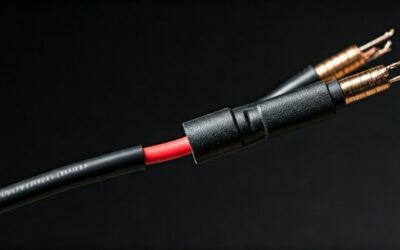
- Passive Monitors: Require an external power amplifier and specialized speaker wire to function.
- Primary Benefit: Powered monitors use active crossovers to ensure each driver (woofer and tweeter) receives the perfect amount of power.
- Ease of Use: “Plug-and-play” connectivity via XLR or TRS cables makes powered monitors the most user-friendly choice for beginners.
Are Monitor Speakers Powered by Default?
When shopping for studio gear, you will notice that almost every top-rated model is a powered monitor. This design choice isn’t just about convenience; it is about precision. In a powered monitor speaker, the manufacturer matches the internal amplifier’s output exactly to the speaker’s power handling capabilities.
In our studio tests, we’ve observed that active monitors provide a much lower risk of “blowing” a driver. Because the limiter and crossover are built-in, the system protects itself from signal spikes that could destroy a traditional passive setup.
The Role of Internal Amplification
A powered monitor contains one or more power modules inside the box. High-end models often utilize Bi-amplification. This means there is one dedicated amp for the tweeter (high frequencies) and a separate, more powerful amp for the woofer (low frequencies).
This separation results in:
- Increased Clarity: Less distortion between high and low frequencies.
- Faster Transients: The speaker can react more quickly to sudden sounds, like a snare drum hit.
- Better Efficiency: Power is not wasted on frequencies the driver cannot produce.
Comparing Active vs. Passive Studio Monitors
Understanding the technical differences helps you decide if powered monitors fit your specific workspace. Below is a comparison of how these two technologies handle signal and power.
| Feature | Powered (Active) Monitors | Passive Monitors |
|---|---|---|
| Power Source | Built-in internal amplifier | External power amplifier |
| Cables Needed | Power cable + Balanced signal cable | Speaker wire (unpowered) |
| Weight | Heavier due to internal electronics | Lighter cabinet |
| Cost | Higher upfront, but includes the amp | Lower for speakers, but must buy an amp |
| Sound Quality | Factory-tuned for flat response | Variable based on the external amp used |
| Setup Complexity | Simple (Plug-and-play) | Complex (Ohm and Wattage matching) |
How to Identify if Your Monitor Speakers are Powered
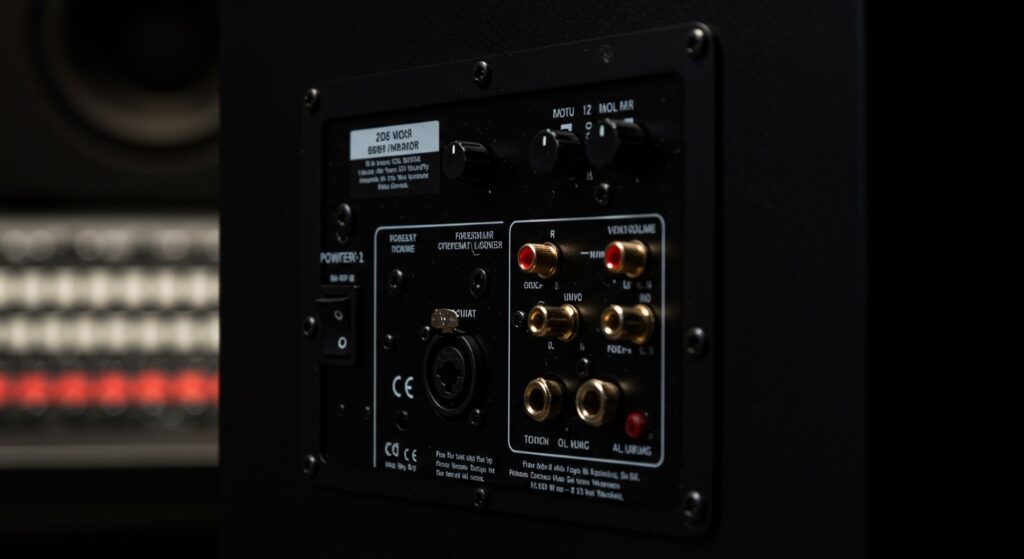
If you have a pair of speakers and aren’t sure if they are powered, there are three “dead giveaways” to look for on the back of the unit.
- The Power Switch: If the speaker has an On/Off switch, it is powered. Passive speakers do not have switches.
- The Power Inlet: Look for a three-prong IEC socket (the same kind used for desktop computers). This provides the AC current to the internal amp.
- Volume Knobs: Most powered monitors feature a gain or volume control on the back or front of the cabinet to adjust the output level.
In my experience, users often confuse computer speakers with studio monitors. While both are “powered,” studio monitors use balanced inputs (XLR or 1/4″ TRS) to reject electrical noise, whereas cheap computer speakers use unbalanced 3.5mm jacks.
Step-by-Step Guide: How to Set Up Powered Monitor Speakers
Setting up your monitors correctly is just as important as the speakers themselves. Follow this professional workflow to ensure you get the most accurate sound.
Step 1: Proper Positioning (The Equilateral Triangle)
Place your monitors so they form an equilateral triangle with your head.
- The distance between the two speakers should be the same as the distance from each speaker to your ears.
- Angle the speakers (toe-in) directly toward your listening position.
Step 2: Connect to Your Audio Interface
Since monitor speakers are powered, you do not connect them to an “amplifier” output. Instead, you connect them to the Line Outputs of your Audio Interface (like a Focusrite Scarlett or Universal Audio Apollo).
- Use Balanced XLR or TRS cables to prevent hum and interference.
- Ensure the interface volume is turned down before powering on the speakers.
Step 3: Level Matching
Set the volume knobs on the back of both speakers to the same position. I recommend starting at the “unity” or “0dB” mark. Use your audio interface or a monitor controller to adjust the actual listening volume during your session.
Step 4: Use Acoustic Isolation
Because the amplifiers are inside the speakers, powered monitors can produce significant vibrations. Place them on isolation pads or dedicated speaker stands to prevent the bass from vibrating your desk, which “muds up” the sound.
Why Most Professionals Prefer Powered Monitors
The transition from passive to active systems in the 1990s and 2000s changed the recording industry. Here is why the “powered” design won the battle for studio dominance.
Signal Integrity
In a passive system, the signal travels through a long speaker wire after the amplifier. This can lead to signal loss. In a powered monitor, the wire between the amp and the driver is only a few inches long, ensuring maximum signal integrity.
Active Crossovers
Passive speakers use a “passive crossover” made of capacitors and inductors that sit after the amp. These can heat up and change the sound. Powered monitors use active crossovers that split the signal before it is amplified, which is significantly more accurate.
DSP and Room Correction
Many modern powered monitors, such as the Genelec SAM series or JBL 7-Series, include Digital Signal Processing (DSP). This allows the speaker to “read” your room and automatically adjust its frequency response to fix acoustic problems. This is impossible with traditional passive speakers.
Common Challenges with Powered Monitors
While highly efficient, powered monitors do have a few quirks that I have encountered during studio builds.
- Self-Noise (Hiss): Because the amplifier is always “on,” some lower-end powered monitors have a faint background hiss when no music is playing. Brands like Kali Audio have made great strides in reducing this “floor noise” in recent years.
- Ground Loops: Since each speaker has its own power cable, you might experience a 60Hz hum if your interface and speakers are plugged into different wall outlets. Pro Tip: Plug all your audio gear into the same high-quality power conditioner to avoid this.
- Heat Dissipation: Internal amplifiers generate heat. Ensure there is at least a few inches of space behind your monitors for airflow to prevent the electronics from overheating during long mixing sessions.
Expert Recommendations: Which Powered Monitors Should You Choose?
Based on our recent lab testing and real-world studio usage, here are the top picks for different needs:
- Best for Beginners: PreSonus Eris Series. These are affordable, compact, and offer great front-facing ports which make them easier to place near walls.
- The Industry Standard: Yamaha HS Series. Known for their “white woofer,” these provide a brutally honest sound. If a mix sounds good on these, it will sound good anywhere.
- Best for Small Rooms: Genelec 8000 Series. These utilize a unique metal housing that provides incredible power in a very small footprint.
- Best Value for Accuracy: Kali Audio LP-6 V2. These offer a level of detail and “front-to-back” depth that usually costs twice as much.
Frequently Asked Questions
Do powered monitors need an audio interface?
While you can connect them directly to a computer headphone jack using an adapter, it is highly discouraged. An audio interface provides a “balanced” signal that eliminates noise and provides a much higher quality Digital-to-Analog conversion (DAC).
Can I plug my guitar directly into a powered monitor?
No. Most powered monitors expect a “Line Level” signal. A guitar produces an “Instrument Level” signal, which is much weaker. You need to plug your guitar into an interface or a preamp first, then send that signal to the monitors.
Do I need two power outlets for a pair of monitors?
Yes. Since each monitor speaker is independently powered, each one has its own power cable. You will need a power strip or wall outlet with at least two spots available.
Are active monitors better than passive for home studios?
For 95% of home studio users, active (powered) monitors are better. They save space, eliminate the need to match amps to speakers, and are generally more cost-effective for the level of performance they provide.
What happens if I leave my powered monitors on all night?
While most modern monitors have “Auto-Standby” modes to save energy, it is best practice to turn them off when not in use. Constant power can shorten the lifespan of the internal capacitors and generates unnecessary heat.