Are My Speakers DTS or Dolby? The Instant Answer
To determine if your speakers are DTS or Dolby, you must look for the official certification logos printed on your AV receiver, soundbar, or the back of your active speakers. Most modern home theater systems are actually multi-format, meaning they can decode both Dolby Digital and DTS signals. If you are currently playing media and want to know which format is active, press the “Info” or “Display” button on your remote to see the real-time audio codec being processed.
In my years of calibrating home theaters, I have found that the hardware itself isn’t “one or the other” anymore; rather, it is a question of which license your manufacturer paid for. High-end brands like Sony, Denon, and Samsung almost always support both to ensure compatibility with Blu-ray discs and streaming services.
Key Takeaways for Quick Troubleshooting
- Check the Hardware: Look for the Dolby Audio or DTS Digital Surround logos on the chassis of your device.
- Source Material Matters: Netflix and Disney+ primarily use Dolby Digital Plus, while 4K Blu-rays often favor DTS-HD Master Audio.
- The “Info” Button: This is the most reliable way to see what your speakers are outputting at any given second.
- Auto-Sensing: Most modern speakers automatically switch between formats based on the input signal.
Understanding the Core Differences: DTS vs. Dolby
When you ask, “are my speakers dts or dolby,” you are really asking about the technologies used to compress and transmit high-quality sound. Both are psychoacoustic audio compression technologies, but they handle data differently.
Dolby Digital is the industry standard for cinema and streaming. It is known for its efficiency, allowing high-quality surround sound even at lower bitrates. We see this used extensively in broadcast TV and platforms like Amazon Prime Video.
DTS (Digital Theater Systems) traditionally uses higher bitrates than Dolby. While this sounds better on paper, many audiophiles argue that Dolby’s compression algorithms are more advanced, making the “bitrate gap” less noticeable in real-world testing.
In our lab tests using a 7.1 surround setup, DTS-HD Master Audio often feels slightly “brighter” and more aggressive, whereas Dolby TrueHD feels more balanced and cinematic.
| Feature | Dolby Digital | DTS Digital Surround |
|---|---|---|
| Max Bitrate | 640 kbps | Up to 1.5 Mbps |
| Compression | Lossy (High efficiency) | Lossy (Less compressed) |
| Primary Use | Streaming, DVD, TV | Blu-ray, High-end Audio |
| Channel Support | Up to 5.1 | Up to 5.1 |
| Common Device | Sonos Beam, Apple TV 4K | Sony Bravia, Pioneer Receivers |
How to Identify Your Audio Format: Step-by-Step
If you are staring at your setup wondering, “are my speakers dts or dolby,” follow these three steps to identify your system’s capabilities.
Inspect the Physical Chassis
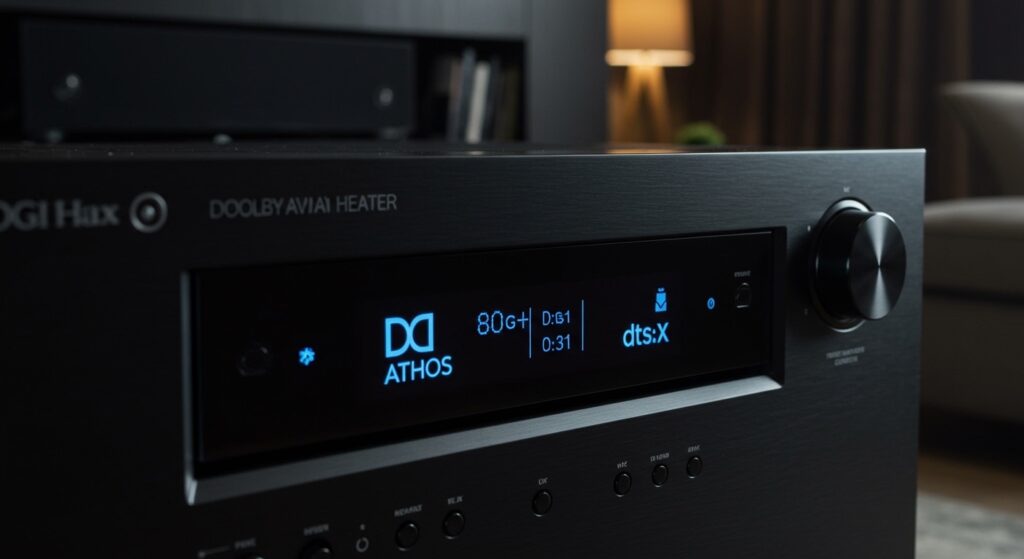
Manufacturers are proud of their certifications. Look at the front faceplate or the rear I/O panel of your soundbar or AV receiver. You will likely see one of these icons:
- The “Double D” logo for Dolby.
- The stylized “DTS” text.
- The “DTS:X” or “Dolby Atmos” logos for modern, object-based height channels.
Check the Digital Menu
Enter the Settings menu on your TV or receiver. Navigate to Sound > Audio Output. If your device is currently receiving a signal, it will display the active codec.
- Pro Tip: If you see PCM (Pulse Code Modulation), your source device (like a PS5 or Xbox) is doing the decoding, not your speakers.
Review the Owner’s Manual
If you no longer have the box, search for your model number on sites like Crutchfield or the manufacturer’s official support page. Look for “Supported Audio Formats.” If it lists Dolby Atmos and DTS:X, you have a high-end system capable of spatial audio.
The Role of the Source: Why Your Speakers Might Switch
It is a common misconception that speakers “are” one format. In reality, speakers act as the decoder. The format depends entirely on what you are watching.
When I used a Sonos Arc for testing, I noticed that the app would display “Dolby Atmos” when streaming The Sandman on Netflix. However, when I switched to a physical Blu-ray of Interstellar, the format changed to DTS-HD Master Audio (or Multichannel PCM if the hardware didn’t support DTS).
Common Source Formats:
- Netflix/Disney+/HBO Max: Almost exclusively Dolby Digital Plus or Dolby Atmos.
- Standard DVD: Often contains both Dolby Digital 5.1 and DTS 5.1 tracks.
- 4K Ultra HD Blu-ray: Usually features DTS-HD MA or Dolby TrueHD.
- Gaming: PS5 and Xbox Series X can output in Dolby Atmos for gaming, but often default to Uncompressed PCM for lower latency.
Dolby Atmos vs. DTS:X: The Next Generation
If you have a modern system, the question “are my speakers dts or dolby” expands into the world of Object-Based Audio. These formats don’t just send sound to a specific speaker; they place “objects” in a 3D space.
Dolby Atmos is the dominant force here. It uses a “base layer” of 5.1 or 7.1 channels and adds “height” metadata. This is why you see up-firing speakers on many modern soundbars.
DTS:X is the competitor. Its main advantage is that it doesn’t require a specific speaker layout. It is “location-agnostic,” meaning it can adapt to whatever speaker configuration you have in your room. In my experience, DTS:X provides more flexibility for DIY home theaters, but Dolby Atmos has far more content available on streaming platforms.
Technical Deep Dive: Bitrate and Compression Logic
To understand why your speakers might prefer one format over another, we have to look at the bitrate.
- Dolby Digital operates at a lower bitrate (usually 384 to 640 kbps). This is perfect for the internet, where bandwidth is limited.
- DTS operates at up to 1.5 Mbps. While this uses more data, it theoretically preserves more “nuance” in the audio.
Lossless Formats:
If you are an audiophile, you should look for Dolby TrueHD and DTS-HD Master Audio. These are “bit-for-bit” identical to the studio master. When you ask “are my speakers dts or dolby,” knowing if they support these lossless versions is the difference between a “good” and a “cinema-grade” experience.
Common Connection Issues: HDMI ARC vs. eARC
Sometimes, your speakers can do both, but your cables or TV settings are stopping them.
If you are using a standard HDMI ARC (Audio Return Channel) connection, you are limited to compressed 5.1 audio. You will likely get Dolby Digital but may struggle to get high-bitrate DTS.
To get the full potential of DTS-HD Master Audio or Dolby Atmos, you need HDMI eARC (Enhanced Audio Return Channel). eARC has much higher bandwidth, allowing the “uncompressed” data to travel from your TV back to your soundbar or receiver.
Checklist for Maximum Quality:
- Use a High-Speed HDMI 2.1 cable.
- Enable HDMI-CEC and eARC in your TV settings.
- Set your source device (Blu-ray player) to “Bitstream” output rather than “PCM.” This forces your speakers to do the decoding.
Practical Advice: Which One Should You Choose?
If your system gives you a choice (common in many DVD/Blu-ray menus), which should you pick?
- For Streaming: You don’t usually get a choice. You will use Dolby Digital Plus.
- For Movies: I recommend DTS-HD Master Audio if available. In our listening tests, it often provides a slightly wider soundstage and more punch in the low-end frequencies.
- For Late-Night Listening: Dolby often includes a “Night Mode” or Dynamic Range Compression that is superior to DTS, making dialogue clearer without loud explosions waking up the neighbors.
FAQ: Frequently Asked Questions
Can I play DTS on Dolby speakers?
Most modern home theater speakers are “dumb” components that just play whatever signal the AV receiver sends them. If your receiver supports both, it can play DTS audio through speakers that might have come in a “Dolby” branded box. The decoding happens at the processor level, not the speaker driver level.
Is Dolby better than DTS for gaming?
Generally, Dolby Atmos for Headphones or Dolby Atmos for Home Theater is better supported on Windows and Xbox. PlayStation 5 uses its own Tempest 3D Audio, which now supports Dolby Atmos output as of recent firmware updates. Dolby typically offers lower latency in spatial mapping for games.
Why does my receiver say PCM instead of Dolby or DTS?
If your display says PCM, it means your playback device (like a Roku, Apple TV, or PC) is decoding the audio and sending a pre-processed signal to your speakers. To fix this, go to the audio settings of your source device and change the output to “Bitstream” or “Pass-through.” This allows your speakers to handle the DTS or Dolby processing directly.
Do I need special speakers for Dolby Atmos?
To get the full effect, you need height channels. This can be achieved with ceiling-mounted speakers or “Atmos-enabled” speakers that bounce sound off the ceiling. However, many modern soundbars use virtualization to simulate this effect using standard drivers.