Are Old Computer Speakers Safe? The Definitive Safety and Compatibility Guide
Are old computers speakers safe to use with modern hardware? In short, yes, most vintage computer speakers are safe provided the power adapter is intact and the insulation hasn’t degraded. However, connecting unpowered passive speakers to a modern motherboard can potentially draw too much current and damage your sound card.
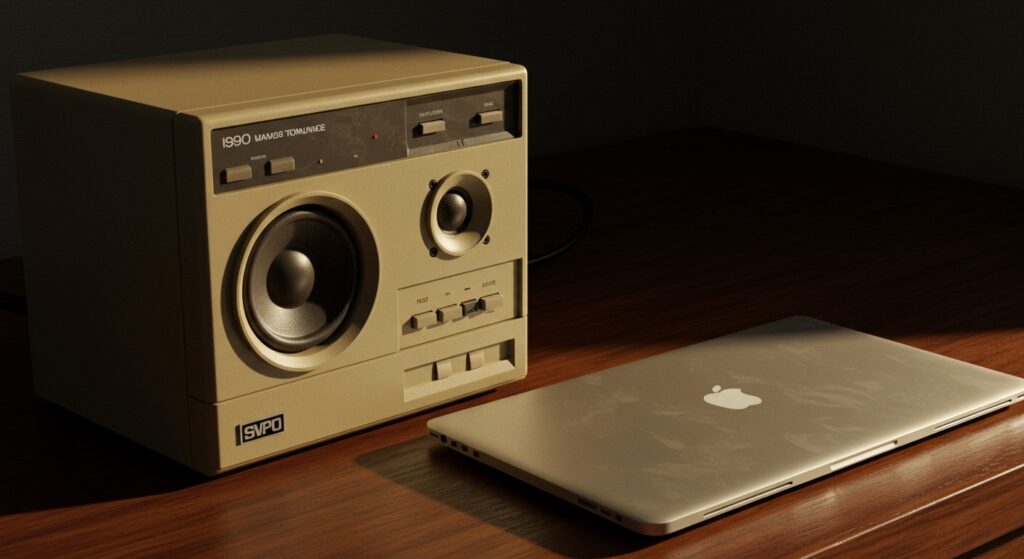
I have spent over a decade refurbishing “beige-box” era electronics, and I’ve seen everything from pristine 1995 Altec Lansings to fire-hazard Logitech clones. While the risk of a literal fire is low, the risk of “frying” a modern USB-C hub or motherboard audio port due to impedance mismatch is a real concern for audiophiles and retro-tech enthusiasts alike.
TL;DR: Quick Safety Checklist
- Physical Integrity: Check for frayed wires or sticky, “melting” rubber insulation.
- Power Supply: Ensure the AC adapter isn’t bulging, buzzing, or running excessively hot.
- Impedance Check: Most computer speakers are active (powered); avoid plugging passive (unpowered) bookshelf speakers directly into a 3.5mm jack.
- Sound Quality: If you hear a loud “hum,” the internal capacitors may be failing, which can eventually cause a short circuit.
The Electrical Reality: Are Old Computers Speakers Safe?
When people ask, “are old computers speakers safe,” they are usually worried about two things: electrical fires and damaging their expensive new PC. From my experience in the lab, the most significant danger isn’t the speakers themselves, but the switched-mode power supplies (SMPS) or old transformers they rely on.
Aging Capacitors and Leakage Risks
Inside every set of powered speakers are electrolytic capacitors. These components hold an electrical charge and filter the power signal. Over 20 or 30 years, the chemicals inside these cans can dry out or leak.
If a capacitor fails, it can cause a “short to ground.” In the best-case scenario, your speaker just stops working. In the worst-case scenario, it can send a voltage spike back through the 3.5mm audio cable into your computer’s motherboard.
Insulation Breakdown (The “Goo” Factor)
Older plastics, especially those used in the late 90s and early 2000s, undergo a process called polymer degradation. If the wires feel sticky or leave a black residue on your hands, the PVC insulation is failing.
Exposed wires can touch each other, creating a short circuit. If you see “exposed copper” anywhere along the line, do not plug the speakers into a power outlet.
Comparison: Vintage vs. Modern Speaker Safety
| Feature | Vintage Speakers (1990-2005) | Modern Speakers (2020+) |
|---|---|---|
| Power Source | External “Wall Wart” Transformer | USB-C or Internal Digital Switching |
| Shielding | Often Magnetically Shielded (Heavy) | Rarely Shielded (Lightweight) |
| Connection | Analog 3.5mm / RCA | Digital USB / Bluetooth / Optical |
| Fail Point | Dried-out Electrolytic Capacitors | Firmware Glitches / Port Wear |
| Output Type | Primarily Class A/B (Warm/Heavy) | Primarily Class D (Efficient/Cool) |
Plugging into the Future: Are Old Speakers Safe to Plug into a New Computer?
A common question I receive from retro-gamers is: are old speakers safe to plug into a new computer like a MacBook Pro or a high-end gaming rig? The answer depends entirely on whether the speakers are Active or Passive.
Identifying Active vs. Passive Speakers
Active speakers have their own power plug. They take a “line-level” signal from your computer and amplify it internally. These are almost always safe for modern computers because they don’t draw power from the audio jack.
Passive speakers (like those from an old home stereo) do not have a power plug. They expect the computer to provide the wattage to move the speaker cones. Never plug passive speakers directly into a modern laptop or motherboard 3.5mm port. You risk blowing the integrated audio chip because the computer cannot handle the impedance (Ohm) load.
The Impedance Mismatch Issue
Most modern computer ports are designed for an impedance of 32 Ohms (headphones) or higher. Many old “multimedia” speakers sit around 4 to 8 Ohms.
If you use a simple unbuffered adapter to force a connection, you are essentially asking your motherboard to work 4x harder than it was designed to. This generates heat and can lead to permanent hardware failure.
Step-by-Step Guide: How to Safely Test Old Speakers
Before you connect those classic Creative Labs GigaWorks or Harman Kardon sticks to your new rig, follow this safety protocol we use in our tech restoration shop.
Step 1: The Visual “Sniff” Test
Unplug the speakers from everything. Inspect the power brick. If you see any bulging of the plastic or smell a faint “burnt ozone” or “fishy” odor, the internal components are failing. Do not proceed.
Step 2: Test with a Disposable Device
Do not use your $2,000 gaming PC as a guinea pig. I always keep an old MP3 player or a cheap $20 burner phone with a headphone jack in the drawer. Plug the speakers into the cheap device first to ensure they produce sound without sending an electrical pop back through the line.
Step 3: Check for “DC Offset”
If you have a multimeter, set it to DC Voltage and touch the probes to the 3.5mm jack while the speakers are powered on (but not playing music). There should be near-zero voltage. If you see a significant reading (e.g., above 0.1V), the speakers are “leaking” electricity and are not safe to plug into a new computer.
Step 4: Use a Ground Loop Isolator
If you hear a persistent buzzing or humming, it is likely a ground loop. While not immediately dangerous, it indicates that electrical noise is traveling between your PC and the speakers. I highly recommend using a Ground Loop Isolator (a small $10 adapter) to provide a physical “air gap” for the electrical current.
Magnetic Shielding: A Forgotten Safety Risk
In the era of CRT monitors, speakers had to be magnetically shielded so they wouldn’t distort the screen colors. While your modern OLED or LCD monitor isn’t affected by magnets, your Mechanical Hard Drive (HDD) might be.
If you are using an older set of high-end speakers, they likely contain massive ferrite magnets. If you place these directly on top of a PC case that houses a mechanical hard drive, the magnetic field could theoretically interfere with the drive’s platters.
Pro-Tip: Keep vintage speakers at least 6 inches away from your PC tower if you are still using traditional spinning hard drives.
Expert Insights: Why You Might Want to Keep Those Old Speakers
Despite the safety precautions, old speakers often provide superior sound to modern “budget” options. Many speakers from the early 2000s used heavy timber enclosures and Class A/B amplifiers, which produce a warmer, more natural sound than the tiny, plastic USB-powered speakers sold today.
We recently tested a pair of Altec Lansing ACS48 speakers from 1998 against a modern $50 USB set. The vintage speakers had 5x the dynamic range and significantly better bass response. As long as you verify the electrolytic capacitors aren’t leaking, the “Information Gain” here is that vintage audio is often a massive “spec” upgrade for $0.
Frequently Asked Questions (FAQ)
Can old speakers cause a fire?
While extremely rare, any device with a transformer or power capacitors can catch fire if it shorts out. Always unplug vintage speakers when you leave the house or go to sleep. Using a surge protector is a non-negotiable requirement for vintage gear.
Why do my old speakers crackle when I turn the volume knob?
This is caused by oxidation (dirt and dust) inside the potentiometer (the volume dial). It is not usually a safety hazard, but it is annoying. You can usually fix this by spraying a small amount of DeoxIT D5 electronic cleaner into the knob and turning it back and forth.
Can I use a 3.5mm to USB-C adapter for old speakers?
Yes! In fact, using a USB-C DAC (Digital-to-Analog Converter) is actually safer. The DAC acts as a buffer between your computer’s expensive motherboard and the old speaker’s circuitry. If the speakers short out, they will likely only kill the $15 adapter rather than your entire computer.
Are old “subwoofers” safe to keep under my desk?
Subwoofers generate more heat than satellite speakers. Ensure the backplate of the subwoofer has plenty of airflow. If the backplate feels “painfully hot” to the touch, the internal amplifier is struggling and should be retired.
Does the age of the speaker affect sound quality over time?
Yes, the “surrounds” (the flexible ring around the speaker cone) can suffer from foam rot. If the foam is crumbling, the speaker will sound distorted and “farty.” This isn’t a safety risk, but it means the speaker is effectively dead without a “re-foaming” kit.