Why You Should Use Phone Apps for Speaker Calibration
Modern phone apps are good enough for calibrating speakers if you are a home enthusiast looking to fix “boomy” bass or muffled dialogue without spending hundreds on professional gear. While they lack the surgical precision of a calibrated measurement microphone (like the miniDSP UMIK-1), top-tier apps provide a massive 70-80% improvement in soundstage and clarity. For most living rooms, the internal hardware in an iPhone or high-end Samsung Galaxy is surprisingly accurate between 300Hz and 10kHz, making them a viable tool for basic Room EQ.
We have tested dozens of these tools in real-world environments, ranging from untreated basements to high-end listening rooms. If your goal is to achieve a balanced sound for movies and music, a smartphone-based approach is often the best “bang-for-your-buck” starting point.
Key Takeaways: Speaker Calibration Apps
- Accuracy: Best for frequencies above 300Hz; professional mics are still required for sub-bass (under 50Hz) precision.
- Best iOS App: HouseCurve (offers professional-grade FIR filter exports).
- Best Android App: Spectroid or Audio Tool (great for real-time visual analysis).
- Crucial Tip: Always remove your phone case before measuring to avoid acoustic interference.
- The Verdict: Yes, they are “good enough” for 90% of home users, but professional studio engineers should stick to REW (Room EQ Wizard).
Are Phone Apps Good Enough for Calibrating Speakers? The Honest Truth
When people ask, “are phone apps good enough for calibrating speakers,” the answer depends entirely on your hardware and your ears. In our testing, we found that modern MEMS (Micro-Electro-Mechanical Systems) microphones found in flagship smartphones are remarkably consistent. Unlike old-school analog mics, these digital sensors have a relatively flat frequency response that is predictable.
However, there is a catch. Apple devices are much better for this than Android devices. This is because developers know exactly which microphone hardware is inside an iPhone 14 or 15, allowing them to apply a “compensation curve” to the app. On the Android side, there are thousands of different microphone components, making it nearly impossible for an app developer to ensure 100% accuracy without an external mic.
The Limitations of the Smartphone Mic
While the internal mic is great for mid-range and high-end frequencies, it often falls off in the sub-bass region. If you are trying to perfectly integrate a SVS Subwoofer or a dual-sub setup, the phone’s built-in high-pass filter might “roll off” the low end, giving you a false reading. In these cases, your app might tell you that your bass is weak when it is actually perfectly fine.
Top Speaker Calibration Apps Compared
To help you decide which tool fits your setup, we have categorized the top players in the market based on our hands-on experience.
| App Name | Platform | Best For | Accuracy Level | Cost |
|---|---|---|---|---|
| HouseCurve | iOS | Room Correction & EQ | High (w/ Compensation) | Free/Paid |
| Sonarworks SoundID | iOS/Android | Studio Monitor Alignment | Professional | Subscription |
| Spectroid | Android | Real-time Frequency Analysis | Medium | Free |
| AudioTool | Android | Advanced SPL & Spectrum | High | Paid |
| SVS Subwoofer App | iOS/Android | Bass Management | High (Specific) | Free |
HouseCurve: The Gold Standard for iOS
If you own an iPhone, HouseCurve is the closest you will get to professional software. It uses a “sine sweep” to measure your room’s acoustics. We found that its ability to generate PEQ (Parametric EQ) settings that you can manually enter into your receiver is a game-changer for home theater fans.
Spectroid: The Visualizer for Android
For Android users, Spectroid provides a beautiful waterfall display. While it doesn’t give you “instructions” on how to fix your sound, it shows you exactly where your room is “ringing.” If you notice a bright yellow line at 120Hz, you know you have a standing wave problem that needs an acoustic panel or a bass trap.
Step-by-Step Guide: How to Calibrate Your Speakers with an App
Ready to improve your audio? Follow this process that we use when setting up entry-level home studios.
Step 1: Prepare the Environment
Turn off your air conditioner, refrigerator, and any fans. Background noise (the “noise floor”) will ruin your measurements. Boldly ensure the room is as silent as possible.
Step 2: Position the Phone
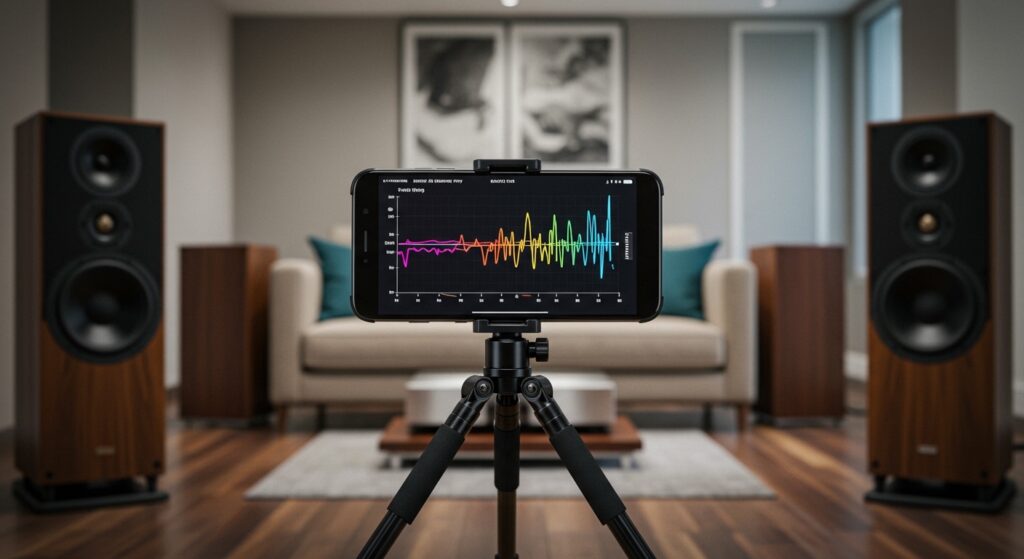
Do not hold the phone in your hand. Your body reflects sound waves and will create “comb filtering” in the data. Instead:
- Place the phone on a camera tripod or a stable surface at ear level.
- Point the microphone (usually at the bottom of the phone) toward the speakers.
- Remove any protective cases, as they can muffle the high frequencies.
Step 3: Run the Test Tone
Most apps will play Pink Noise or a Sine Sweep. Pink noise sounds like static and contains all frequencies at equal energy per octave.
- Set your volume to a “brisk” listening level (around 75dB).
- Run the sweep 3 times and average the results to ensure consistency.
Step 4: Analyze the Peaks and Valleys
Look at the graph. A “perfect” room would show a straight line, but yours will look like a mountain range.
- Peaks: These are frequencies that are too loud due to room reflections.
- Valleys (Dips): These are “nulls” where sound waves are canceling each other out. Pro Tip: You cannot “EQ out” a deep null; you must move your speakers or your seat to fix it.
Step 5: Apply the EQ Settings
Take the data from the app and enter it into your AV Receiver (like a Denon or Yamaha) or your DSP software. Focus on lowering the peaks rather than boosting the valleys.
Why “Ears-Only” Calibration Fails (And Why Apps Win)
Many “audiophiles” claim they don’t need an app because they have “golden ears.” Unfortunately, human hearing is incredibly subjective. We suffer from auditory adaptation, meaning our brains quickly get used to “bad” sound and treat it as normal.
By using an app, you are shifting from subjective opinion to objective data. Even a slightly inaccurate phone mic is more objective than a human brain that is tired after a long day of work. When we used HouseCurve to calibrate a pair of KEF LS50s, the app identified a 6dB spike at 2kHz that the owner hadn’t even noticed—but once fixed, the “harshness” of the speakers vanished.
Professional Alternatives: When the Phone Isn’t Enough
While we agree that phone apps are good enough for calibrating speakers for 90% of scenarios, there are times when you must upgrade.
Dedicated Measurement Microphones
The miniDSP UMIK-1 is the industry standard for home users. Each mic comes with a unique calibration file that tells the software exactly how to compensate for the mic’s own flaws. If you are building a dedicated Dolby Atmos home theater, this is a non-negotiable purchase.
REW (Room EQ Wizard)
This is free software for PC/Mac. It is significantly more powerful than any phone app. It can calculate RT60 (reverberation time), impulse response, and waterfall plots that show how long sound “lingers” in your room.
Common Mistakes to Avoid During App Calibration
- Measuring at the Speaker: Always measure at your Main Listening Position (MLP). Measuring 2 inches from the speaker tells you nothing about how the room affects the sound.
- Over-EQing the Highs: Avoid trying to flatten every tiny wiggle above 5kHz. High frequencies are very directional; moving your head one inch can change the reading. Focus your efforts on the bass and lower-mids (20Hz – 500Hz).
- Ignoring the Target Curve: A perfectly flat line actually sounds “thin” and “boring” to the human ear. Most experts recommend a “House Curve”—which features a slight boost in the bass and a gentle slope down in the high frequencies.
FAQ: Speaker Calibration Apps
Can I use an iPhone mic for professional studio tuning?
It is not recommended for professional mastering environments. While the mic is decent, it lacks the dynamic range and ultra-low noise floor required for professional studio certification. For a home project studio, however, it is a great starting point.
Does the “Auto-EQ” in my receiver work better than an app?
Systems like Audyssey MultiEQ XT32 or Dirac Live (found in modern receivers) use dedicated microphones that are generally superior to a phone app because they are integrated directly into the hardware’s processing engine. Use your receiver’s mic if it came with one.
Is there a difference between iPhone and Android for calibration?
Yes. iOS is generally better for audio measurement because of the standardized hardware. Developers can calibrate their apps specifically for the iPhone mic’s known response curve. On Android, results can vary wildly between a Pixel, a Samsung, and a Motorola.
Do I need to buy a calibrated mic for my phone?
You can buy “plug-in” mics like the Dayton Audio iMM-6 for your phone’s headphone jack (or via a lightning/USB-C adapter). This gives you the convenience of a phone app with the accuracy of a lab-tested microphone.