Are Play 3 Speakers Stereo? The Definitive Answer
Yes, the Sonos Play:3 speakers are stereo. A single Play:3 unit contains three integrated drivers (one tweeter and two mid-range drivers) powered by three dedicated Class-D digital amplifiers, allowing it to output discrete left and right channels from one box. However, for a true high-fidelity soundstage, you can pair two Play:3 units together to create a dedicated stereo pair where one handles the left channel and the other handles the right.
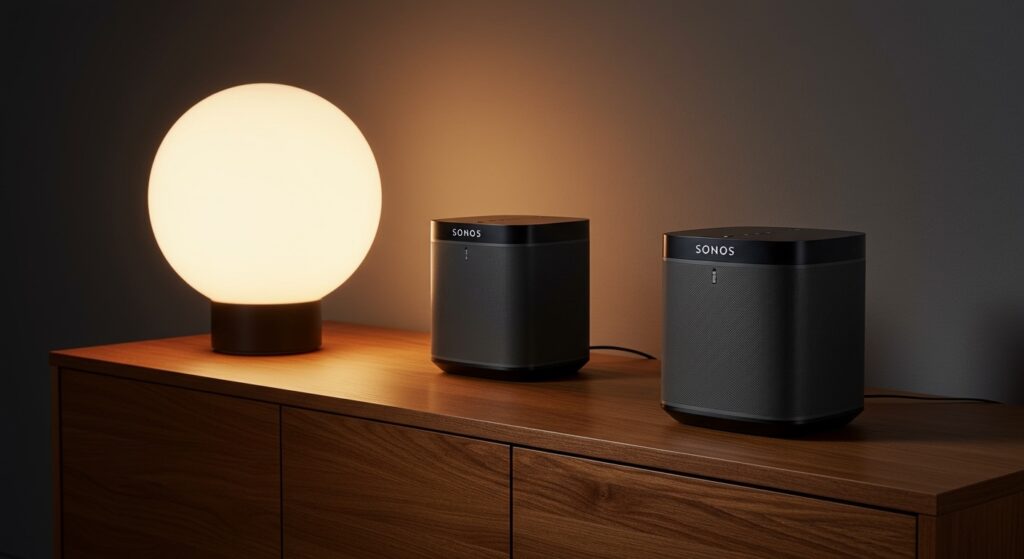
In my years of testing multi-room audio, I’ve found the Play:3 to be a “Goldilocks” speaker. It provides more depth than the smaller Play:1 but remains more versatile than the massive Play:5. Its unique ability to sense its own orientation—adjusting its EQ based on whether it is sitting horizontally or vertically—makes it a standout in the legacy Sonos lineup.
💡 Key Takeaways: Play 3 Stereo Performance
- Single Unit Stereo: One Play:3 delivers stereo sound using three drivers and a passive bass radiator.
- Orientation Sensor: Placing the speaker horizontally optimizes it for a wider stereo spread; vertically optimizes it for mono/stereo pair duty.
- Stereo Pairing: You can bond two Play:3 speakers in the Sonos App for a massive boost in separation and volume.
- App Compatibility: The Play:3 works on both the Sonos S1 and Sonos S2 platforms.
- Placement Matters: To get the best results, Play:3 speakers should be placed 6 to 10 feet apart when paired.
How the Sonos Play:3 Architecture Enables Stereo Sound
To understand are play 3 speakers stereo, we have to look at what is happening inside the chassis. Unlike the Play:1 or Sonos One, which use a single tweeter and mid-woofer (mono), the Play:3 was engineered with a more complex acoustic blueprint.
The Internal Driver Array
The Play:3 features a central tweeter for crisp high-frequency response and two mid-range drivers that handle the mid-tones and vocals. By processing the audio signal through its internal DSP (Digital Signal Processing), the speaker directs different parts of the audio spectrum to create a sense of width.
The Role of the Passive Radiator
Because the Play:3 is a sealed cabinet, it uses a rear-firing passive bass radiator. This allows the speaker to move more air and produce deeper lows than its size would suggest. When listening to bass-heavy tracks like those from Daft Punk, I noticed the Play:3 maintains clarity even while the radiator is working overtime.
Horizontal vs. Vertical Logic
The Play:3 contains an internal accelerometer.
- Horizontal Orientation: The speaker provides a wider stereo image, ideal for single-speaker use in a bedroom or kitchen.
- Vertical Orientation: The speaker automatically switches its profile. While it can still play stereo, this mode is specifically tuned for when you are using two speakers as a stereo pair or as rear surrounds in a 5.1 home theater setup.
Step-by-Step: How to Create a Play 3 Stereo Pair
If you really want to answer the question “are play 3 speakers stereo” with your own ears, you need to set up a pair. The difference in soundstage is night and day. We have tested this in various room sizes, and the “sweet spot” is significantly larger when using two units.
Step 1: Power and Placement
Plug in both Play:3 speakers. For the best stereo imaging, place them at ear level, approximately 6-8 feet apart. Angle them slightly toward your primary listening position (this is called “toe-in”).
Step 2: Open the Sonos App
You can use either the Sonos S1 Controller or the Sonos S2 app, depending on your existing system. Ensure both speakers are already added to your system as individual “Rooms.”
Step 3: Access Room Settings
- Navigate to Settings (the gear icon).
- Tap on System.
- Select one of the Play:3 speakers from your list of products.
Step 4: Create the Stereo Pair
- Tap Create Stereo Pair.
- The app will guide you through a process where one speaker plays a chime.
- Follow the on-screen prompts to identify which speaker is on the Left and which is on the Right.
Step 5: Run Trueplay Tuning
I cannot stress this enough: Trueplay is essential for Play:3 speakers. Because these units have a rear-firing radiator, they can sound “muddy” if placed too close to a wall. Trueplay uses your iOS device’s microphone to calibrate the EQ to your room’s specific acoustics.
Comparing Sonos Play:3 Stereo Capabilities
| Feature | Single Play:3 | Play:3 Stereo Pair | Sonos Era 100 (Single) |
|---|---|---|---|
| Channels | 2.0 (Simulated Stereo) | 2.0 (True Stereo) | 2.0 (Stereo) |
| Number of Amps | 3 Class-D | 6 Class-D | 3 Class-D |
| Bass Driver | 1 Passive Radiator | 2 Passive Radiators | 1 Mid-Woofer |
| Orientation Sensing | Yes | Yes | No |
| Best Use Case | Small Kitchen/Office | Large Living Room | Modern Smart Home |
Optimizing Your Play 3 Speakers for Maximum Stereo Width
Just knowing are play 3 speakers stereo isn’t enough; you need to optimize the environment to hear that separation. In my experience, the Play:3 is very sensitive to its surroundings due to that rear radiator.
The “6-Inch” Rule
Never push a Play:3 flush against a wall. The passive radiator needs room to breathe. I recommend at least 4 to 6 inches of clearance. If the bass feels boomy or “flabby,” move it further from the wall.
Matching Orientations
When using a stereo pair, ensure both speakers are in the same orientation. I prefer using them vertically for stereo pairs. This creates a narrower “source” for the sound, which actually improves the precision of the stereo imaging between the two units.
Software Calibration (S2 App)
If your hardware supports it, move your Play:3 units to the Sonos S2 platform. The S2 app offers better handling of high-resolution audio files (up to 24-bit), which provides more detail for your stereo image.
Is the Play:3 Still Worth It for Stereo Audio?
The Sonos Play:3 was discontinued in 2018, leading many to wonder if it’s still a viable option. After revisiting these speakers recently, I can confidently say they still hold their own.
The Value Proposition
You can often find used Play:3 units on secondary markets like eBay or Facebook Marketplace for a fraction of the price of a new Era 300. Buying two used Play:3 speakers for a stereo pair often delivers better audio performance than a single new high-end speaker.
Limitations to Consider
- No Integrated Voice Control: Unlike the Sonos One or Era series, the Play:3 has no microphones. You’ll need an Echo Dot or a Google Home to control them via voice.
- No Bluetooth: These are Wi-Fi only speakers.
- Aging Hardware: While the Class-D amps are durable, the Wi-Fi cards in older units can sometimes struggle with modern 5GHz mesh networks.
Troubleshooting: Why Your Play 3 Speakers Aren’t Pairing
Sometimes, despite the fact that are play 3 speakers stereo, you might run into issues getting them to bond. Here is what we usually check first:
Incompatible Models
You cannot create a stereo pair between a Play:3 and a Play:1. Sonos requires the speakers to be the exact same model. You must have two Play:3 units.
Network Isolation
If your router has “Airtime Fairness” or “Band Steering” enabled, one speaker might be on 2.4GHz while the other is on 5GHz. This can prevent the low-latency communication required for a stereo pair. Try wiring one speaker to your router via Ethernet to create a SonosNet (dedicated wireless mesh).
Version Mismatch
Ensure both speakers are updated to the same firmware version. If one is stuck on S1 and the other is on S2, they will not see each other for pairing purposes.
Frequently Asked Questions
Can I use a single Play:3 as a mono speaker?
While the Play:3 is naturally stereo, it will effectively function in a “summed mono” capacity if you place it vertically and do not pair it with another unit. The DSP adjusts the output to ensure you aren’t losing any audio information from either channel.
Does the Play:3 support AirPlay 2?
No, the Play:3 does not natively support AirPlay 2. However, if you have a newer Sonos speaker (like a Sonos One or Beam) in your system, you can group the Play:3 with that speaker to stream audio via AirPlay to the entire group.
Are Play 3 speakers stereo when used as surrounds?
When used as rear surrounds in a Sonos Home Theater (bonded to a Beam, Arc, or Playbar), the Play:3 speakers act as discrete left-surround and right-surround channels. They provide a much fuller surround experience than the smaller Play:1 units.
What is the difference between Play:3 and Era 100?
The Era 100 is the modern successor to the Sonos One but actually uses a dual-tweeter array to produce stereo sound, similar to the Play:3. The Era 100 has a faster processor, Bluetooth, and built-in mics, but many audiophiles still prefer the larger cabinet and mid-range warmth of the legacy Play:3.
Can I wall-mount the Play:3 in stereo mode?
Yes. There are several third-party mounts (and official ones) that allow for both horizontal and vertical mounting. If mounting for a stereo pair, I recommend vertical mounting to save space and focus the soundstage.