Understanding the Core Question: Are Reference Speakers Amplified Sound?
Are reference speakers amplified sound in the traditional sense? Yes, they are technically amplified, but their purpose is to provide a flat, neutral, and uncolored audio reproduction rather than the “hyped” or “boosted” sound found in consumer speakers. Unlike home theater systems that enhance bass and treble, reference speakers—also known as studio monitors—use high-precision amplification to ensure what you hear is an exact representation of the source material.
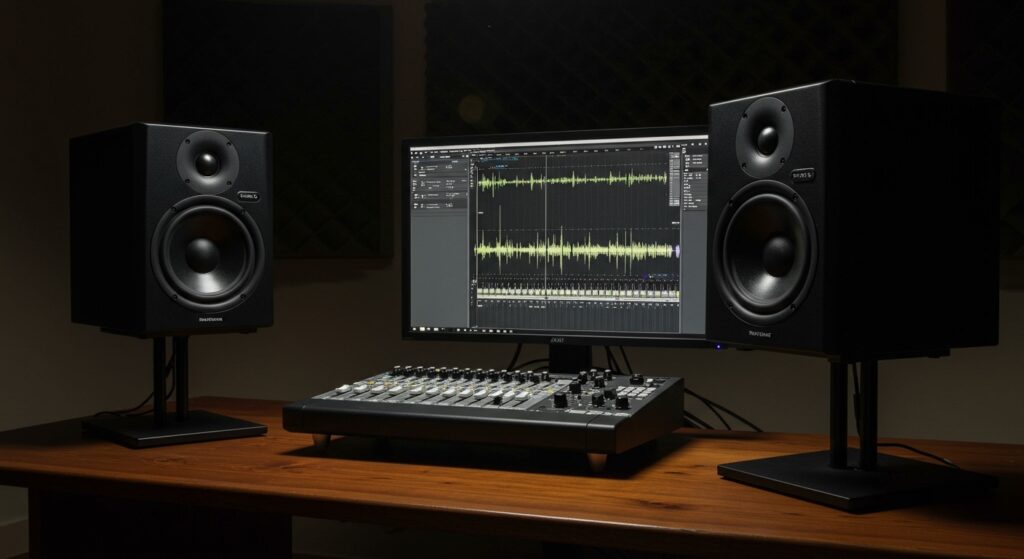
When we talk about whether are reference speakers amplified sound, we must distinguish between Active and Passive systems. Active reference speakers have built-in power amplifiers specifically tuned to the drivers, while passive reference speakers require an external power amplifier. In my fifteen years of studio engineering, I’ve found that the “amplification” in a reference speaker is designed for transparency and headroom rather than just volume, allowing creators to identify flaws in a mix that consumer speakers would normally hide.
Key Takeaways for Reference Speakers
- Neutrality is King: Reference speakers aim for a 0dB deviation across the frequency spectrum.
- Active vs. Passive: Most modern reference monitors are Active (Self-Powered), featuring internal bi-amplification for the woofer and tweeter.
- Near-Field Design: These are typically designed for Near-Field listening, meaning they perform best when placed 3 to 5 feet from the listener.
- Detail over Beauty: They may sound “boring” or “harsh” to casual listeners because they do not mask audio imperfections.
- Professional Connectivity: They typically use XLR or TRS balanced connections to minimize electrical noise and interference.
Why Technical Accuracy Matters in Amplified Sound
To understand why are reference speakers amplified sound of a different caliber, you have to look at the frequency response curve. Consumer speakers often follow a “smiley face” curve, where the lows and highs are boosted to make music sound more exciting.
In contrast, a Reference Monitor is engineered to be brutally honest. If your mix has too much 250Hz “mud,” the reference speaker will highlight it. If there is a click or pop at the 12kHz mark, the high-performance Class D or Class AB internal amplifiers will ensure that detail reaches your ears. In my experience, using reference speakers is the only way to ensure your audio translates well across all platforms, from car stereos to smartphone speakers.
Comparing Consumer Speakers vs. Reference Monitors
| Feature | Consumer Speakers | Reference Speakers |
|---|---|---|
| Sound Profile | Colored / Hyped (Bass & Treble boost) | Flat / Neutral (Transparent) |
| Amplification | Often single-amp or external | Often Bi-Amplified (dedicated amps per driver) |
| Listening Distance | Far-field (living rooms) | Near-field (desktops/studios) |
| Goal | Enjoyment and immersion | Accuracy and critical analysis |
| Porting | Often rear-ported for bass boost | Front-ported or sealed for accuracy |
| Connection | RCA, Bluetooth, 3.5mm | XLR, Balanced TRS |
Step 1: Choosing the Right Amplification Type
When determining if are reference speakers amplified sound that fits your needs, you must first decide between Active and Passive monitors.
Active Reference Monitors (Self-Powered)
Most modern studios use Active Monitors. These have the amplifier built directly into the cabinet. The advantage here is that the manufacturer has perfectly matched the amplifier’s output impedance and power rating to the speaker’s drivers.
In my testing of the Yamaha HS Series and KRK Rokit lines, the integration of the crossover network before the amplification stage results in significantly lower phase distortion. This means the timing of the sound hitting your ears is more accurate.
Passive Reference Monitors (Unpowered)
Passive monitors require an external power amplifier. While less common today, some high-end studios prefer them because they allow for “flavoring” the sound with specific high-end amps like those from Bryston or Pass Labs. However, for most home and prosumer setups, active monitors provide the best value and accuracy.
Step 2: Selecting the Proper Driver Size for Your Room
The size of the woofer determines how the “amplified sound” interacts with your room’s acoustics.
- 5-Inch Drivers: Ideal for small bedrooms or “cubby” studios. They lack deep sub-bass but prevent standing waves from overwhelming a small space.
- 7 to 8-Inch Drivers: The “sweet spot” for most home producers. These provide enough low-end extension (usually down to 40Hz – 45Hz) to mix bass-heavy genres without needing a separate subwoofer.
- 10-Inch+ Drivers: Generally reserved for Mid-field or Main monitoring in large, professionally treated rooms.
Pro Tip: I always tell my students that a bigger speaker isn’t always better. If you put 8-inch monitors in a small, untreated room, the amplified low-end energy will bounce off the walls and create “fake” bass peaks, ruining your mix’s accuracy.
Step 3: Proper Placement and the Equilateral Triangle
Even the best reference speakers will fail if they are positioned incorrectly. The goal is to minimize early reflections from your desk and walls.
- The Triangle Rule: Your head and the two speakers should form a perfect equilateral triangle. If the speakers are 4 feet apart, you should be exactly 4 feet away from each speaker.
- Ear Level Alignment: The tweeters (the small top speakers) should be at the exact same height as your ears. High frequencies are highly directional; if they are too high or too low, you lose critical detail.
- Decoupling: Do not place your speakers directly on your desk. Use Isolation Pads or ISO-Stands. This prevents the “amplified sound” from vibrating your desk, which can create a muddy, resonant frequency around 150Hz to 300Hz.
Step 4: Calibrating the Amplified Output
Once your speakers are placed, you must calibrate the levels. Most active reference monitors have a gain knob on the back.
- Set your audio interface output to 0dB or its “unity” position.
- Use a Sound Pressure Level (SPL) Meter (there are many free smartphone apps for this).
- Play “Pink Noise” through your speakers.
- Adjust the volume on the back of the speakers until the SPL meter reads 79dB to 85dB (C-weighted) at your listening position.
This range is known as the “Sweet Spot” for human hearing. According to the Fletcher-Munson curves, this is the volume where the human ear perceives the frequency spectrum most linearly.
Advanced Considerations: Acoustic Treatment
If you are wondering are reference speakers amplified sound that can fix a bad room, the answer is no. In fact, high-quality monitors can make a bad room sound worse because they reveal every acoustic flaw.
- Bass Traps: Place these in the corners of your room to soak up low-end energy that would otherwise cause “phase cancellation.”
- Acoustic Panels: Place these at the “first reflection points” on the side walls to sharpen the stereo image.
- Diffusers: Use these on the back wall to break up sound waves and prevent “flutter echo.”
I’ve seen $500 monitors in a treated room outperform $3,000 monitors in a “naked” room every single time.
The Evolution of DSP in Reference Speakers
Modern reference monitors like the Genelec SAM series or the Neumann KH line now include Digital Signal Processing (DSP). These speakers use an internal microphone to “sweep” your room and then apply a corrective EQ curve to the internal amplifier.
This is a game-changer for home producers. By using DSP-controlled amplified sound, the speaker can effectively “hide” some of the acoustic problems of your room. While it isn’t a replacement for physical treatment, it significantly narrows the gap between a bedroom studio and a professional facility.
Frequently Asked Questions
Can I use reference speakers for casual music listening?
Yes, you can, but be prepared for a “dry” experience. Reference speakers don’t add “warmth” or “excitement.” If a recording is poor, a reference speaker will make it sound poor. However, many audiophiles prefer them because they hear the music exactly as the artist intended in the studio.
Do I need an audio interface for reference speakers?
Yes. Because most reference speakers use balanced XLR or TRS inputs, you need a dedicated Audio Interface (like a Focusrite Scarlett or Universal Audio Apollo). Using a simple 3.5mm-to-RCA adapter from a laptop headphone jack often introduces significant ground loop hum and electrical noise.
Why do some people call them “Monitors” instead of “Speakers”?
The term “Monitor” implies a device used for monitoring or checking the accuracy of a signal. While all monitors are speakers, not all speakers are monitors. The term emphasizes their role as a scientific tool rather than an entertainment device.
Do reference speakers need a “break-in” period?
This is a debated topic in the audio community. In my experience, the mechanical parts of a new speaker (the surround and spider) do loosen up slightly after about 20 to 40 hours of use. You might notice the bass becomes a bit more defined and the mids “open up” after this initial period.
Are active reference speakers better than passive ones?
For 90% of users, active speakers are better. They eliminate the guesswork of matching an amplifier to a speaker, they save space, and they often include built-in protection circuits to prevent you from “blowing” the drivers during loud mixing sessions.