Are Speakers Considered Input Devices? The Definitive Answer
No, speakers are not considered input devices; they are strictly output devices. Their primary function is to receive digital or analog signals from a computer or sound card and convert that energy into audible sound waves for the user. While an input device sends data to a computer, an output device like a speaker receives processed information from the system.
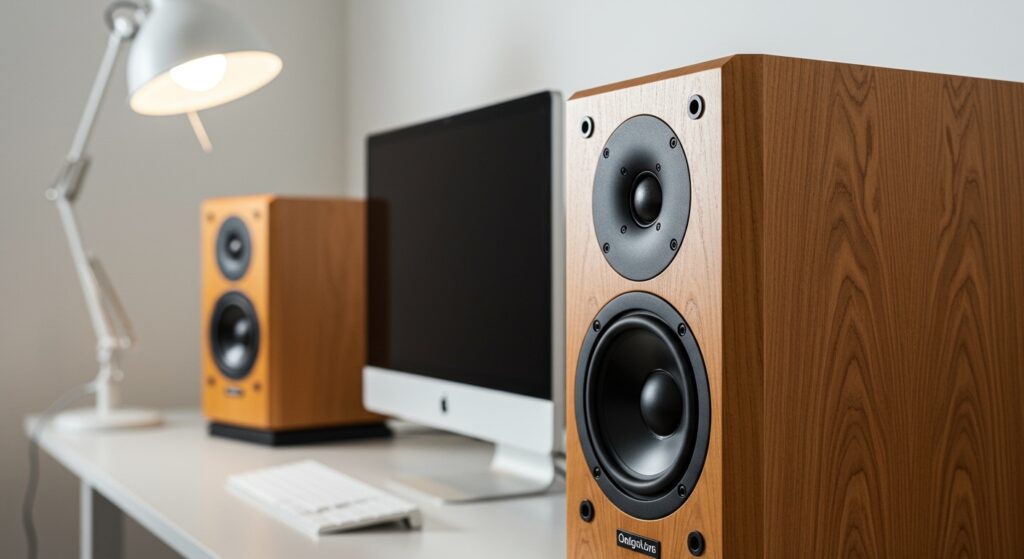
During my years configuring high-end home studios and troubleshooting enterprise workstations, I have seen many users get confused by the hardware labels. Understanding this distinction is the first step toward mastering your computer’s hardware ecosystem. Whether you are connecting Bluetooth speakers, USB soundbars, or professional studio monitors, they all function as the final destination for your digital audio data.
TL;DR: Key Takeaways
- Verdict: Speakers are Output Devices because they translate data into physical sound.
- Input vs. Output: Input devices (like microphones) send data to the CPU; output devices (like speakers) receive it.
- The “Hybrid” Confusion: Some devices, like headsets, contain both an input (mic) and an output (speakers), but the components remain distinct.
- Technical Role: Speakers utilize a Transducer to convert electrical signals into mechanical vibrations.
Understanding the Core Difference: Input vs. Output
To understand why are speakers considered input devices is a common question, we must look at the direction of data flow. In computing, every peripheral is categorized based on whether it provides information to the system or presents information to the human user.
What Defines an Input Device?
An input device is any piece of hardware that allows you to interact with and provide data to a computer. Common examples include keyboards, mice, scanners, and microphones. When you type a key or speak into a mic, the hardware converts your physical action into a digital signal that the Operating System (OS) can process.
What Defines an Output Device?
An output device takes the processed data from the computer and converts it into a form that humans can perceive. This includes visual data on a monitor, printed text on paper, or, in the case of speakers, sound. Because speakers receive a signal from the computer’s sound card or DAC (Digital-to-Analog Converter), they fall exclusively into the output category.
The Technical Architecture: Why Speakers are Output Devices
When we analyze the internal components of audio hardware, the logic becomes even clearer. Most modern speakers utilize a diaphragm, a voice coil, and a magnet.
- Signal Reception: The computer sends a digital stream of 1s and 0s to the audio driver.
- Conversion: The DAC converts this digital data into an electrical analog signal.
- Amplification: This signal is often amplified to provide enough power to move the speaker components.
- Vibration: The electrical current causes the voice coil to move, which vibrates the speaker cone.
- Output: These vibrations create pressure waves in the air, which our ears interpret as music, speech, or system alerts.
In my experience testing everything from Bose desktop speakers to KRK studio monitors, the workflow never reverses in a standard computing environment. The computer is always the “source,” and the speaker is the “sink.”
Comparing Input and Output Audio Hardware
To make the distinction easier to visualize, look at the following table comparing the two primary types of audio peripherals you likely use every day.
| Feature | Input Device (e.g., Microphone) | Output Device (e.g., Speakers) |
|---|---|---|
| Primary Function | Captures sound and sends it to the PC | Receives signals and plays sound |
| Data Direction | Peripheral → Computer | Computer → Peripheral |
| Key Component | Diaphragm (Captures vibrations) | Diaphragm (Creates vibrations) |
| Common Examples | Blue Yeti, Internal Laptop Mic | Logitech Z407, Sony Headphones |
| Software Role | Controlled via “Recording” settings | Controlled via “Playback” settings |
Can a Speaker Ever Function as an Input Device?
While the answer to are speakers considered input devices is a firm “no” in terms of computer architecture, there is a fascinating bit of physics involved. Technically, a speaker and a dynamic microphone are constructed similarly. Both use a diaphragm and a coil of wire near a magnet.
The “Microphone Flip” Hack
In theory, if you plug a set of unpowered headphones or a small speaker into a microphone jack, you can actually record sound. The sound waves hit the speaker cone, moving the coil and creating a small electrical current.
However, I strongly advise against this for modern computing. The signal produced by a speaker acting as a mic is extremely weak, low-quality, and can potentially mismatch the impedance of your sound card. In the professional world, this is a “lo-fi” trick sometimes used for kick drums, but for daily PC use, speakers remain 100% output devices.
Common Confusion: Headsets and All-in-One Devices
The confusion often arises with “hybrid” hardware. If you are using a Gaming Headset or Apple AirPods, you are using a device that performs both functions.
- The Earcups: These are the speakers (output).
- The Boom/Internal Mic: This is the microphone (input).
Even though they share a single cable or a Bluetooth connection, your computer sees them as two separate logical entities. If you open your Sound Settings on Windows or macOS, you will see the device listed under both the “Input” and “Output” tabs.
How to Identify Input and Output Devices in Your OS
If you are ever unsure whether your hardware is being recognized correctly, follow these steps I use when setting up new workstations:
On Windows 10/11:
- Right-click the speaker icon in the taskbar.
- Select Sound Settings.
- Look under Output to see your speakers or headphones.
- Look under Input to see your microphones or line-in devices.
On macOS:
- Click the Apple Menu and select System Settings.
- Navigate to Sound.
- Toggle between the Output and Input tabs to see how your hardware is classified.
The Importance of Proper Peripheral Classification
Understanding that are speakers considered input devices is a misconception helps you troubleshoot common PC issues. For example, if you can hear your friends on Discord but they can’t hear you, you know the problem isn’t with your output device (speakers); it is with your input device (microphone).
Actionable Tips for Audio Setup:
- Check Your Jacks: Most PCs use Green for output (speakers) and Pink for input (microphones).
- Update Drivers: Always ensure your Realtek or High Definition Audio drivers are updated to prevent “Device Not Found” errors.
- USB vs. Analog: USB speakers have their own built-in DAC, which often results in better sound quality than using the cheap analog jack on a motherboard.
Expanding the Scope: Other Common Input and Output Devices
To further clarify where speakers sit in the ecosystem, let’s look at the broader world of computer peripherals.
Standard Input Devices
- Keyboard: The primary device for entering text and commands.
- Mouse/Trackpad: Used for navigating the graphical user interface (GUI).
- Webcam: Captures visual data for the computer to process.
- Graphics Tablet: Used by artists to provide precise coordinate data.
Standard Output Devices
- Monitor: Displays the visual output of the operating system.
- Printer: Creates a physical hard copy of digital documents.
- Projector: Projects visual data onto a large surface.
- Speakers & Headphones: The primary method for audio delivery.
Expert Perspective: The Future of Audio Peripherals
As we move toward more integrated AI, the line between input and output is becoming blurred by Smart Speakers like the Amazon Echo or Google Nest. While these are called “speakers,” they are actually “computers” in their own right.
Inside a smart speaker, you have:
- Microphones (Input): To hear your “wake word.”
- Processor: To interpret your voice command.
- Speakers (Output): To give you an answer.
In this context, the system is bi-directional, but the speaker component itself is still just an output device. We are seeing a trend where Spatial Audio and Haptic Feedback are making output devices more interactive, but the fundamental data flow remains the same.
Frequently Asked Questions
Can I use a speaker as a microphone?
Yes, technically you can plug a non-powered speaker into a mic port and it will capture sound, but the quality will be very poor. It functions as a transducer in reverse, but it is not designed for this purpose.
Why does my computer say “Input Device Found” when I plug in my headset?
Your headset contains both speakers and a microphone. The computer is detecting the microphone component as an input device. The earcups are still functioning as the output device.
Are Bluetooth speakers input or output?
Bluetooth speakers are output devices. Even though they send “handshake” data and battery status back to the phone or PC, their primary role in the audio chain is to receive and play sound.
Is a touchscreen an input or output device?
A touchscreen is a hybrid. The screen itself is an output device (display), while the touch-sensitive layer on top is an input device.
Is a soundbar considered an input device?
No, a soundbar is a high-fidelity output device. Even if it connects via HDMI ARC, it is receiving the audio signal from the TV or computer to play it back to you.