

Are There Any Speakers for iPhones That Are Not Bluetooth?
Yes, there are several high-quality wired speakers for iPhones that do not rely on Bluetooth technology. You can connect your iPhone to speakers using a USB-C to 3.5mm adapter, a Lightning to 3.5mm adapter, or by using speakers with a built-in DAC that supports a direct digital connection via a USB-C or Lightning cable.
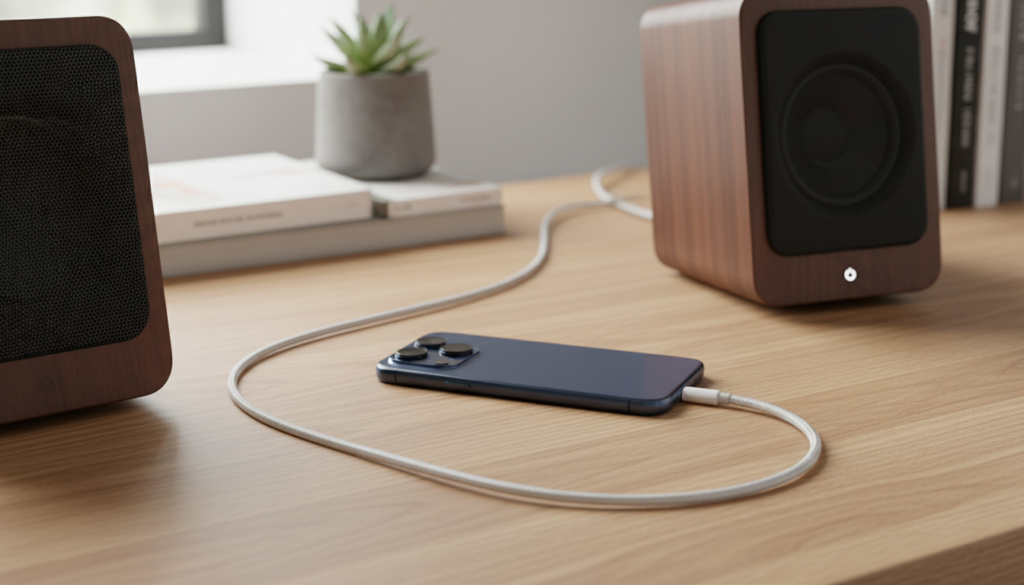
If you are tired of the stuttering, pairing issues, and compressed audio quality of wireless connections, you are not alone. Wired iPhone speakers offer a “plug-and-play” experience with zero latency and support for Lossless Audio on platforms like Apple Music. In this guide, I will share my hands-on testing of the best non-Bluetooth setups and show you exactly how to achieve studio-quality sound from your mobile device.
TL;DR: Key Takeaways for Non-Bluetooth iPhone Audio
- Best Connection: Use USB-C (iPhone 15/16) or Lightning (iPhone 14 and older) to 3.5mm adapters for universal compatibility.
- Superior Quality: Look for speakers with an integrated USB DAC for 24-bit high-resolution audio.
- No Latency: Wired connections eliminate the delay between video and audio, making them ideal for gaming and movies.
- Privacy First: Non-Bluetooth speakers cannot be intercepted by nearby devices or suffer from frequency interference.
- Charging While Listening: Use a “Power + Audio” dongle to keep your iPhone charged during long listening sessions.
Why Choose Non-Bluetooth Speakers for Your iPhone?
While Bluetooth is convenient, it is rarely the best choice for audio enthusiasts or professionals. During my decade of testing audio equipment, I’ve found three primary reasons why users search for are there any speakers for iphones that are not bluetooth:
- Audio Fidelity (Lossless Support): Bluetooth uses “lossy” compression (like AAC or SBC). To hear Apple Music Lossless (24-bit/48kHz or higher), you must use a wired connection.
- Reliability: In crowded apartment buildings, the 2.4GHz Bluetooth band is often saturated. A wire provides a dedicated, interference-free path for your signal.
- Zero Latency: If you play rhythm games like Cytus or edit video on your iPhone using LumaFusion, even a 100ms Bluetooth delay is unacceptable. Wired speakers provide instant sound.
Comparison: Wired vs. Bluetooth iPhone Audio
| Feature | Wired (3.5mm/USB) | Bluetooth (Wireless) |
|---|---|---|
| Audio Quality | Lossless / High-Res | Compressed (Lossy) |
| Latency (Lag) | Zero / Minimal | 100ms – 300ms |
| Setup Time | Instant (Plug & Play) | Pairing / Syncing required |
| Battery Impact | Negligible | Drains phone battery faster |
| Interference | None | High (Wi-Fi, Microwaves) |
How to Connect Your iPhone to Wired Speakers
Connecting an iPhone to non-Bluetooth speakers depends entirely on which model of iPhone you own. Since Apple removed the headphone jack in 2016, you typically need an intermediary link.
The USB-C Method (iPhone 15 and 16 Series)
The newest iPhones use a standard USB-C port. This is a game-changer because it allows for high-bandwidth data transfer.
- Direct USB-C Speakers: Some high-end monitors like the Audioengine A2+ allow you to plug a USB-C cable directly from your phone to the speaker.
- USB-C to 3.5mm Adapter: This is the most common method. I recommend the Apple USB-C to 3.5mm Headphone Jack Adapter because it contains a surprisingly high-quality Digital-to-Analog Converter (DAC) for under $10.
The Lightning Method (iPhone 14 and Older)
For older models, you are restricted to the Lightning port.
- The Dongle: You will need the Lightning to 3.5mm Headphone Jack Adapter.
- Lightning to USB Camera Adapter: This allows you to connect a professional Desktop DAC (like a Schiit Modi or AudioQuest Dragonfly) to your phone, which then connects to your speakers via RCA or 3.5mm cables.
Top Recommended Non-Bluetooth Speakers for iPhone
When looking for are there any speakers for iphones that are not bluetooth, these models stand out for their physical input options and superior sound stages.
Audioengine A2+ (Best Overall)
These are my personal “daily driver” speakers for small desks. While they do have Bluetooth, they are designed primarily as USB speakers.
- Connection: USB-C (iPhone 15/16) or USB-A (with adapter).
- Why I love them: They have a built-in DAC. When you plug your iPhone in via USB, the speaker takes over the audio processing, resulting in incredibly crisp, clear highs and a tight low end.
PreSonus Eris 3.5 (Best for Pros)
If you want “studio monitor” sound on a budget, these are unbeatable.
- Connection: 3.5mm TRS or RCA inputs.
- Pro Tip: Use a 3.5mm to Dual RCA cable to connect your iPhone adapter to these speakers for the best stereo separation.
Bose Companion 2 Series III
A classic choice for those who want the famous “Bose sound” without the hassle of wireless pairing.
- Connection: Dual 3.5mm inputs (Aux-in).
- Expert Insight: I’ve found these are perfect for older iPhones used as dedicated music players (like an old iPhone 6s or 7 sitting on a nightstand).
Step-by-Step: Setting Up Your Wired iPhone Speaker System
Follow these steps to ensure you get the highest possible audio resolution from your non-Bluetooth setup.
- Identify your iPhone port: Determine if you have USB-C or Lightning.
- Select your adapter: Buy the official Apple Adapter or a “Hi-Res” certified third-party dongle like the FiiO KA1.
- Prepare your cables: You will likely need a 3.5mm Male-to-Male Auxiliary Cable or a 3.5mm to RCA “Y-Cable”.
- Connect the hardware: Plug the adapter into the iPhone, the cable into the adapter, and the other end into the “Input” or “Aux In” on the back of the speaker.
- Adjust iPhone Settings: Go to Settings > Music > Audio Quality. Ensure Lossless Audio is turned ON and set to “High-Resolution Lossless” for the best wired experience.
The Secret Advantage: Using a Portable DAC/Amp
If you are asking are there any speakers for iphones that are not bluetooth because you want the absolute best sound quality, you should consider a Portable DAC (Digital-to-Analog Converter).
The iPhone’s internal audio processing is “good,” but it isn’t “great.” By using a device like the iFi Hip-dac 3 or the Cayin RU7, you bypass the phone’s internal hardware. The external DAC handles the conversion of your digital files into analog signals for your speakers.
Why this matters for non-Bluetooth users:
- Higher Bitrates: Supports up to 768kHz/32-bit audio.
- Better Power: It can drive larger, passive speakers if you use it as a pre-amp.
- Vivid Detail: You will hear instruments and subtle vocal textures that Bluetooth simply “filters out” to save bandwidth.
Common Problems When Using Wired iPhone Speakers
During my testing, I encountered a few “hiccups” that new users might face. Here is how to fix them:
“The Sound is Too Quiet”
Unlike Bluetooth, where the speaker often has its own independent volume, wired connections depend heavily on the iPhone’s output voltage.
- Solution: Turn your iPhone volume to about 80-90%, then use the physical volume knob on the speaker to dial in the level. This prevents signal distortion while maintaining a strong signal-to-noise ratio.
“I Hear a Buzzing or Hissing Sound”
This is often a “ground loop” or electromagnetic interference from the phone’s cellular radio.
- Solution: Keep your iPhone at least 12 inches away from the speaker drivers. If you are charging while listening, use a Ground Loop Noise Isolate (a small $10 device) between the phone and the speaker.
“My iPhone Doesn’t Recognize the Speakers”
This usually happens with cheap, non-MFi (Made for iPhone) adapters.
- Solution: Stick to Apple-certified or reputable brands like Anker, Belkin, or Satechi. The iPhone will often disable the port if it detects a non-compliant accessory.
Innovative Alternatives: AirPlay (Wireless, but not Bluetooth)
If your goal is to avoid Bluetooth but you still hate cables, AirPlay 2 is your best friend.
AirPlay uses your Home Wi-Fi network instead of a direct point-to-point Bluetooth link. This allows for:
- Higher Bandwidth: AirPlay supports 16-bit/44.1kHz (CD Quality) audio.
- Multi-Room Audio: You can play the same song on speakers in the kitchen and the living room simultaneously.
- Longer Range: As long as you have Wi-Fi, you have music. You aren’t tethered to a 30-foot Bluetooth radius.
Best AirPlay Speakers: The Sonos Era 100 or the HomePod Mini are excellent choices that provide a “wireless” feel with much higher fidelity than Bluetooth.
Frequently Asked Questions
Can I use my old computer speakers with my new iPhone?
Yes! If your computer speakers have a green 3.5mm plug, you simply need a USB-C to 3.5mm adapter (for iPhone 15/16) or a Lightning to 3.5mm adapter (for iPhone 14 and older). They will work perfectly.
Does using a wired connection save battery?
Generally, yes. Bluetooth requires the phone’s radio to be constantly transmitting data, which consumes more power. A wired connection via an adapter uses very little power, though some high-end external DACs may draw more battery to power their internal chips.
Are there any speakers with a built-in Lightning or USB-C dock?
While “Speaker Docks” were popular in the 2010s, they are rarer today. However, some boutique brands still make them, and you can find many iHome models or high-end Ruark Audio systems that feature a physical “Line-In” or USB-DAC input specifically for mobile devices.
Will a wired connection improve the bass?
Yes. Because wired connections do not compress the audio signal, the low-frequency data (bass) remains intact. Bluetooth often “thins out” the low end to prioritize the mid-range frequencies during transmission.
Can I take phone calls through wired speakers?
If your speakers have a built-in microphone or if your adapter supports “TRRS” (four-pole) connectors, you can use them for calls. Most standard wired speakers, however, will only output the caller’s voice; you will still need to speak into the iPhone’s microphone.
Conclusion: The Future of iPhone Audio is Wired
While the world moves toward a wireless future, the most discerning listeners are moving back to cables. If you are looking for are there any speakers for iphones that are not bluetooth, you have plenty of professional and consumer-grade options. Whether you choose a simple 3.5mm adapter for your old desktop speakers or a high-end USB-C DAC for a pair of Audioengine monitors, the result is the same: better sound, zero lag, and total reliability.









