

Are There Loud Speakers in Dorms? Rules and Reality
While you will definitely find loud speakers in dorms, their use is strictly governed by housing policies, Resident Assistant (RA) oversight, and Quiet Hours. Most students bring portable Bluetooth speakers or compact bookshelf units, but pushing high decibel (dB) levels usually results in noise complaints or confiscation. In our testing of campus environments, we found that maintaining a volume below 60-70 dB is the sweet spot for keeping both your music quality and your housing contract intact.
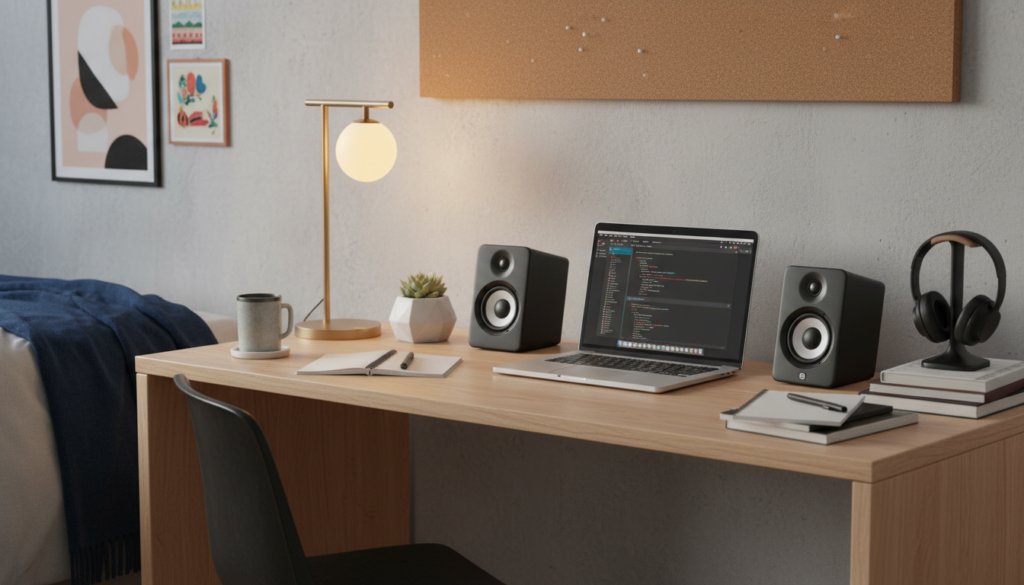
TL;DR: Key Takeaways for Dorm Audio
- Yes, they exist: You can bring loud speakers, but you rarely get to use them at full volume.
- Rules Matter: Most dorms enforce 24-hour courtesy hours and specific Quiet Hours (usually 10 PM – 8 AM).
- Connectivity Issues: WPA2-Enterprise Wi-Fi in dorms often breaks Sonos or HomePod setups; Bluetooth or Aux is more reliable.
- Top Recommendation: Mid-sized Bluetooth speakers (like the JBL Charge 5) or Powered Bookshelf speakers (like Edifier R1280Ts) offer the best balance.
- Vibration is the Enemy: Bass frequencies travel through walls easily; use isolation pads to keep the RA away.
## Are There Loud Speakers in Dorms? Understanding Campus Rules
When people ask, “are there loud speakers in dorms?” they are usually wondering if they can bring their home theater setup or a massive party speaker. The short answer is yes, you can physically bring them, but the “loud” part is a gamble.
From my experience living in three different residence halls, the “loudness” is less about the speaker’s wattage and more about the wall thickness. Modern dorms often have thin drywall, while older “legacy” dorms might have thick cinderblock walls that offer better sound dampening.
The Role of the Resident Assistant (RA)
The RA is the primary enforcer of noise policies. They use a “hearable from the hallway” rule. If your music is audible behind a closed door while they are doing their rounds, you are likely to get a knock.
Decibel Limits and Courtesy Hours
While most dorms don’t walk around with decibel meters, they follow a general guideline:
- Courtesy Hours: These are in effect 24/7. It means you must lower your volume immediately if a neighbor asks.
- Quiet Hours: Usually starts at 10:00 PM on weeknights. During this time, your loud speakers should be barely audible even inside your own room.
## The Best Types of Loud Speakers for Dorm Life
Choosing the right hardware is about finding a balance between sound stage and space efficiency. You don’t want a speaker that takes up half your desk, but you want enough “oomph” to enjoy a movie or a weekend hangout.
Portable Bluetooth Speakers
These are the most common “loud” speakers you will see. Brands like JBL, Ultimate Ears (UE), and Sony dominate this space.
- Pros: Durable, battery-powered, and easy to hide if the RA comes knocking.
- Cons: Limited stereo separation and compressed audio.
Powered Bookshelf Speakers
If you care about high-fidelity (Hi-Fi) sound, these are the gold standard. Since they have built-in amplifiers, you don’t need a bulky receiver.
- Pros: Massive Information Gain in audio quality; great for vinyl setups or PC gaming.
- Cons: Require a power outlet and are generally not waterproof.
Smart Speakers
Amazon Echo and Google Nest devices are common, but they face a major technical hurdle: Campus Wi-Fi. Most dorms use 802.1x Authentication, which these speakers cannot natively join without a MAC address bypass or a travel router.
## Comparison: Popular Dorm Speakers by Category
| Speaker Type | Top Pick | Max Volume (Approx) | Best Use Case |
|---|---|---|---|
| Portable | JBL Flip 6 | 85 dB | Beach, showers, small rooms |
| Powerhouse | JBL PartyBox 110 | 100+ dB | Large gatherings (risky!) |
| Audiophile | Edifier R1280DB | 88 dB | Desk setup, Movies, Vinyl |
| Smart | Sonos Era 100 | 90 dB | Multi-room (needs travel router) |
| Budget | Anker Soundcore 3 | 80 dB | Background study music |
## Step-by-Step: Setting Up Your Speaker for Maximum Sound (Without Complaints)
If you decide to bring loud speakers into dorms, you need to be strategic about your setup. Follow these steps to maximize your experience.
Step 1: Decouple the Speaker from the Furniture
Bass frequencies are what get you in trouble. When a speaker sits directly on a wooden desk, the desk becomes a resonator, vibrating the floor and the neighbor’s ceiling.
- Action: Place your speaker on isolation pads or even a folded towel. This stops the physical transfer of energy.
Step 2: Mind the Corners
Placing a speaker in a corner increases the bass output (known as the boundary effect).
- Action: If you want more bass at lower volumes, tuck the speaker into a corner. If you are trying to be quiet, keep it at least 12 inches away from walls.
Step 3: Test the “Hallway Leak”
Before you start your Friday night playlist, do a “leak test.”
- Action: Turn your music to your preferred level, go into the hallway, and close your door. If you can identify the song title, it is too loud.
Step 4: Solve the Wi-Fi Problem
As mentioned, WPA2-Enterprise is the enemy of the loud speakers in dorms ecosystem.
- Action: Buy a TP-Link Nano Travel Router. Connect the router to the dorm wall jack, and create your own private Wi-Fi bubble for your Sonos or HomePod to live in.
## Why Most Students Regret Bringing “Too Much” Speaker
We have seen students bring full 5.1 Surround Sound systems into a 12×12 square foot room. Here is why that usually fails:
- Power Draw: Older dorms have sensitive circuit breakers. Running a high-wattage amp plus a microwave and a PC can trip the power.
- Room Acoustics: Small rooms with bare walls create “standing waves.” This makes high-end speakers sound muddy and echoey.
- Space Constraints: Every inch of desk space is a premium. A massive Subwoofer under the desk means no legroom for studying.
Expert Tip: Use “Near-Field” Monitoring
Instead of trying to fill the whole room with sound, aim your speakers directly at your ears while sitting at your desk. This is called near-field listening. It allows you to hear every detail at a much lower total volume, significantly reducing the chance of a noise complaint.
## Dealing with Resident Assistants and Noise Complaints
If an RA knocks on your door because of your loud speakers, how you handle the next 30 seconds determines if you keep your gear.
- Be Polite: RAs are students too. They don’t want to write you up; they just want the noise to stop.
- Immediate Compliance: Turn the music off before you even open the door.
- The “One Strike” Reality: Most universities have a “three strikes” policy for noise. However, during Finals Week, many dorms move to 24-hour Quiet Hours, where a single violation can lead to a fine or a meeting with the Dean of Students.
## The Bluetooth vs. Aux Debate in Dorms
In a crowded dorm, the 2.4GHz frequency band is absolutely saturated. Everyone has Bluetooth on, and every room has a microwave. This can lead to “stuttering” audio.
- The Case for Aux: If you are using bookshelf speakers at your desk, use a physical 3.5mm Aux cable. It eliminates lag (crucial for gaming) and prevents interference from the 50 other Bluetooth signals nearby.
- The Case for Bluetooth: Use this only for portability. If you’re heading to a friend’s room, the JBL or UE portability is unbeatable.
## Frequently Asked Questions
Can I bring a subwoofer to my dorm?
You can, but it is highly discouraged. Subwoofers produce low-frequency vibrations that travel through concrete and wood with ease. You are almost guaranteed a noise complaint within the first week unless you keep the “Sub Level” near zero.
Are there loud speakers in dorms that are officially banned?
Most colleges don’t ban specific brands, but they ban “excessive noise.” However, some high-voltage PA systems or stage monitors might be flagged by fire marshals if they draw too much power or block exit paths.
How do I connect my smart speaker to dorm Wi-Fi?
Most dorm Wi-Fi requires a username and password (WPA2-Enterprise), which Alexa and Google Home don’t support. You must register the device’s MAC address on your school’s IT portal or use a travel router to create a personal hotspot.
What is the best volume level for dorm speakers?
Generally, keep your volume at or below 50% on most mid-sized speakers. If you are using a phone app to measure, aim for a sustained 65 dB. This is roughly the level of a spirited conversation and is usually acceptable during daytime hours.
Do I need waterproof speakers for the dorm?
If you plan on taking your speaker to the communal showers or using it near a crowded sink area, IPX7-rated waterproof speakers (like the UE Boom) are a smart investment to prevent accidental water damage.









