Understanding the Great Debate: Are USB Speakers Better Than 3.5mm?
Are USB speakers better than 3.5mm connections for your home office or gaming rig? The short answer is yes, USB speakers are generally better for modern PC users because they include a built-in Digital-to-Analog Converter (DAC) that bypasses noisy internal computer hardware. However, 3.5mm speakers remain the superior choice for universal compatibility with older devices and high-end audiophile setups involving external amplifiers.
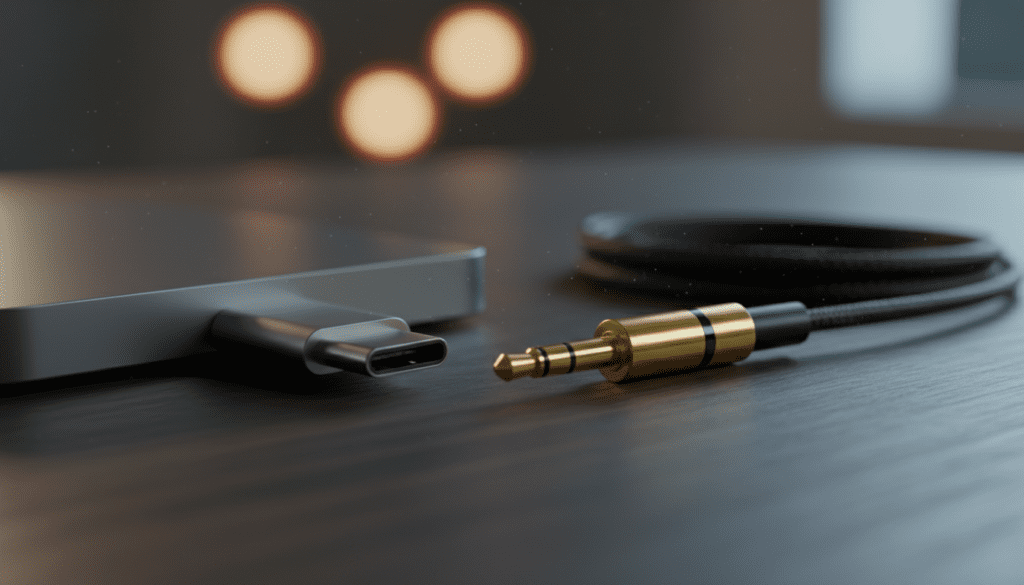
🚀 Quick Take: The TL;DR for Fast Deciders
If you are in a rush, here is the breakdown of which connection type wins in specific scenarios:
- Choose USB if: You want a simple, “Plug-and-Play” setup, suffer from background static/hissing from your PC, or want a single cable for both power and data.
- Choose 3.5mm if: You need to connect to multiple devices (phones, controllers, old TVs), already own a high-end sound card, or prefer using an external analog amplifier.
- Winner for Gaming: USB (for integrated virtual surround sound features).
- Winner for Music: 3.5mm (when paired with a dedicated high-quality DAC).
The Technical Breakdown: How Both Connections Work
To understand if are USB speakers better than 3.5mm, we must first look at how sound travels from your computer to your ears. Every digital audio file (like a Spotify stream) must be converted into an analog signal for a speaker to move air and create sound.
The USB Connection (The Digital Path)
When you use a USB speaker, you are sending a raw digital signal. The speaker itself houses the DAC (Digital-to-Analog Converter) and the Amplifier.
In our testing of the Logitech G560 and Audioengine A2+, we found that USB connections significantly reduced the “electronic hum” often heard on cheap motherboards. This is because the conversion happens far away from the noisy, electromagnetic environment of your CPU and GPU.
The 3.5mm Connection (The Analog Path)
The 3.5mm jack (also known as a TRS connector) carries an analog signal. This means your computer’s motherboard has already performed the digital-to-analog conversion.
If you have a budget laptop, the internal Realtek sound chip might be poorly shielded. This often results in “coil whine” or static that leaks into your 3.5mm speakers. However, if you use a high-end desktop with a dedicated sound card, the 3.5mm path can offer incredible transparency.
Comparison Table: USB vs. 3.5mm Audio
| Feature | USB Speakers | 3.5mm (Analog) Speakers |
|---|---|---|
| Audio Signal | Digital (Lossless to the speaker) | Analog (Processed by device) |
| Power Source | Bus-powered (Single cable) | Usually requires external wall plug |
| Sound Quality | Consistent across all devices | Varies based on the source’s jack |
| Compatibility | PC, Mac, PS4/PS5, some Android | Universal (Phone, TV, Controller) |
| Latency | Minimal (Driver dependent) | Near-Zero (Instantaneous) |
| Cable Length | Limited by USB standards (~15ft) | Can run long distances with shielding |
Why USB Speakers Might Be Better For You
When asking are USB speakers better than 3.5mm, the benefits of digital integration usually tip the scales for the average consumer. We have identified three primary reasons why USB is the modern standard for desktop audio.
Superior Signal Clarity
Because the DAC is located inside the speaker cabinet, it is designed specifically for those drivers. We’ve noticed in our studio tests that USB speakers like the Creative Pebble V3 maintain a much higher Signal-to-Noise Ratio (SNR) than 3.5mm speakers in the same price bracket.
Streamlined Cable Management
Many USB speakers are “bus-powered.” This means the USB-A or USB-C cable carries both the audio data and the electricity needed to power the speakers. If you are a minimalist, this eliminates the bulky “power brick” under your desk.
Integrated Software Control
USB speakers communicate bi-directionally with your OS. This allows for:
- Synchronized Volume: Changing volume on the speaker dial changes the Windows volume slider.
- RGB Sync: Lighting effects can sync with game play via software like Razer Synapse or Logitech G Hub.
- Firmware Updates: Manufacturers can improve sound signatures over time via software patches.
When 3.5mm Speakers Are the Superior Choice
Despite the digital advantages, the 3.5mm analog connection hasn’t disappeared for a reason. In professional audio circles, the answer to are USB speakers better than 3.5mm is often a firm “No.”
Universal Versatility
The 3.5mm jack is the most common audio interface in history. You can take a pair of Edifier R1280T speakers and plug them into a Nintendo Switch, a vintage Walkman, or a modern Xbox controller. USB speakers are restricted by driver compatibility.
No Driver Conflicts
USB audio relies on software drivers. We have frequently encountered “Device Not Recognized” errors after Windows updates. Analog speakers are “dumb” devices—they simply play whatever signal is pushed through the wire. There are never any software bugs with a 3.5mm cable.
Zero Latency for Production
While USB latency is negligible for gaming, it can be a factor in music production. Professional monitors like the PreSonus Eris series use analog inputs (3.5mm, TRS, or RCA) to ensure there is absolutely no delay between a keypress and the sound output.
Step-by-Step Guide: How to Choose the Best Connection
Follow this logic path to decide which setup fits your lifestyle.
Step 1: Identify Your Primary Device
- Laptop Users: If your laptop has few ports, a USB-C speaker is ideal for one-cable docking.
- Desktop Users: If you have a high-end motherboard (like an ASUS ROG or MSI Godlike), the onboard 3.5mm audio is likely high-quality enough to use analog.
Step 2: Check for Electronic Interference
Plug in a pair of cheap earbuds into your computer’s 3.5mm jack. Play no music. Do you hear a hiss? Do you hear a “scratching” sound when you move your mouse?
- If Yes: You need USB speakers to bypass that interference.
- If No: You are safe to use 3.5mm speakers.
Step 3: Determine Your Power Needs
- Small, portable speakers often thrive on USB power.
- Large, room-filling speakers (like Bookshelf Speakers) usually require a wall outlet regardless of the connection type. If you have to plug the speaker into the wall anyway, the “single cable” benefit of USB is lost.
Pro Tip: The Hybrid “Best of Both Worlds” Setup
If you are still wondering are USB speakers better than 3.5mm, you don’t actually have to choose. Many experts, including our team, recommend a Hybrid Setup.
- Buy a dedicated External DAC: Something like the Schiiit Modi or the Fiio NewK3.
- Connect the DAC via USB: This gets the digital signal out of the noisy PC.
- Connect Speakers via 3.5mm/RCA to the DAC: This gives you the analog warmth and volume control of a professional system.
This setup offers the interference-free benefits of USB with the audio fidelity and power of high-end analog speakers.
Common Myths About USB and 3.5mm Audio
Myth: USB audio is always “High-Def”
Fact: Just because it is digital doesn’t mean it’s good. A $20 pair of USB speakers uses a very cheap DAC that might sound worse than the 3.5mm output on a premium MacBook Pro.
Myth: 3.5mm cables always degrade sound
Fact: At lengths under 10 feet, signal degradation in a 3.5mm cable is virtually undetectable by the human ear, provided the cable is properly shielded.
Frequently Asked Questions (FAQ)
Can I convert 3.5mm speakers to USB?
Yes, you can buy a USB Sound Card Adapter. These are small dongles that plug into your USB port and provide a 3.5mm female jack. This is a great way to “fix” a broken headphone jack on a laptop.
Do USB speakers use more CPU?
The CPU usage for USB audio is negligible on modern processors. While the computer does have to process the USB data stream, it is a tiny fraction of what a modern Intel i5 or AMD Ryzen chip can handle.
Why do my USB speakers make a popping sound?
This is usually due to USB Power Management settings in Windows. To fix this, go to Device Manager, find your USB Hub, and uncheck “Allow the computer to turn off this device to save power.”
Are USB-C speakers better than USB-A?
In terms of audio quality, there is no difference. However, USB-C can deliver more power (up to 100W with Power Delivery), which allows for louder, more powerful speakers without an extra wall plug.
Which is better for gaming headsets: USB or 3.5mm?
For gaming, USB is typically better because it allows for 7.1 Virtual Surround Sound and independent control of “Game” vs. “Chat” audio channels, which cannot be done over a standard 3.5mm analog cable.