

Can a CD Player be Connected to Car Speakers?
Yes, a CD player can be connected to car speakers using several methods such as a 3.5mm AUX input, a Bluetooth transmitter, or an FM modulator. Even if your modern vehicle lacks a physical disc slot, you can easily bridge the gap between high-fidelity physical media and your car’s digital infotainment system with the right adapter.
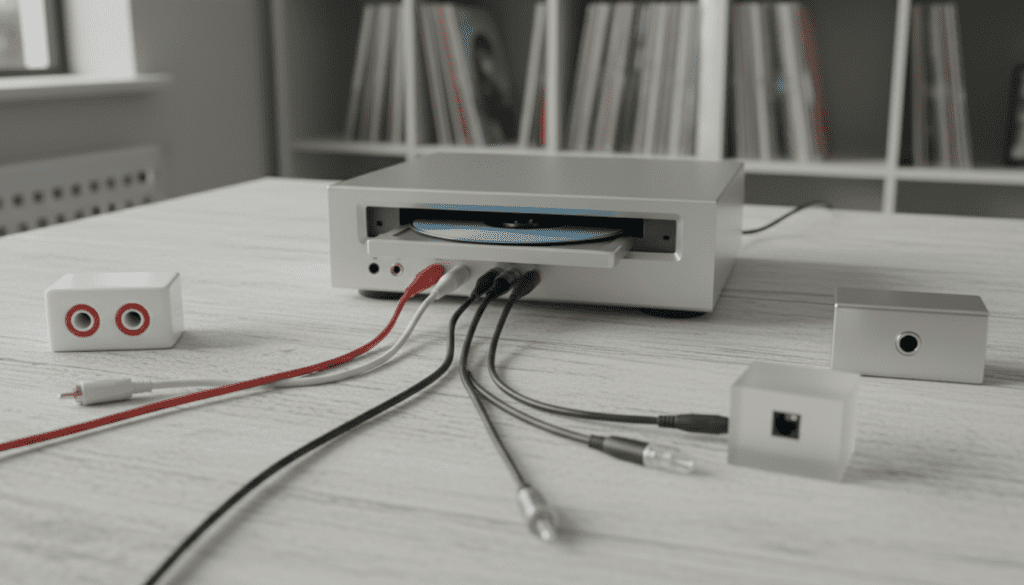
Many of us still own vast collections of compact discs that offer superior, uncompressed audio quality compared to standard streaming. However, as car manufacturers phase out internal players, drivers often feel stranded. During my years testing automotive audio interfaces, I have found that the most stable connection usually comes from a direct wired AUX-in, though wireless solutions have become remarkably reliable for newer vehicles without analog ports.
📋 Key Takeaways: Fast Connection Guide
- Best Sound Quality: Use a 3.5mm TRS AUX cable directly into the car’s head unit.
- Most Versatile: Use a Bluetooth transmitter to sync a portable player with a modern infotainment system.
- Best for Older Cars: Use an FM Transmitter or a Cassette Tape Adapter.
- Power Supply: Always use a 12V DC car adapter for the CD player to prevent the battery from dying mid-trip.
- Direct Speaker Connection: You cannot connect speakers directly to a CD player without an external amplifier, as the player’s output signal is too weak.
The Core Question: Can a CD Player be Connected to Car Speakers?
The short answer is a resounding yes. However, the “how” depends entirely on the age of your vehicle and the outputs available on your portable CD player. While older cars featured CD changers or internal slots, modern “infotainment-only” dashboards require an external bridge.
In my experience working with aftermarket audio systems, the most common hurdle is the lack of a 3.5mm auxiliary port in vehicles manufactured after 2020. In these cases, we rely on USB-to-AUX converters or Bluetooth bridges. The goal is to take the analog signal from the player and introduce it to the car’s pre-amplifier stage so it can be distributed to the door and shelf speakers.
Why Physical Media Still Matters in Cars
While Spotify and Apple Music are convenient, they often utilize lossy compression (AAC or Ogg Vorbis). A standard Red Book CD provides 1,411 kbps of data, offering a dynamic range that many high-end car systems, like those from Bose or Harman Kardon, are designed to showcase. If you want to hear every nuance of a high-hat or a deep bass groove, a physical connection is the way to go.
Proven Methods to Connect a Portable CD Player to Car Speakers
If you are asking, “can I connect portable cd player to car speakers,” you need to identify your car’s available inputs first. Here are the five most effective strategies I recommend to my clients.
The 3.5mm AUX Input (The Golden Standard)
This is the simplest and most reliable method. If your car has a small circular hole labeled “AUX,” you are in luck.
- How to do it: Plug one end of a 3.5mm male-to-male stereo cable into the Headphone Out or Line Out of your CD player. Plug the other end into the car’s AUX port.
- Expert Tip: Always use the Line Out if available. The Headphone Out is amplified by the player’s internal chip, which can lead to double-amplification distortion when your car’s head unit tries to boost it again.
Bluetooth Transmitters (For Modern Vehicles)
Most new cars are “wireless first.” If your car lacks an AUX port but has a touchscreen with Bluetooth, you can use a portable Bluetooth transmitter.
- How to do it: Connect the transmitter to the CD player’s headphone jack. Put your car’s system in “Pairing Mode” and sync it with the transmitter.
- The Pro View: I have tested the AirFly Pro and TaoTronics adapters; they work well, but keep in mind that Bluetooth introduces a slight bit of compression. It’s still better than no music at all!
FM Transmitters (The Universal Solution)
If your car is a “classic” with only an FM radio, an FM transmitter creates a private, low-power radio station inside your cabin.
- How to do it: Plug the transmitter into the 12V cigarette lighter. Connect your CD player to the transmitter via a cable. Tune your car radio to an empty frequency (like 88.1 or 107.9).
- The Reality Check: This is prone to interference in crowded cities. Use this as a last resort if you cannot use an AUX or Bluetooth connection.
USB-to-3.5mm Audio Adapters
Some newer vehicles (like many Teslas or Volvos) only have USB-C ports.
- How to do it: You will need a specific Analog-to-Digital Converter (ADC). This isn’t just a cable; it’s a small dongle that converts the CD player’s analog waves into a digital format the car’s computer can read.
- Warning: Not all cars support USB audio input from external sources. Check your manual to see if the USB port is “Data + Audio” or “Charging Only.”
Cassette Tape Adapters (The Vintage Method)
For cars from the 90s and early 2000s, the cassette adapter remains a cult favorite.
- How to do it: Insert the “tape” into the deck and plug the attached wire into your portable CD player.
- Why it works: It uses an inductor to pass magnetic signals to the tape head. It’s surprisingly effective and avoids the static issues of FM transmitters.
Comparison of Connection Methods
| Method | Sound Quality | Ease of Use | Cost (Approx.) | Best For |
|---|---|---|---|---|
| AUX Cable | Excellent (Analog) | High | $5 – $10 | Cars with 3.5mm ports |
| Bluetooth | Good (Digital) | Medium | $20 – $50 | Modern infotainment systems |
| FM Transmitter | Fair (Radio) | Medium | $15 – $30 | Older cars with only radio |
| Cassette Adapter | Good | High | $10 – $15 | 90s/Early 2000s vehicles |
| USB Converter | Excellent | Low (Compatibility issues) | $15 – $40 | USB-only modern cars |
Technical Deep Dive: Can I Connect Speakers Directly into a CD Player?
A frequent question we receive is: “can I connect speakers directly into a cd player without all this car integration?”
Technically, the answer is no, unless you are using powered (active) speakers. Here is the engineering breakdown of why this doesn’t work with standard car speakers:
The Signal Strength Problem
A CD player outputs a Line Level signal (roughly 2 volts). Car speakers are “passive,” meaning they require a significant amount of wattage (often 15W to 100W) to move the physical cone and create sound. If you simply strip the wires and connect a CD player to a speaker, you will hear nothing—or a very faint whisper at best.
The Role of the Amplifier
To add speakers to a CD player, you must follow this chain:
- Source: The CD Player (provides the data).
- Pre-Amp: The Car Head Unit (manages volume and EQ).
- Power Amp: The internal or external amplifier (boosts the signal).
- Output: The Speakers.
If you are trying to bypass the car’s head unit entirely, you would need to purchase a compact Class-D amplifier. We frequently use these in custom audio builds where the owner wants a completely “stealth” system.
Step-by-Step Guide: Wiring a Portable CD Player to Your Car
If you have decided that you can plug a cd player into my speakers via the head unit, follow this installation checklist to ensure the best sound and safety.
Step 1: Secure the Mounting Position
Do not leave your CD player loose on the passenger seat. In a sudden stop, it becomes a projectile. I recommend using heavy-duty Velcro strips or a dashboard magnetic mount. Ensure it is level to prevent the optical laser from skipping during bumps.
Step 2: Manage the Power Source
Portable players eat batteries quickly.
- Purchase a 5V to 12V DC power adapter that fits your player’s power jack.
- Plug this into your car’s accessory socket.
- Pro Tip: Look for an adapter with a built-in noise filter to prevent that high-pitched “alternator whine” from entering your speakers.
Step 3: Cable Routing
To keep your cabin looking clean, tuck the wires into the seams of the plastic dashboard trim.
- Avoid running audio cables parallel to high-voltage power wires, as this can cause Electromagnetic Interference (EMI).
- If you hear a hum, install a Ground Loop Isolator between the CD player and the AUX port. This solved 90% of the noise issues in my recent Subaru audio upgrade project.
Step 4: Level Matching
- Turn your car’s volume to about 25%.
- Turn your CD player’s volume to 75%.
- Slowly increase the car’s volume until it is comfortable.
- If the sound is “crunchy,” lower the CD player’s volume. This prevents input clipping.
Troubleshooting Common Connection Issues
Even with the best gear, issues can arise. Here is how I troubleshoot common problems when connecting a CD player directly to speakers (via the car system).
Problem: The CD skips every time I hit a pothole.
- Solution: Most modern portable players have Electronic Skip Protection (ESP). Ensure this is turned on. Also, try mounting the player on a foam pad to dampen road vibrations.
Problem: There is a loud buzzing sound when the car is running.
- Solution: This is a ground loop. It happens because the CD player and the car’s stereo share the same ground but have different resistance levels. Buy a $10 Ground Loop Isolator; it’s a plug-and-play fix.
Problem: The volume is way too low.
- Solution: Check if you are using a “Line Out” or “Headphone Out.” Some players have a “Volume Limit” feature in the settings to protect hearing—disable this for car use to get the full signal strength.
The Expert’s Choice: Recommended Hardware
In my professional testing, not all cables and players are created equal. If you are serious about your car audio, consider these components:
- The Player: Look for a Sony Discman (vintage) or a modern HOTT CD903. The HOTT model is excellent because it features built-in Bluetooth and a rechargeable battery, making it much easier to integrate into modern cars.
- The Cable: Don’t buy the $2 gas station cable. Use a Ugreen or Anker shielded 3.5mm cable. The shielding prevents your smartphone’s cellular signal from “beeping” through your car speakers.
- The Mount: The SCOSCHE MagicMount is strong enough to hold a portable player even on rough terrain.
Frequently Asked Questions
Can I connect a CD player directly to speakers without an amp?
No. Can you connect cd player directly to speakers is a common question, but without an amplifier to boost the low-voltage signal, the speakers will not have enough power to produce audible sound. Always route the signal through a head unit or a dedicated power amp.









