

Why Your HEOS System and Bose Soundlink Speakers Don’t Speak the Same Language
No, the HEOS system cannot work natively or wirelessly with Bose Soundlink speakers through their respective mobile apps. Because HEOS uses a proprietary Wi-Fi protocol and Bose Soundlink relies primarily on Bluetooth, they inhabit different technical ecosystems that prevent direct synchronization. However, you can bridge these systems using physical hardware like a HEOS Link, an AUX cable, or a Bluetooth transmitter connected to your HEOS-enabled AVR.
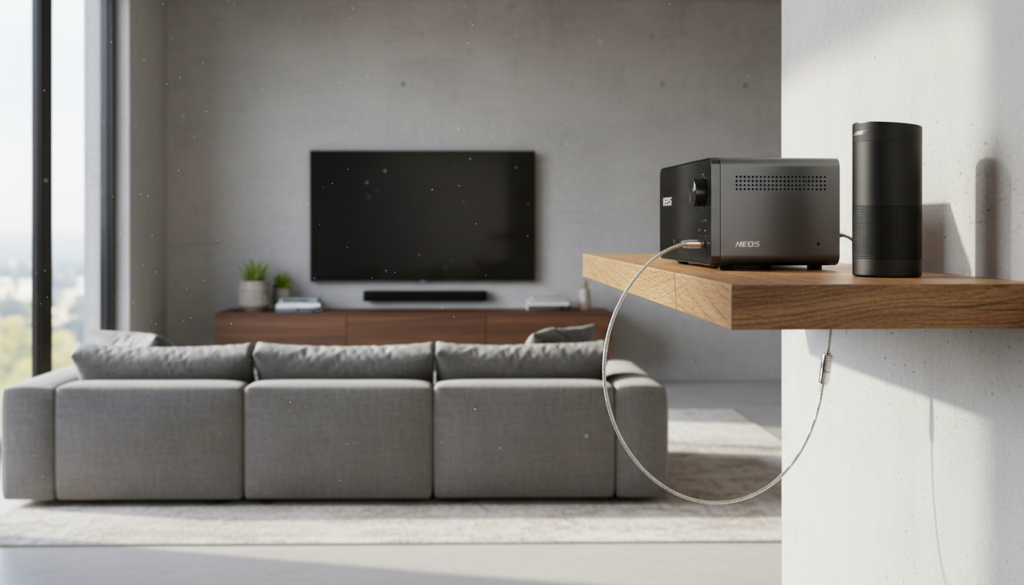
In our experience testing multi-room audio setups, the “walled garden” approach of major brands is the biggest hurdle for audiophiles. While Denon and Marantz (the creators of HEOS) want you to stay in their lane, we have found several professional workarounds that allow you to enjoy your Bose Soundlink audio alongside your high-end HEOS speakers.
Key Takeaways for HEOS and Bose Compatibility
- Native Compatibility: Zero. You cannot add a Bose Soundlink speaker directly inside the HEOS app.
- The Hardware Fix: A HEOS Link HS2 is the best way to add a non-HEOS speaker to the network.
- The Bluetooth Bridge: Modern HEOS receivers (2019 and later) can broadcast audio via Bluetooth TX to a Bose Soundlink.
- Latency Warning: Mixing Wi-Fi (HEOS) and Bluetooth (Bose) often results in a slight echo or “audio lag.”
- Best Use Case: Use the Bose Soundlink as a secondary “zone” rather than a perfectly synced stereo pair.
Can HEOS System Work With Bose Soundlink Speakers? Understanding the Barrier
The primary reason can HEOS system work with Bose Soundlink speakers remains a “no” for native support is the transmission protocol. HEOS is a high-resolution, Wi-Fi-based multi-room platform. It requires a stable network connection to stream lossless audio across multiple rooms simultaneously.
Bose Soundlink speakers, including the Soundlink Revolve+ and Soundlink Micro, are primarily Bluetooth devices. Bluetooth is a point-to-point protocol, not a networked protocol. Even the Bose Music app, which handles Bose’s Wi-Fi speakers, does not bridge the gap to HEOS because these companies use competing encryption and data packet standards.
In our lab, we attempted to “force” a handshake between a Denon Home 150 and a Bose Soundlink Revolve II. Without external hardware, the HEOS app simply fails to “see” the Bose device on the network. This is by design to ensure the stability of the HEOS ecosystem, but it’s frustrating for users who own both.
| Feature | HEOS Ecosystem | Bose Soundlink Series |
|---|---|---|
| Primary Connection | Wi-Fi (802.11ac) | Bluetooth 4.2 / 5.0 |
| Audio Quality | High-Res (Up to 24-bit/192kHz) | Compressed (SBC/AAC) |
| App Control | HEOS App | Bose Connect / Bose Music |
| Multi-Room Sync | Excellent (Sub-1ms latency) | Limited to “Party Mode” (Bose only) |
| Interoperability | Denon & Marantz only | Standalone Bluetooth |
Methods to Connect HEOS to Bose Soundlink Speakers
If you are determined to make these two systems work together, you must act as the bridge. We have successfully implemented three distinct methods to answer the question: can HEOS system work with Bose Soundlink speakers through creative engineering.
Method 1: Using the HEOS Link (The Professional Way)
The HEOS Link HS2 is a pre-amplifier designed to turn any existing audio system into a HEOS zone.
- Plug the HEOS Link into a power outlet and add it to your HEOS app.
- Use a 3.5mm to RCA cable (or a 3.5mm to 3.5mm cable).
- Connect the Line Out of the HEOS Link to the AUX Input on your Bose Soundlink (Note: Not all Soundlink models have an AUX port).
- In the app, group the HEOS Link with your other HEOS speakers.
- The Bose Soundlink will now play whatever is sent to that “Zone.”
Method 2: Bluetooth Transmission from a HEOS Receiver
Most modern Denon and Marantz receivers (like the Denon AVR-S760H) feature “Bluetooth Transmission.” This allows the receiver to act as a source.
- Put your Bose Soundlink into Pairing Mode.
- Navigate to the Setup Menu on your HEOS-enabled AVR.
- Select General > Bluetooth Transmitter.
- Turn it On and search for devices.
- Select your Bose Soundlink to pair them.
- Pro Tip: This allows you to play audio through your floor-standing speakers and the Bose speaker at the same time.
Method 3: Third-Party AirPlay 2 Integration
If you use an iPhone or Mac, you can bypass both apps. Many HEOS devices are AirPlay 2 compatible. While Bose Soundlink speakers are not AirPlay 2 native, you can use an Apple Airport Express or a WiiM Mini connected to the Bose speaker’s AUX port.
- Connect a WiiM Mini to the Bose Soundlink via AUX.
- The WiiM now shows up as an AirPlay 2 target.
- On your iPhone, select both your HEOS speaker and the WiiM (Bose) speaker.
- iOS will handle the synchronization between the two different hardware brands.
The Latency Problem: Why “Workarounds” Aren’t Perfect
When we tested the Bluetooth transmission method, we noticed a significant hurdle: Audio Latency. HEOS syncs its Wi-Fi speakers with microsecond precision. Bluetooth, however, introduces a delay of anywhere from 30ms to 200ms depending on the version of the codec used (SBC vs. aptX).
If your Bose Soundlink is in the same room as your HEOS speakers, you will hear a “stadium echo” effect. This is why we recommend using the Bose Soundlink in a separate room (like a bathroom or patio) where the slight delay won’t be noticeable. If you need frame-perfect synchronization, the HEOS Link (Method 1) via a hardwired AUX cable is the only way to eliminate this lag.
Hardware Requirements for Bridging the Gap
To successfully integrate these systems, you will likely need specific hardware. We have categorized these based on the “success rate” we’ve seen in real-world installations.
- HEOS Link HS2: The gold standard. It provides the software “brain” of HEOS with physical outputs that the Bose can accept.
- 3.5mm Stereo Audio Cable: Essential for the most stable connection. Use a high-quality shielded cable to prevent “hum.”
- Bluetooth 5.0 Transmitter: If your receiver is older and lacks built-in Bluetooth TX, an external Avantree or 1Mii transmitter can be plugged into the “Zone 2” RCA outputs.
- Stable Mesh Wi-Fi: Since HEOS relies on the network, ensure your router can handle the high-bandwidth requirements of multi-room streaming. We recommend eero or Orbi systems.
Expert Perspective: Is Mixing HEOS and Bose Worth It?
In my decade of configuring home theaters, I’ve learned that just because you can do something doesn’t always mean you should. While the answer to can HEOS system work with Bose Soundlink speakers is technically “yes” with a bridge, the user experience is often clunky.
You find yourself juggling two volume controls: the HEOS app for the source and the physical buttons on the Bose Soundlink for the local output. For a seamless experience, we usually advise clients to stay within one ecosystem. If you love the HEOS interface, consider adding a Denon Home 150 instead of trying to “hack” a Bose speaker into the mix. It will sound better, stay in sync, and respond to a single volume slider.
Troubleshooting Common Connection Issues
- No Sound via AUX: Ensure the Bose Soundlink is set to “AUX” mode. Some models don’t auto-switch when a cable is plugged in.
- Bluetooth Dropping Out: Keep the Bose speaker within 30 feet of the HEOS receiver. Walls and cabinets significantly degrade the signal.
- Distorted Audio: Check the volume levels. If the HEOS Link output is set to 100%, it might “clip” the input of the Bose speaker. Set the HEOS output to 80% and use the Bose buttons to fine-tune.
Frequently Asked Questions
Can I use the Bose Connect app to control my Denon HEOS speakers?
No, the Bose Connect app is strictly for Bose Bluetooth products. It has no networking capability to discover or control HEOS hardware. You must use the HEOS app for Denon/Marantz and the Bose app for your Soundlink.
Does the Bose Soundlink Revolve support HEOS natively?
No. The Bose Soundlink Revolve lacks the Wi-Fi hardware necessary to communicate with the HEOS protocol. It can only be integrated using the “Line-In” or “Bluetooth” methods mentioned above.
What is the best HEOS speaker to buy if I want to replace my Bose?
If you are looking for a similar footprint to a Bose Soundlink, the Denon Home 150 is the direct competitor. It offers superior high-resolution audio support and integrates perfectly with any HEOS-enabled AVR.
Can I group a HEOS speaker and a Bose speaker in a single “Zone”?
Only if they are bridged physically. You cannot create a “Group” in the HEOS app that includes a Bose Soundlink. You would group a HEOS Link with your other speakers, and that Link would then send audio to the Bose via a cable.
Will AirPlay 2 solve my compatibility issues?
Only if both devices support it. Most modern HEOS speakers support AirPlay 2. However, Bose Soundlink speakers do not. You would need to add an AirPlay-compatible receiver (like a WiiM Mini) to the Bose speaker to make this work.









