

Why Your Speakers Are Quiet and How to Fix It
Yes, you can absolutely add a volume booster to your speakers using either hardware amplifiers or software enhancement tools. Whether you are dealing with a quiet laptop, a turntable that won’t get loud enough, or passive bookshelf speakers, the solution involves increasing the gain or wattage delivered to the driver.
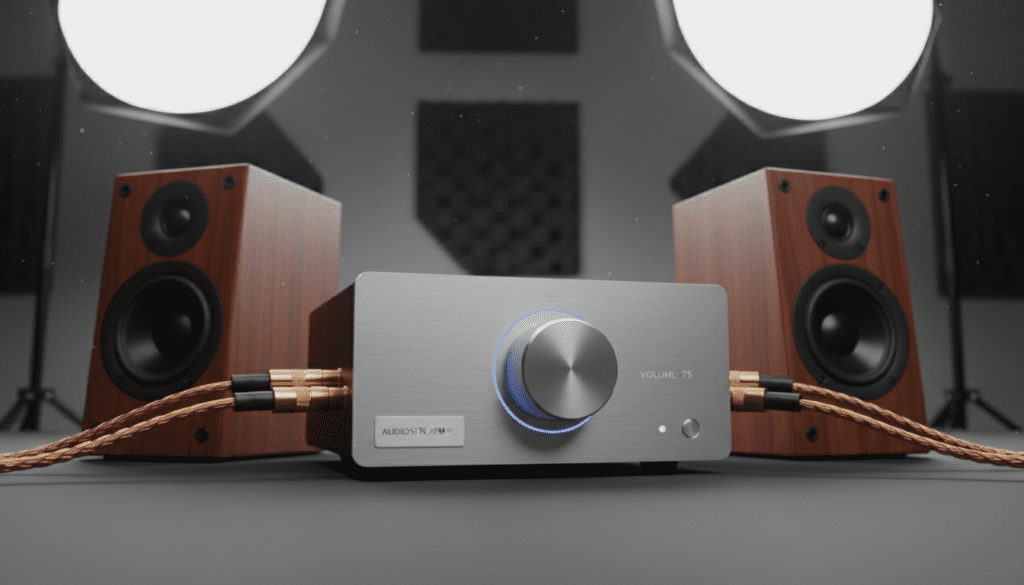
In my years of testing home audio setups, I have found that the “best” way to boost volume depends entirely on your specific hardware. If your signal is weak from the source, a software preamp works wonders; however, if your physical speakers lack the power to move air, you will need a dedicated external amplifier.
TL;DR: Quick Solutions for Volume Boosting
- For Passive Speakers: You must add an external integrated amplifier or a power amp.
- For PC/Laptop: Use software like Equalizer APO or Boom 3D to increase digital gain.
- For Turntables/Vinyl: Add a Phono Preamp between the record player and the speakers.
- For Active/Powered Speakers: Use a DAC (Digital-to-Analog Converter) with a built-in preamp.
- The Risk: Always watch for clipping (distortion), which can overheat voice coils and blow your speakers.
Understanding the “Why”: Can You Boost the Volume on Speakers?
Before we dive into the “how,” we need to address the “can.” Can you boost the volume on speakers without damaging them? Yes, provided you understand the limits of your equipment’s RMS power rating.
When I first started out as an audiophile, I made the mistake of cranking a software booster to 200% on a pair of cheap desktop speakers. The result? A muddy, distorted mess that eventually led to a “popping” sound—the classic sign of a blown driver. To avoid this, you need to identify where the bottleneck is in your audio signal chain.
The Audio Signal Chain
- The Source: (Phone, PC, Turntable)
- The Pre-Amp: (Boosts the signal to “Line Level”)
- The Power Amp: (Boosts the signal to “Speaker Level”)
- The Transducer: (The actual speaker driver)
If any of these stages are underpowered, your volume will suffer. Adding a “booster” usually means inserting a higher-quality component into stage 2 or 3.
Method 1: Adding a Physical Amplifier (Hardware Boosting)
If you are using passive speakers (speakers that don’t plug into a wall outlet), they require an external power source to move the cones. If they aren’t loud enough, your current amplifier likely lacks sufficient wattage or headroom.
Choosing the Right Amp
To effectively add a volume booster, you need to match the impedance (Ohms) and sensitivity of your speakers. For example, if you have 8-ohm speakers with a sensitivity of 85dB, they are “hard to drive” and require a high-current amplifier to reach loud volumes.
- Integrated Amplifiers: These combine a preamp and power amp. Look for brands like Fosi Audio or Schiit Audio for compact, high-output desktop options.
- Power Amplifiers: If you already have a receiver but need more “juice,” a dedicated power amp can provide the clean current necessary for high-volume playback without distortion.
How to Connect a Hardware Booster
- Connect your source (PC/Phone) to the Input of the amplifier using RCA or 3.5mm cables.
- Connect the amplifier’s Output terminals to your speakers using high-quality speaker wire.
- Ensure the amplifier is rated for at least 1.5x the RMS wattage of your speakers to ensure clean peaks.
Method 2: Software Volume Boosters for PC and Mac
If you are asking, “can i add a volume booster to my speakers” while using a computer, the answer is often a simple software tweak. Windows and macOS often limit output to protect hardware, but you can bypass these limits with digital gain.
Top Software Recommendations
| Software Name | Platform | Key Feature | Best For |
|---|---|---|---|
| Equalizer APO | Windows | System-wide Preamp Gain | Technical users wanting 0% latency |
| Boom 3D | Win / Mac | 3D Surround & Volume Boost | General media and movies |
| FxSound | Windows | Simple “Boost” presets | Quick, one-click fixes |
| VLC Media Player | Universal | 200% Volume slider | Video playback only |
Setting Up Equalizer APO (The Pro Way)
I personally use Equalizer APO because it operates at the driver level.
- Download and install Equalizer APO.
- Select your output device (e.g., Realtek Audio).
- Open the Configuration Editor.
- Add a Basic Filter -> Preamp.
- Slowly move the slider to +5dB or +10dB. Warning: Going above +15dB often causes digital clipping.
Method 3: Using a DAC/Pre-Amp Combo
Sometimes the volume isn’t low because the speakers are weak, but because the analog signal from your device is “thin.” This is common with smartphones and laptops that have poor internal sound cards.
Adding a DAC (Digital-to-Analog Converter) acts as an external sound card. It takes the raw digital data and converts it into a high-voltage analog signal. Devices like the AudioQuest Dragonfly or the Fiio E10K serve as excellent volume boosters for both headphones and powered desktop speakers.
Why a DAC Works
- Lower Noise Floor: You can turn the volume up higher without hearing “hiss.”
- Better Voltage: It provides a stronger “line-out” signal to your speakers.
- Cleaner Signal: It prevents the distortion that occurs when you max out an onboard sound card.
Method 4: Boosting Volume for Turntables and Vinyl
A common question I receive is, “Why is my record player so quiet even when my speakers are at 100%?” The answer is almost always the lack of a Phono Preamp.
The signal coming from a turntable needle is incredibly weak (measured in millivolts). You must add a phono preamp to boost this signal to a “Line Level” that your speakers can understand.
- Plug the turntable RCA cables into the Phono Preamp.
- Connect the Preamp to your speakers or main amplifier.
- Ensure the Ground Wire is connected to prevent humming at high volumes.
Essential Comparison: Hardware vs. Software Boosting
| Feature | Hardware Booster (Amp) | Software Booster (App) |
|---|---|---|
| Cost | $50 – $500+ | Free to $30 |
| Sound Quality | High (Adds physical power) | Moderate (Can cause clipping) |
| Risk of Damage | Low (if matched correctly) | High (digital distortion) |
| Portability | Requires cables/space | Instant/Software-based |
| Best Use Case | Passive/Bookshelf Speakers | Laptop/Integrated Speakers |
Expert Advice: Avoiding the “Clipping” Trap
When you boost volume, you run the risk of Clipping. This happens when an amplifier is asked to deliver more voltage than it is capable of. The smooth “S-curve” of the sound wave gets “clipped” into a flat square wave.
How to detect clipping:
- Listen for a “crunchy” or “crackly” sound during loud bass hits.
- Watch for the speaker cones moving excessively but producing “thin” sound.
- If your amplifier feels extremely hot to the touch, you are pushing it too hard.
In my experience, if you have to boost your software gain by more than 10dB to hear your music, your hardware is undersized for the room. It is always safer to buy a more powerful Class D Amplifier than to redline a software booster.
Step-by-Step: How to Safely Increase Speaker Volume
If you’ve decided to move forward, follow this checklist to ensure you don’t blow your equipment:
- Check Connections: Ensure all wires are tight. Loose wires increase resistance and lower volume.
- Max the Source: Set your Windows/Mac volume to 90%. Avoid 100% to prevent “source-level” distortion.
- Apply Software Gain: If using an app like FxSound, increase the “Boost” setting gradually.
- Adjust Hardware Gain: Use the physical knob on your amp or speakers last.
- Monitor Heat: After 15 minutes of loud play, check the back of the speakers. If the plate is hot, turn it down.
Improving Perceived Volume Without Extra Power
Sometimes, you don’t need a volume booster; you need better acoustics. You can make your speakers seem 20% louder just by changing their placement.
- Corner Loading: Place speakers in the corners of the room. The walls act as a natural megaphone, boosting bass and overall presence.
- Toe-In: Angle the speakers directly toward your ears. This reduces sound energy wasted hitting side walls.
- Decoupling: Place speakers on isolation pads. This prevents the energy from vibrating your desk, focusing all the “punch” into the air.
Frequently Asked Questions
Can I add a volume booster to my Bluetooth speakers?
Yes, but you are limited to software boosters. Since Bluetooth speakers have internal amplifiers and batteries, you cannot safely add a hardware amp to them without taking them apart (which I don’t recommend). Use apps like Precise Volume on Android or Boom on iOS.
Is it safe to use a 1000W amp on 100W speakers?
Actually, it is safer than using a 20W amp! A powerful amp provides “clean” power (headroom). As long as you don’t turn the volume knob to a point where the speakers distort, the extra power won’t hurt them. “Under-powering” speakers and causing them to clip is what usually kills them.
Why did my speakers get quieter over time?
This could be due to capacitor aging in your amplifier or a “blown” tweeter. If the sound is muffled, your high-frequency driver might be dead. In this case, no amount of volume boosting will fix the clarity; you likely need a replacement.
Can a DAC increase speaker volume?
Yes. A high-quality DAC like the Schiit Modi often outputs a higher voltage (usually 2.0V) than a standard laptop headphone jack (often 0.5V to 1.0V). This provides a “stronger” signal to your speakers, making the entire system louder.
Does speaker wire thickness affect volume?
Over long distances (more than 50 feet), thin wire increases resistance, which can slightly drop the volume and dampen the bass. For most home setups, 16-gauge or 14-gauge copper wire is more than enough to maintain full volume.









