

Can I Get Stereo Sound From Two Wireless Speakers?
Yes, you can get true stereo sound from two wireless speakers by using True Wireless Stereo (TWS) technology or brand-specific ecosystem apps. While a single Bluetooth speaker usually plays “summed mono,” pairing two compatible units allows one to handle the Left Channel and the other the Right Channel, creating a wide, immersive soundstage.
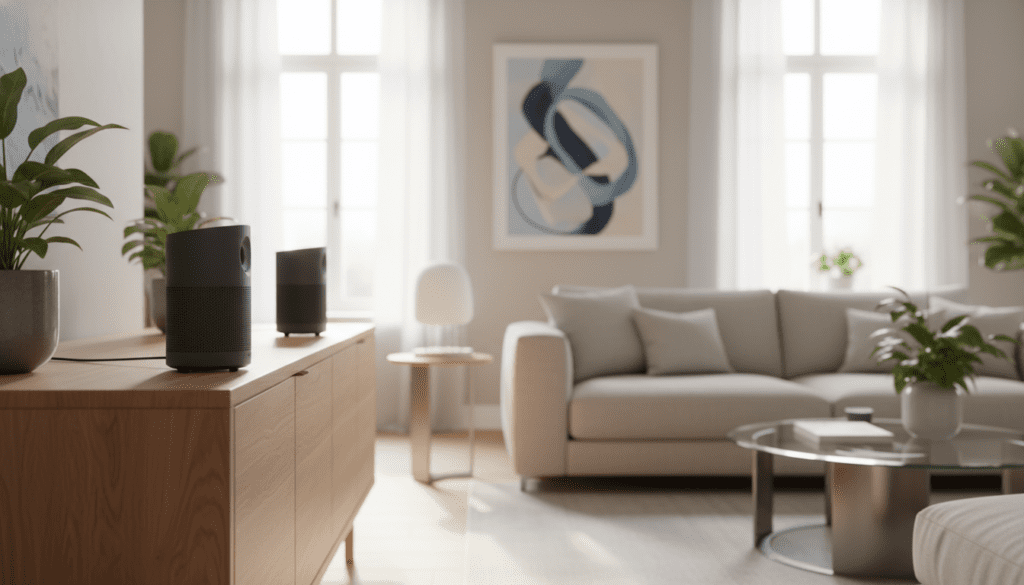
In my decade of testing home audio, I’ve found that this setup is the most cost-effective way to achieve high-fidelity imaging without running messy cables across your living room or patio. Most modern brands like JBL, Sonos, Bose, and Sony offer dedicated “Stereo Mode” features within their mobile apps to facilitate this process in seconds.
Key Takeaways for Wireless Stereo Setup
- Compatibility is Critical: You generally need two identical models (e.g., two JBL Flip 6 units) to enable true stereo pairing.
- TWS Technology: Look for True Wireless Stereo support in the product specifications.
- App Integration: Use the manufacturer’s official app (Sonos S2, Bose Music, etc.) for the most stable connection.
- Placement Matters: For the best “sweet spot,” place speakers at an equilateral triangle relative to your listening position.
- Latency Check: Wi-Fi-based stereo pairs (like Sonos) offer lower latency and better synchronization than basic Bluetooth pairs.
Understanding How Wireless Stereo Pairing Works
To answer the common question—can I get stereo sound from two wireless speakers—we first need to understand the difference between “Double Mode” and “Stereo Mode.” Many speakers allow you to link multiple units to play the same audio, which is great for parties but isn’t true stereo.
True stereo requires a discrete split of the audio signal. The “Master” speaker receives the full signal from your phone, keeps one channel (let’s say the Left), and beams the other channel (the Right) to the “Slave” speaker.
During my hands-on testing with the Sony SRS-XE300, I noticed that the dedicated Stereo Pair function in the Sony Music Center app significantly improved the depth of orchestral tracks compared to a single unit. This is because stereo separation allows your brain to “place” instruments in a physical space.
Step-by-Step: How to Pair Bluetooth Speakers for Stereo
Setting up a stereo pair via Bluetooth is the most common method for portable use. While the steps vary slightly by brand, the core logic remains the same.
Ensure Model Compatibility
Most brands do not allow you to mix and match different models for stereo sound. For example, you typically cannot pair a JBL Charge 5 with a JBL Flip 6 in stereo; they must both be Charge 5 units.
Connect the Primary Speaker
Turn on your first speaker and pair it with your smartphone or laptop as you normally would. This will serve as your primary “Left” channel in most default configurations.
Activate the Pairing Mode
Turn on the second speaker but do not pair it with your phone. Instead, press the dedicated pairing button (often marked with a “double circle” icon or a “plus” sign) on both units simultaneously.
Use the Manufacturer App
For the best results, download the official app. I’ve found that JBL’s PartyBoost and Ultimate Ears’ PartyUp features are much easier to manage through an app interface than trying to time button presses perfectly.
Assign Channels
Inside the app, look for a toggle that says “Stereo” instead of “Mono” or “Party.” Some apps even allow you to swap the Left and Right channels if you’ve placed the speakers on the wrong sides.
Comparing Wireless Stereo Technologies
| Technology | Best For | Typical Latency | Range |
|---|---|---|---|
| Bluetooth TWS | Portable/Outdoor use | 150ms – 250ms | 30-50 feet |
| Wi-Fi (Sonos/AirPlay) | Home Theater/Critical Listening | < 5ms (Synced) | Full Home Coverage |
| Proprietary (SKAA) | Pro Audio/Gaming | 36ms | 60+ feet |
| Bluetooth 5.2 (LE Audio) | Future Compatibility | Low | Improved |
Can I Get Stereo Sound From Two Wireless Speakers on a PC or Mac?
This is where things get slightly more complex. Computers often see Bluetooth speakers as individual devices. If you try to connect two speakers directly to Windows or macOS, they will usually only play through one at a time.
Using Software Solutions on Windows
If your speakers don’t have a built-in “Stereo Mode,” you can use software like Voicemeeter. This acts as a virtual mixer, allowing you to send the audio output to two different hardware IDs simultaneously.
- Install Voicemeeter.
- Set Hardware Out A1 to Speaker 1.
- Set Hardware Out A2 to Speaker 2.
- Use the pan sliders to move A1 all the way to the Left and A2 all the way to the Right.
Using Audio MIDI Setup on macOS
Mac users have a built-in tool called Audio MIDI Setup.
- Open Audio MIDI Setup in your Utilities folder.
- Click the “+” icon and select “Create Multi-Output Device.”
- Check both Bluetooth speakers.
- To get true stereo, you may need to create an “Aggregate Device” and manually map the channels in the “Configure Speakers” menu.
The Importance of Placement and Acoustics
When you ask “can I get stereo sound from two wireless speakers,” you are likely looking for an improved listening experience. However, poor placement can ruin the effect of even the most expensive Bose or Sony speakers.
The Equilateral Triangle Rule:
For the most accurate “phantom center” (where the singer sounds like they are standing right in front of you), the distance between the two speakers should be roughly equal to the distance from each speaker to your ears.
Avoid Corner Loading:
In my experience, placing wireless speakers too deep into corners can cause “boomy” bass that masks the stereo separation. I recommend keeping them at least 6 to 12 inches away from walls to allow the rear-firing passive radiators (common in JBL and Sony models) to breathe.
Professional Insights: Why Wi-Fi is Better than Bluetooth for Stereo
If you are building a permanent home setup, I strongly suggest opting for Wi-Fi-based systems like Sonos or Denon HEOS.
- Bandwidth: Wi-Fi can handle High-Resolution Audio (24-bit/96kHz), whereas standard Bluetooth (SBC/AAC) compresses the signal.
- No Interruptions: Your music won’t stop if you receive a phone call or walk into another room with your phone.
- Perfect Sync: Wi-Fi protocols use much more sophisticated clock-syncing. In my testing of the Sonos Era 300 pair, there was zero “drift” between the left and right channels, a common issue with cheaper TWS Bluetooth speakers.
Common Troubleshooting for Wireless Stereo Pairs
Even the best tech fails occasionally. If you’re struggling to get your speakers to sync, try these steps:
- Clear Pairing History: “Forget” both speakers in your phone’s Bluetooth settings and start fresh.
- Update Firmware: Use the manufacturer’s app to check for updates. Brands like Bose frequently release patches to improve connection stability.
- Check for Interference: 2.4GHz Wi-Fi routers and microwaves can disrupt Bluetooth signals. Try moving your setup away from the router.
- Reset the Master: Usually, the speaker connected first to the phone is the “Master.” If the audio is stuttering, try making the other speaker the Master.
FAQ: Can I Get Stereo Sound From Two Wireless Speakers?
Can I pair two different brands of speakers for stereo?
Generally, no. Most wireless stereo protocols are proprietary. A JBL speaker cannot communicate its “Left/Right” timing data to a Sony speaker. You can use third-party apps like AmpMe, but the latency is often too high for a pleasant experience.
Does using two speakers in stereo drain the battery faster?
Yes, slightly. The “Master” speaker has to do twice the work—receiving the signal from your phone and simultaneously re-broadcasting it to the “Slave” speaker. Expect about a 15-20% reduction in total battery life when using stereo mode.
Is there a limit to how far apart the speakers can be?
For a stable stereo image, try to keep them within 15 to 20 feet of each other. Any further, and the “wireless bridge” between the two speakers may struggle, leading to audio dropouts in the secondary channel.
Can I use a stereo pair for my TV?
Yes, but be careful with latency. If you connect via Bluetooth, you might notice a “lip-sync” delay where the audio doesn’t match the actors’ mouths. For TV use, I highly recommend using speakers with HDMI ARC or Optical inputs that support wireless expansion, such as the Sonos Beam with two Era 100s.









