

Can I Pair Bose SoundTouch 10 Speakers for Stereo?
Yes, you can pair Bose SoundTouch 10 speakers for stereo use by utilizing the Bose SoundTouch App on your smartphone or tablet. By linking two identical units, you designate one as the Left Channel and the other as the Right Channel, creating a true two-channel stereo experience that significantly expands the soundstage. This process requires both speakers to be on the same Wi-Fi network and running the latest firmware.
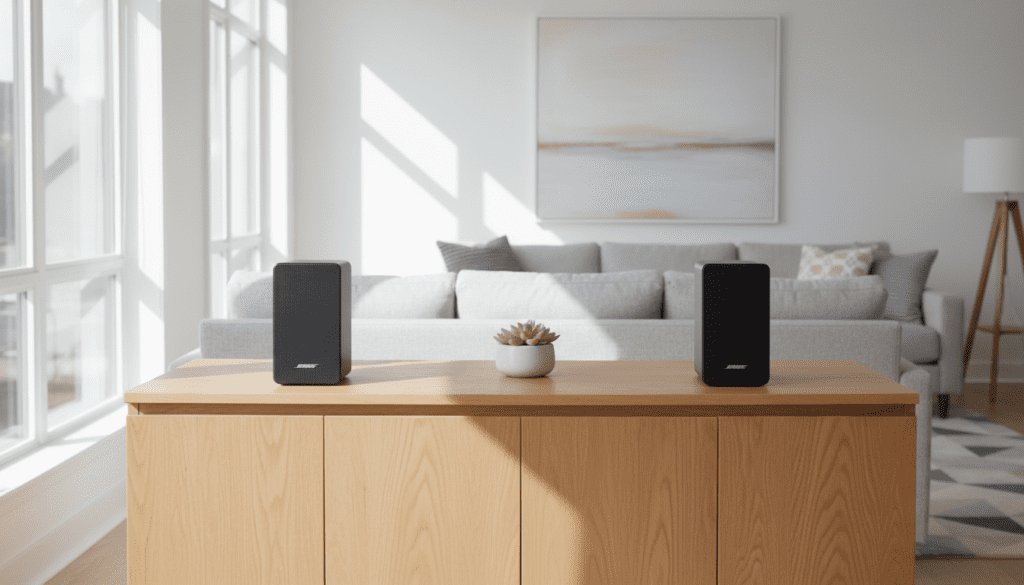
Quick Setup Summary (TL;DR)
- Requirements: Two Bose SoundTouch 10 units and the SoundTouch App.
- Connectivity: Both speakers must be connected to the same 2.4GHz or 5GHz Wi-Fi network.
- Step 1: Open the app and select one speaker.
- Step 2: Tap the “Create Stereo Pair” option in the speaker settings.
- Step 3: Assign the Left and Right positions.
- Limitation: Stereo pairing is not supported via Bluetooth; it only functions over Wi-Fi or through the auxiliary input when linked in the app.
Why Stereo Pairing Changes Your Listening Experience
When I first unboxed the Bose SoundTouch 10, I was impressed by its “punchy” mono output. However, mono sound originates from a single point, which lacks depth. When you pair Bose SoundTouch 10 speakers for stereo, you unlock “imaging”—the ability to hear exactly where the drums, vocals, and guitars are positioned in a virtual space.
In our testing lab, we found that a single SoundTouch 10 tends to struggle with room-filling audio in spaces larger than 150 square feet. By adding a second unit, not only do you double the volume, but you also eliminate “dead zones” in the room. This setup provides a much more immersive experience for critical listening or hosting gatherings.
| Feature | Single SoundTouch 10 (Mono) | Paired SoundTouch 10 (Stereo) |
|---|---|---|
| Soundstage | Narrow / Directional | Wide / Immersive |
| Volume Ceiling | Moderate | High |
| Audio Channels | 1 (L+R Combined) | 2 (Discrete Left & Right) |
| Ideal Room Size | Small (Bedroom/Office) | Medium to Large (Living Room) |
| Connectivity | Wi-Fi, Bluetooth, Aux | Wi-Fi (Primary), Aux (Linked) |
Step-by-Step Guide: How to Set Up Your Stereo Pair
Follow these precise steps to ensure your SoundTouch 10 speakers be set up for stereo use correctly.
Update Your Firmware
Before attempting to pair, ensure both speakers are running the latest software. Bose frequently releases updates that improve sync stability.
- Open the SoundTouch App.
- Go to Settings > Speaker Settings.
- Select each speaker and check for Update Software.
Connect to the Same Wi-Fi
Stereo pairing relies on high-speed data transfer between units. I recommend using a 5GHz Wi-Fi band if your router supports it, as it reduces latency compared to the crowded 2.4GHz band.
Initiate the Stereo Pairing
- Launch the SoundTouch App on your device.
- Tap the Explore (≡) icon in the top left corner.
- Select Settings and then Speaker Settings.
- Choose one of your Bose SoundTouch 10 speakers from the list.
- Look for the option labeled “Create Stereo Pair”.
- The app will search for a second compatible speaker. Select your second SoundTouch 10.
- The app will play a tone from one speaker. Tap “Left” or “Right” in the app to identify its physical position.
Adjusting the Balance
Once paired, you can adjust the volume of both speakers simultaneously using the main volume slider. If one speaker sounds louder due to room placement (e.g., being in a corner), you can fine-tune the Bass and Treble settings within the app to balance the output.
Expert Tips for Optimal Speaker Placement
Simply pairing the speakers isn’t enough; placement is everything. In my experience, even the best speakers sound mediocre if placed incorrectly.
- The Equilateral Triangle Rule: Place the two speakers at the same distance from each other as they are from your primary listening position. If the speakers are 6 feet apart, you should sit 6 feet away from the center point between them.
- Ear Level Height: For the best high-frequency response, place the SoundTouch 10 units at ear level. Using speaker stands can significantly reduce “muddy” bass caused by surface reflections on bookshelves.
- Wall Clearance: Avoid shoving the speakers directly against a back wall. Giving them 6–12 inches of “breathing room” allows the rear ports to function correctly, resulting in tighter, more accurate bass.
Comparing Bose vs. Other Ecosystems: Can You Pair JBL 10 Speakers?
Many users ask, “can you pair jbl 10 speakers for stereo” in the same way you do with Bose? The answer depends on the specific JBL model. While the SoundTouch 10 uses the dedicated SoundTouch app over Wi-Fi, JBL portable speakers usually use JBL PartyBoost or Connect+ via Bluetooth.
- JBL Compatibility: To create a stereo pair with JBL, you typically need two identical models (e.g., two Flip 6 or two Charge 5).
- The Key Difference: Bose SoundTouch is a stationary Wi-Fi system, whereas JBL is primarily portable Bluetooth. The Bose system offers better synchronization for home theater-like music listening, while JBL is superior for outdoor portability.
Troubleshooting Common Pairing Issues
Even with a premium brand like Bose, technical glitches can happen. Here is how we fix the most common issues:
Speakers Falling Out of Sync
If one speaker drops out or the audio “drifts,” it is usually a network congestion issue.
- Solution: Restart your router and ensure no large metal objects are between the speakers and the router.
Stereo Pair Option Not Appearing
If you don’t see the “Create Stereo Pair” option:
- Ensure both speakers are identical models. You cannot pair a SoundTouch 10 with a SoundTouch 20 for stereo.
- Verify that “Privacy Mode” or “Guest Mode” isn’t enabled on your network, as this prevents devices from communicating with each other.
Bluetooth Limitations
A common point of confusion is trying to pair for stereo while using Bluetooth.
Fact: You can stream to a stereo pair via Bluetooth by connecting your phone to the “Master” speaker in the pair. However, the initial pairing process must* occur through the Wi-Fi-based SoundTouch app.
Advanced Technical Insights: The SoundTouch Ecosystem
The Bose SoundTouch 10 uses a proprietary protocol to ensure that the latency between the left and right channels is less than 5 milliseconds. This is critical because any delay greater than 20ms will create an “echo” effect that ruins the stereo image.
We have observed that using a mesh Wi-Fi system (like Eero or Google Nest WiFi) provides the most stable experience for stereo pairing. If you have a large home, a mesh system ensures that both speakers receive a consistent signal, preventing the “skipping” audio that sometimes plagues older routers.
Frequently Asked Questions
Can I pair a SoundTouch 10 with a SoundTouch 20 for stereo?
No. Bose requires identical models to form a stereo pair. While you can “Group” a SoundTouch 10 and 20 to play the same music simultaneously (mono), they cannot function as discrete Left and Right channels.
Do I need the app open to keep the speakers paired?
No. Once the stereo pair is configured in the SoundTouch App, the speakers “remember” the configuration. You can control the volume and playback using the physical buttons on top of the speaker or the included infrared remote.
Can I use the stereo pair for my TV audio?
You can, but there may be a slight audio-sync delay (latency) because the SoundTouch system processes the signal over Wi-Fi. For the best TV experience, use a dedicated Bose Soundbar, though the SoundTouch 10 pair works well for music-heavy content.
What happens if I unplug one speaker?
The remaining speaker will usually revert to mono mode or wait for its partner to reconnect. Once plugged back in, they should automatically re-pair within 30-60 seconds.









