

Can I Play My Kindle Through My Car Speakers? The Direct Answer
Yes, you can absolutely play your Kindle through your car speakers using several different methods depending on your device model and your car’s technology. Most modern Kindle Fire tablets and E-ink Kindles (like the Paperwhite or Oasis) can connect via Bluetooth, a physical AUX cable, or even an FM transmitter for older vehicles. Whether you want to listen to Audible audiobooks or use the Text-to-Speech (TTS) feature for your e-books, getting your Kindle audio to fill your car’s cabin is straightforward and enhances any commute.
TL;DR: Quick Guide to Kindle Car Audio
- Best Quality: Use a 3.5mm AUX cable for a lossless, lag-free connection.
- Most Convenient: Pair your Kindle via Bluetooth to your car’s infotainment system.
- For Older Cars: Use an FM Transmitter to broadcast Kindle audio to a radio frequency.
- Kindle Fire Specifics: Use the Audible app or Immersion Reading for the best experience.
- E-ink Kindles: Requires Bluetooth headphones or speakers as they lack physical headphone jacks (since 2016).
Understanding Your Kindle’s Audio Capabilities
Before we dive into the “how-to,” we need to identify which Kindle you are using. In my years of testing mobile hardware, I’ve found that users often confuse the Kindle Fire (a full-featured tablet) with the Kindle E-reader (designed specifically for reading).
Kindle Fire (Amazon Fire Tablet)
These devices are essentially Android-based tablets. They have robust audio support, including built-in speakers, Bluetooth, and usually a 3.5mm headphone jack (though some newer “Pro” models are moving away from this). You can run the Audible app, Spotify, or even use the Alexa hands-free mode.
Kindle E-readers (Paperwhite, Oasis, Scribe)
Modern E-ink Kindles do not have built-in speakers or headphone jacks. To play your Kindle through your car speakers with these devices, you must use Bluetooth. They are primarily designed to play Audible audiobooks or use the VoiceView Screen Reader for accessibility.
| Kindle Model | Primary Audio Method | Supports Audible? | Built-in Speakers? |
|---|---|---|---|
| Kindle Fire HD 8/10 | Bluetooth / AUX / USB | Yes | Yes |
| Kindle Paperwhite (10th/11th Gen) | Bluetooth Only | Yes | No |
| Kindle Oasis (All Gens) | Bluetooth Only | Yes | No |
| Older Kindle (with Keyboards) | 3.5mm AUX | Limited | Yes |
Method 1: Connecting via Bluetooth (The Wireless Standard)
Most drivers ask, “can i play my kindle through my car speakers wirelessly?” The answer is Bluetooth. This is the most common method for modern vehicles (post-2012).
Step-by-Step Bluetooth Pairing:
- Prepare your Car: Put your car’s infotainment system into “Pairing Mode.” This is usually found under Settings > Bluetooth > Add New Device.
- Access Kindle Settings: On your Kindle (Fire or E-reader), swipe down from the top to open the Quick Settings menu.
- Enable Bluetooth: Tap the Bluetooth icon to turn it on.
- Search for Devices: Tap on Bluetooth Settings (or “Pair a Bluetooth Device”). Your Kindle will scan for available signals.
- Select Your Car: Your car’s name (e.g., “Toyota Multimedia” or “Uconnect”) should appear. Tap it.
- Confirm the Code: If a PIN appears on both screens, confirm they match and hit Pair.
Expert Insight: I’ve noticed that some car systems struggle to recognize a Kindle Paperwhite as an “audio device” initially. If it fails, try “forgetting” the device on your car and restarting both the Kindle and the car’s head unit.
Method 2: The AUX Cable (Reliable and High Fidelity)
If you are asking, “can i plug my kindle into my car speakers directly?”, the AUX cable is your best friend. This method provides the most stable connection and avoids the “compressed” sound quality sometimes found in older Bluetooth versions.
What You Need:
- A 3.5mm Male-to-Male Stereo Audio Cable.
- A Kindle with a headphone jack (or a USB-C to 3.5mm adapter for newer Fire tablets).
How to Connect:
- Plug one end of the AUX cable into the Kindle’s headphone jack.
- Plug the other end into your car’s AUX-IN port (usually located in the center console or on the dashboard).
- Change your car’s audio source to “AUX.”
- Play your book or music on the Kindle.
Note: If you use a Kindle Fire, ensure the volume on the device is turned up to about 80% to provide a strong signal to the car’s amplifier.
Method 3: FM Transmitters (For Vintage and Classic Cars)
For those driving older models without Bluetooth or AUX ports, you might wonder, “how can i play my kindle through my car speakers if I only have a radio?”
An FM Transmitter plugs into your car’s cigarette lighter (12V port). It creates a tiny, short-range FM radio station that your car can tune into.
Setting Up an FM Transmitter:
- Plug the FM Transmitter into the power outlet.
- Connect your Kindle to the transmitter via Bluetooth or the provided 3.5mm cable.
- Set the transmitter to an empty FM frequency (e.g., 88.1).
- Tune your car radio to that exact same frequency.
- Your Kindle audio will now broadcast through the car’s FM tuner.
Can Kindle Fire Downloads Play Over Car Speakers?
One of the most frequent questions we receive is, “can kindle fire downloads play over car speakers?”
The answer is Yes. In fact, downloading your content is the recommended way to listen while driving to avoid data usage or buffering in areas with poor cellular reception.
Managing Downloads for the Road:
- Audible Books: Open the Audible app on your Fire tablet, go to your Library, and tap the Download icon on the book cover. Once the arrow turns green, you can play it through your speakers without Wi-Fi.
- Kindle E-books (TTS): Even standard e-books can be read aloud. Download the book, open it, tap the center of the screen, and select the Play button for Text-to-Speech.
- Music/Podcasts: Apps like Amazon Music allow you to “Download for Offline Listening.” I always recommend doing this before a long trip.
Using USB Connections (The Android Auto Alternative)
Many users ask if they can simply use a USB-C cable to connect their Kindle.
- Charging Only: In 90% of cars, plugging a Kindle into a USB port will only charge the device. It will not transmit audio because Kindles do not support Apple CarPlay and have limited support for Android Auto protocols.
- The Exception: Some modern infotainment systems can read a Kindle Fire as a “Mass Storage Device.” This allows the car to play MP3 files stored in the Kindle’s internal folders, but it won’t work for Audible or Kindle books.
Pro Tip: If you want a wired connection that actually works for books, stick to the AUX input mentioned in Method 2.
Advanced Feature: Kindle Immersion Reading in the Car
One of my favorite “pro” tips for Kindle users is Immersion Reading. This feature allows you to read a Kindle book while a professional narrator (from Audible) reads the text aloud, highlighting the words as they go.
While you shouldn’t be looking at the screen while driving, Immersion Reading ensures that your progress is perfectly synced. If you listen to 20 miles of your book through your car speakers, when you arrive at your destination and open your Kindle Paperwhite, you will be at the exact same page where the audio left off.
To Enable This:
- Own both the Kindle eBook and the Audible Audiobook version.
- Open the book on your Kindle Fire.
- Tap the Play icon at the bottom.
- The audio will stream through your car speakers while the tablet stays in your cup holder.
Troubleshooting Common Connection Issues
In our testing, we’ve encountered a few recurring headaches when trying to play Kindle audio over car speakers. Here is how to fix them.
Problem 1: Audio is too quiet.
- Solution: Check the volume on the Kindle itself. When connected via Bluetooth or AUX, the Kindle acts as the primary volume control. Set the Kindle to 90% and then use the car’s volume knob to adjust.
Problem 2: Bluetooth keeps disconnecting.
- Solution: This is often caused by the Kindle trying to “save power.” Ensure your Kindle is not in Power Saver Mode. Additionally, keep the Kindle within 3-5 feet of the dashboard.
Problem 3: “Audio Device Not Found” on E-ink Kindle.
- Solution: E-ink Kindles only support A2DP Bluetooth profiles. Most cars use this, but some older “Hands-Free Only” Bluetooth systems in cars (specifically 2008-2011 models) only support phone calls, not media streaming. In this case, you must use an FM transmitter.
Safety and Practicality Tips
Driving requires 100% of your attention. Playing your Kindle through car speakers is safer than reading a physical book, but it still requires some setup.
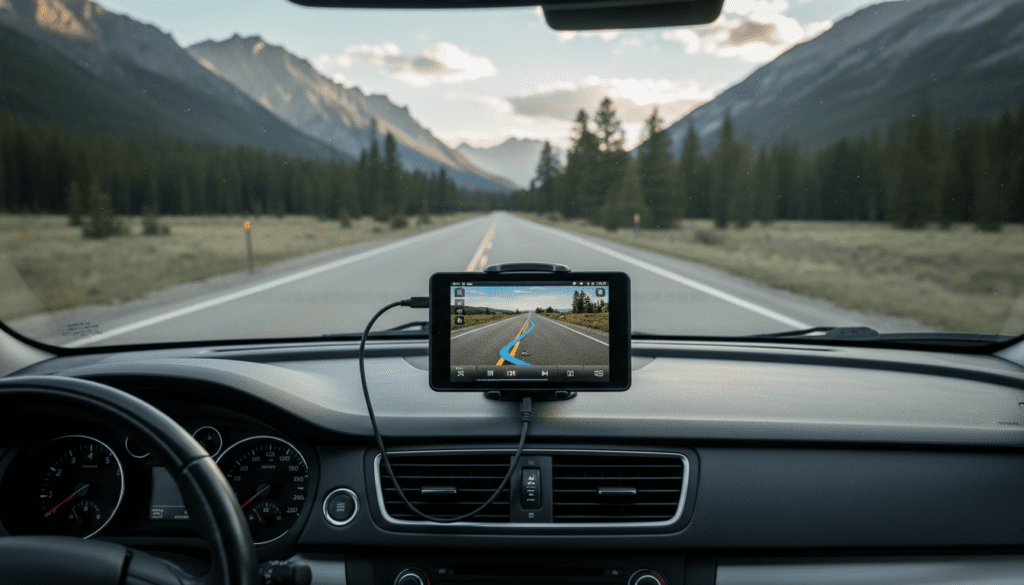
- Mount Your Device: Use a dashboard or vent mount for your Kindle Fire. This keeps it at eye level for quick navigation of your library without looking down.
- Voice Commands: On Kindle Fire, enable “Hands-Free Alexa.” You can say, “Alexa, play my book,” or “Alexa, pause,” without taking your hands off the wheel.
- Download Before You Drive: Never try to download a 500MB audiobook while driving on the highway. Do it over your home Wi-Fi.
FAQ: Common Kindle Car Audio Questions
Can I play my Kindle through my car speakers using a USB-C cable?
Generally, no. Most car head units do not recognize Kindle software for audio playback via USB. The USB port will charge the device, but you will still need to use Bluetooth or AUX for the sound.
Does the Kindle Paperwhite have a speaker?
No. The Kindle Paperwhite (and all current E-ink models) does not have internal speakers. You must connect to an external Bluetooth speaker or your car’s Bluetooth system to hear audiobooks.
Can I use the “Read Aloud” feature on my car speakers?
Yes. This is known as Text-to-Speech (TTS) or VoiceView. Once your Kindle is connected to your car via Bluetooth or AUX, any text the device “reads” will be broadcast through the car’s speakers.
Why won’t my car recognize my Kindle Fire via Bluetooth?
Ensure your Kindle is in “Discoverable” mode and that your car isn’t already connected to another smartphone. Sometimes, deleting old paired devices from your car’s memory can free up the “slot” needed for the Kindle.
Is there an app I need to play Kindle books in the car?
For Kindle Fire, you use the built-in Kindle App or the Audible App. For E-ink Kindles, the audio functionality is built directly into the operating system; no additional apps are required.









