

Can I Record Vocals Without Monitor Speakers?
Yes, you can absolutely record professional-quality vocals without monitor speakers, and in many cases, it is actually the preferred method for home studios. To record vocals effectively without monitors, you must use a pair of closed-back headphones to hear your backing track while preventing sound from “bleeding” into your microphone.
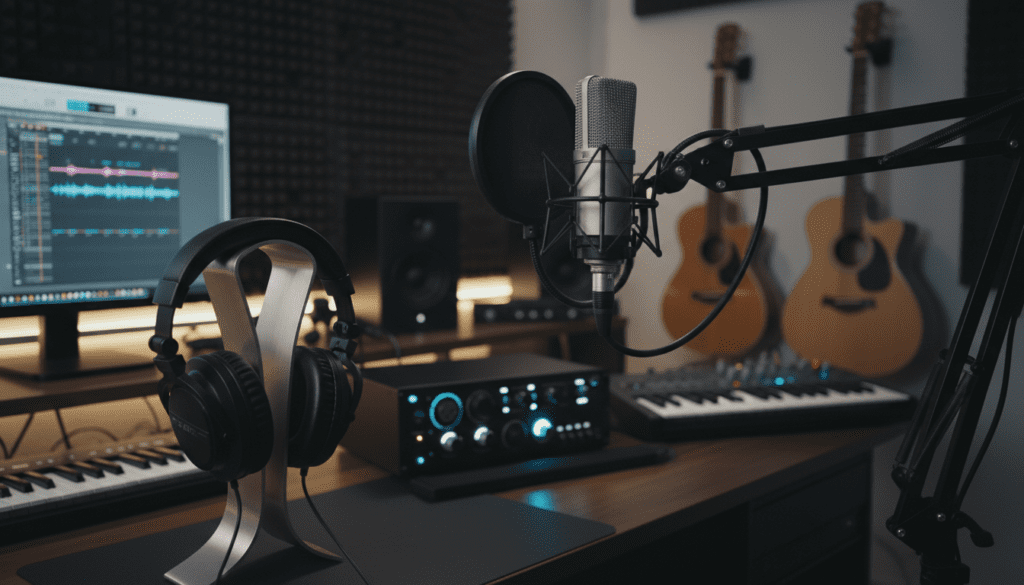
Recording with speakers active often causes a high-pitched squeal known as feedback or results in the instrumental track being picked up by your mic, which ruins the vocal take during the mixing stage. I have spent over a decade in various studio environments, and I can confirm that headphones are the industry standard for the “tracking” (recording) phase, regardless of whether a studio owns $10,000 monitors.
Key Takeaways: Recording Vocals Without Monitors
- Zero Feedback: Using headphones eliminates the risk of audio feedback loops and “bleed” into the recording.
- Essential Gear: You need a DAW, an audio interface, a condenser or dynamic microphone, and closed-back headphones.
- Direct Monitoring: Use your interface’s “Direct Monitor” feature to hear yourself in real-time without latency (delay).
- Mix Later: While monitors are helpful for the final mix, they are not necessary for the actual performance or recording process.
Why Headphones Are Superior to Monitors for Recording
When you ask, “can i record vocals without monitor speakers?” you are actually stumbling upon a best practice. In professional studios, the vocalist is almost always in a separate “booth” wearing headphones, while the engineer sits in the control room with the speakers. In a home studio, you are often the engineer and the vocalist simultaneously.
Eliminating Microphone Bleed
If you play your backing track through monitor speakers while singing, your microphone will capture both your voice and the music coming from the speakers. This is called bleed. When you try to mix your vocals later, you won’t be able to process the voice independently because the instrumental is “baked” into the vocal track.
Preventing Feedback Loops
Feedback occurs when a microphone picks up its own signal from a speaker and re-amplifies it. This creates a deafening, piercing screech. By using headphones, you break this loop entirely, allowing you to turn the volume up as loud as you need to stay in key without affecting the recording.
Greater Detail and Focus
In my experience, recording with closed-back headphones allows the singer to hear the nuances of their pitch, breath control, and diction much more clearly than they would through speakers across a room. This intimacy often leads to a much more “pro” sounding performance.
Essential Gear for Recording Vocals Without Monitors
To succeed without speakers, you need a specific signal chain. Below is a breakdown of the hardware and software I recommend for a high-quality “headless” setup.
| Equipment | Why You Need It | Recommended Examples |
|---|---|---|
| Microphone | Captures the vocal performance. | Shure SM7B, Audio-Technica AT2020 |
| Audio Interface | Converts analog sound to digital data. | Focusrite Scarlett 2i2, Universal Audio Volt |
| Closed-Back Headphones | Provides isolated monitoring without bleed. | Sony MDR-7506, Beyerdynamic DT 770 Pro |
| Pop Filter | Stops “plosive” air blasts (P and B sounds). | Aokeo Professional Pop Filter |
| DAW Software | The “Digital Audio Workstation” to record. | Ableton Live, Logic Pro, Reaper |
The Importance of “Closed-Back” Headphones
It is critical to note that not all headphones are equal. Open-back headphones have perforated earcups that let air and sound escape. While great for mixing, they are terrible for recording because the sound will bleed into your mic. Always choose closed-back models for vocal tracking.
Step-by-Step Guide: How to Record Vocals Without Monitor Speakers
Follow these steps to set up your home studio for a monitor-free recording session.
Step 1: Connect Your Audio Interface
Plug your audio interface into your computer via USB. This device acts as your external sound card. Ensure you have the latest drivers installed so your DAW recognizes the device.
Step 2: Connect Your Microphone and Headphones
- Plug your XLR cable into the microphone and then into Input 1 of your interface.
- Plug your closed-back headphones into the “Phones” jack on the interface.
- Pro Tip: If your headphones have a small 3.5mm jack, you will likely need a 1/4-inch adapter to plug them into a professional interface.
Step 3: Configure Your DAW Settings
Open your recording software. In the “Preferences” or “Audio Settings” menu, ensure your Input Device and Output Device are both set to your audio interface.
Step 4: Enable Direct Monitoring
One of the biggest hurdles when you record vocals without monitor speakers is latency—a slight delay between when you sing and when you hear yourself in your headphones.
- Look for a button on your interface labeled “Direct Monitor” or “Input Monitor.”
- When engaged, this sends the microphone signal directly to your headphones before it reaches the computer, resulting in zero delay.
Step 5: Set Your Gain Levels
While singing into the mic, turn the “Gain” knob on your interface up until the signal is hovering around -12dB to -6dB in your DAW. Avoid letting the light turn red (clipping), as this causes permanent distortion.
How to Mix Vocals Without Monitor Speakers
While recording is better with headphones, mixing can be tricky. However, it is entirely possible to produce a hit song using only headphones if you follow these rules.
The “Reference Track” Technique
Since headphones can sometimes exaggerate bass or stereo width, I always use a Reference Track. This is a professionally mastered song in the same genre as mine.
- Import the pro song into your DAW.
- Toggle between your mix and the pro track.
- Adjust your EQ and volume levels until your vocal sits in the mix similarly to the professional version.
Check Your Mix on Multiple Devices
Since you aren’t using studio monitors, you must “stress test” your vocal recording on everyday speakers. I recommend checking your mix on:
- Car speakers (the ultimate test for bass).
- Smartphone speakers (to check vocal clarity).
- Laptop speakers.
Pro Tips for Recording Better Vocals at Home
The “One-Ear” Method
If you find it difficult to stay in tune while wearing headphones, try the “one-ear” method. Pull one earcup off your ear so you can hear your natural voice in the room while the other earcup provides the backing track. This is a common trick used by world-class singers to maintain better pitch control.
Acoustic Treatment Without a Booth
When you record vocals without monitor speakers, you are still at the mercy of your room’s acoustics. If your room sounds “echoey,” try these hacks:
- The Closet Method: Recording in a closet full of clothes is a classic way to achieve a “dry” vocal sound.
- Reflection Filters: Buy a portable reflection filter that mounts behind your microphone to catch stray sound waves.
- Heavy Blankets: Hanging moving blankets or heavy duvets behind the singer can significantly reduce unwanted room reflections.
Common Challenges and Solutions
Dealing with Latency
If you hear a distracting “echo” of your voice in your headphones, your Buffer Size is too high.
- Solution: Go into your DAW audio settings and lower the Buffer Size to 128 or 64 samples for recording. Just remember to raise it back up to 1024 when you start mixing to save CPU power.
Vocal Fatigue
Headphones put sound pressure directly against your eardrums.
- Solution: Keep your monitoring volume at a moderate level. If you have to strain to hear yourself, turn down the backing track rather than cranking the master volume.
Frequently Asked Questions (FAQ)
Can I use Bluetooth headphones to record vocals?
No, I strongly advise against using Bluetooth headphones like AirPods. Bluetooth technology introduces significant latency (delay), making it impossible to stay on beat with the music. Always use a wired connection.
Do I need a separate amplifier for my headphones?
Most modern audio interfaces like the Focusrite Scarlett or PreSonus AudioBox have built-in headphone amps that are powerful enough for standard studio headphones (up to 250 ohms). You only need a separate amp if you are using high-impedance “audiophile” headphones.
Is it okay to mix a whole song on headphones?
Yes, many top-tier producers mix entirely on headphones. However, you should use “open-back” headphones for mixing if possible, as they provide a more accurate soundstage than the “closed-back” ones you use for recording.
Should I turn my speakers off while recording?
Absolutely. If you have monitor speakers connected, ensure they are muted or turned off while your microphone is live to avoid feedback and bleed.
Can I record vocals directly into my laptop’s built-in mic?
Technically yes, but the quality will be very poor. For a professional sound, even a cheap USB microphone like the Blue Yeti is a massive upgrade over a built-in laptop mic.









