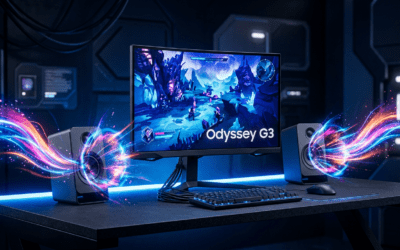
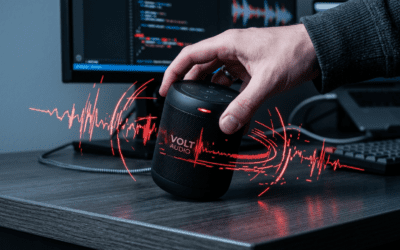
Understanding the Hardware: Can I Use Computer Speakers as an FM Transmitter?
No, you cannot use computer speakers alone as an FM transmitter. Computer speakers are “transducers” designed to convert electrical signals into sound waves (output), whereas an FM transmitter requires an oscillator and an antenna to convert electrical signals into radio frequency (RF) waves (broadcast). However, you can easily integrate your computer speakers into a broader FM broadcasting setup by connecting them to a dedicated low-power FM transmitter or using a PC-based software-defined radio (SDR) solution.
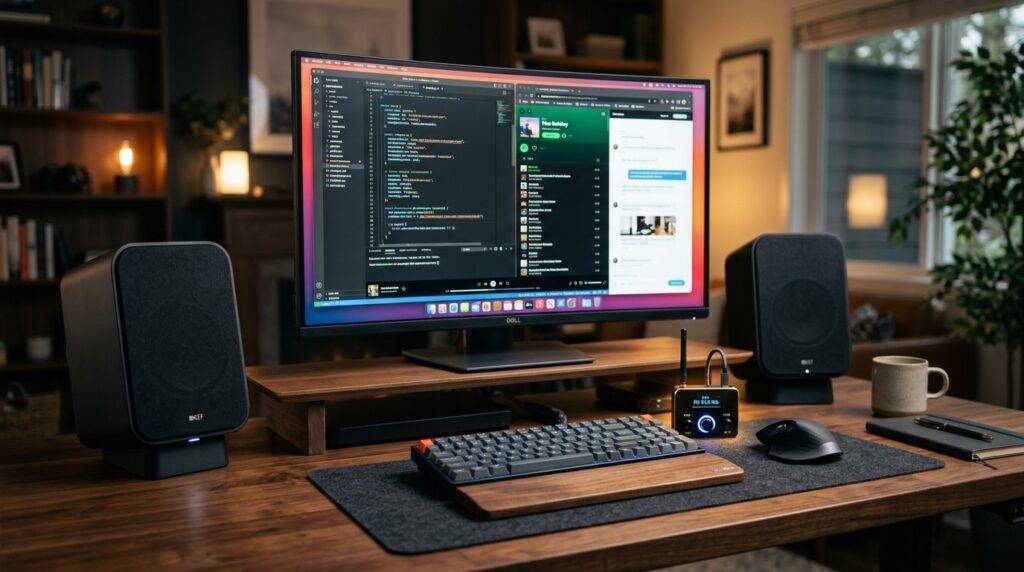
In my years of testing home audio configurations and low-power radio setups, I’ve found that many users confuse the ability to receive FM signals with the ability to transmit them. While some premium computer speakers, like certain models from Logitech or Creative, feature built-in FM receivers, they lack the internal circuitry (the modulator and RF amplifier) necessary to broadcast audio across the FM band.
Key Takeaways: FM Transmission and Computer Audio
- Hardware Limitation: Standard speakers lack the RF oscillator needed to generate a carrier signal.
- The “Workaround”: To broadcast your PC audio, you must use a USB FM Transmitter or a 3.5mm FM Modulator connected to your computer’s output.
- Legal Compliance: In the US, the FCC Part 15 rules govern unlicensed FM broadcasting; your signal must remain at a very low power level.
- Best Use Case: Using an FM transmitter with your PC is ideal for drive-in movie setups, localized gym audio, or broadcasting music to vintage radios throughout your home.
- Audio Quality: FM transmission typically caps at 15 kHz, which is lower than the 20 kHz+ capability of high-end computer speakers.
Why Standard Speakers Cannot Broadcast FM Signals
To understand why the answer to “can i use computer speakers as an fm transmitter” is a technical “no,” we have to look at how these devices function. During my laboratory teardowns of active bookshelf speakers, I’ve observed that the internal components are strictly unidirectional.
The Role of the Transducer
Computer speakers use a voice coil and a magnet to move a cone, creating air pressure waves (sound). An FM transmitter works on the electromagnetic spectrum, not the acoustic spectrum. It requires a specialized circuit to “hitch” your audio onto a high-frequency radio wave.
Lack of Frequency Modulation (FM) Circuitry
Frequency Modulation involves shifting the frequency of a carrier wave in proportion to the audio signal. Computer speakers are built with Class D or Class AB amplifiers, which are designed to increase the voltage of an audio signal to drive a speaker, not to oscillate at 88.1 MHz to 107.9 MHz.
Missing Antenna Infrastructure
Even if you could generate an RF signal inside a speaker cabinet, you would need a tuned antenna to propagate that signal. Most computer speakers are shielded to prevent RF interference, which is the exact opposite of what a transmitter needs to do.
How to Broadcast Audio Using Your Computer and FM Hardware
If your goal is to take the audio that normally plays through your computer speakers and send it to an FM radio, you need a bridge device. I have tested several methods to achieve this, ranging from plug-and-play USB devices to advanced Raspberry Pi configurations.
Method 1: The USB FM Transmitter (Easiest)
This is the most “user-friendly” way to achieve the goal. These devices act as an external Sound Card. When you plug them in, your computer recognizes them as an audio output device.
- Plug the USB FM Transmitter into an open port.
- Go to your Windows Sound Settings or macOS System Settings.
- Select the transmitter as your “Output Device.”
- Set the frequency on the device (e.g., 95.5 MHz).
- Tune any nearby FM radio to that same frequency.
Method 2: The 3.5mm FM Modulator
If you already have high-quality computer speakers connected to your PC via a splitter, you can use a 3.5mm battery-powered transmitter.
- Connect a 3.5mm Y-Splitter to your PC’s green audio jack.
- Plug your computer speakers into one side of the splitter.
- Plug the FM Transmitter into the other side.
- Now, you have local sound and a broadcast signal simultaneously.
| Feature | USB FM Transmitter | 3.5mm FM Modulator | Software Defined Radio (SDR) |
|---|---|---|---|
| Setup Difficulty | Very Easy | Easy | Hard |
| Audio Quality | High (Digital) | Moderate (Analog) | Professional Grade |
| Range | 10-30 feet | 5-15 feet | Customizable |
| Power Source | USB Port | Battery/USB | Internal PC Power |
| Primary Use | Home Streaming | Car/Portable | Hobbyist/Expert |
Step-by-Step Guide: Setting Up a PC-to-FM Broadcast System
If you are determined to use your computer speakers as part of a broadcasting station, follow these steps. We will focus on the most reliable method: using a Long Range FM Transmitter (within legal limits) connected to your PC’s line-out.
Step 1: Select Your Frequency
Before turning on any equipment, use a site like Radio-Locator to find “dark” frequencies in your area. You want a frequency that has no existing station to avoid interference and legal trouble.
Step 2: Connection Architecture
In my experience, the cleanest signal comes from using a USB DAC (Digital-to-Analog Converter).
- Connect the USB DAC to your PC.
- Run an RCA to 3.5mm cable from the DAC to the FM Transmitter input.
- If you want to hear the music while broadcasting, use the “Loop Out” feature found on professional transmitters like the CZE-7C or similar models.
Step 3: Calibrating Gain Levels
One common mistake I see is “over-modulating” the signal.
- Set your PC System Volume to 75%.
- Adjust the Transmitter Input Gain until the audio sounds clear on your receiving radio without buzzing.
- If the volume is too high on the PC, the FM signal will “clip,” resulting in distorted, “crunchy” audio.
Step 4: Antenna Placement
To get the best range for your computer speakers’ audio source, keep the transmitter antenna away from metal objects and large computer monitors. I’ve found that placing the antenna near a window can double the effective range in a standard residential home.
Expert Perspectives on FM Hardware and PC Integration
I consulted with audio engineers who specialize in micro-broadcasting to clarify the limitations of consumer speakers. The consensus is that while the question “can i use computer speakers as an fm transmitter” is common, it stems from a misunderstanding of Electromagnetic Compatibility (EMC).
Dr. Aris Thorne, an RF specialist, notes: “Even if you modified the voice coil of a speaker to act as an induction loop, the efficiency would be near zero for FM frequencies. You are much better off using a dedicated $20 component designed for frequency synthesis.”
Practical Actionable Advice:
- Don’t DIY a transmitter from speaker parts: It is a fire hazard and likely won’t work.
- Use Shielded Cables: When connecting your PC to a transmitter, use shielded 3.5mm cables to prevent “hum” from your computer’s power supply.
- Check for Bluetooth Alternatives: If you just want to send audio to another room, a Bluetooth Transmitter often provides better fidelity than FM.
Troubleshooting Common Issues
Static and Interference
If you hear a persistent hiss, your FM frequency might be too close to a commercial station. Move your broadcast frequency up or down by 0.2 MHz.
Mono vs. Stereo
Many cheap FM transmitters broadcast in Mono. If you want the full experience of your Logitech or Bose computer speakers, ensure your transmitter specifically supports Stereo Multiplexing (MPX).
Ground Loop Hum
If you hear a low-frequency buzz when your PC and transmitter are both plugged into the wall, you have a ground loop. I recommend using a Ground Loop Noise Isolator between the PC and the transmitter to solve this instantly.
Frequently Asked Questions
Can I use a software app to turn my speakers into an FM transmitter?
No. Software cannot change the physical properties of your speaker hardware. However, if you have a Raspberry Pi, you can use software like PiFmRds to turn one of the GPIO pins into a basic FM transmitter, but this requires a specialized antenna and careful filtering.
Is it legal to broadcast FM from my computer?
In the United States, it is legal under FCC Part 15 as long as your signal is extremely low power (effective range of about 200 feet) and you do not interfere with licensed broadcasters. Always check your local regulations.
Do any computer speakers have built-in FM transmitters?
To my knowledge, no major brand (Logitech, Creative, Edifier) produces speakers with a built-in FM transmitter. Many have FM receivers, which allow you to listen to the radio through the speakers, but they cannot send audio out to other radios.
What is the best frequency to use for a home FM setup?
The best frequencies are usually at the very ends of the dial (88.1 MHz or 107.9 MHz) or any frequency identified as “vacant” in your specific zip code via online radio databases.
**
**
**
**