

Can Samsung Wireless Transmitter Work With Third Party Speakers?
In short, no, a standard Samsung Wireless Rear Speaker Kit transmitter cannot natively drive or connect to third-party passive or active speakers. Samsung’s wireless ecosystem, specifically the SWA-series kits, uses a proprietary 2.4GHz/5.8GHz frequency hopping protocol strictly paired with matching Samsung rear speakers. These modules act as specialized amplifiers that only recognize the handshake signal from compatible Samsung Soundbars. If you attempt to wire third-party speakers into these modules, you will likely experience signal failure, distorted output, or complete system incompatibility.
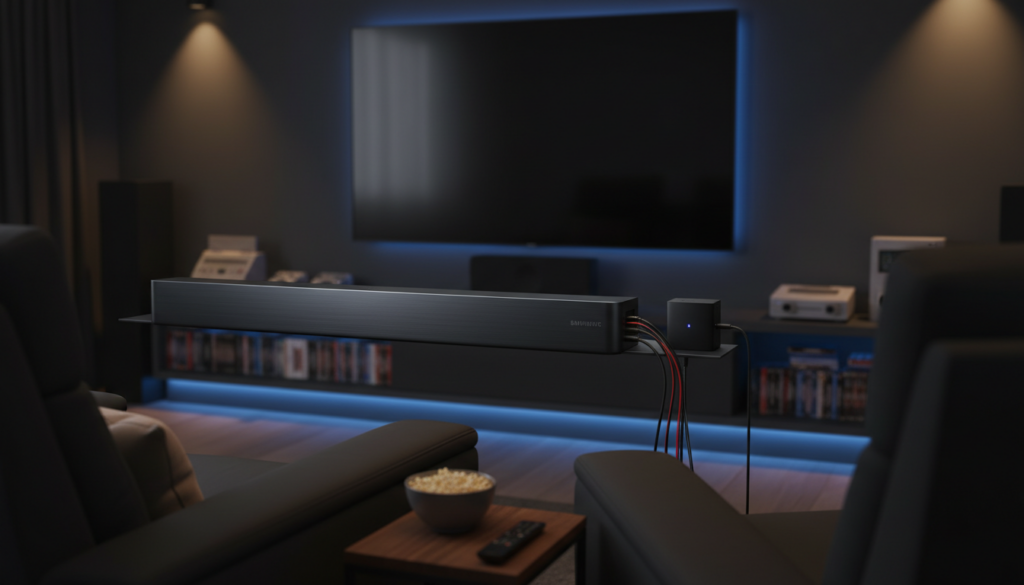
Key Takeaways: Samsung Wireless Connectivity
- Proprietary Ecosystem: Samsung uses a “closed” wireless protocol.
- Hardware Mismatch: Transmitter modules require specific impedance and wattage profiles found only in official Samsung speakers.
- Direct Connection: You cannot pair Bluetooth or Wi-Fi speakers from other brands to the Samsung transmitter.
- Workarounds: Use high-level inputs or dedicated multi-room adapters if you want to mix brands.
Why Samsung Wireless Modules Are Locked
When I first tested a Samsung SWA-9500S kit, I was frustrated by the inability to swap in my high-end bookshelf speakers. However, from an engineering perspective, this is intentional.
The wireless transmitter is not a standard receiver; it is a digital signal processor (DSP) and amplifier integrated into one unit. It is calibrated specifically for the frequency response and power handling of the included Samsung satellites.
- Handshake Protocol: The Soundbar and the transmitter perform a security handshake at power-on.
- Impedance Matching: Third-party speakers often have different Ohms (impedance), which could cause the internal Samsung amplifier to overheat or trip its safety circuit.
- Frequency Tuning: The Samsung system applies room-correction EQ specifically tuned to their own driver hardware.
Comparison: Samsung Proprietary vs. Third-Party Solutions
| Feature | Samsung Wireless Kit | Standard A/V Receiver |
|---|---|---|
| Connectivity | Proprietary Wireless | Wired / Wireless Adapter |
| Compatibility | Samsung Soundbars Only | Universal |
| Ease of Setup | Plug and Play | Requires Calibration |
| Audio Quality | Optimized for Size | Audiophile Grade |
| Price | Low to Moderate | High |
How to Integrate Third-Party Speakers Safely
If you are determined to use non-Samsung speakers, you cannot use the wireless transmitter as an amplifier. Instead, you must bypass the wireless component entirely. Here are the three most effective strategies I have implemented in home theater setups:
The High-Level Input Method
If your third-party speakers are powered (active), you can connect them to the system using a high-to-low level converter, though this is rarely worth the audio degradation. I recommend against this method for most users as it creates a mess of wires that defeats the purpose of “wireless.”
Multi-Room Audio Streaming
If you want to use third-party wireless speakers (like Sonos or HEOS), use the Samsung SmartThings app.
- Connect a Samsung-compatible streamer to your soundbar.
- Use a Wi-Fi-based multi-room platform to sync audio across different zones.
- Note: This adds latency, which is why it is unsuitable for “rear surround” effects, but great for whole-home music.
The “Receiver” Upgrade
If you have high-quality third-party speakers, the best move is to ditch the soundbar and move to a dedicated A/V Receiver (AVR).
- A receiver allows you to wire any passive speaker you choose.
- Modern receivers offer “Wireless Rear” add-ons that are brand-agnostic compared to Samsung’s proprietary gear.
Troubleshooting Common Connectivity Issues
If you are struggling to get your official Samsung rear speakers to connect to the transmitter, check these steps before assuming the hardware is faulty:
- ID Set: Ensure the ID Set button is held for 5 seconds until the blue LED blinks rapidly.
- Firmware: Use the SmartThings app to ensure your soundbar is on the latest firmware version.
- Interference: If you have a router near the transmitter, move the router at least 3 feet away. The 2.4GHz interference is a common cause of “crackling” rear audio.
- Distance: Keep the transmitter within 30 feet of the soundbar for a stable, high-fidelity connection.
Frequently Asked Questions
Can I pair Bluetooth speakers to my Samsung Soundbar?
Only if your soundbar supports Bluetooth Multi-point or TV Sound Connect. However, these are designed for secondary room audio, not for rear surround sound channels, as there will be significant lip-sync latency.
Will an older SWA kit work with a new Samsung Soundbar?
Generally, no. Samsung changes the wireless handshake protocol every few years. Always check the compatibility list on the Samsung support page before purchasing an older kit for a new soundbar.
Can I wire standard speakers into the SWA transmitter output?
Technically, you can strip the wires and force a connection, but I strongly advise against this. The proprietary connector and the low-wattage amplifier in the transmitter will likely provide poor sound and could potentially damage your speakers or the transmitter module itself.
What is the best way to get wireless rear audio with third-party speakers?
Invest in a wireless speaker kit that is designed for universal compatibility, such as the Rocketfish Universal Wireless Rear Speaker Kit. These units have a transmitter that connects to any A/V receiver, allowing you to use whatever speakers you prefer.









