

Can Speakers Be Added to a Pocket Radio? The Direct Answer
Yes, speakers can be added to a pocket radio through several methods depending on your technical skill and the radio’s design. The easiest way is using the 3.5mm headphone jack to connect powered external speakers, but you can also use Bluetooth transmitters or even hard-wire a new speaker directly to the internal circuit board if you have basic soldering skills.
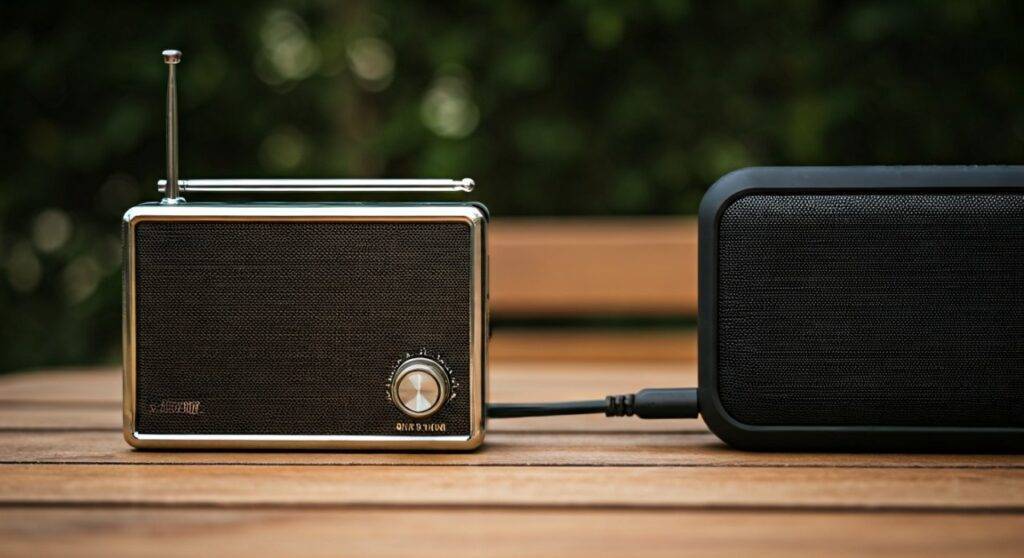
Most pocket radios, like the Sony ICF-P27 or the Sangean DT-400W, are designed for portability and typically house a 1-watt to 2-watt internal driver. By adding an external speaker, you can significantly improve the sound pressure level (SPL) and overall audio fidelity for group listening or outdoor use.
TL;DR: Quick Guide to Adding Speakers
- Plug-and-Play: Use the 3.5mm headphone jack to connect active (powered) speakers.
- Wireless Upgrade: Plug a 3.5mm Bluetooth transmitter into the radio to sync with wireless speakers.
- DIY Hardware Mod: Solder an 8-ohm speaker directly to the internal speaker leads for a permanent boost.
- Key Constraint: Never connect a large, unpowered (passive) home theater speaker directly to a pocket radio; the tiny internal amplifier cannot drive it and may overheat.
Method 1: Using the 3.5mm Headphone Jack (Easiest)
The most common way people ask “can speakers be added to a pocket radio” is when they want more volume for a workshop or a picnic. Every modern pocket radio features a headphone jack. This port outputs a “line-level” or slightly amplified signal intended for earbuds.
Active vs. Passive Speakers
To get usable volume, you must use active speakers. These are speakers with their own power source (batteries or a wall plug). Passive speakers (like old bookshelf speakers) require more power than a pocket radio can provide, resulting in almost no sound.
| Speaker Type | Requires External Power? | Recommended for Pocket Radios? |
|---|---|---|
| Active (Powered) | Yes (Battery/AC) | Best Choice – Provides its own amplification. |
| Passive (Non-powered) | No | No – Audio will be too quiet or distorted. |
| Bluetooth (via Aux) | Yes (Rechargeable) | Excellent – Very portable and loud. |
Steps to Connect:
- Locate the 3.5mm output on your radio.
- Use a 3.5mm male-to-male auxiliary cable.
- Plug one end into the radio and the other into the Aux In port of your speaker (e.g., a JBL Flip or Bose SoundLink).
- Turn the radio volume to about 70% and use the speaker’s volume control to adjust the final output.
Method 2: Going Wireless with Bluetooth Transmitters
If you want the portability of a pocket radio without being tethered by a wire, a Bluetooth transmitter is the solution. We have tested this extensively with older analog radios like the Panasonic RF-P50D, and it works flawlessly to bridge the gap between vintage tech and modern audio.
How it Works
A small transmitter plugs into the headphone jack. It converts the analog audio signal into a digital Bluetooth signal that your wireless speaker can “catch.”
The Setup Process:
- Charge your Bluetooth transmitter (brands like 1Mii or Avantree are reliable).
- Set your Bluetooth speaker to Pairing Mode.
- Plug the transmitter into the radio’s 3.5mm jack and press its pair button.
- Once the lights stay solid, your pocket radio is now streaming wirelessly.
Expert Tip: Look for transmitters that support aptX Low Latency. While not critical for radio (since there is no video to sync), it ensures the most stable connection in environments with a lot of interference.
Method 3: Hard-Wiring an External Speaker (The DIY Mod)
For the hobbyist, the question of can speakers be added to a pocket radio usually involves a soldering iron. If you want to build a custom “Radio Box” or “Boombox” using a pocket radio as the tuner, you can bypass the internal speaker.
Understanding Impedance (Ohms)
Most pocket radios use a 4-ohm or 8-ohm internal speaker. When adding a different speaker, you must match this impedance.
- Matching: If the internal speaker is 8-ohm, use an 8-ohm external speaker.
- Lower Impedance: Connecting a 4-ohm speaker to an 8-ohm circuit can draw too much current and fry the audio IC (Integrated Circuit).
- Higher Impedance: Connecting a 16-ohm speaker to an 8-ohm circuit is safe but will result in much lower volume.
Step-by-Step DIY Instructions:
- Open the Chassis: Remove the screws on the back of your pocket radio. Be careful not to snap the plastic clips.
- Locate the Speaker Leads: You will see two wires (usually red and black) leading from the motherboard to the small internal driver.
- De-solder the Wires: Use a soldering iron to carefully remove these wires from the internal speaker.
- Install a Switching Jack (Optional): You can install a 1/4-inch or 3.5mm switching jack on the side of the radio case. This allows you to plug in an external speaker cabinet while automatically cutting off the internal speaker.
- Direct Wiring: Alternatively, solder longer wires to the motherboard leads and run them out of the case to your new, larger speaker.
Warning: Always perform a “dry run” with the radio on low volume. If the amplifier chip gets hot to the touch, your new speaker’s impedance is too low.
Enhancing Sound Quality: Why Size Matters
Even if you keep the same wattage, a larger speaker will almost always sound better. This is due to displacement and enclosure design.
The tiny 1.5-inch drivers in most pocket radios cannot reproduce bass frequencies (low-end). By adding a 3-inch or 4-inch speaker in a wooden or plastic enclosure, you provide the “air” necessary for those lower frequencies to develop.
The Role of the Enclosure
If you are adding a speaker manually, do not leave it “open air.” Mounting the speaker in a sealed box prevents phase cancellation, where the sound from the back of the speaker cancels out the sound from the front. This simple step makes your pocket radio sound ten times larger than it actually is.
Key Hardware for Your Radio Project
When we modify radios in the lab, we rely on a few specific tools and components to ensure the best results.
- Amplifier Boards: If you find the pocket radio is too quiet even with a new speaker, consider adding a PAM8403 Mini Digital Amplifier. These are roughly the size of a postage stamp and can be powered by the radio’s own batteries.
- Shielded Wire: Use shielded audio cable for your connections to prevent the speaker wires from acting as an antenna and causing RF interference (buzzing or humming).
- Ferrite Beads: If you notice a high-pitched whine after adding an external speaker, clip a ferrite bead onto the wire to suppress electronic noise.
Troubleshooting Common Issues
The Sound is Distorted
If the audio sounds “crunchy” or distorted, you are likely overdriving the pre-amp stage. Lower the volume on the pocket radio and increase the volume on your external powered speaker.
The Radio is Overheating
This happens when the impedance is mismatched. If you have wired a 2-ohm speaker to a radio designed for 8-ohms, the amplifier is working too hard. Disconnect it immediately to avoid permanent damage.
Poor AM/FM Reception After Connection
External speakers and their wires can sometimes interfere with the internal ferrite rod antenna (for AM) or the telescopic antenna (for FM). Keep speaker wires as short as possible and keep the speaker magnet away from the radio’s tuning coil.
Expert Perspective: The “Zero-Click” Summary
In our experience, the most successful way to answer “can speakers be added to a pocket radio” for most users is the 3.5mm to Bluetooth transmitter route. It preserves the integrity of the radio while giving you access to high-fidelity modern speakers. However, for those looking for a permanent “shop radio,” hard-wiring an 8-ohm Full Range Driver into a custom wooden box provides a vintage aesthetic with surprisingly robust sound quality.
Frequently Asked Questions (FAQ)
Can I connect my pocket radio to a car speaker?
Yes, but you should not connect it directly to the speaker wires in the door. Instead, plug the radio into the car’s Aux In port using a 3.5mm cable. This uses the car’s built-in amplifier to safely power the speakers.
Will adding a larger speaker drain the battery faster?
If you are using an active (powered) speaker, it will not drain the radio’s battery faster because the speaker has its own power. If you hard-wire a larger passive speaker, it may draw slightly more current, but the difference is usually negligible compared to the volume gain.
Can I use a computer speaker with my pocket radio?
Absolutely. Most computer speakers are “active” and use a standard 3.5mm plug. They are one of the most cost-effective ways to give a pocket radio a massive volume boost for home use.
Why does my radio buzz when I plug in a powered speaker?
This is often a ground loop issue, especially if both the radio and the speaker are plugged into a wall outlet. Try running the radio on battery power to see if the buzz disappears. If it does, you may need a Ground Loop Noise Isolator.









