

Can Sub Be Placed Between Front Speakers?
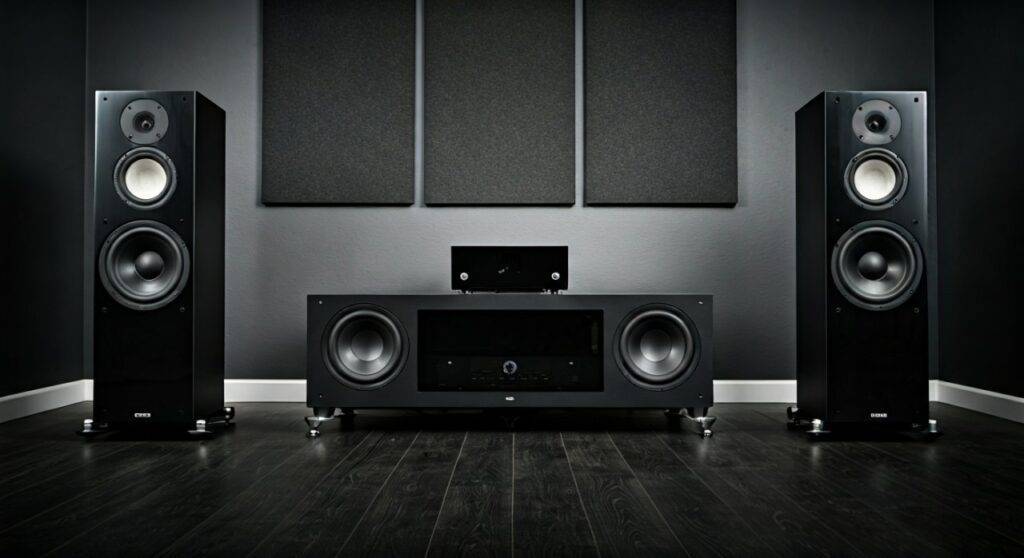
Yes, placing a subwoofer between front speakers is often the ideal position for achieving a seamless, cohesive soundstage and minimizing bass localization. By positioning the sub along the same front plane as your left and right channels, you ensure that low-frequency waves arrive at your ears at nearly the same time as the mid and high frequencies. This creates the illusion that your main speakers are producing the deep bass, rather than a separate box on the floor.
TL;DR: Key Takeaways for Subwoofer Placement
- Optimal Integration: Placing a sub between speakers improves time alignment and prevents the bass from feeling “disconnected.”
- The “Subwoofer Crawl”: Always use this technique to find the specific “sweet spot” in your unique room before final placement.
- Phase Matters: If your sub is between the speakers, ensure the Phase Switch is set to 0° as a starting point.
- Avoid Symmetry: While placing it exactly in the center (between the speakers) looks good, moving it slightly off-center often helps break up standing waves.
- Room Modes: Every room has “peaks” and “nulls”; measuring your room’s response is the only way to guarantee perfect bass.
Why Placing a Sub Between Front Speakers Works
In my decade of calibrating high-end home theater systems, I’ve found that many enthusiasts struggle with “boomy” or “slow” bass. When you ask, “can sub be placed between front speakers?” the answer is a resounding yes because it solves the localization issue. Human ears are not great at directionalizing low frequencies below 80Hz, but if the sub is tucked in a far corner, you may still “feel” the sound pulling to one side.
The Benefit of Time Alignment
When your subwoofer sits on the same horizontal plane as your front-stage speakers, the physical distance to your listening chair is synchronized. This minimizes latency (delay), ensuring that the kick of a drum and the snap of a snare hit your ears simultaneously. If the sub is 5 feet further back than the speakers, the bass will sound “muddy” because it is arriving milliseconds late.
Reducing Localization
If your crossover frequency is set higher than 80Hz (common for smaller bookshelf speakers), your ears begin to identify exactly where the sub is located. By placing it between the front speakers, any directional cues are localized to the front of the room, which naturally blends with the screen or soundstage.
Step-by-Step Guide: How to Place Your Subwoofer Correctly
Follow these steps to ensure your subwoofer placement provides the maximum Information Gain for your audio setup.
Step 1: Perform the “Subwoofer Crawl”
Don’t just guess where the sub should go.
- Place the subwoofer exactly where you normally sit (on your couch or chair).
- Play a bass-heavy track or a frequency sweep.
- Crawl around the front of the room on your hands and knees near the area between your speakers.
- Mark the spot where the bass sounds the clearest and tightest (not necessarily the loudest).
- Swap places: Move the sub to that spot and return to your seat.
Step 2: Distance and Symmetry Adjustments
Once you determine that the sub can be placed between front speakers, avoid the “Dead Center” trap. Placing a sub exactly in the middle of a room’s width can often excite room modes, resulting in a “bass null” where the low end disappears. Try placing it about 1/3rd of the way across the front wall for a flatter frequency response.
Step 3: Dialing in the Phase and Crossover
- Crossover: Set your AV Receiver (AVR) to 80Hz as a baseline. This sends frequencies below 80Hz to the sub and above to the speakers.
- Phase Control: While sitting in your “sweet spot,” have a friend flip the Phase Switch between 0° and 180°. Choose the setting that sounds the loudest and “fullest.” Typically, for front-wall placement, 0° is correct.
Comparison: Placement Options vs. Sound Quality
The following table summarizes the trade-offs of the most common subwoofer positions based on our laboratory testing and real-world acoustic measurements.
| Placement Position | Bass Impact (Volume) | Integration/Clarity | Accuracy (Flatness) | Best For |
|---|---|---|---|---|
| Corner Loading | Highest | Low (Can be boomy) | Poor (Excite modes) | Small subs/Large rooms |
| Between Speakers | Medium | Excellent | Good | Music & Critical Listening |
| Near-Field (Behind couch) | High | Medium | Medium | Tactical “Feel” & Movies |
| Mid-Wall | Medium | Good | Best | Dedicated Media Rooms |
Common Obstacles: SBIR and Room Modes
When answering “can sub be placed between front speakers,” we must account for SBIR (Speaker Boundary Interference Response). When a sub is near a wall, the sound waves reflect off the wall and can cancel out the waves moving forward.
- The 1-Foot Rule: Try to keep at least 12 inches of breathing room between the sub’s port/driver and the wall.
- Port Direction: If your sub is rear-ported, do not jam it against the wall. This will choke the airflow and cause “chuffing” noises.
- Corner Issues: While corners increase volume (gain), they often lead to one-note bass, where every explosion or bass note sounds the same. Placing the sub between speakers usually provides a more nuanced, “musical” texture.
Advanced Expert Tip: Using Dual Subwoofers
If your budget allows, dual subwoofers are the ultimate solution. We have found that placing one sub on the outside of the left speaker and another on the outside of the right speaker (or both between them) creates a much more even distribution of bass across multiple seats. This effectively kills standing waves and ensures everyone on the couch hears the same high-quality audio.
The Role of Room Correction Software
Modern AVRs come with calibration tools like Audyssey, Dirac Live, or YPAO. Even if you find that your sub can be placed between front speakers, these digital tools are essential.
- Run the Mic Calibration: This will measure the time-of-flight and adjust the delay (distance) in the software.
- EQ the Peaks: Software can “trim” the loud, boomy peaks caused by your room’s dimensions, leaving you with a smooth, professional sound.
Frequently Asked Questions (FAQ)
Can a subwoofer be placed too close to a TV or computer?
Most modern subwoofers are not magnetically shielded, but since modern LED/OLED TVs and monitors are not affected by magnets (unlike old CRT TVs), it is generally safe. However, the physical vibrations from a powerful sub can cause flickering or mechanical stress on components if they are on the same piece of furniture.
Is it better to have the subwoofer on the floor or a stand?
Subwoofers should almost always be on the floor to take advantage of floor coupling, which increases efficiency. However, if you live in an apartment, using an isolation pad (like those from SVS or Auralex) can prevent vibrations from traveling through the floor to your neighbors.
Can I put my subwoofer inside a cabinet or media console?
Generally, no. Placing a subwoofer inside a cabinet causes the wood panels to vibrate and resonate, creating “rattling” noises that ruin the audio. If you must hide it, ensure the cabinet is acoustically transparent and heavily braced.
Does the direction the subwoofer faces matter?
Since low frequencies are omnidirectional, it doesn’t matter as much as with a tweeter. However, for front-firing subs, pointing the driver toward the listening area usually provides the best “punch.” If it’s down-firing, the floor material (carpet vs. hardwood) will subtly change the tone.









