Can You Use Any Speakers to Replace My Bluetooth Speaker? The Short Answer
You can use many different drivers to replace your Bluetooth speaker, but you cannot use “any” random speaker without checking technical specs first. To ensure compatibility, the replacement driver must match the impedance (Ohms), wattage (Watts), and physical dimensions of the original part. Using a speaker with the wrong resistance can overheat the internal Class-D amplifier or result in extremely low volume.
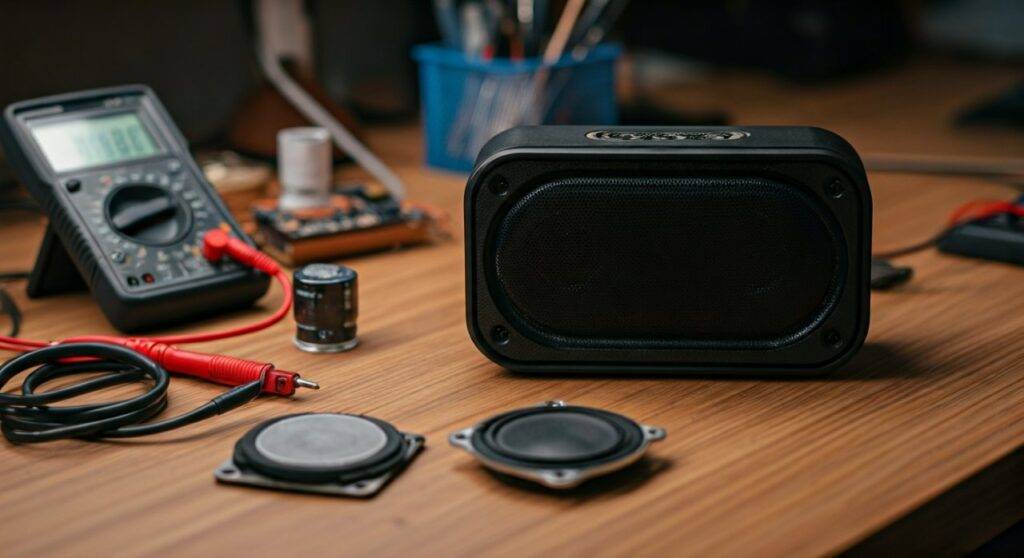
In my years of repairing portable audio gear, I’ve learned that the most critical factor isn’t just the brand, but the mounting depth and airtight seal within the enclosure. If the new speaker fits but leaves air gaps, you will lose all bass response immediately.
TL;DR: Key Takeaways for Quick Repair
- Match Impedance: Most Bluetooth speakers use 4-ohm or 8-ohm drivers. Check the back of the old magnet.
- Wattage Matters: Ensure the replacement has an equal or higher RMS power rating than the original.
- Measure Twice: The diameter (usually in inches or mm) and mounting hole alignment must be identical.
- Seal it Up: Use silicone sealant or foam gaskets to maintain the acoustic pressure.
- Tools Required: You will need a soldering iron, pry tools, and a multimeter.
Understanding Compatibility: Impedance, Wattage, and Size
When asking can u use any speakers to replace my bluetooth speaker, you must understand that the internal circuit is tuned for a specific load. Replacing a high-quality JBL or Bose driver with a generic one might work, but it will change the sound signature significantly.
Matching the Impedance (The Ω Factor)
The Impedance is the electrical resistance the speaker offers to the amplifier.
- Lower Impedance (e.g., 2-ohm instead of 4-ohm): This will draw too much current. I have seen many DIYers fry their motherboards because the amp worked too hard and melted a capacitor.
- Higher Impedance (e.g., 8-ohm instead of 4-ohm): This is safe, but your speaker will be significantly quieter.
Power Rating (Wattage)
The Wattage indicates how much power the speaker can handle before the voice coil burns out. Always look for the RMS (Root Mean Square) rating rather than “Peak Power.” If your original speaker was 10W, a 15W replacement is fine, but a 5W replacement will likely distort and fail within hours of high-volume use.
Physical Dimensions and Excursion
Bluetooth speakers are compact. You must measure the outer diameter, bolt circle, and depth. Furthermore, consider the excursion (how far the cone moves). If you install a high-excursion driver in a shallow box, the cone might hit the front grille, causing a buzzing sound.
| Feature | Original Speaker Requirement | Replacement Compatibility |
|---|---|---|
| Impedance | 4 Ohms | Must be 4 Ohms (or 8 Ohms for lower volume) |
| Wattage | 10W RMS | 10W to 20W RMS is ideal |
| Driver Type | Full-range | Must be Full-range (not a dedicated Subwoofer) |
| Connection | Solder terminals | Solder terminals or Spade connectors |
| Shape | Circular / Oval | Must match for an airtight seal |
Step-by-Step Guide: Replacing Your Bluetooth Speaker Driver
I have performed this “transplant” on dozens of devices, from UE Booms to Anker Soundcores. Follow these steps to ensure you don’t damage the sensitive Li-ion battery or the Bluetooth module.
Step 1: Disassembly and Access
Most Bluetooth speakers are held together with hidden screws under rubber pads or plastic mesh grilles.
- Use a plastic spudger to gently pry the grille off.
- Locate and remove all screws. Note that some may be Torx or Security Hex.
- Carefully pull the housing apart. Warning: Do not pull hard, as thin ribbon cables often connect the buttons to the mainboard.
Step 2: Testing the Old Speaker
Before buying a replacement, confirm the speaker is actually the problem. Use a Digital Multimeter set to the Ohms (Ω) setting.
- Touch the probes to the speaker terminals.
- If it reads “OL” (Open Loop) or “0,” the voice coil is dead.
- If it reads close to its rated impedance (e.g., 3.6 for a 4-ohm speaker), the issue might be the amplifier or a loose wire.
Step 3: Desoldering the Connections
Heat your soldering iron to roughly 350°C (660°F).
- Note which wire is positive (+) and negative (-). Usually, Red is positive.
- Briefly touch the iron to the terminal and pull the wire away.
- Remove the old driver from the mounting bracket.
Step 4: Installing the New Speaker
Place the new driver into the opening. If the holes don’t line up perfectly, you may need to use a Dremel to slightly modify the plastic frame.
- Apply a thin bead of silicone adhesive around the rim to ensure an airtight seal.
- Solder the wires to the new terminals. Ensure there are no “cold” solder joints (they should look shiny, not dull).
- Screw the driver back into place firmly.
Step 5: Reassembly and Testing
Before snapping the case shut, power the device on and play a frequency sweep (20Hz to 20kHz). Listen for any air escaping the seals or rattling plastic. If it sounds clear, reattach the grille and rubber feet.
Why “Any” Speaker Might Not Sound Good: The DSP Problem
Modern Bluetooth speakers use Digital Signal Processing (DSP). Engineers program a chip to “correct” the flaws of a specific driver. For example, if the original driver was weak in the 100Hz range, the DSP is programmed to “boost” that frequency.
If you use a different speaker that is already strong at 100Hz, the DSP boost will make it sound boomy or distorted. This is why information gain is vital: when you ask can u use any speakers to replace my bluetooth speaker, remember that while it will function, the “tuning” will be different. To get the best results, try to find a replacement with a similar frequency response curve.
Common Pitfalls to Avoid During Replacement
- Puncturing the Battery: Many speakers have the battery glued directly behind the driver. Be extremely careful with screwdrivers.
- Ignoring Passive Radiators: Many speakers use Passive Radiators (the wiggly diaphragms on the sides) to create bass. If you don’t seal the main driver perfectly, the radiator won’t move, and your bass will vanish.
- Overheating Terminals: Don’t hold the soldering iron on the speaker terminal for more than 3 seconds. Excessive heat can melt the tiny wires leading to the voice coil.
Frequently Asked Questions
Can I use a speaker with higher wattage than the original?
Yes, you can. Using a 20W speaker to replace a 10W one is safe. The speaker just won’t be pushed to its full potential. However, never go significantly lower (e.g., using a 3W speaker for a 10W amp), as you will blow the speaker almost instantly at high volumes.
What happens if I reverse the positive and negative wires?
The speaker will be “out of phase.” If your device has two speakers and one is reversed, they will cancel each other’s sound out, resulting in very thin, tinny audio. Always match the polarity markings on the driver.
Where can I buy replacement Bluetooth speaker drivers?
I recommend checking Parts Express, Digi-Key, or even Amazon for “Full Range Drivers.” You can also “cannibalize” a broken speaker of the same model found on eBay for parts to ensure a 100% match.
Can I use a car speaker to replace my portable Bluetooth speaker?
Usually, no. Car speakers are typically much larger (4″, 5.25″, 6.5″) and require significantly more power than a small portable battery can provide. They also usually lack the enclosure-specific tuning required for small portable boxes.