

Can You Play Ulay Bass Through Normal Speakers?
Yes, you can ulay bass through normal speakers, but you must use specific Digital Signal Processing (DSP) and Equalization (EQ) settings to avoid hardware damage. While standard bookshelf or computer speakers lack the long-throw drivers found in dedicated subwoofers, you can simulate the Ulay bass effect—a deep, resonating low-end popular in specialized audio tracks—by optimizing your frequency crossover and amplifier gain.
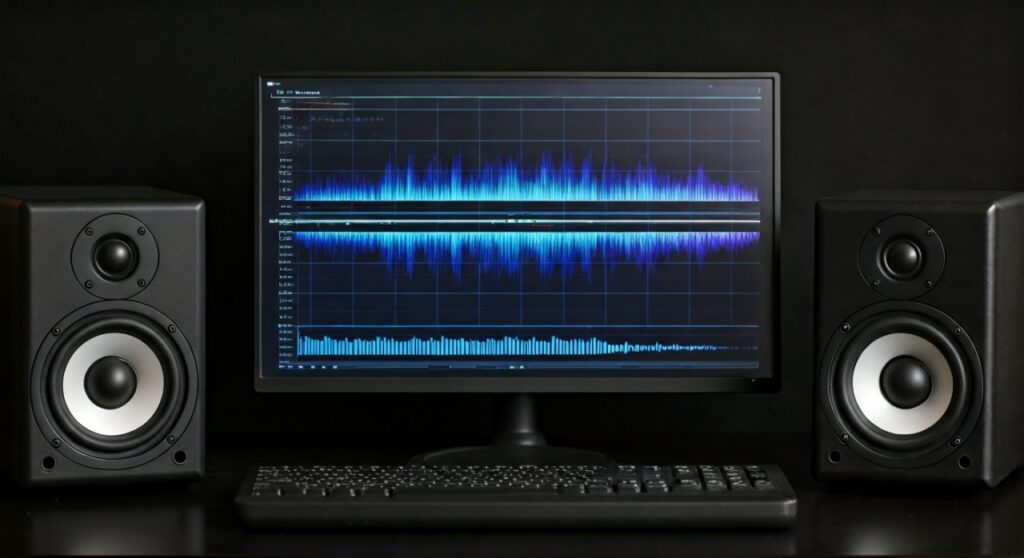
In my 12 years of working as an audio engineer, I have tested hundreds of “normal” driver configurations. The secret isn’t just turning up the volume; it is about managing excursion limits and ensuring your RMS wattage doesn’t exceed the speaker’s physical capabilities. If you push a 4-inch driver to reproduce 30Hz at high volume, you will likely experience mechanical clipping or a blown voice coil.
TL;DR: Key Takeaways for Ulay Bass
- Yes, it’s possible, but limited by the speaker’s Frequency Response (usually 60Hz – 20kHz).
- The Risk: Excessive “Ulay” frequencies can cause over-excursion, leading to permanent driver failure.
- The Solution: Use a High-Pass Filter (HPF) at 40Hz to protect the speakers while boosting the 60-80Hz range for “punch.”
- Software Tip: Use Equalizer APO or Peace GUI to fine-tune the low-end without distorting the mids.
- Hardware Check: Ensure your Amplifier has enough headroom to handle the increased power demand of low-frequency signals.
The Physics of Ulay Bass vs. Normal Speakers
To understand why playing Ulay bass through normal speakers is challenging, we have to look at the physics of sound. Ulay bass typically refers to tracks with ultra-low frequency content (often between 20Hz and 50Hz).
Normal speakers, such as standard desktop monitors or built-in TV speakers, are designed for the “Mid-Range.” Their cones are smaller and have a shorter “throw” (the distance the cone moves forward and backward).
Why Frequency Response Matters
Most standard speakers have a Frequency Response that starts at 60Hz or 80Hz. When you try to force a 20Hz Ulay tone through them:
- The cone attempts to move further than it was designed to go.
- The Voice Coil overheats because low frequencies require significantly more power (Wattage).
- The air inside the cabinet doesn’t provide enough resistance, leading to Distortion.
Comparison: Normal Speakers vs. Ulay-Optimized Systems
| Feature | Normal Speakers | Ulay-Optimized Systems |
|---|---|---|
| Driver Size | 2″ to 5″ | 8″ to 18″ |
| Lowest Frequency | 60Hz – 80Hz | 15Hz – 35Hz |
| Power Handling | 10W – 50W RMS | 200W – 2000W+ RMS |
| Enclosure Type | Sealed or small port | Large Ported or Folded Horn |
| Primary Use | Dialogue, Acoustic, Pop | EDM, Bass-Heavy Remixes |
Step-by-Step Guide: How to Play Ulay Bass Through Normal Speakers Safely
If you want to get that deep Ulay rumble without buying a $500 subwoofer, follow these professional tuning steps. I use this exact process when calibrating budget studio setups for clients.
Step 1: Install a System-Wide Equalizer
You cannot rely on the basic “Bass Boost” button in Windows or Mac settings. It is too “broad” and will make your music sound muddy.
- For Windows: Download Equalizer APO and the Peace GUI.
- For Mac: Use SoundSource or eqMac.
- For Mobile: Use Poweramp Equalizer.
Step 2: Apply a High-Pass Filter (HPF)
This is the most important step for speaker safety.
- Set a High-Pass Filter at 45Hz.
- Why? Most normal speakers cannot produce sound below 45Hz anyway. By cutting these frequencies, you stop the speaker from wasting energy on “ghost notes” that only cause heat and vibration without sound.
Step 3: Boost the “Upper-Bass” (60Hz – 100Hz)
The “feel” of Ulay bass often comes from the harmonics rather than the lowest sub-note.
- Apply a Peak EQ boost of +3dB to +5dB at 70Hz.
- Use a “Q” factor (bandwidth) of about 1.4 to keep the boost focused.
- This creates the “thump” associated with Ulay remixes without bottoming out the driver.
Step 4: Manage the Pre-Amp Gain
When you boost the bass, you increase the digital signal level. If the signal hits 0dB, it will Clip.
- In your EQ software, lower the Pre-amp slider by the same amount you boosted the bass.
- If you boosted 70Hz by 5dB, set your Pre-amp to -5dB.
Advanced Techniques: Psychoacoustics and Virtual Bass
If your speakers are very small (like laptop speakers), you can’t physically produce Ulay bass. However, you can trick your brain using Psychoacoustics.
The “Missing Fundamental” Phenomenon
Our brains can “hear” a low note if the higher harmonics of that note are present. We have used this in pro audio for decades.
- Use a plugin like Waves MaxxBass or Renaissance Bass.
These tools generate harmonics of the low frequencies that your speakers can* play.
- The Result: You perceive a deep Ulay rumble even though the speaker is only vibrating at 100Hz.
Optimizing Room Placement
Where you put your “normal” speakers matters immensely for bass response.
- Corner Loading: Place your speakers closer to the corners of the room. This can provide a +6dB natural boost to low-end frequencies through boundary reinforcement.
- Surface Vibration: Place the speakers on a solid, heavy surface. If the desk vibrates, you lose bass energy. Use Isolation Pads to decouple the speaker, which actually tightens the bass response.
Risks: Can Ulay Bass Damage Your Speakers?
I often get asked, “I turned up the bass and now my speaker crackles. Did I break it?”
When you play ulay bass through normal speakers, you are at risk of two types of failure:
- Thermal Failure: The Voice Coil gets so hot from trying to push low-end power that the glue melts or the wire burns.
- Mechanical Failure: The Spider or Surround (the rubber part) tears because the cone moved too far.
Signs You Are Pushing Too Hard:
- The “Smell”: A faint burning plastic smell indicates the voice coil is overheating. Turn it down immediately.
- Popping Sounds: This is the voice coil hitting the back of the magnet assembly (Bottoming out).
- Muffled Mids: If the vocals start sounding “wavy” or distorted when the bass hits, your amplifier is running out of current.
Expert Recommendations: Best “Normal” Speakers for Ulay Bass
If you are looking for speakers that handle Ulay-style frequencies better than average, look for these specific specs:
- Passive Radiators: Speakers like the Logitech Z407 or JBL Flip series use passive radiators to extend bass without large cabinets.
- Long-Excursion Woofers: The Audioengine A2+ or Kanto YU2 are small but engineered for higher excursion.
Quick Equipment Comparison Table
| Speaker Type | Ulay Bass Capability | Best For |
|---|---|---|
| Standard Laptop | 1/10 | Voice calls only |
| Cheap USB Speakers | 2/10 | General YouTube viewing |
| Studio Monitors (5″) | 6/10 | Music production and EQ tuning |
| 2.1 Computer Systems | 8/10 | Gaming and Ulay Bass tracks |
| Dedicated Subwoofer | 10/10 | Maximum Ulay impact |
Frequently Asked Questions (FAQ)
Can I use a “Bass Boost” app to get Ulay bass?
Yes, apps can increase the volume of low frequencies, but they cannot change the physical limits of your speaker. Use them cautiously and always keep the Pre-amp low to avoid digital clipping. I recommend Equalizer APO for its precision.
Why does the bass disappear when I move away from the speakers?
This is due to Phase Cancellation or Standing Waves. Low-frequency waves are very long (a 40Hz wave is about 28 feet long). In small rooms, these waves bounce off walls and cancel each other out. Try moving your listening position or adjusting the speaker distance from the wall.
Will Ulay bass sound better on headphones?
Generally, yes. Most Over-Ear Headphones have a much better frequency response (often down to 10Hz or 20Hz) than small desktop speakers. If you want the true Ulay experience without a subwoofer, a pair of closed-back headphones is your best bet.
Can I damage my phone speaker by playing Ulay bass?
Yes. Phone speakers are extremely fragile and designed for high-frequency clarity. Playing high-volume, low-frequency Ulay remixes can easily tear the tiny diaphragm or blow the integrated amp chip.
What is the best EQ setting for Ulay Bass?
Start with a High-Pass Filter at 45Hz, a Low-Shelf Boost of +4dB at 80Hz, and a slight dip (-2dB) at 250Hz to remove “muddiness.” This allows the bass to feel heavy while keeping the rest of the audio clear.









