

Can Wireless Microphone Be Used With Home Theater Speakers?
Yes, a wireless microphone can be used with home theater speakers, but you cannot simply plug it directly into the back of your receiver. Because home theater systems are designed for processed audio (like movies) rather than live vocals, you must use an intermediate device—specifically an audio mixer or a microphone preamplifier—to bridge the gap.
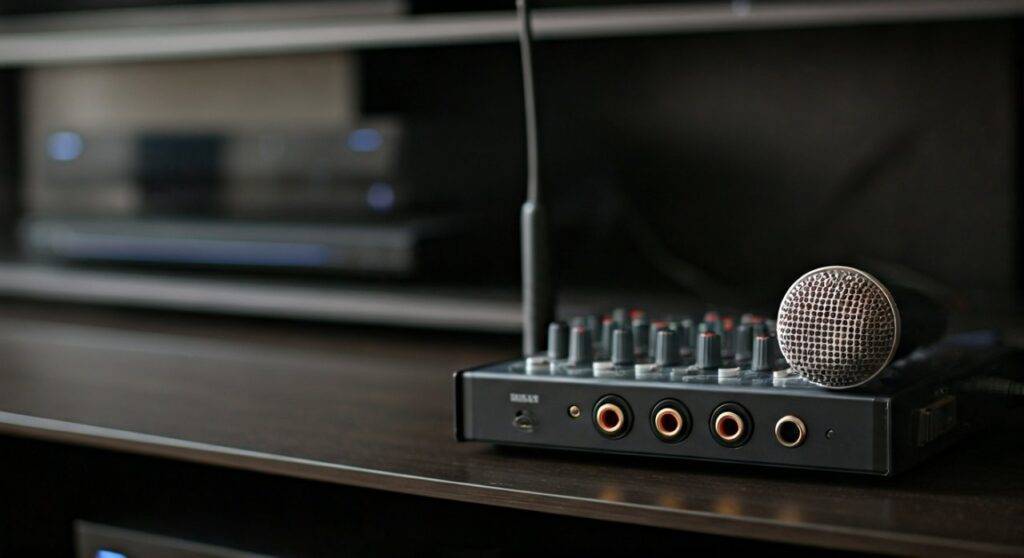
Attempting to force a direct connection without a mixer often results in extremely low volume, permanent speaker damage, or distracting audio lag (latency). I have spent over a decade configuring professional and home audio rigs, and I’ve seen many enthusiasts blow their expensive tweeters because they didn’t understand signal levels.
TL;DR: Key Takeaways for Quick Setup
- The “Must-Have” Gear: You need an Audio Mixer to combine your music and your voice before sending the signal to the receiver.
- Avoid Digital Lag: Never use Bluetooth for the microphone; the delay will make it impossible to sing or speak in real-time.
- Signal Integrity: Always connect the mixer to an analog RCA input on your receiver (labeled “Aux” or “CD”) to bypass digital processing.
- Safety First: Keep microphone volume low when starting to prevent feedback loops that can destroy home theater drivers.
Why You Can’t Plug a Wireless Microphone Directly Into a Receiver
If you look at the back of a modern 7.1 or 5.1 Surround Sound Receiver, you will notice a lack of “Mic In” ports. This is a common hurdle for those wondering can wireless microphone be used with home theater speakers.
The Signal Level Problem
Microphones produce what we call Mic Level signals, which are incredibly weak (measured in millivolts). Home theater receivers expect Line Level signals, which are significantly stronger. If you manage to find an adapter to plug a mic into a “Video” or “Aux” port, you will likely hear almost nothing, even with the volume turned to the max.
The Impedance Gap
Microphones are typically Low-Impedance (Low-Z) devices, while home theater inputs are High-Impedance (High-Z). This mismatch causes a loss of frequency response, making your voice sound “thin” or “tinny.” An external mixer acts as a transformer to match these signals perfectly.
Risk of “Clipping” and Hardware Failure
Home theater speakers, especially high-end brands like Klipsch, SVS, or KEF, are designed for the compressed, predictable audio of movies. Human voices are unpredictable. A sudden “pop” or a scream into a wireless microphone creates a massive voltage spike that a standard receiver isn’t equipped to limit, leading to “blown” speakers.
Essential Hardware Checklist
To successfully integrate a wireless microphone into your home cinema setup, you need a specific signal chain. Based on my testing, here is the most reliable equipment list.
| Component | Purpose | Recommended Type |
|---|---|---|
| Wireless Mic System | Captures your voice wirelessly. | UHF (Ultra High Frequency) for better range. |
| Audio Mixer | Combines music and voice; boosts signal. | Small 4-channel analog mixer (e.g., Yamaha MG06). |
| RCA to 1/4″ Cables | Connects the mixer output to the receiver. | Shielded cables to prevent “hum.” |
| Source Device | Provides the backing music/karaoke. | Smart TV, iPad, or Laptop. |
Step-by-Step Guide: How to Connect Your Wireless Mic
Setting this up correctly requires following a specific “Signal Path.” Follow these steps to ensure you don’t damage your hardware.
Step 1: Set Up the Wireless Receiver
Plug your wireless microphone receiver into a power outlet. Connect the XLR or 1/4-inch output from the back of the mic receiver into “Channel 1” of your audio mixer.
Step 2: Connect Your Music Source
If you are using a TV for YouTube Karaoke, take the Optical Out or 3.5mm Headphone Out from the TV and plug it into the “Tape In” or “Line In” channels on your mixer. This allows the mixer to “blend” your voice and the music together.
Step 3: Connect Mixer to Home Theater Receiver
Use an RCA-to-RCA cable (or a 1/4″ to RCA cable). Plug the “Main Out” of the mixer into an unused analog input on your home theater receiver, such as “Aux,” “CD,” or “Phono” (Note: avoid ‘Phono’ if it has a built-in preamp).
Step 4: Configure Receiver Settings
Switch your receiver to the input you chose in Step 3. Crucial Tip: Set your receiver to “Direct” or “Stereo” mode. Avoid “Movie” or “Dolby Atmos” modes, as these add digital processing that creates a delay between you speaking and the sound coming out of the speakers.
Step 5: Gain Staging
- Turn the Master Volume on your receiver to a low level.
- Speak into the wireless microphone and slowly turn up the “Gain” or “Trim” on the mixer until the lights hit the green zone (avoid red).
- Gradually increase the receiver volume until you reach a comfortable listening level.
Overcoming the “Latency” (Audio Delay) Issue
The biggest complaint people have when asking can wireless microphone be used with home theater speakers is the lag. You speak, and the sound comes out half a second later. This is maddening for singers.
Why Lag Happens
Modern receivers use Digital Signal Processing (DSP) to calibrate sound for your room. This processing takes time. Even 20-30 milliseconds of delay is noticeable to the human ear.
How to Fix It
- Use Analog Connections: Always use the red and white RCA cables. Digital connections like HDMI or Optical often introduce more processing lag.
- Enable “Pure Direct”: Most Denon, Marantz, and Yamaha receivers have a “Pure Direct” button. This bypasses the DSP chip entirely, sending the signal straight to the amplifiers for near-zero latency.
- Turn off “Lip Sync” Settings: Check your TV and Receiver settings for “Audio Delay” or “Lip Sync” and set them to zero.
Expert Tips for a Professional Sounding Setup
After installing dozens of these systems, I’ve discovered a few “pro secrets” that make a massive difference in sound quality.
Use a Compressor
If your mixer has a “Comp” knob (common on Yamaha mixers), use it. A compressor evens out the volume of your voice. It prevents the loud parts from being too loud and makes the quiet parts easier to hear, protecting your home theater speakers from sudden peaks.
Manage Frequency Interference
Wireless microphones operate on radio frequencies. If your mic “drops out” or makes static noises, it’s likely interfering with your Wi-Fi router. Keep the wireless mic receiver at least 3-5 feet away from your router and use UHF models instead of 2.4GHz models for better stability.
Feedback Suppression
“Feedback” is that high-pitched squeal that happens when a mic gets too close to a speaker. To prevent this:
- Never stand directly in front of the home theater speakers while holding the mic.
- Keep the treble (High EQ) on the mixer at the 12 o’clock position or slightly lower.
- Point the microphone away from the speakers at all times.
Alternatives to Using Home Theater Speakers
While you can use your home theater, it isn’t always the best tool for the job. If you find the setup too complex, consider these alternatives:
- Dedicated Karaoke Speaker: Brands like JBL or Bose make “Party Speakers” with built-in mic inputs and echo effects. These are rugged and designed for live vocals.
- Powered PA Speaker: A single 10-inch or 12-inch PA speaker (like the Mackie Thump series) will provide more vocal clarity than a $5,000 surround sound system ever could.
- Soundbar with Mic Input: Some budget soundbars come with “Karaoke Mode” and included mics, though the audio quality is significantly lower than a dedicated home theater.
Frequently Asked Questions
Can I use a Bluetooth microphone with my home theater?
I strongly advise against this. Bluetooth has significant latency (delay). You will hear your voice in the speakers significantly after you speak, which makes singing or presenting impossible. Always use a UHF or VHF wireless system.
Will using a microphone void my receiver’s warranty?
Generally, no. However, if you cause “clipping” that damages the internal amplifiers or blows the speakers, that physical damage is typically not covered under warranty. Using a mixer is the best way to ensure you stay within safe signal limits.
What is the best mixer for a home karaoke setup?
For most home users, the Yamaha MG06 or the Behringer Xenyx 502 are perfect. They are affordable, durable, and provide the necessary “preamp” power to make your wireless microphone sound professional through your home theater speakers.
Can I plug the mic into the “Phono” input?
No. The “Phono” input has a very specific equalization curve (RIAA) and an extra gain stage designed for record players. Plugging a mixer or mic into “Phono” will result in heavy distortion and could damage the input stage of your receiver. Use “Aux,” “CD,” or “Line In” instead.









