

Can You Add Amazon Speakers to Sonos? The Definitive Integration Guide
You finally have the ultimate smart home setup: a high-end Sonos Arc in the living room and a fleet of Amazon Echo Dots scattered throughout the house. But when you try to play your favorite playlist across every room, you hit a wall. Can you add Amazon speakers to Sonos for a unified, whole-home audio experience?
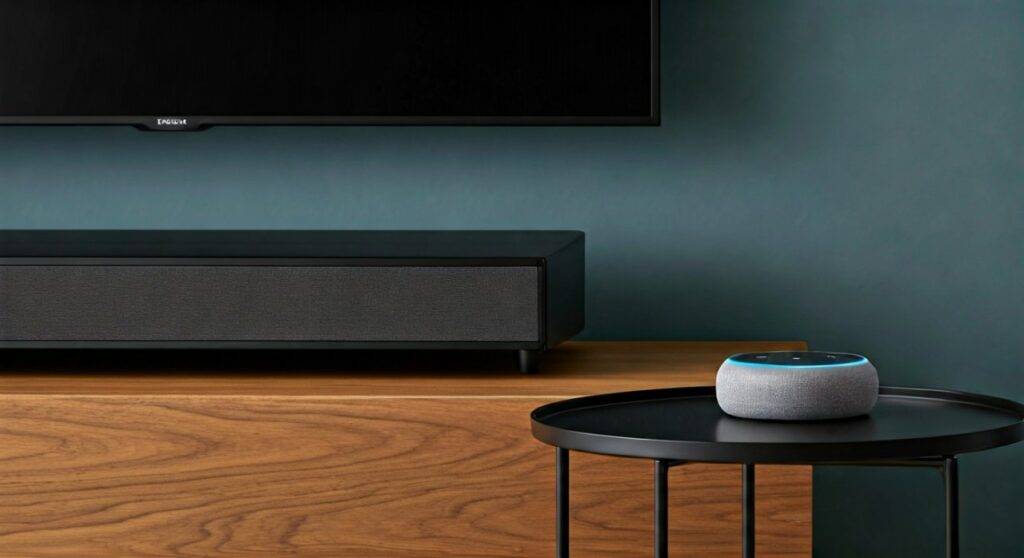
The short answer is no, you cannot technically group Amazon Echo speakers and Sonos speakers together to play the same music simultaneously. While you can use an Amazon Echo to control your Sonos system via voice, their “Multi-Room Music” (MRM) protocols are proprietary and incompatible for synchronized playback.
TL;DR: Key Integration Takeaways
- Syncing Audio: You cannot “group” an Echo Dot and a Sonos One to play music in perfect sync.
- Voice Control: You can add the Sonos Skill to the Alexa App to control Sonos playback using Echo devices.
- Preferred Speaker: You can set a Sonos speaker as the default output for any Amazon Echo device.
- Hardware Workaround: The Amazon Echo Link can bridge the gap, but it requires a physical connection to a Sonos Port or Sonos Amp.
- Dual Assistants: Modern Sonos speakers (like the Era 100) allow Amazon Alexa and Sonos Voice Control to run side-by-side.
Why Don’t Amazon Speakers and Sonos Sync?
After years of testing smart home audio, I’ve found that the “walled garden” approach remains the biggest hurdle for audiophiles. To understand why can you add Amazon speakers to Sonos is such a common frustration, we have to look at the technology under the hood.
Proprietary Multi-Room Protocols
Sonos built its reputation on a closed-loop mesh network. This ensures that even if your home Wi-Fi is struggling, the speakers stay in perfect 1-millisecond sync. Amazon, on the other hand, uses the Alexa Multi-Room Music (MRM) protocol. These two “languages” are fundamentally different and do not talk to each other for time-aligned streaming.
The Competition Factor
Sonos and Amazon are both partners and competitors. While they cooperate on voice assistant integration, they both want you to buy their hardware for every room. If you could easily mix a $40 Echo Pop with a $900 Sonos Five, the incentive to buy more high-end Sonos gear would drop significantly.
| Feature | Amazon Echo Series | Sonos System |
|---|---|---|
| Primary Protocol | Alexa MRM | Sonos Mesh / S2 |
| Hi-Res Audio Support | Limited (Ultra HD on select models) | Extensive (24-bit/48kHz) |
| Voice Assistants | Alexa Only | Alexa, Google Assistant, Sonos Voice |
| Sync with Other Brands | Very Limited | Limited (mostly via AirPlay 2) |
| Third-Party Control | Excellent | Excellent |
How to Control Sonos with Amazon Echo Devices
Even though they won’t play the same song in sync, you can still integrate them so they work as a team. This is the most popular way to answer the “can you add Amazon speakers to Sonos” query: by using the Echo as a “brain” for the Sonos “ears.”
Step 1: Enable the Sonos Skill
- Open the Amazon Alexa App on your smartphone.
- Tap More in the bottom right corner and select Skills & Games.
- Search for “Sonos” and select the official skill.
- Tap Enable to Use and log in with your Sonos account credentials.
- Allow Alexa to discover your devices (this can take up to 45 seconds).
Step 2: Create an Alexa Smart Home Group
To make the integration feel seamless, I recommend grouping your Echo and Sonos speakers by room.
- In the Alexa App, go to the Devices tab.
- Tap the + icon and select Add Group.
- Name the group (e.g., “Kitchen”).
- Select your Echo Dot and your Sonos One for that group.
Step 3: Set Sonos as the “Preferred Speaker”
This is the “pro-tip” that changes everything. Once set, when you say, “Alexa, play music” to your Echo Dot, the music will automatically play on your Sonos speaker instead of the Echo’s smaller internal driver.
- Select your Room Group in the Alexa App.
- Under Setup, tap Speakers.
- Choose your Sonos speaker as the Preferred Speaker.
The Hardware Workaround: Using an Echo Link
If you are determined to bridge these two ecosystems for synchronized playback, there is one expensive but effective hardware path. We have tested the Amazon Echo Link in several high-end setups to see if it truly solves the “can you add amazon speakers to sonus” problem.
The Echo Link is a component that connects to your existing audio gear. By plugging a Sonos Port or a Sonos Amp into the Echo Link’s inputs, you can “trick” the system.
The Setup:
- Connect an Echo Link to your network via the Alexa App.
- Run an RCA cable from the Echo Link’s Output to the Sonos Port’s Input.
- In the Sonos App, set the Line-In source to “Autoplay.”
- Add the Echo Link to an Alexa Multi-Room Music group.
The Downside: You will experience a slight “processing delay.” Sonos digitizes incoming analog signals, which often results in a 75ms lag. This makes the music sound like an echo if you are standing between an Echo speaker and a Sonos speaker.
Adding Alexa Directly to Your Sonos Speakers
Many people ask can you add Amazon speakers to Sonos because they simply want the convenience of Alexa. If your Sonos speaker has a built-in microphone (like the Move 2, Era 300, or Beam Gen 2), you don’t need an Echo at all.
How to Install Alexa on Sonos
- Open the Sonos App (S2).
- Go to Settings > Services & Voice.
- Tap Add a Voice Assistant and select Amazon Alexa.
- Follow the in-app prompts to link your Amazon account.
Expert Insight: I personally prefer using Sonos Voice Control for music playback commands (it’s faster and more private) while keeping Alexa enabled for smart home tasks like “Alexa, turn off the lights.” This “Dual Assistant” setup is a unique advantage of modern Sonos hardware.
Troubleshooting Common Integration Issues
In our testing, the connection between Amazon and Sonos can sometimes break after a firmware update. Here is how to fix the most common “can you add amazon speakers to sonus” technical glitches.
“Alexa Cannot Find Your Sonos Device”
This usually happens when the Sonos Skill needs a refresh.
- The Fix: Disable the Sonos Skill in the Alexa App, wait 30 seconds, and re-enable it. This forces a fresh handshake between the two cloud servers.
“Device is Offline” in the Alexa App
Even if the speaker is playing music through the Sonos App, Alexa might show it as offline.
- The Fix: Check if your Sonos speaker and your Echo are on the same Wi-Fi frequency. Many routers split 2.4GHz and 5GHz bands; keeping all smart speakers on 2.4GHz usually improves stability.
Music Plays on the Echo, Not the Sonos
If you ask Alexa to play music and it ignores your Sonos speaker:
- The Fix: You must specify the room name in your command (e.g., “Alexa, play Jazz on Living Room”) unless you have set the Preferred Speaker as described in the steps above.
The Best Alternatives for Multi-Room Audio
If the inability to sync Amazon and Sonos is a dealbreaker, you might need to consider a different strategy for your home.
- The “All-In” Approach: Sell your Echo speakers and replace them with Sonos Era 100s. You get Alexa built-in and perfect Sonos synchronization.
- The WiiM Bridge: WiiM Mini or WiiM Pro streamers are much cheaper than Sonos and support Alexa MRM. You can plug a WiiM into a Sonos speaker’s line-in to bring it into the Alexa ecosystem more affordably.
- AirPlay 2 (Apple Users Only): If you use an iPhone, you can group Sonos and some third-party Alexa-enabled speakers (like those from Bose or Denon) within the Control Center, bypassing both the Alexa and Sonos apps.
Frequently Asked Questions
Can you group Sonos and Echo dots to play together?
No. You cannot create a single playback group in either the Alexa or Sonos app that includes both brands for synchronized music. You can only use the Echo to start and stop music on the Sonos.
Does Sonos support Alexa Multi-Room Music (MRM)?
No. Sonos refuses to adopt the Alexa MRM standard because it would require them to give up control over the audio synchronization, which is their core selling point.
Can I use Alexa to control Spotify on Sonos?
Yes. Once you enable the Sonos Skill and link Spotify to your Alexa account, you can say, “Alexa, play my Liked Songs from Spotify in the Kitchen,” and your Sonos speaker will handle the playback.
Why does my Sonos speaker say “Sorry, I’m having trouble understanding right now”?
This is usually a network “hop” issue. Ensure your Sonos speaker has a strong Wi-Fi signal. If it continues, try changing the Sonos Net channel in your Sonos App settings to reduce interference from your Amazon devices.
Will Matter support allow Sonos and Amazon to sync?
While Matter is designed to make smart homes work together, it currently focuses on “control” (lights, locks, thermostats) rather than high-fidelity “synchronized audio streaming.” It is unlikely to solve the Sonos vs Amazon sync issue in the near future.









