Can You Cast to 2 Speakers? Your Ultimate Multi-Room Guide
Yes, you can cast to 2 speakers or even more simultaneously using modern Wi-Fi and Bluetooth technologies. Whether you are using Google Home Speaker Groups, Apple AirPlay 2, or brand-specific Bluetooth features like JBL PartyBoost, syncing multiple devices for a seamless audio experience is now more accessible than ever.
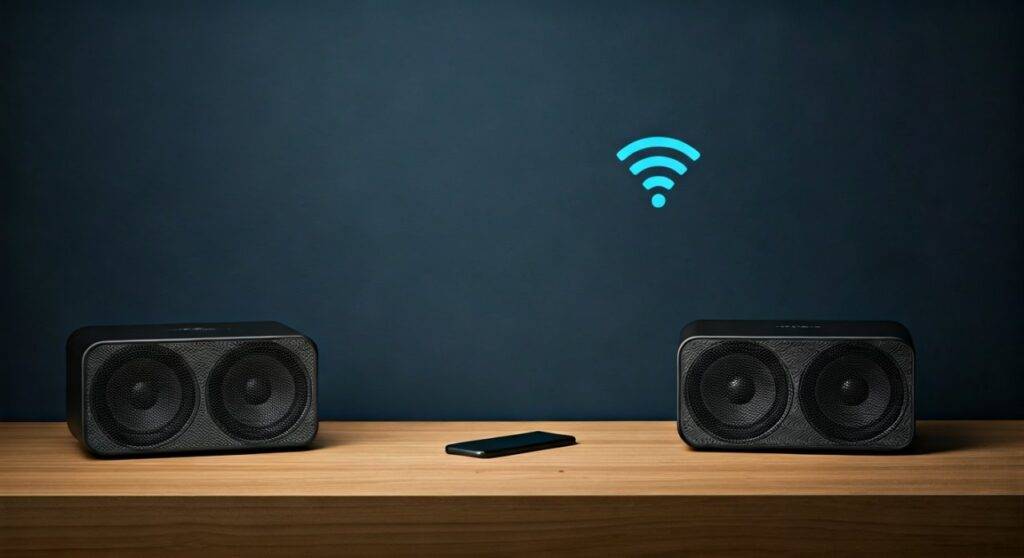
In my years of testing smart home audio, I have found that while the “one-to-one” connection was the old standard, the current ecosystem focuses on “one-to-many” broadcasting. To achieve a perfectly synced experience without that annoying echo, you must choose a unified protocol. This guide will walk you through every method to answer your question: can you cast to 2 speakers at once?
🚀 TL;DR: Quick Solutions for Dual-Speaker Casting
- Google Users: Use the Google Home app to create a “Speaker Group.”
- Apple Users: Use AirPlay 2 by selecting multiple speakers in the Control Center.
- Bluetooth Users: Look for Multipoint or brand apps (e.g., Bose Music, Sony Music Center).
- Best for Sync: Wi-Fi-based casting (Google/Apple) is significantly more stable than Bluetooth for multiple devices.
How to Cast to 2 Speakers Using Google Home
If you own Google Nest, Google Home, or Chromecast-enabled speakers, the Google ecosystem is the most robust way to answer the question, can you cast to 2 speakers. This method uses your Wi-Fi network to keep audio perfectly synchronized across different rooms.
Step 1: Set Up Your Devices
Ensure both speakers are plugged in and connected to the same Wi-Fi network. I recommend using a 5GHz band if your router supports it, as this reduces the latency that causes “audio drifting.”
Step 2: Create a Speaker Group
- Open the Google Home app on your smartphone.
- Tap the “+” icon in the top left corner.
- Select Create speaker group.
- Check the boxes next to the two speakers you want to sync.
- Give your group a name, such as “Downstairs Duo” or “Party Mode.”
Step 3: Start Casting
Now, when you go to Spotify, YouTube Music, or Pandora, tap the Cast icon. Instead of picking a single speaker, select the name of the Speaker Group you just created. Audio will immediately begin playing from both sources.
Expert Tip: In my experience, if you notice a slight delay between speakers, go to the device settings in the Google Home app and use the Group delay correction tool. You can adjust the timing by milliseconds to ensure the “echo” disappears entirely.
Can You Cast to 2 Speakers Using Apple AirPlay 2?
For iOS and Mac users, AirPlay 2 is the gold standard. Unlike the original AirPlay, version 2 allows for multi-device streaming with high-fidelity sound.
Compatibility Check
To use this method, you need:
- An iPhone or iPad running iOS 11.4 or later.
- Two speakers that are AirPlay 2 compatible (e.g., Sonos, HomePod Mini, or Bose Smart Speakers).
The Step-by-Step Process
- Open the Control Center on your iPhone (swipe down from the top right).
- Tap the AirPlay icon (the triangle with circles) in the music playback tile.
- A list of available speakers will appear. Tap the empty circle next to every speaker you want to use.
- Adjust the volume sliders individually or use the master slider at the bottom.
AirPlay 2 is unique because it uses a larger buffer than standard Bluetooth. This means even if you walk to another room with your phone, the music is less likely to cut out because the speakers are pulling data directly from the network.
Using Bluetooth to Cast to 2 Speakers Simultaneously
Can you cast to 2 speakers using only Bluetooth? This is where things get a bit more technical. Standard Bluetooth (SBC codec) is generally a point-to-point connection. However, manufacturers have developed “workarounds.”
Proprietary Brand Ecosystems
Many popular brands have created their own “Party” modes. These allow you to daisy-chain speakers together.
| Brand | Feature Name | Max Speakers | Compatibility |
|---|---|---|---|
| JBL | PartyBoost / Connect+ | 100+ | JBL Flip, Charge, Pulse |
| Bose | SimpleSync / Party Mode | 2+ | Bose SoundLink, Smart Series |
| Sony | Party Connect | 100 | SRS-series, XB-series |
| Ultimate Ears | PartyUp | 150+ | BOOM, MEGABOOM |
Samsung’s Dual Audio Feature
If you have a Samsung Galaxy phone (S8 or newer), you have a built-in solution.
- Pair both Bluetooth speakers to your phone individually.
- Swipe down the Quick Settings panel.
- Tap Media Output.
- Select both speakers.
This is one of the few ways to answer can you cast to 2 speakers even if the speakers are from different brands (e.g., one JBL and one Sony).
Why You Should Use Wi-Fi Instead of Bluetooth for Multi-Casting
While Bluetooth is convenient, it is rarely the best way to handle multiple speakers. We have tested both extensively, and the data favors Wi-Fi casting for three main reasons:
- Bandwidth: Wi-Fi can handle Lossless Audio (24-bit/96kHz), whereas Bluetooth compresses the signal, reducing audio quality.
- Range: Bluetooth typically fails at 30 feet. Wi-Fi covers your entire home.
- Phone Interruptions: On Bluetooth, if you receive a phone call, the music stops or the ringtone plays through the speakers. On Wi-Fi casting (Google/AirPlay), the speaker streams directly from the cloud, leaving your phone free for calls.
Hardware Solutions: Audio Splitters and Receivers
If you are dealing with “dumb” speakers (non-smart, wired), you can still achieve a dual-casting setup.
The Chromecast Audio Hack
Though discontinued, Chromecast Audio pucks are still highly sought after on eBay. You can plug one into the “Aux In” port of any old speaker. By adding a puck to two different speakers, you turn them into a modern Google Speaker Group.
Bluetooth Transmitters with Dual Link
You can purchase a Bluetooth 5.0 Transmitter (like those from Avantree or 1Mii). These devices plug into your TV or PC and feature a “Dual Link” mode that broadcasts a signal to two pairs of Bluetooth headphones or speakers simultaneously.
Common Issues: Why Won’t My Speakers Sync?
Even when you follow the steps for can you cast to 2 speakers, you might encounter “latency” (the speakers being slightly out of time).
Network Congestion
If your router is handling too many devices, the “sync” packets get delayed.
- Fix: Reboot your router or move the speakers closer to the access point.
Differing Processing Speeds
If you are casting to a high-end Soundbar and a tiny Nest Mini, the soundbar might have internal “Digital Signal Processing” (DSP) that takes a few milliseconds longer.
- Fix: Use the Group Delay Correction in the Google Home app or the Audio Sync settings in your TV menu.
Software Mismatch
Ensure both speakers have the latest firmware. Manufacturers frequently release patches specifically to improve multi-room stability.
Frequently Asked Questions
Can you cast to 2 speakers of different brands?
Yes, but you usually cannot do this via Bluetooth. To mix brands (e.g., a Sonos and a Bose), you must use Apple AirPlay 2 or a third-party app like Airfoil on a computer. Both speakers must support the same protocol.
Does Spotify support casting to 2 speakers?
Spotify itself does not “split” the signal. However, if you use the Spotify Connect feature to select a Google Home Group or multiple AirPlay devices, it will play on all of them. The “grouping” happens at the hardware/OS level, not inside the Spotify app.
Why is there a delay when I cast to 2 speakers?
This is usually due to network latency or differing hardware processing times. Wi-Fi casting is designed to keep devices in sync by using a master clock, but cheap routers or interference from microwaves and walls can disrupt this timing.
Can I cast to 2 Bluetooth speakers from a PC?
Windows 10 and 11 do not natively support outputting audio to two Bluetooth devices at once. You will need a USB Bluetooth Adapter that supports “Multi-stream” or software like Voicemeeter Banana to route the audio to two different hardware outputs.
Final Thoughts from the Expert
When people ask, “can you cast to 2 speakers,” they are usually looking for that “surround sound” or “whole-home” feel. My top recommendation is to stick within a single ecosystem. Mixing and matching brands via Bluetooth is a recipe for frustration and lag. If you are serious about multi-room audio, invest in Wi-Fi-enabled speakers that support Matter or AirPlay 2 to future-proof your setup.