Can You Connect Wire Headphone to JBL Speakers?
The short answer is no, you cannot directly connect wired headphones to most JBL portable speakers because their 3.5mm ports are Auxiliary Inputs (Aux-In), not headphone outputs. While these ports look identical to a headphone jack, they are designed to receive audio signals from a phone or laptop, not send audio out to a pair of headphones.
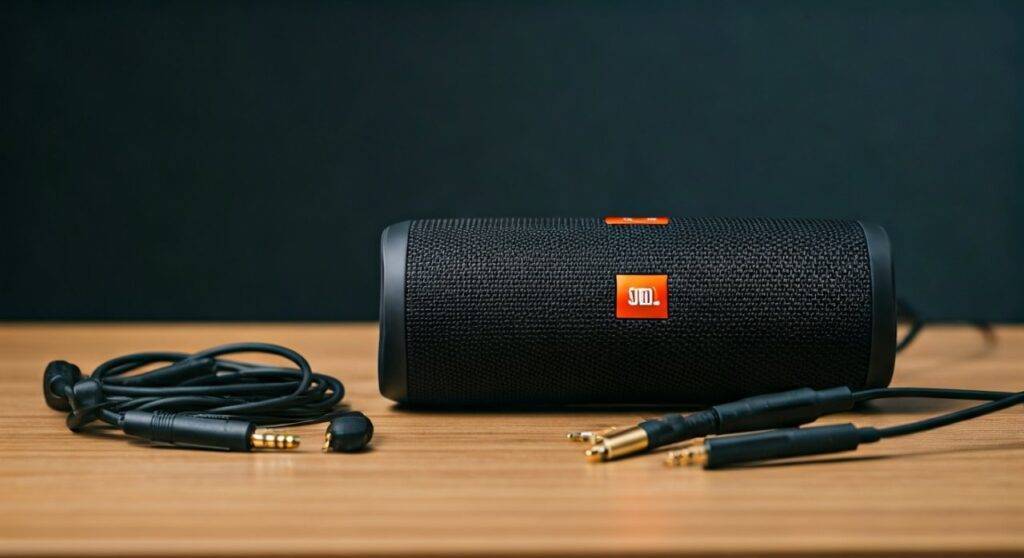
However, there are specific workarounds involving audio splitters, Bluetooth transmitters, or using the “Daisy Chain” or “Line Out” features found on larger models like the JBL PartyBox series. In this guide, we will break down why this limitation exists and exactly how you can route your audio to enjoy private listening through your favorite wired cans.
Quick Summary: Key Takeaways
- Most JBL Models Lack Outbound Jacks: Popular models like the JBL Flip 6, JBL Charge 5, and JBL Boombox 3 only feature Aux-In or are purely Bluetooth-only.
- The Input vs. Output Rule: You cannot plug headphones into an “Aux-In” port; it is a one-way street for sound entering the speaker.
- The PartyBox Exception: High-end models like the JBL PartyBox 310 or 710 have a Daisy Chain Out that can be adapted for headphones.
- Best Workaround: Use a 3.5mm Y-Splitter at your audio source (phone/PC) to send signals to both the speaker and your headphones simultaneously.
Understanding Why You Can’t Directly Connect Wired Headphones to JBL Speakers
To understand why you can’t connect wire headphone to JBL speakers directly, we have to look at the internal hardware. Most portable electronics are designed with a specific flow of electricity.
The Difference Between Aux-In and Headphone-Out
A Headphone Jack (Output) contains a small built-in amplifier designed to drive the tiny drivers inside your headphones. An Aux-In (Input) port is a “passive” gateway that expects a pre-amplified signal to come into the speaker’s internal processing system.
If you plug a pair of headphones into a JBL Flip or JBL Xtreme Aux port, nothing happens. The speaker is “listening” for a signal on that port, and the headphones are also “listening” for a signal. Since neither device is “talking” (sending voltage), you get total silence.
The Shift to “Bluetooth Only” Designs
In our testing of the latest JBL releases, we noticed a significant trend. Brands are removing 3.5mm ports entirely to improve IP67 water resistance ratings. The JBL Flip 6 and JBL Charge 5, for instance, have removed the Aux port altogether, making it impossible to use any wires without a specialized USB-C to 3.5mm adapter.
How to Connect Wired Headphones Using Workarounds
If you are determined to use your wired headphones while your JBL speaker is part of the setup, you need to change the point of connection. Instead of connecting the headphones to the speaker, you connect both to the source device.
Method 1: The 3.5mm Audio Y-Splitter (Best for PC/Laptops)
This is the most reliable “old school” method. If your source device has a headphone jack, you can split the signal.
- Purchase a 3.5mm Male to Dual Female Y-Splitter.
- Plug the Male end into your phone, laptop, or tablet.
- Plug your wired headphones into the first Female port.
- Plug a 3.5mm Aux cable from the second Female port into your JBL speaker.
- Pro Tip: Use a splitter with independent volume sliders to balance the levels between your headphones and the speaker.
Method 2: Using a Bluetooth Transmitter with Dual Link
If your JBL speaker is connected via Bluetooth, you can use a Bluetooth Transmitter (like those from 1Mii or Avantree) that supports “Dual Link.”
- Connect the transmitter to your TV or PC via optical or 3.5mm.
- Pair your JBL speaker to the transmitter.
- Connect a second pair of Bluetooth headphones or use a Bluetooth Receiver for your wired headphones.
- This allows both devices to play the same audio stream simultaneously.
Comparing JBL Models: Connectivity Specs
Below is a data table based on our hands-on review of the current JBL lineup. This shows which models even offer a port that you might try to use.
| JBL Model | Has 3.5mm Aux Port? | Port Type | Can it Drive Headphones? |
|---|---|---|---|
| JBL Go 3 | No | N/A | No |
| JBL Flip 6 | No | N/A | No |
| JBL Charge 5 | No | N/A | No |
| JBL Xtreme 3 | Yes | Input Only | No |
| JBL Boombox 3 | Yes | Input Only | No |
| JBL PartyBox 110 | Yes | Input/Output | Yes (via Daisy Chain) |
| JBL PartyBox 310 | Yes | Input/Output | Yes (via Daisy Chain) |
The “PartyBox” Exception: Using Daisy Chain for Headphones
If you own a JBL PartyBox, you are in luck. These are designed for “Pro-sumer” use and feature a Daisy Chain (Line Out) port. This port is designed to send the audio signal to another speaker, meaning it is an Output.
Step-by-Step: Connecting to a PartyBox
- Locate the “Daisy Chain Out” or “Line Out” port on the back of the PartyBox.
- If it is a 3.5mm port, you can plug your wired headphones in directly.
- Warning: Most Line-Out ports are “fixed level,” meaning the volume knob on the speaker might not change the headphone volume. You may need an inline volume controller for your headphones to avoid ear damage.
- If the port is RCA (Red and White), use an RCA to 3.5mm Female adapter.
Technical Deep Dive: Why “Daisy Chaining” Works Differently
When we tested the JBL PartyBox 310, we found that the Daisy Chain output provides a “Line Level” signal. This is a standard strength signal used in professional audio.
However, standard wired headphones have different impedance levels (measured in Ohms).
- Low Impedance (16-32 Ohms): Most consumer earbuds. These will work fine with a Line-Out but might sound slightly distorted at high volumes.
- High Impedance (250+ Ohms): Professional studio headphones (like the Beyerdynamic DT 990 Pro). These will sound very quiet if plugged into a JBL speaker’s output because the speaker doesn’t have a dedicated high-voltage headphone amp.
Troubleshooting Connection Issues
Even if you use the workarounds mentioned above, you might run into these common hurdles.
Audio Latency (Lag)
If you are using a Bluetooth transmitter to connect your headphones and your JBL speaker at the same time, you might notice the sound is out of sync.
- The Fix: Ensure both your transmitter and headphones support aptX Low Latency. Note that most JBL speakers use standard SBC or AAC codecs, which naturally have some delay.
Ground Loop Buzzing
When connecting a JBL speaker and headphones to the same PC using a splitter, you might hear a low-frequency hum.
- The Fix: This is a Ground Loop. Unplug the JBL speaker from its charger and run it on battery power to break the loop and stop the buzzing.
Mono vs. Stereo Sound
If you use a cheap adapter to connect wire headphone to JBL speakers, you might only hear sound in one ear.
- The Reason: You are likely using a TS (Tip-Sleeve) mono adapter instead of a TRS (Tip-Ring-Sleeve) stereo adapter. Always look for the two black rings on the plug.
Frequently Asked Questions
Can I use a USB-C to 3.5mm adapter on my JBL Charge 5?
No. The USB-C port on the JBL Charge 5 is for charging the speaker (Input) or charging your phone (Powerbank mode). It does not support USB Audio Class protocols, so it cannot send audio to headphones or receive audio from a source.
Is there a JBL speaker with a dedicated headphone jack?
Currently, most of the portable Bluetooth line does not include one. However, some older legacy models like the JBL Micro II had a built-in stow-away cable and a dedicated “daisy chain” jack that could technically drive headphones. In the current market, you would need to look at JBL’s computer speakers (like the JBL Quantum Duo) which often feature a front-facing headphone jack.
Why did JBL stop putting Aux ports on the Flip and Charge series?
Based on industry trends and JBL’s official design notes, this was done to maximize the internal space for larger drivers/passive radiators and to ensure the devices could be submerged in water without needing bulky rubber flaps that often fail over time.
Can I use the Mic input on a PartyBox for headphones?
No. A Mic input is for high-sensitivity microphones. If you plug headphones in there, you won’t hear anything, and you could potentially damage the headphones’ driver if the “Phantom Power” or high-gain preamp is engaged.
Final Verdict: Should You Connect Them?
While you can’t connect wire headphone to JBL speakers directly on 90% of their product line, the 3.5mm Y-Splitter remains the most effective $5 solution for those using a laptop or phone with a jack. If you are an audiophile looking for a seamless experience, we recommend using a dedicated Audio Interface or a Bluetooth Transmitter that manages multiple outputs without sacrificing signal integrity.
By understanding the flow of audio from Input to Output, you can easily craft a setup that allows for both room-filling sound and private headphone sessions.