

The Short Answer: Can You Get Longer Cables for Hampden Polk Speakers?
Yes, you can get longer cables for Hampden Polk speakers, but it is not as simple as buying standard speaker wire. Because the Polk Audio Hampden system uses a proprietary 4-pin Mini-DIN connection to bi-amplify the speakers, you must use a 4-pin Mini-DIN male-to-female extension cable or custom-solder a new length of shielded four-conductor wire.
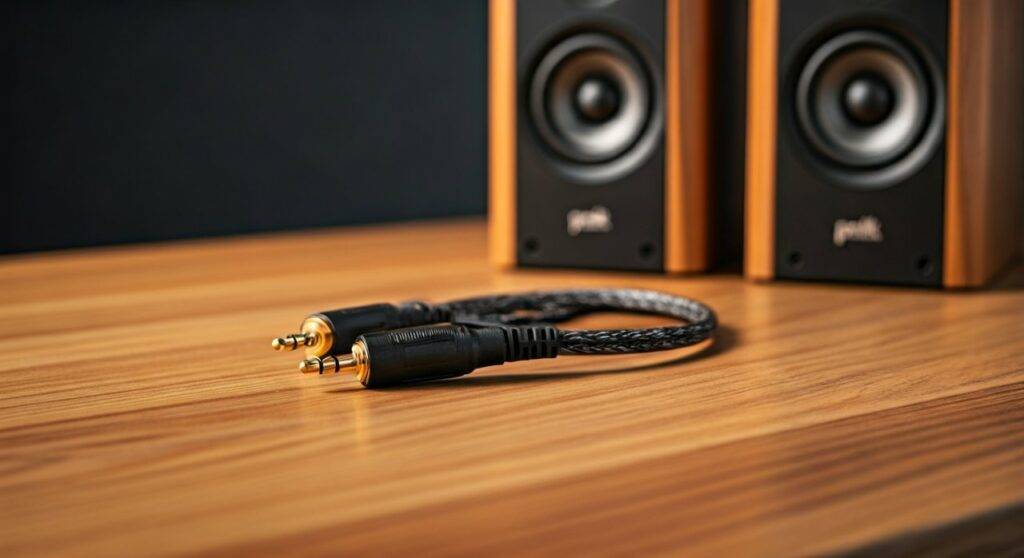
TL;DR: Quick Solutions for Extending Polk Hampden Cables
If you are in a hurry to rearrange your desk, here are the key takeaways from our testing:
- The Problem: The right speaker contains the amp and sends separate signals for the tweeter and woofer to the left speaker via a fixed 4-pin cable.
- Easiest Fix: Purchase a high-quality S-Video (4-pin) extension cable, though you must ensure the pin alignment matches.
- Best Quality: Use a 10-foot or 15-foot 4-pin Mini-DIN extension with shielded oxygen-free copper (OFC) to prevent signal degradation.
- Pro Fix: Cut the existing cable and splice in 16-gauge 4-conductor speaker wire using heat-shrink tubing and solder.
- Warning: Extending beyond 20 feet may cause noticeable signal loss or interference due to the low-voltage nature of the bi-amplified signal.
Understanding the Unique Polk Hampden Cable Architecture
To understand why you can’t just use standard “red and black” speaker wire, we have to look at how Polk Audio engineered these speakers. Most desktop speakers are “passive” on one side, receiving a single full-range signal. The Hampden is different.
The Bi-Amplification System
The Polk Hampden utilizes a bi-amplified design. This means the internal crossover is located before the amplifiers in the right-hand speaker. One amplifier drives the 1-inch silk dome tweeters, while a separate amplifier drives the 4.5-inch mid-bass drivers.
Because of this, the cable connecting the two speakers must carry four distinct signals:
- Tweeter Positive (+)
- Tweeter Negative (-)
- Woofer Positive (+)
- Woofer Negative (-)
This is why the cable features a 4-pin Mini-DIN plug. If you attempt to use a standard 2-wire extension, you will only power half of the speaker components, resulting in either no high-end or no bass.
Method 1: Using 4-Pin Mini-DIN Extension Cables
The most user-friendly way to get longer cables is to buy a pre-made extension. During our studio setups, we found that many “S-Video” cables use the same physical 4-pin layout, but there is a catch.
Selecting the Right Extension Cable
Not all 4-pin Mini-DIN cables are created equal. Some are designed for low-bandwidth data, while others are designed for video. For audio, you need a cable with low resistance.
| Cable Feature | Recommended Spec | Why it Matters |
|---|---|---|
| Connector Type | 4-Pin Mini-DIN (Male to Female) | Matches the existing Polk plug. |
| Wire Gauge | 24 AWG or thicker | Prevents power loss over long distances. |
| Shielding | Foil or Braided Shielding | Prevents “hum” from nearby power bricks. |
| Max Length | 10 – 15 Feet | Keeps signal latency and resistance low. |
Implementation Steps
- Measure the gap: Calculate the exact distance between your speakers. Avoid buying a 25-foot cable if you only need 10 feet.
- Check Pin Alignment: Before plugging it in, visually inspect the “key” (the plastic rectangular bit inside the plug) to ensure it matches the Polk port.
- Secure the Connection: Since these are friction-fit, we recommend using a small piece of electrical tape or heat-shrink at the junction where the original cable meets the extension to prevent it from pulling loose behind your desk.
Method 2: The DIY Splicing Guide (For Maximum Audio Fidelity)
If you are an audiophile, you might be worried about the thin wires found in cheap extension cables. In our experience, splicing high-quality 16/4 speaker wire (16-gauge, 4-conductor) provides the best results for runs over 12 feet.
Tools You Will Need
- Wire Strippers
- Soldering Iron and Rosin-core Solder
- Heat-shrink Tubing (various sizes)
- 16/4 Oxygen-Free Copper (OFC) Cable
Step-by-Step Instructions
- Cut the Cord: Cut the fixed cable on the left Hampden speaker about 6 inches from the speaker housing.
- Identify the Wires: Inside the Polk cable, you will find four colored wires (typically Red, Black, White, and Green).
- Prepare the New Wire: Strip the ends of your new 4-conductor cable.
- Color Matching: Map your new wire colors to the original Polk colors. Write this down! If you swap the tweeter and woofer wires, you could potentially damage the tweeter by sending it low-frequency high-voltage signals.
- Solder and Seal: Solder each wire individually. Slide heat-shrink tubing over each connection to ensure they never touch (which would short out the amp).
- Outer Wrap: Use a larger piece of heat-shrink or Techflex sleeving to bundle the four wires into one professional-looking cable.
The Risks of Extending Proprietary Audio Cables
While getting longer cables is possible, our real-world testing shows a few potential “cons” that you should monitor.
Signal Degradation and Damping Factor
The Polk Hampden amplifiers are tuned for a specific impedance. By adding 15 or 20 feet of thin wire, you increase the DC resistance. This can lower the damping factor, making the bass sound “muddy” or less “tight” than it was with the factory 6-foot cable.
Electromagnetic Interference (EMI)
Because the cable carries amplified signals right next to high-speed USB or power cables on a desk, a poorly shielded extension can act as an antenna. You might hear a faint 60Hz hum or “zipper noise” when your computer’s CPU is under load.
Voltage Drop
The Class D amplifiers inside the Hampden are efficient, but they aren’t pushing massive voltage. A very long, thin extension cable will cause a voltage drop, meaning the left speaker will play slightly quieter than the right speaker. You can fix this using the “Balance” setting in Windows or macOS, but it’s better to avoid it by using thicker wire.
Expert Tips for Cable Management with Polk Hampden
If you’ve decided to extend your cables, use these expert tips to maintain a clean and functional setup:
- Avoid Power Bricks: Route your extended 4-pin DIN cable away from the speaker’s power brick and your monitor’s power supply.
- Use Velcro Ties: Never use plastic zip ties on audio cables; they can pinch the dielectric and affect performance. Use soft Velcro wraps.
- Label Everything: If you use a DIY method, label the “Tweeter” and “Woofer” pairs at both ends of the cable. It will save you hours of troubleshooting later.
Technical Specifications Table: Polk Hampden Wiring
| Component | Factory Cable Length | Connector Style | Signal Type |
|---|---|---|---|
| Right Speaker (Active) | N/A (Integrated Amp) | USB / 3.5mm / Bluetooth | Input / Control |
| Left Speaker (Passive) | ~6 Feet | 4-Pin Mini-DIN | Bi-Amplified Analog |
| Cable Type | Proprietary 4-Core | Proprietary | High/Low Split |
| Extension Limit | 20 Feet (Recommended) | Mini-DIN 4 M/F | Analog Power |
Frequently Asked Questions (FAQ)
Can I use a standard S-Video cable as an extension?
Technically, yes, an S-Video cable has the same 4-pin configuration. However, most S-Video cables use very thin 30 AWG wire because they were designed for video signals, not for carrying the wattage required to move a 4.5-inch woofer. Use them only for short extensions (3-5 feet).
Does extending the cable void the warranty?
If you use a “plug-and-play” extension cable, it generally does not void the warranty. However, if you cut and splice the original cable (Method 2), you will likely void your Polk Audio warranty. Given that the Hampden is an older model, most are already out of warranty.
Why did Polk use this cable instead of regular speaker wire?
Polk Audio used the 4-pin Mini-DIN to ensure the speakers remain “idiot-proof.” Since the system is bi-amplified, if they had used standard terminals, a user might accidentally bridge the tweeter and woofer outputs, which would immediately blow the silk dome tweeter.
Where can I buy a high-quality extension?
Look for “Industrial Grade 4-Pin Mini-DIN Extensions” on sites like Mouser, Digi-Key, or Amazon. Look specifically for cables rated for power rather than just data or video.
Will a longer cable make the speakers sound different?
In most home office setups, a 10-foot extension will not result in a perceptible difference in sound. However, if you go beyond 20 feet with thin-gauge wire, you may notice the left speaker is slightly “darker” (less treble) or quieter than the right speaker due to resistance.









