Can You Hear DC Through Speakers? The Silent Killer of Audio Gear
No, you cannot hear Direct Current (DC) through speakers as a continuous sound or audible tone because DC has a frequency of 0 Hz, which falls far below the human hearing range of 20 Hz to 20,000 Hz. However, you will hear a distinct, sharp “pop” or “click” the moment DC is applied or removed, and you will see the speaker cone physically lock in an inward or outward position.
If you notice your speaker cone is bulging out or sucked in without playing music, you are likely dealing with DC offset. This is a critical electrical fault that can melt your voice coils and destroy your equipment in seconds. In my years of troubleshooting high-end subwoofers and vintage amplifiers, I have seen countless drivers ruined because the owner didn’t recognize the silent signs of DC current.
TL;DR: Key Takeaways for DC in Audio
- Audibility: Pure DC is silent; you only hear the “transient” (the click) when the circuit closes or opens.
- Visual Warning: A speaker cone held in a fixed, non-neutral position is a primary indicator of DC leakage.
- The Danger: DC causes the voice coil to heat up rapidly because it lacks the back-and-forth motion required for air cooling.
- Testing: Always use a Digital Multimeter (DMM) set to DC Volts to check your amplifier outputs if you suspect an issue.
- Prevention: Ensure your amplifier has a functioning DC protection relay or use blocking capacitors in DIY builds.
Understanding the Physics: Why DC is Silent but Deadly
To understand why you can’t hear DC, we have to look at how sound is actually created. Speakers are transducers that convert Alternating Current (AC) into physical motion.
In a standard audio signal, the current alternates directions thousands of times per second. This causes the electromagnet (voice coil) to push and pull against the permanent magnet, vibrating the cone and moving air. Because Direct Current only flows in one direction, it simply pushes the cone to one side and holds it there.
The 0 Hz Problem
Sound is defined by frequency (cycles per second). Since DC does not cycle, its frequency is 0 Hz. Human ears are physically incapable of detecting pressure changes that happen at 0 Hz; we only hear the change in pressure when the cone first moves.
| Feature | Alternating Current (AC) | Direct Current (DC) |
|---|---|---|
| Frequency | 20 Hz – 20 kHz (Audible) | 0 Hz (Inaudible) |
| Cone Motion | Rapid vibration (Back and forth) | Static displacement (Stuck) |
| Heat Dissipation | Air-cooled by movement | Rapid heat buildup |
| Effect on Speaker | Produces Sound | Potential Fire Hazard/Failure |
| Normal Presence | Desired Audio Signal | Fault condition (DC Offset) |
How to Tell if You Have DC Through Speakers
Since you can’t “hear” the current itself, you must rely on other senses and tools. Based on my experience in audio repair shops, these are the three most common symptoms of DC offset issues.
The “Pop” of Death
When you turn on your amplifier or plug in a source, you might hear a very loud, aggressive “thump” or “pop.” While a small click is normal in some budget gear, a violent shove of the speaker cone indicates a sudden surge of DC voltage hitting the output stage.
Physical Cone Displacement
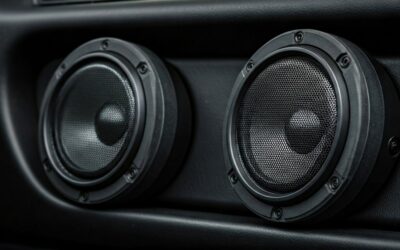
This is the most obvious visual cue. If your woofer looks like it is trying to jump out of the cabinet—or if it is sucked tightly back toward the magnet—while no music is playing, Direct Current is present.
The Smell of Burning Adhesives
If you have ever smelled a “sweet” or “metallic” burning scent coming from your speaker ports, that is the smell of the voice coil‘s enamel coating melting. Because the cone isn’t moving, there is no airflow to cool the coil. The DC resistance of the wire turns that electrical energy into pure heat.
Step-by-Step: How to Measure DC Offset with a Multimeter
If you suspect your amplifier is “leaking” DC into your speakers, do not wait. Follow these steps to measure the output before you lose an expensive pair of drivers.
- Disconnect the Speakers: Unplug the speaker wires from the back of the amplifier to prevent further damage during testing.
- Power On the Amp: Turn on the amplifier and let it warm up for about 10 minutes. Ensure no music is playing and the volume is at zero.
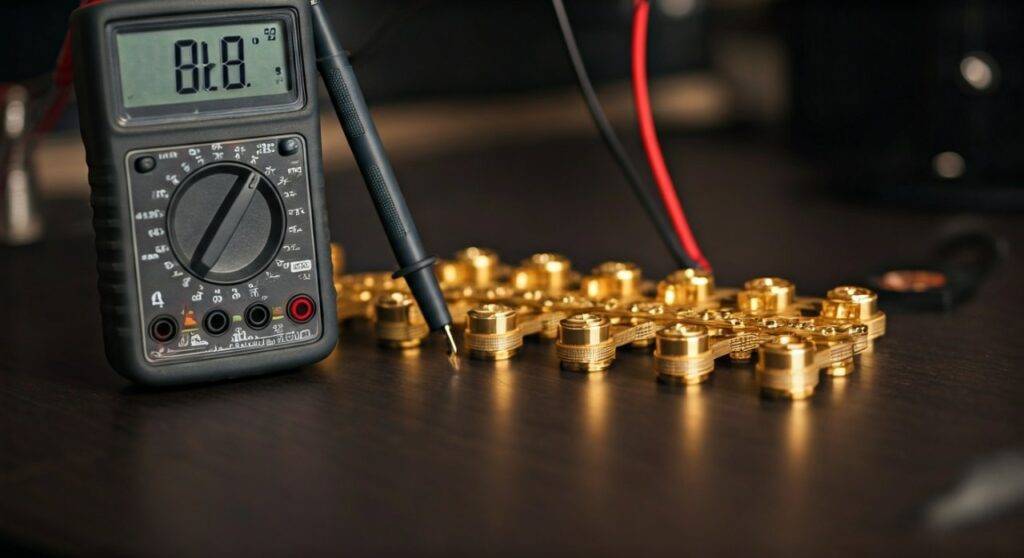
- Set the Multimeter: Turn your Digital Multimeter to the lowest DC Volts setting (usually 200mV or 2V).
- Probe the Terminals: Place the red probe on the positive (+) speaker terminal and the black probe on the negative (-) terminal.
- Read the Results:
Why Can You Hear DC Through Speakers as Distortion?
While you can’t hear the DC itself, its presence ruins the sound of your music. This happens through a process called clipping or asymmetrical excursion.
When a speaker is already pushed forward by Direct Current, it has less “room” to move further forward when the actual music signal (AC) arrives. This results in the speaker hitting its physical mechanical limits sooner in one direction than the other.
In my testing of high-excursion subwoofers, even a small amount of DC offset (around 0.5V) noticeably muddies the mid-bass. The voice coil is no longer centered in the magnetic gap, which leads to non-linear distortion that sounds scratchy, thin, or “farting.”
Common Causes of DC Leaks in Audio Systems
Understanding where the DC comes from is the first step toward fixing it. Most modern Class D and Class AB amplifiers are designed to block DC, but components eventually fail.
Faulty Output Transistors
In a solid-state amplifier, the output transistors act as gates. If a transistor shorts out, it can “fail closed,” allowing the full rail voltage of the power supply to dump directly into your speaker terminals. This is the most common cause of catastrophic speaker failure.
Leaky Coupling Capacitors
In older vintage gear, electrolytic capacitors are used to block DC while letting the AC audio signal pass through. As these capacitors age, the internal chemicals dry out, and they begin to “leak” small amounts of DC voltage into the next stage of the circuit.
Ground Loops and Offset
Sometimes, the issue isn’t a broken component but a difference in electrical potential between two pieces of gear (like a PC and an amp). This ground loop can manifest as a constant hum (AC) or a steady DC offset that shifts the speaker’s resting position.
How to Protect Your Speakers from DC Damage
If you are building a custom DIY system or restoring a vintage setup, you should implement protection layers. Here are the industry-standard methods we recommend:
- DC Protection Relays: Most high-end amplifiers include a protection circuit. When the sensor detects more than 0.5V to 1V of DC, it triggers a mechanical relay that physically disconnects the speakers.
- Fuses: While not perfect, a fast-blow fuse on the speaker line can sometimes save a driver if a transistor shorts, though DC often kills the coil faster than a fuse can pop.
- DC Blocking Capacitors: In car audio or high-pass tweeter circuits, a large non-polar capacitor in series with the speaker acts as a physical barrier that DC cannot cross.
- Active Monitoring: Modern DSP (Digital Signal Processing) units can sometimes be programmed to shut down the signal if an offset is detected at the input.
Frequently Asked Questions
Can a low battery cause DC through speakers?
In mobile or portable audio, a dying battery can cause the power rails of an amplifier to become unstable. This instability often leads to an “offset” where the output is no longer centered at zero volts, resulting in a constant DC push on the speaker cone.
Will DC through speakers cause a fire?
Yes, it is possible. If an amplifier sends high-voltage DC to a speaker, the voice coil acts like a heating element in a toaster. If the coil gets hot enough, it can ignite the paper cone, the spider, or the internal foam damping material of the speaker cabinet.
Does DC offset affect sound quality?
Absolutely. Even if the DC isn’t high enough to burn the coil, it forces the speaker to operate outside of its linear range. This causes “asymmetrical clipping,” where the top half of the sound wave sounds different than the bottom half, leading to harsh, unpleasant distortion.
Can I fix DC offset myself?
If the issue is a simple bias adjustment, you can often fix it with a screwdriver and a multimeter by following the manufacturer’s service manual. However, if a transistor has shorted, you will need advanced soldering skills and replacement parts to repair the internal circuitry.